Key takeaways
- Frequency: On Ryzen, aim for the 6000 MT/s sweet spot to keep the memory controller in sync.
- Primary timings: tCL, tRCD, tRP, and tRAS are the ones with the biggest impact.
- Voltage: DDR5 typically runs 1.35V to 1.4V for enthusiast kits; do not exceed sensible limits.
Overclocking your RAM is one of the highest-value tweaks in PC gaming, especially on AMD Ryzen systems where memory speed directly feeds the processor. Done carefully, it can lift your 1% lows and add a handful of frames in CPU-bound titles for free. Done carelessly, it can leave your PC failing to boot, though as you will see, that is easy to recover from and nothing gets permanently damaged.
This guide walks you through overclocking DDR4 and DDR5 memory safely, from enabling your kit’s rated profile to hand-tuning timings and validating stability. A stable, well-tuned kit like a Corsair Vengeance or TeamGroup T-Force set will reward the effort, and we will keep things approachable for first-timers.
Our top picks
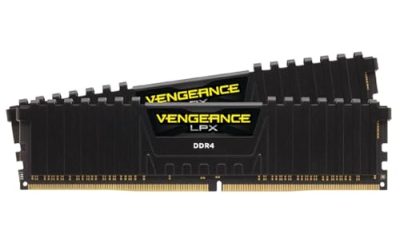
 CORSAIR Vengeance LPX DDR4 RAM 32GB
- Disclaimer: Maximum Speed requires overclocking/PC BIOS adjustments
- Hand-sorted memory chips ensure high performance with generous…
- VENGEANCE LPX is optimized for wide compatibility with…
 JEYI RAM Heatsink Cooler with Thermal Pads
- ram heatsink
- 【Efficient Heat Dissipation】: Equipped with a thermal conductive…
- 【High-quality Materials】: The product utilizes an anodized aluminum…
 Desktop Memory RAM Cooler Heat Sink Pure
- 【Upgraded Model】, we have upgraded the product and…
- And retains the thermal double-sided adhesive on the…
- Product material: pure copper
| Product | Key specs | |
|---|---|---|
| CORSAIR Vengeance LPX DDR4 RAM 32GB | Disclaimer: Maximum Speed requires overclocking/PC BIOS adjustments Hand-sorted memory chips ensure high performance with generous… VENGEANCE LPX is optimized for wide compatibility with… | Check price |
| JEYI RAM Heatsink Cooler with Thermal Pads | ram heatsink 【Efficient Heat Dissipation】: Equipped with a thermal conductive… 【High-quality Materials】: The product utilizes an anodized aluminum… | Check price |
| Desktop Memory RAM Cooler Heat Sink Pure | 【Upgraded Model】, we have upgraded the product and… And retains the thermal double-sided adhesive on the… Product material: pure copper | Check price |
 Thermals DDR4 RAMs Coolers PWMs Fan Control Thermals DDR4 RAMs Coolers PWMs Fan Control | Upgrades your gaming with ARGB DDR4 rams Heatsink… installs this cooling on DDR4 / DDR5 rams… Engineered with temperature sensings pwms fan (0-2500RPM) and… | Check price |
 Acclamator DDR4 RAM 32GB Acclamator DDR4 RAM 32GB | Specifications: Suitable for desktops, dual-channel combination can maximize… Overview: Each module of Acclamator OUNCE is designed… The white aluminum heatsink provides maximum heat dissipation… | Check price |
 CORSAIR Vengeance DDR5 32GB CORSAIR Vengeance DDR5 32GB | Disclaimer: Maximum Speed requires overclocking/PC BIOS adjustments AMD EXPO & Intel XMP 3.0 Compatible Only:… Onboard Voltage Regulation: Enables easier, more finely-tuned, and… | Check price |
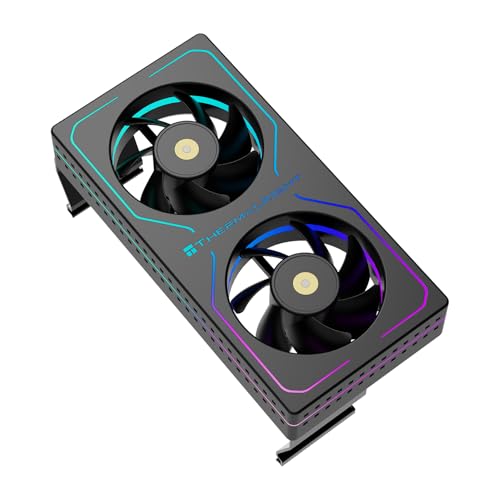 Thermalright MC-2 ARGB Black RAM Cooler Thermalright MC-2 ARGB Black RAM Cooler | [Efficient Heat Dissipation] Equipped with a high-performance dual-fan… [Low-Noise Operation] Despite a speed of up to… [Vibrant ARGB Lighting Effects] The front and sides… | Check price |
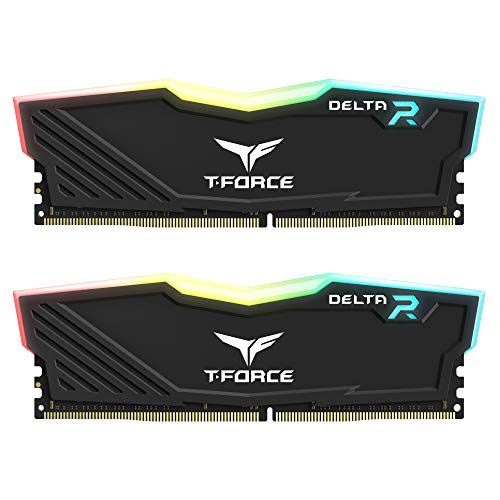 TEAMGROUP T-Force Delta RGB DDR4 16GB TEAMGROUP T-Force Delta RGB DDR4 16GB | TeamGroup Delta RGB 16GB (2 x 8GB) 3200… Full-frame 120 ultra wide-angle illumination with built-in force… Aluminum alloy heat sink with asymmetrical minimalist design. | Check price |
As an Amazon Associate we earn from qualifying purchases at no extra cost to you.
⚡ Save on Your Next PC — Amazon Prime
Prime members get fast free shipping on the systems above, plus early access to Prime Day & Black Friday PC deals. New members get a 30-day free trial.
Watch: How to Overclock Your RAM Safely — Video Review
Start With XMP or EXPO
Before manually overclocking, make sure you are getting your kit’s advertised speed. RAM ships running at a slow JEDEC default until you enable its rated profile: XMP on Intel or EXPO on AMD. Enter your BIOS, find the profile setting, enable it, save, and reboot. This single step often takes a kit from 4800 MT/s to its rated 6000 MT/s and is the foundation everything else builds on.
Understand the Key Numbers
Two figures define a memory overclock: frequency and timings. Frequency, measured in MT/s, is the headline speed. Timings, written like CL36-36-36-96, describe latency, where lower is faster. The goal of overclocking is to push frequency higher, tighten timings lower, or both, while keeping voltage and temperatures in check.
- Frequency: On Ryzen, aim for the 6000 MT/s sweet spot to keep the memory controller in sync.
- Primary timings: tCL, tRCD, tRP, and tRAS are the ones with the biggest impact.
- Voltage: DDR5 typically runs 1.35V to 1.4V for enthusiast kits; do not exceed sensible limits.
Push Frequency or Tighten Timings
There are two paths. The easier one is raising frequency in small steps, testing stability at each, until the system stops posting. The other is keeping frequency at a proven speed and lowering the primary timings one at a time. Beginners should pick one variable to change at a time, because changing both at once makes it impossible to know what caused an instability.
Manage Heat and Voltage
Higher voltage and speed generate more heat, and hot memory becomes unstable. Good airflow over the DIMMs matters, and enthusiasts sometimes add a dedicated RAM cooler or heatsink for aggressive overclocks. Raise voltage only in small increments, keep it within the range recommended for your kit’s die type, and monitor temperatures with a tool like HWiNFO during our research.
Test for Stability
An overclock is worthless if it crashes. After every change, validate with a memory stress test such as TestMem5 or Karhu RAM Test, running for at least an hour, and ideally overnight for your final settings. A single error means the overclock is not stable, so back off the timing or frequency until you get a clean run.
Tips
- Clear CMOS if it will not boot: A failed overclock never damages hardware; reset CMOS and your PC returns to defaults.
- Change one thing at a time: Isolate each adjustment so you know exactly what caused an instability.
- Write down your settings: Keep a log of every stable configuration so you can return to it after experimenting.
- Do not chase records: The last few MT/s rarely add real-world performance and often cost hours of tuning.
Frequently Asked Questions
Can overclocking RAM damage my PC?
Overclocking memory is very safe as long as you keep voltage within sensible limits. The worst common outcome is a system that will not boot, which you fix instantly by clearing CMOS. Extreme voltage over long periods is the only real risk, so stay in the recommended range.
Is enabling XMP or EXPO overclocking?
Technically yes, since your RAM runs above the JEDEC default, but it is a manufacturer-validated profile designed to be safe and stable. It is the essential first step and carries almost no risk, so everyone should enable it before considering manual tuning.
What frequency should I target on Ryzen?
For most Ryzen systems, 6000 MT/s with CL30 timings is the sweet spot because it keeps the memory controller and Infinity Fabric running in a synchronized 1:1 ratio. Pushing higher often forces a less efficient ratio that can actually reduce performance.
How long should I stress test?
Run at least an hour after each change to catch obvious instability, then validate your final settings overnight or for several hours. Memory errors can be intermittent, so a longer test gives you real confidence that your overclock is genuinely stable.
Conclusion
Overclocking RAM is one of the safest and most rewarding tweaks you can make, especially on Ryzen where memory speed feeds directly into gaming performance. Start by enabling XMP or EXPO, then tune frequency or timings one variable at a time while testing for stability. Keep voltage sensible, log your settings, and you will squeeze real frames out of hardware you already own.