Key takeaways
- Choosing the best gaming mouse pads for low sensitivity? Six pads compared by size, surface and base, with a simple way to measure your turn distance.
The SteelSeries QcK+ is the best overall pick for low sensitivity play: it is a large cloth pad, published at 450 x 400 mm, which gives your arm room for long, slow sweeps without the mouse running off the edge. Low sensitivity means a low combination of mouse DPI and in-game sensitivity, so crossing the screen takes a large physical movement. That makes surface area the first thing to check, ahead of texture or color, and it is why several smaller pads on this list are better treated as runner-ups.
Quick List
- Logitech G440 Hard – best for a firm, fast surface in a mid-size 340 x 280 mm footprint
- Logitech Studio Series Small – runner-up for a compact desk or light use, too small for big sweeps
- SteelSeries QcK+ – best overall for a large cloth surface with room for slow aim
- SteelSeries QcK Small Cloth – runner-up for tight spaces or high sensitivity
- SteelSeries QcK Cloth White (Medium) – best for a controlled cloth feel in a medium size
- Razer Goliathus Speed Small – runner-up for portable setups, small for low sensitivity
Which One Is Right for You?
| If you… | Choose |
|---|---|
| sweep your whole forearm for a 180-degree turn | SteelSeries QcK+ |
| want a hard, low-friction pad of moderate size | Logitech G440 Hard |
| prefer a cloth pad with more control in a medium size | SteelSeries QcK Cloth White (Medium) |
| play at higher sensitivity on a compact desk | SteelSeries QcK Small Cloth |
| travel or have very little desk space | Razer Goliathus Speed Small |
| need a basic, quiet pad for office use with an occasional game | Logitech Studio Series Small |
Three of the six products here are small pads (Logitech Studio Series Small, SteelSeries QcK Small and Razer Goliathus Speed Small). They are included because they were listed for this topic, but they are runner-ups at best for true low sensitivity play, and each section says so plainly.
All 6 Picks in Detail
1. Logitech G440 Hard Gaming Mouse Pad – Best for a Firm, Fast Surface
As an Amazon Associate we earn from qualifying purchases at no extra cost to you.

The listing gives the size as 340 x 280 mm with a thickness figure in the name, and describes a hard surface optimized for gaming sensors with a non-slip base. A hard surface lets the mouse feet glide with little friction, which suits players who flick quickly and then stop precisely.
Who it suits: players who use moderate to low sensitivity and have a mouse that glides well on a hard surface. At 340 mm wide, it supports a decent range of motion, though not as much as the large cloth pads.
- Size: 340 x 280 mm per the listing name
- Surface: hard, low friction
- Base: non-slip rubber
- Thickness: the listing name shows 5 mm; confirm on listing
- Edges: confirm on listing
Fit notes: hard pads can be louder under a mouse and show wear over time, and they need an occasional wipe because oil from fingers collects on the surface. Mouse feet can wear faster on harder surfaces, so keep spare feet in mind.
Who should skip it: players who want a soft, cushioned surface for wrist comfort or who need a very wide pad for large arm sweeps.
Setup tip: a hard pad rewards a clean surface, so wipe it with a lightly damp cloth every few weeks and let it dry before use. Place it so its lower edge is a few centimeters from the desk edge and your forearm rests on the desk, not on the pad itself. If the glide feels too fast for slow tracking, lower your in-game sensitivity a little and make up the distance with a larger arm movement instead of a wrist flick.
Pros
- Fast, consistent glide
- Easy to wipe clean
Cons
- Only mid-size for low sensitivity players
- Hard surfaces offer less stopping control for some
It is the faster, firmer alternative to the SteelSeries QcK Cloth Medium, which gives more control.
2. Logitech Studio Series Small Mouse Pad – Runner-Up for Compact Setups

The listing describes a small 9 x 8 inch pad with an anti-slip rubber base and an easy-gliding surface made from durable materials. At roughly 230 x 200 mm, it is a general-purpose pad and not a low sensitivity pick.
Who it suits: office and light gaming use, students, laptop desks and anyone who only needs a defined spot for the mouse. It does not offer enough room for the long sweeps that low sensitivity play requires.
- Size: about 9 x 8 inches per the listing
- Base: anti-slip rubber
- Surface: easy gliding
- Material: durable fabric-style surface, confirm on listing
- Thickness: confirm on listing
Fit notes: if you use a low DPI and a low in-game sensitivity, a pad this small may force you to lift and reposition the mouse repeatedly, which is the opposite of what low sensitivity players want.
Who should skip it: anyone whose 360-degree turn needs more than a few inches of travel.
Setup tip: if you already own this pad and want to keep it, use it for desk work and add a larger pad for gaming sessions. A small pad can still serve as a clean surface for a wireless mouse at an office desk, where long sweeps are not needed. Check that the rubber base grips your desk, because a smooth glass or lacquered desktop can let a small pad creep during use.
Pros
- Fits small desks and laptop setups
- Anti-slip base for stable use
Cons
- Too small for true low sensitivity
- Not designed specifically for gaming
The QcK+ is the large-format alternative if you want to grow into more arm movement.
3. SteelSeries QcK+ Gaming Mouse Pad – Best Overall for Low Sensitivity
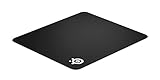
The listing name is short, and manufacturer and retailer pages publish the QcK+ at 450 x 400 x 2 mm. That large surface gives you a lot of room for long, slow movements. The micro-woven cloth is designed for a controlled, consistent glide with optical and laser sensors.
Who it suits: players using low DPI and low in-game sensitivity, such as tactical shooter fans who make wide forearm sweeps. Its size also suits anyone who wants the keyboard hand to share the same surface.
- Size: 450 x 400 x 2 mm per published specifications; confirm on listing
- Surface: micro-woven cloth
- Base: non-slip rubber
- Edges: confirm stitched or flat edge on listing
- Thickness: thin, around 2 mm
Fit notes: a 450 mm pad needs about 18 inches of clear desk width, so measure before ordering. Cloth pads can collect dust and benefit from occasional washing by hand with mild soap, then air drying flat.
Who should skip it: players on very narrow desks, or those who prefer the speed of a hard surface.
Setup tip: unroll the pad and let it lie flat for a few hours so any creases from shipping relax. Position it so the keyboard sits on its upper edge or just above it, leaving the full width for your mouse arm. If you use a large pad, anchor your elbow near the desk edge, pivot from the elbow for horizontal aim and keep your wrist straight, so the pad area is used for arm travel and not just for wrist flicks.
Pros
- Large surface for big sweeps
- Controlled cloth feel
Cons
- Needs a wide desk
- Thin pad shows desk texture beneath it
It is the bigger sibling to the Medium QcK Cloth, with more travel at the same surface feel.
4. SteelSeries QcK Gaming Mouse Pad (Small Cloth) – Runner-Up for Tight Spaces
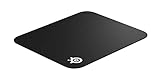
The listing names a small cloth QcK pad optimized for gaming sensors. SteelSeries publishes the Small QcK at a compact size, so it works as a travel or tight-desk pad but is limited for low sensitivity use.
Who it suits: players who use higher sensitivity, LAN-party travelers and anyone with a very small desk. If your sensitivity is high enough that a few centimeters turn your character a long way, a small pad is a reasonable fit.
- Size: small, exact dimensions confirm on listing
- Surface: cloth
- Base: rubber, confirm on listing
- Thickness: thin cloth style
- Edges: confirm on listing
Fit notes: for low sensitivity, the pad will force frequent lifting, which breaks aim consistency. If you like the QcK surface, the larger sizes are better.
Who should skip it: low sensitivity players with room for a larger pad.
Setup tip: if you keep this small pad for travel, pair it with a mouse set to a higher DPI so you do not have to lift as often. At home, consider keeping a larger pad on the desk and carrying the small one in a bag. Hold the pad flat with a book or the rubber base until it settles, and avoid folding it, since creases can alter how the mouse tracks.
Pros
- Familiar QcK surface in a portable size
- Fits crowded desks
Cons
- Too small for big movements
- Limited room for a keyboard hand
Step up to the Medium or QcK+ if you want the same surface with more travel.
5. SteelSeries QcK Cloth White (Medium) – Best Controlled Feel in a Medium Size

The listing describes a white QcK cloth pad with an exclusive micro-woven surface aimed at maximum control, in a medium size. SteelSeries publishes the QcK Medium at about 320 x 270 mm and 2 mm thick, a footprint that fits most desks.
Who it suits: players who want a cloth pad that is large enough for moderate sensitivity and still fits a standard desk. The white color suits light setups, though it shows dirt more readily than black.
- Size: medium, around 320 x 270 mm per published specifications; confirm on listing
- Surface: micro-woven cloth built for control
- Color: white
- Thickness: thin, around 2 mm
- Base: rubber, confirm on listing
Fit notes: at 320 mm wide this pad supports moderate sweeps but is smaller than the QcK+ for very low sensitivity. White fabric can discolor, so wash it gently when needed.
Who should skip it: anyone who needs the largest possible surface for long sweeps.
Setup tip: a white pad shows skin oil and dust, so wash it by hand when it looks dull and let it dry flat. Try the pad with your usual sensitivity for a week before changing anything, then lower your sensitivity slightly if you want to use more of the surface. If you find the surface too slow, a slightly higher DPI with the same eDPI can make small corrections feel crisper without changing your turn distance.
Pros
- Controlled cloth feel
- Fits most desks
Cons
- Shows dirt more readily
- Smaller than ideal for very low sensitivity
Pick it over the G440 if you prefer a softer stop to a fast glide.
6. Razer Goliathus Speed Small – Runner-Up for Portable Setups

The listing describes a small Goliathus Speed cloth pad with an anti-slip rubber base and an anti-fraying stitched frame. Razer publishes the Small size at about 215 x 270 mm, which is compact and portable but limited for low sensitivity.
Who it suits: players with limited space, travelers and gamers with high or medium sensitivity who prefer a smooth surface. It is a convenient pad for a second setup.
- Size: small, around 215 x 270 mm per published specifications
- Surface: smooth cloth tuned for speed
- Base: anti-slip rubber
- Edges: anti-fraying stitched frame
- Thickness: thin, confirm on listing
Fit notes: the smooth cloth is designed for fast glide, which is the opposite of the controlled surface many low sensitivity players prefer.
Who should skip it: low sensitivity players and anyone who wants extra arm room.
Setup tip: if you pick this pad for portability, pack it flat or rolled loosely and let it settle before use. The stitched frame helps the edges survive being packed, but cloth can still retain creases. Pair it with a mouse whose feet glide smoothly on cloth, and keep your sensitivity moderate to high so a small pad covers your turns.
Pros
- Portable and tidy stitched edge
- Smooth, quick surface
Cons
- Small footprint for low sensitivity
- Fast surface may feel slippery for slow aim
It is the speed-oriented small cousin of the SteelSeries QcK Small.
Specs Compared
| Product | Size class | Dimensions | Surface | Thickness | Base |
|---|---|---|---|---|---|
| Logitech G440 Hard | Medium | 340 x 280 mm | Hard | Listing name shows 5 mm, confirm on listing | Non-slip |
| Logitech Studio Series Small | Small | About 9 x 8 in | Smooth fabric style, confirm on listing | confirm on listing | Anti-slip rubber |
| SteelSeries QcK+ | Large | 450 x 400 mm published, confirm on listing | Cloth | About 2 mm | Rubber, confirm on listing |
| SteelSeries QcK Small Cloth | Small | confirm on listing | Cloth | confirm on listing | confirm on listing |
| SteelSeries QcK Cloth White | Medium | About 320 x 270 mm published, confirm on listing | Micro-woven cloth | About 2 mm | Rubber, confirm on listing |
| Razer Goliathus Speed Small | Small | About 215 x 270 mm | Smooth cloth | confirm on listing | Anti-slip rubber |
How We Chose These
We relied on listing titles, retailer specification fields and manufacturer product pages, not on our own use of the pads. Because low sensitivity depends on how far the mouse must travel, we ranked the products first by surface area, then by surface texture and base. Several listed products are small pads, so they are labeled as runner-ups instead of being passed off as low sensitivity picks. Where the listing name omits a size or thickness, the table says to confirm it on the product page, and published sizes are noted as such.
What to Look For
Why size comes first
Low sensitivity means the mouse has to travel farther for the same on-screen movement. A common shorthand is eDPI, which is mouse DPI multiplied by in-game sensitivity. Worked example: in a Source-engine style shooter with a yaw of 0.022 degrees per count, 800 eDPI works out to about 20.5 inches, or roughly 52 cm, for a full 360-degree turn. A 180-degree turn is then around 26 cm, which fits a pad that is 40 cm wide with room to spare, leaves little margin on a pad around 28 cm wide, and simply does not fit a small pad of about 21 to 23 cm. The lower your eDPI, the larger the pad you need, so measure how far you move for a full turn and add a margin.
Cloth, hard and hybrid surfaces
Cloth pads offer more stopping control because the weave adds a little friction, which suits slow, deliberate aim. Hard pads give a fast glide and a crisp feel but can feel slippery at low speeds. Control-style cloth is usually better for people who aim with the whole arm, while speed-style surfaces help flick-heavy players. Surfaces differ a lot between brands, so lean on the description and reviews of feel rather than on marketing names alone.
Thickness and edges
Thin pads around 2 mm provide a firm, consistent feel but let the desk texture show through if the desk is uneven. Thicker pads of 3 to 5 mm cushion the wrist and mask minor surface flaws. Stitched edges resist fraying and are worth having on a pad that will see daily use, because frayed edges can snag mouse feet and cables.
Base, desk fit and cleaning
A rubber base keeps the pad in place during fast sweeps. Measure your desk width and leave at least a hand’s width between the pad and the keyboard so your keyboard hand has room. Cloth pads can be washed by hand with mild soap and cool water, then dried flat; hard pads wipe clean with a damp cloth. Avoid hot water and strong detergents, which can curl the edges or lift the rubber.
How to measure your own turn distance
Place a ruler or tape measure along the edge of your current pad. Start the cursor or crosshair at a fixed point in a practice map, then move the mouse in a straight line until you have turned a full 360 degrees, and read off the distance. Many shooters offer a sensitivity calculator that does the same math for you using DPI, in-game sensitivity and the engine’s yaw value. Rule of thumb: the usable pad width should cover a 180-degree turn plus about 5 cm of margin on each side. Using the example above, 26 cm for a half turn plus 10 cm of margin means a pad of at least 36 cm, so the 450 mm QcK+ is comfortable and the 340 mm G440 is workable. If your half-turn distance is above 35 cm, you either need an extra-large desk mat or a slightly higher sensitivity.
Matching pad to mouse
Mouse feet and sensor choice interact with the surface. Smooth glass or PTFE feet work well on most cloth pads, while hard pads can speed up wear. If you change your sensitivity or switch from fingertip to arm aim, a different pad size may suit you better. Try a similar size to your current pad before committing to a much larger one.
Questions
What size pad do I need for low sensitivity?
Aim for a pad at least 40 cm wide, and choose a larger one if your full turn needs more than half that distance. Measure your own turn distance before buying.
Is a small pad ever fine for low sensitivity?
Only if you rarely make big turns or you combine low sensitivity with frequent mouse lifts. For most low sensitivity players a small pad is limiting.
Is cloth better than hard for low sensitivity?
Many low sensitivity players prefer cloth for the added control, but it comes down to feel. A hard pad can work if you like a faster glide.
Does pad thickness matter?
Thin pads are firm and consistent, while thick pads are more comfortable. Pick the one that matches your desk and your wrist comfort.
How do I clean a cloth mouse pad?
Hand wash it in cool water with mild soap, rinse thoroughly and dry it flat. Do not use a dryer or hot water.
Can I use these pads with any mouse?
Yes, optical and laser sensors work on all of them. Smoother or textured surfaces can change tracking feel slightly, so lower your DPI or adjust lift-off distance if needed.
Do I need an extended desk mat instead?
An extended mat is worth considering if your turn distance is very long or you want the keyboard on the same surface. Check desk width first, since mats of 900 mm need a wide desk.
Update History
- October 20, 2026 – Initial publication; product set drawn from current catalog listings.
- Check the product page for current specifications and availability before buying.
Sources
- Manufacturer product and specification pages for SteelSeries, Logitech and Razer
- Retailer listing titles and specification fields for all six products
- Published eDPI and cm per 360 conversion formulas used for the worked example