Our Top Picks
 Corsair Scimitar Elite Wireless SE MMO MOBA PC4.69 x 2.89 inches4.69 x 2.89 x 0.1 inches0.3 poundsCheck on Amazon
 Corsair Scimitar Elite RGB Wireless MMO Gaming MouseStandard4.69 x 2.89 x 1.66 inches0.25 poundsCheck on Amazon
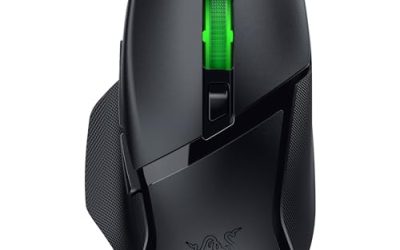
 Razer Naga V2 HyperSpeed Wireless MMO Gaming MouseNaga V2 HyperSpeed (Mouse)4.71 x 2.96 x 1.71 inches0.2 poundsCheck on Amazon


The best Roccat and Corsair MMO gaming mouse for most players is a Corsair Scimitar Elite Wireless with a thumb-button grid, with Roccat’s Kone line as the pick if you want fewer buttons and a flatter shape. Corsair builds true MMO mice with a slider-adjustable button panel. Roccat, now sold under the Turtle Beach name, makes ergonomic mice with many programmable inputs but no 12-button thumb grid.
Picks at a Glance
Seven mice cover both brands, wired and wireless, and several price tiers. Everything in the table comes from the maker’s own listing text; battery life and button counts are the numbers the listings state.
| Mouse | Type | Buttons / inputs (listing) | Connection | Best for |
|---|---|---|---|---|
| Corsair Scimitar Elite Wireless SE | MMO / MOBA | 16 buttons | Wireless, Bluetooth, fast charging | Overall best wireless MMO mouse |
| Corsair Scimitar Elite RGB Wireless | MMO | 16 programmable buttons | Wireless, up to 150 hours | Long battery life |
| Turtle Beach Kone XP Air | Ergonomic, many inputs | 29 programmable inputs | Wireless, Bluetooth, dock | Roccat lineage with wireless |
| Roccat Kone XP | Ergonomic, wired | Programmable button design | Wired | Roccat feel, no battery |
| Turtle Beach Kone II | Ergonomic, wired | 23 customizable inputs | Wired | Wired with many inputs |
| Roccat Kain 200 | Right-handed, wireless | 5 side buttons | Wireless, up to 50 hours | Light MMO and RPG use |
| Razer Naga V2 HyperSpeed | MMO | 19 programmable buttons | Wireless, up to 400 hours | Best non-Corsair MMO option |
What Makes a Mouse an MMO Mouse?
An MMO mouse has a cluster of thumb buttons, usually a 12-button grid, that you map to spells, abilities, hotbar slots or macros. A standard gaming mouse has two side buttons. That difference is the whole category.
Corsair’s Scimitar line is built around that grid and adds a sliding panel so you can shift the grid toward or away from your thumb. Roccat made its name on shaped ergonomic mice and sensors, so its mice reach many inputs through extra buttons, a tilting wheel and software layers rather than a numeric grid. Keep that in mind as you read the picks, because “Roccat MMO mouse” is a search phrase more than a product class.
It also helps to know what an MMO mouse will not do for you. It does not make you faster in raids, and it does not replace a keyboard hotbar for every player. What it does is move some of your most-used abilities from awkward key combinations to a spot your thumb can reach without leaving the movement keys. If you already play comfortably with a keyboard hotbar, the biggest gain is usually in macros and modifier layers.
1. Corsair Scimitar Elite Wireless SE: Best Overall
As an Amazon Associate we earn from qualifying purchases at no extra cost to you.

This is the current wireless flagship of the Scimitar family. The listing names 16 buttons, a 33,000 DPI sensor, an adjustable key slider, up to 150 hours of battery, fast charging and Bluetooth alongside the wireless dongle. It also lists Elgato Virtual Stream Deck support, which lets you assign actions from the Elgato software to the mouse.
- 16 buttons with an adjustable key slider
- 33,000 DPI sensor and 1000Hz polling per the listing
- Up to 150 hours of battery, fast charging, Bluetooth
- Available in black and white
Best for: players who run large hotbars in World of Warcraft style games and want wireless. Skip if: you play mostly shooters, where a heavier mouse with a thumb grid gets in the way.
Pros: true MMO layout, slider adjusts the button grid, long battery, two wireless modes. Cons: larger and heavier than shooter mice, and the sensor DPI figure is far beyond what most players use.
2. Corsair Scimitar Elite RGB Wireless: Best for Battery Life

The earlier wireless Scimitar keeps the 16-button layout and quotes up to 150 hours of battery, with a 26,000 DPI sensor and iCUE compatibility. If you do not need the newer model’s Bluetooth or Stream Deck link, this one gives you the same MMO layout with a lower sensor ceiling.
- 16 programmable buttons
- 26,000 DPI sensor per the listing
- Up to 150 hours of battery
- iCUE software for remapping and macros
Best for: anyone who wants the Scimitar layout and does not care about the newest sensor. Skip if: you want Bluetooth for a laptop; this listing does not mention it.
Pros: proven button layout, long battery, iCUE profiles per game. Cons: the Elite Wireless SE is the more current pick, and Bluetooth is not listed.
3. Turtle Beach Kone XP Air: Best Roccat-Lineage Wireless Mouse
Roccat’s Kone XP, with its 4D Krystal wheel and 3D lighting, now continues under the Turtle Beach name as the Kone XP Air. The listing gives 29 programmable inputs, a 19K DPI sensor, a rechargeable battery rated for up to 100 hours, a charging dock and Bluetooth. That input count is the closest Roccat-lineage mouse comes to MMO territory.
- 29 programmable inputs, including the 4D wheel
- 19K DPI sensor
- Up to 100 hours of battery, charging dock included
- Bluetooth and wireless modes
Best for: players who like Roccat’s shape and want one mouse for MMO, MOBA and daily use. Skip if: you want a physical 12-button thumb grid; this mouse reaches its inputs through the wheel and software layers instead.
Pros: high input count, dock charging, familiar Roccat shape. Cons: no numeric thumb grid, and you must learn the layers in the software.
4. Roccat Kone XP: Best Wired Roccat Mouse

The wired original that the Air model grew from. The listing describes a 19K DPI optical sensor, a 4D Krystal wheel, a programmable button design and AIMO RGB lighting. It is the simplest way into the Kone XP shape, and a wired mouse never needs charging.
- 19K DPI optical sensor
- 4D Krystal wheel
- AIMO RGB lighting
- Wired connection
Best for: desktop players who want a Roccat mouse for all kinds of games and never want to think about batteries. Skip if: you need a wireless connection or a large bank of side buttons for a heavy MMO hotbar.
Pros: comfortable ergonomic shape, strong sensor spec, no battery to manage. Cons: cable drag, and availability may shift as the Roccat name moves under Turtle Beach.
5. Turtle Beach Kone II: Best Wired Mouse With Many Inputs

The Kone II is the wired successor in the Roccat family. The listing gives a 26K DPI sensor, optical switches, 23 customizable inputs, a 4D scroll wheel and pure PTFE glides. For a wired mouse, 23 inputs is a high number, and it suits players who bind abilities across layers.
- 26K DPI sensor
- Optical switches
- 23 customizable inputs
- Pure PTFE glides
Best for: players who want a wired, shaped mouse with lots of bindable inputs. Skip if: you want a wireless connection.
Pros: optical switches, many inputs, PTFE glides already fitted. Cons: wired only, and the large shape may not suit small hands.
6. Roccat Kain 200: Best for Light MMO Use
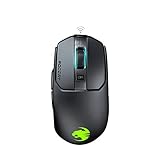
The Kain 200 is a right-handed wireless mouse with five side buttons, an Owl-Eye optical sensor adjustable up to 16,000 DPI, AIMO lighting and a battery rated for up to 50 hours. It will not run a full hotbar, but five side buttons is enough for many RPG layouts and for players who only dabble in MMOs.
- 5 side buttons
- Owl-Eye sensor, adjustable up to 16,000 DPI
- Up to 50 hours of battery
- Ergonomic right-handed shape
Best for: casual MMO and RPG players who want a wireless Roccat mouse. Skip if: you use more than a handful of bound abilities.
Pros: wireless, comfortable shape, shorter learning curve. Cons: far fewer buttons than a Scimitar, and an older design.
7. Razer Naga V2 HyperSpeed: Best Non-Corsair MMO Option
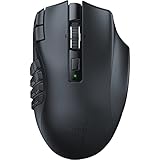
If you are open to a third brand, the Naga V2 HyperSpeed is the other mainstream MMO mouse. The listing gives 19 programmable buttons, a 30K optical sensor, second-generation mechanical switches, HyperScroll technology and a battery rated at 400 hours.
- 19 programmable buttons
- Focus Pro 30K optical sensor
- Up to 400 hours of battery
- HyperScroll wheel
Best for: MMO players who want the longest battery life in the class. Skip if: you want to stay with Roccat or Corsair.
Pros: very long battery, many buttons, wireless. Cons: a different brand and software, so Corsair or Roccat profiles will not carry over.
Also Consider
Razer Naga V3 Pro

The listing gives 23 programmable buttons with three swappable side plates, a HyperScroll tilt wheel, a 280-hour battery and multi-mode connectivity. Choose it if you want to switch between a 12-button grid and fewer buttons without changing mice.
ASUS ROG Spatha X

A wireless MMO mouse with 12 programmable buttons, a magnetic charging dock, dual-mode wired or 2.4GHz connection, a 19K DPI sensor and 67 hours of battery per the listing. It is right-handed and aimed at MOBA and MMO players.
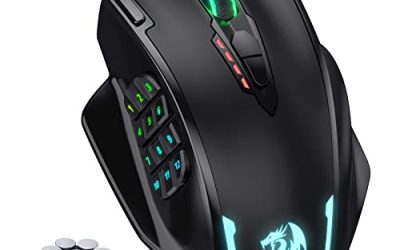
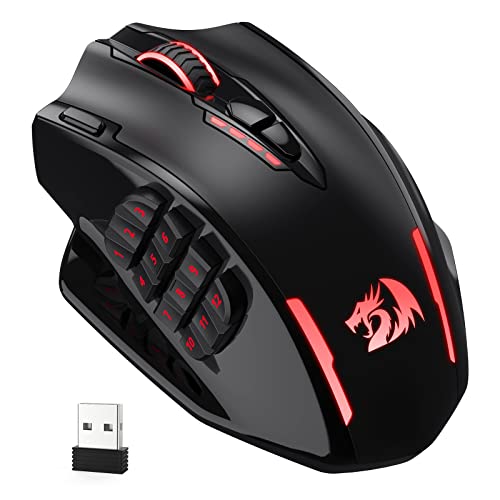
Redragon M913
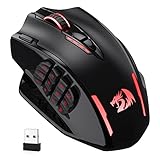
A budget wireless MMO mouse with a 16,000 DPI sensor and remappable keys. The listing describes it as cable-free with macro support. It is a reasonable first MMO mouse if you are unsure the layout suits you, with the usual trade-offs in software polish.
Roccat vs Corsair: Head-to-Head
The two brands solve the same problem in different ways. This table sums up the trade-offs using the listing details above.
| Factor | Corsair Scimitar | Roccat / Turtle Beach Kone |
|---|---|---|
| Core idea | Thumb-button grid on a sliding panel | Shaped ergonomic body with many inputs through layers |
| Side buttons | 12-button grid style, 16 buttons total | Fewer physical side buttons, up to 29 inputs including wheel actions |
| Wireless options | Scimitar Elite Wireless SE and Elite RGB Wireless | Kone XP Air and Kain 200 |
| Wired options | Wired Scimitar models exist; check the listing | Kone XP and Kone II |
| Software | iCUE | Turtle Beach software |
| Best fit | Raiders, hotbar-heavy MMO players | Hybrid MMO, MOBA and everyday use |
How to Set Up an MMO Mouse Without Wasting It
A thumb grid takes a few evenings to learn, and the most common mistake is binding everything at once. Use this order instead.
Step 1: Start With Your Top Six Abilities
List the abilities you press most often in a typical fight. Bind those six to the buttons your thumb reaches without moving. Leave the rest on the keyboard for the first week.
Step 2: Match the Grid to Your Keyboard
Many players map the grid to the same number keys they already use, so muscle memory transfers. In iCUE and similar software, you can set the mouse button to send the same key as your keyboard hotbar. That keeps your in-game keybinds untouched and makes the change reversible.
Step 3: Add a Shift Layer
Most software lets you assign a button as a modifier. Hold it, and the grid sends a second set of keys. This doubles your reachable abilities without more buttons, and it is how a Kone-style mouse with fewer buttons can still cover a full hotbar.
Step 4: Build One Profile Per Game
Create a profile for each MMO and a plain profile for desktop use. Profile switching by application is available in both brands’ software. Check the maker’s page for the exact steps in the current version.
Step 5: Adjust the Slider or Plate
If your mouse has an adjustable panel, move it until your thumb rests on the middle row without stretching. The right position is the one where you can press the top and bottom rows without lifting the mouse.
Which Games Benefit Most?
Traditional MMOs and Raiding
Games with long ability lists and cooldown rotations benefit most from a thumb grid. A Scimitar or Naga fits here, because a healer or a caster might use more than 20 abilities in a fight.
MOBAs
MOBA players use fewer abilities but benefit from quick item slots. The Scimitar listings mention MMO and MOBA use, and a Kone with a handful of side buttons is enough for most MOBA layouts.
Action RPGs
Action RPGs sit between the two. A five-button mouse like the Kain 200 covers potions and a few skills, while a larger grid helps in builds with many cooldowns.
Shooters and Strategy Games
Strategy players use side buttons for control groups, which suits an MMO mouse well. Shooter players usually prefer a lighter mouse with two side buttons.
Common Mistakes When Buying an MMO Mouse
- Buying on button count alone. A 19-button mouse you cannot reach comfortably is worse than a 5-button mouse you can.
- Ignoring hand size. A long mouse with a thumb grid is a poor fit for small hands. Check dimensions on the maker’s page.
- Expecting Roccat to have a thumb grid. It does not; look to Corsair or Razer for that layout.
- Assuming wireless battery numbers are real-world numbers. Listed hours assume low lighting and standard polling.
- Not checking support. With Roccat moving under Turtle Beach, confirm which software your mouse uses before you buy it.
Budget Tiers at a Glance
Exact prices change daily, so use tiers instead. Budget: Redragon M913 and the wired Roccat Kone XP. Mid-range: Roccat Kain 200, Turtle Beach Kone II, Corsair Scimitar Elite RGB Wireless and Razer Naga V2 HyperSpeed. Premium: Corsair Scimitar Elite Wireless SE, Turtle Beach Kone XP Air and Razer Naga V3 Pro. Check the live listing for the current figure before you decide, because older models are often cheaper than the newest ones with the same button layout.
If you are new to MMO mice, start in the mid-range. You will learn whether you like the layout before you commit to a premium model, and any of the mid-range picks will carry you through years of raiding.
Care and Upkeep
MMO mice take more button presses than most, so they wear out sooner at the side buttons. Keep the sensor window clean, wipe the grid with a dry or slightly damp cloth, and update the software occasionally so profiles keep working. Replace worn glides if the mouse starts to drag; the maker’s page lists whether glides are replaceable for your model.
Roccat Availability: What to Check Before You Buy
Roccat was acquired by Turtle Beach, and the product range has moved toward the Turtle Beach name. That does not make older Roccat mice bad, but it changes what you should check.
- Software support. Confirm which software your specific model uses and whether it is still updated. The maker’s support page lists this.
- Warranty terms. Warranty is set by the seller and the maker. Read the listing for the terms that apply to the exact item.
- Stock. Older Roccat listings may sell out and not return. If your favorite model disappears, the Turtle Beach Kone line is the current successor.
- Color and edition. The Kone XP listing here is the white version. Other colors can differ in availability, so check the listing.
Reading Mouse Specs Without Getting Fooled
DPI and Sensor Names
Brands name their sensors, such as Owl-Eye or Focus Pro, but the useful question is simple: does the mouse track cleanly at the DPI you actually use? Most players stay below 3,200 DPI, so a sensor ceiling in the tens of thousands changes little in practice.
Polling Rate
The Scimitar Elite Wireless SE lists 1000Hz polling. For MMO play, 1000Hz is plenty. Higher polling rates matter mainly for competitive shooters on fast monitors.
Switch Type
Optical switches, listed on the Kone II, use light rather than a metal contact to register a click. Makers describe them as more durable and less prone to double-clicking, but treat that as a maker claim and check the warranty length.
Battery Ratings
Ratings range from 50 hours on the Kain 200 to 400 hours on the Naga V2 HyperSpeed. These are best-case numbers. If you leave lighting on, expect fewer hours. For a daily-use mouse, a charge every week or two is typical for the shorter ratings.
How We Chose
This guide is research-based. We did not use these mice ourselves. We compared maker listings, spec sheets and published editorial coverage, then kept mice that fit the Roccat and Corsair brief or came close. We weighed button layout, connection type, battery rating, sensor spec and how well each mouse suits MMO play.
Roccat is now part of Turtle Beach, so some Roccat-lineage mice appear under the Turtle Beach name. We kept the older Roccat listings where they are still sold. Availability changes, so check the listing before you buy. Where a listing did not state a figure, such as weight, we left it out rather than guess.
Buying Guide: How to Pick Between Roccat and Corsair
Button Layout Is the Deciding Factor
Count the abilities you use in combat. If you bind 12 or more, you want a thumb grid, which means a Scimitar or a Naga. If you bind fewer than 8, a shaped mouse with a few side buttons, like a Kone, is more comfortable.
Wireless or Wired
Modern wireless mice from both brands are fast enough for MMO play, where reaction time is rarely the limiting factor. Pick wireless if cable drag annoys you. Pick wired if you do not want to charge a mouse. Battery ratings in listings are best-case figures, and lighting and polling rate shorten them.
Hand Size and Grip
A Scimitar is a long mouse built for a palm or relaxed claw grip. A fingertip grip puts the thumb grid out of reach. Small hands should compare length figures on the maker’s page before buying.
Software Matters More Than You Think
Corsair uses iCUE, and Roccat-lineage mice use Turtle Beach’s own software. Check on the maker’s page whether profiles can be stored on the mouse itself. Per-game profile switching is what makes a high-button mouse useful.
Weight
MMO mice are heavier than competitive shooter mice. The listings for these picks mostly do not state a weight, so check the maker’s page if weight matters to you.
Sensor DPI Numbers
Headline DPI figures of 19,000 to 33,000 are marketing ceilings. Most players run 800 to 3,200 DPI. Do not pay extra for a higher number; pay for the button layout and shape.
FAQ
What is the best Roccat mouse for MMO games?
The Turtle Beach Kone XP Air is the closest, with 29 programmable inputs per its listing. Roccat has no dedicated 12-button thumb-grid mouse, so a Corsair Scimitar suits heavy hotbars better.
Is Roccat still a brand?
Roccat is now owned by Turtle Beach, and newer mice carry the Turtle Beach name. Older Roccat-branded listings still exist, so check availability and support before you buy.
What is the best Corsair wireless MMO mouse?
The Corsair Scimitar Elite Wireless SE is the current pick, with 16 buttons, Bluetooth, fast charging and up to 150 hours of battery per its listing.
How many buttons do I need on an MMO mouse?
Twelve side buttons suit full hotbars. For lighter RPG play, five to eight buttons are enough. More buttons help only if you actually map them.
Can I use an MMO mouse for shooters?
Yes, but the extra weight and thumb grid are not ideal. Many players use a lighter mouse for shooters and keep an MMO mouse for RPGs.
Does a wireless MMO mouse have input lag?
Modern 2.4GHz wireless from both brands is fast enough for MMO play. Bluetooth modes can add delay, so use the dongle for gaming.
Are Roccat and Corsair mice compatible with each other’s software?
No. Corsair mice use iCUE and Roccat-lineage mice use Turtle Beach’s own software, so profiles do not transfer.
Which One Should You Buy?
- Heavy MMO hotbar, wireless: Corsair Scimitar Elite Wireless SE.
- Same layout, lower sensor spec: Corsair Scimitar Elite RGB Wireless.
- Roccat shape with many inputs, wireless: Turtle Beach Kone XP Air.
- Roccat shape, wired: Roccat Kone XP or Turtle Beach Kone II.
- Light MMO or RPG use: Roccat Kain 200.
- Longest battery: Razer Naga V2 HyperSpeed.
Sources
Corsair product pages; Turtle Beach and Roccat product pages; Razer product pages; ASUS ROG product pages.
Last updated: November 2026
FAQ
What Makes a Mouse an MMO Mouse?
What is the best Roccat mouse for MMO games?
Is Roccat still a brand?
What is the best Corsair wireless MMO mouse?
How many buttons do I need on an MMO mouse?
Can I use an MMO mouse for shooters?
Does a wireless MMO mouse have input lag?
Are Roccat and Corsair mice compatible with each other’s software?
More from Amazon
Programs that pair well with the guide above. Offers and eligibility are set by Amazon and may change.
Free shipping on eligible items, Prime Video and more. Eligible new members can start with a free trial.
Start a Prime free trialAd-free music streaming. Eligible new subscribers can start with a free trial.
Try Music Unlimited freeA Prime membership for ages 18-24 with a trial period. Eligibility is set by Amazon.
See Prime for Young AdultsAudiobooks and podcasts to listen to on the go. Eligible new members can start with a free trial.
Try Audible freeAs an Amazon Associate we earn from qualifying purchases.