Our Top Picks
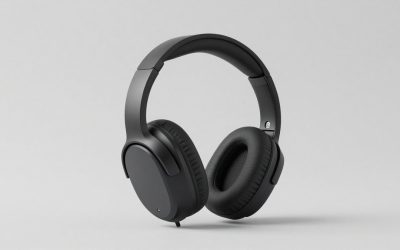
 SteelSeries Arctis Nova 5 Wireless Multi-System Gaming HeadsetOne Size7.32 x 6.87 x 3.52 inches0.6 poundsCheck on Amazon
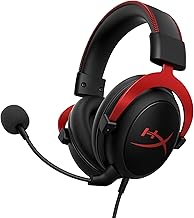
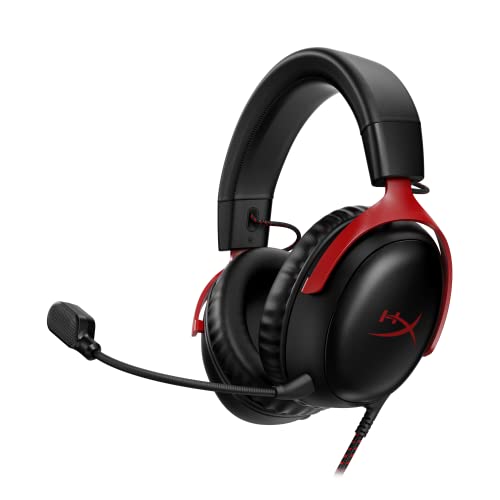 HyperX Cloud III Wired Gaming Headset for PCRegular3.41 x 6.1 x 7.48 inches0.7 poundsCheck on Amazon
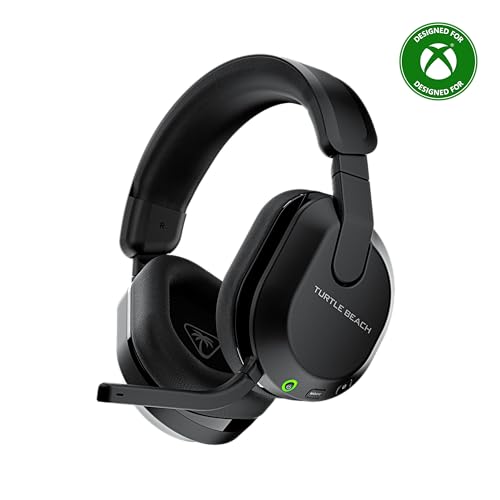 Turtle Beach Stealth 600 Wireless Gaming Headset forStandard8.58 x 7.81 x 3.74 inches0.7 poundsCheck on Amazon
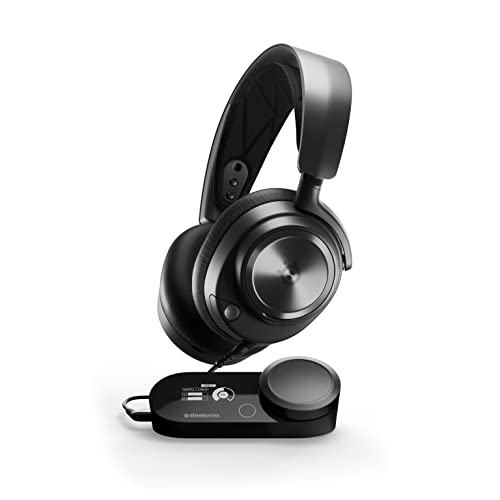 SteelSeries Arctis Nova Pro Multi-System Gaming HeadsetWired7.58 x 7.37 x 3.44 inches2.51 poundsCheck on Amazon
 HyperX Cloud Earbuds II Wired Gaming Earbuds withSmall48.8 x 1.9 x 1 inches4.4E-5 poundsCheck on Amazon

The most comfortable gaming headset is the one that stays light on your head, does not squeeze your ears and lets you forget it after a few hours. Comfort is personal, so instead of naming one winner this guide picks the most comfortable headset for each situation: wireless, wired, durable, multi-platform, hi-res, white, pink and budget.
The Short List: Most Comfortable Gaming Headsets by Situation
| Situation | Pick | Why it is on the list |
|---|---|---|
| Most comfortable wireless gaming headset | Logitech G733 | Suspension headband and a light build |
| Most comfortable wireless headset with long battery | SteelSeries Arctis Nova 5 | 60 hour battery, app EQ, 2.4GHz and Bluetooth |
| Most comfortable PC headset (wired) | HyperX Cloud III | Memory foam and a durable frame |
| Most durable gaming headset | HyperX Cloud Alpha Wireless | Aluminum frame, 300 hour battery per the listing |
| Best multi-platform gaming headset | Turtle Beach Stealth 600 | Xbox, PlayStation, PC and mobile |
| Hi-res gaming headset | SteelSeries Arctis Nova Pro | Hi-Res audio with GameDAC Gen 2 |
| Best white headset | Razer Barracuda X (White) | Lightweight wireless in white |
| Best pink headset | Razer BlackShark V2 X (Quartz Pink) | Light wired option in pink |
| Good cheap Xbox headset | Turtle Beach Recon 50 | Wired, in-line controls, light |
One honest note before the picks: we cannot make medical claims about comfort. Head shape, glasses, hair and ear size change how every headset feels, so we focus on features that are known to help, such as weight, clamp design, cushion material and headband style, and we recommend checking the return policy of any seller.
What Makes a Gaming Headset Comfortable?
Weight
Under 300g is a good target for long sessions, and many of the picks below weigh much less. Weight spread matters as much as the number: a headband that distributes weight across the top of the head feels lighter than the same mass pressed onto the ears.
Clamp force
Clamp is the sideways pressure from the earcups. Too much gives a pinching feeling after an hour, too little lets the headset slide. Makers rarely publish a clamp figure, so reviews and your own head size are the best guide.
Cushion material
- Memory foam with leatherette: good isolation, can warm up.
- Memory foam with fabric or mesh: breathes better, isolates a little less.
- Thin foam: light, but may press on ears.
Headband style
Suspension headbands use a strap that rests on the head, so the metal or plastic band does not touch your hair. Fixed padded bands are sturdier. Either is fine if the padding is wide enough.
Earcup size
The ears should sit inside the cup, not on the cushion. If your ears touch the inside of the cup, the headset will start to hurt after a while. Look for deep, oval earcups if your ears are large.
Glasses
Glasses arms are pressed by the cushion. Softer, flexible cushions and less clamp reduce that pressure.
1. Logitech G733: Most Comfortable Wireless Gaming Headset for Light Wear
The G733 uses a suspension headband strap, which is the main reason it appears on comfort lists. The listing mentions Lightspeed wireless, a Blue VO!CE mic and PRO-G drivers, with PC, PS5, PS4 and Switch support. It does not support Xbox.
As an Amazon Associate we earn from qualifying purchases at no extra cost to you.
- Headband: suspension strap
- Connection: Lightspeed wireless
- Platforms: PC, PS5, PS4, Switch
Best for: players who want a light, airy feel and a wireless headset. Skip if: you play on Xbox.
Pros: very light feel; no cable; multiple colors; app voice filters. Cons: no Xbox; fixed-style mic boom; cushions may warm up.
2. SteelSeries Arctis Nova 5: Most Comfortable Wireless Headset With Long Battery
The Arctis Nova 5 is a good choice if you want a wireless headset that lasts through a full week of evening play. The listing shows neodymium magnetic drivers, a 60 hour battery, 2.4GHz or Bluetooth, a ClearCast Gen2.X mic and support for PC, PS5, PS4, Switch and mobile. SteelSeries sells an Xbox variant too.

- Battery: 60 hours per the listing
- Connection: 2.4GHz or Bluetooth
- Mic: ClearCast Gen2.X
Best for: all-day wear and wireless freedom. Skip if: you want the cheapest choice.
Pros: long battery; both connection types; app EQ. Cons: priced above basic models; Xbox needs the 5X version.
3. HyperX Cloud III: Most Comfortable PC Headset for a Wired Setup
The Cloud III continues the Cloud series reputation for padded comfort. The listing names memory foam, a durable frame, USB-C, USB-A and 3.5mm connectivity and a 10mm mic, covering PC, PS5, PS4 and Xbox Series X|S.

- Cushions: memory foam
- Connection: USB-C, USB-A, 3.5mm
- Platforms: PC, PS5, PS4, Xbox Series X|S
Best for: PC players who want a comfortable wired headset. Skip if: you prefer wireless.
Pros: padded foam; sturdy; works on every platform; clear mic. Cons: wired only; slightly bulky look.
4. HyperX Cloud Alpha Wireless: Most Durable Gaming Headset
For people who want a headset that survives travel and daily use, the Cloud Alpha Wireless has a durable aluminum frame per the listing. It also lists a 300 hour battery, DTS Headphone:X spatial audio, dual chamber drivers and a noise-canceling mic.
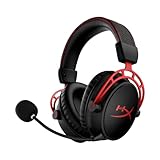
- Frame: aluminum
- Battery: 300 hours per the listing
- Audio: dual chamber drivers, DTS Headphone:X
Best for: players who value a sturdy frame and a very long battery. Skip if: you want a lighter plastic headset.
Pros: metal frame; huge battery; memory foam. Cons: heavier than plastic builds; weight not listed here, so check the maker.
5. Turtle Beach Stealth 600: Best Multi-Platform Gaming Headset
If you switch between Xbox, PlayStation and PC, the Stealth 600 is a straightforward pick. The listing mentions 50mm drivers, an 80 hour battery, Bluetooth, a flip-to-mute mic and support for Xbox, PlayStation, PC and mobile.
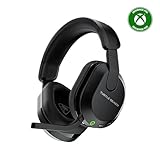
- Drivers: 50mm
- Battery: 80 hours
- Platforms: Xbox, PlayStation, PC, mobile
Best for: players who share a headset between consoles. Skip if: you need a wired model.
Pros: long battery; broad support; flip-to-mute. Cons: some features differ by platform variant; plain look.
6. SteelSeries Arctis Nova Pro: Hi-Res Gaming Headset
For listeners who want hi-res gaming audio, the Arctis Nova Pro lists Premium Hi-Fi drivers, Hi-Res Audio, 360 degree spatial audio, GameDAC Gen 2 and a stealth retractable mic for PC, PS5, PS4 and Switch. It costs more, but it is one of the few that clearly lists a hi-res certification.
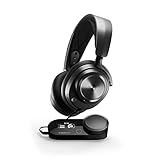
Best for: players who also listen to music and want a wired hi-res setup with a DAC. Skip if: you want a small desk footprint or a low cost.
Pros: hi-res audio; DAC; retractable mic. Cons: priced high; the base station takes desk space.
Cheaper hi-res options
The Edifier Hecate GX lists Hi-Res gaming, USB/Type-C/3.5mm wired connections, ENC noise cancelling and 50mm drivers.

The NZXT Relay is a wired PC headset that lists Hi-Res Audio certification, DTS Headphone:X, a lightweight design and a detachable mic.
7. Razer Barracuda X (White): Best White Gaming Headset
The Barracuda X is a lightweight wireless headset offered in white. The listing mentions 2.4GHz plus Bluetooth 5.2, 40mm drivers, a detachable mic and a 50 hour battery, and it doubles as a mobile headset.
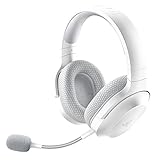
- Color: white
- Connection: 2.4GHz plus Bluetooth 5.2
- Battery: 50 hours per the listing
Best for: players who want a clean white desk setup. Skip if: you play on Xbox, as the listing targets PC and mobile.
Pros: light; detachable mic; Bluetooth for phone. Cons: 40mm drivers; limited platform notes.
Other white options
The Razer BlackShark V2 X also comes in white for a wired option.

The SteelSeries Arctis Nova 3P comes in white too, with a 40 hour battery, app control and PS5, PS4, PC, Switch and mobile support.
8. Razer BlackShark V2 X (Quartz Pink): Best Pink Gaming Headset
The BlackShark V2 X is a wired headset with 50mm drivers, a cardioid mic and noise isolating earcups, and it comes in a Quartz Pink color. It works with PC, PS4, PS5 and Switch.

Best for: a light wired headset in pink. Skip if: you want wireless.
Pros: light; low cost; pink finish. Cons: wired; basic features.
Pink wireless option
The Corsair Void v2 Wireless comes in pink with a clear mic, Dolby Atmos, up to 70 hours of battery and 2.4GHz plus Bluetooth for PC, PS5, PS4, Switch and mobile.

9. Turtle Beach Recon 50: Good Cheap Xbox Headset
For a good cheap Xbox headset, the Recon 50 is a simple wired option with 40mm speakers, a removable mic and in-line controls, and it works on Xbox, PlayStation and PC.

Best for: a light, low-cost Xbox headset. Skip if: you want premium sound or wireless.
Pros: low cost; light; in-line controls. Cons: basic audio; thin padding for long sessions.
Best Earbuds for Gaming Under 50 Euro
If over-ear headsets feel hot or heavy, in-ear gaming earbuds are lighter. The HyperX Cloud Earbuds II lists 14mm drivers, a built-in mic and a 3.5mm plug for PC, mobile and Switch. Always check the price in your own currency, because the cost varies by region.

Best for: hot rooms, travel and Switch play. Skip if: you want a boom mic or a big soundstage.
Pros: very light; low cost; fits in a pocket. Cons: in-ear fit does not suit everyone; shorter mic reach.
The Most Comfortable Wireless Headset: What to Weigh Up
Searches for the most comfortable wireless headset and the most comfortable wireless gaming headset point at the same decision. Wireless removes the cable drag but adds a battery, so weigh these trade-offs.
| Trade-off | What it means for comfort |
|---|---|
| Battery weight | Bigger batteries add grams; very long battery claims can mean a heavier body |
| No cable | No tug on your head when you move; easier to stand up and walk away |
| Bluetooth and 2.4GHz | Bluetooth is handy for phones; 2.4GHz is better for games |
| Charging habit | Plan to charge at the end of the day, or choose 60 hours or more |
| Mic type | Retractable or flip-up mics keep the headset neat when not in use |
In practice, a wireless headset of 250g to 300g with a suspension or wide padded band is the sweet spot. The Logitech G733 and SteelSeries Arctis Nova 5 both sit in this class.
Most Comfortable PC Headset: Desk Setup Notes
PC players can choose between USB headsets that include a built-in sound card and analog 3.5mm models that use the motherboard audio. USB headsets often include software EQ and microphone processing. Analog headsets are simple and fit any PC with a headphone jack. If you work from home on the same PC, a headset that is comfortable for eight hours of calls matters more than gaming extras, so lightness and a good mic should outrank surround sound.
Durability Guide: What Makes a Headset Last
- Metal sliders and frame: metal parts resist cracking where plastic often fails, at the headband hinge.
- Detachable cable: a replaceable cable means a frayed wire does not end the headset’s life.
- Replaceable cushions: cushions wear out first, so choose a model whose pads you can swap.
- Detachable mic: boom mics snap off in bags, so a removable one is safer for travel.
- Warranty length: check the maker’s warranty page; it differs by region.
Durability is not a promise. Care matters as much as materials: avoid leaving the headset on the floor, keep it on a stand and do not twist the headband to the extreme.
Multi-Platform Compatibility Quick Reference
| Headset | PC | PlayStation | Xbox | Switch | Mobile |
|---|---|---|---|---|---|
| Logitech G733 | Yes | Yes | No | Yes | Not listed |
| SteelSeries Arctis Nova 5 | Yes | Yes | 5X version | Yes | Yes |
| HyperX Cloud III | Yes | Yes | Yes | Not listed | Not listed |
| Turtle Beach Stealth 600 | Yes | Yes | Yes | Not listed | Yes |
| Razer BlackShark V2 X | Yes | Yes | Xbox version | Yes | Not listed |
| Turtle Beach Recon 50 | Yes | Yes | Yes | Not listed | Yes |
Check the exact product title, because manufacturers often sell separate versions for Xbox and PlayStation under almost the same name.
What Hi-Res Means for a Gaming Headset
Hi-res audio is a label for headphones and electronics that can reproduce frequencies beyond the usual CD range, typically up to 40 kHz or higher, and for sources at 96kHz and 24-bit or higher. For gaming it matters mostly when you also listen to high-quality music files or use a DAC. For most game audio the sound comes from compressed streams or game engines that do not use hi-res files, so you will hear the benefit mainly as cleaner sound, not as a big change. Check whether the product page states a certification or a 96kHz/24-bit capability before paying extra.
Choosing a Color: White and Pink Headsets
If you care about the look of your desk, color matters as much as specs. White headsets suit light desks and white PCs, while pink models are common in limited editions. Pick by comfort first and color second: the color options listed here are the same designs as the standard black models, so their comfort characteristics are identical to the black versions of those headsets.
- White: Razer Barracuda X, Razer BlackShark V2 X (white), SteelSeries Arctis Nova 3P (white), Logitech G733 (white).
- Pink: Razer BlackShark V2 X (Quartz Pink), Corsair Void v2 Wireless (pink).
White finishes may show dirt and skin oils sooner, so wipe the earcups with a slightly damp cloth now and then.
How to Check a Headset Fit in the First Week
- Wear it for an hour of normal use on day one. Note any pressure points.
- Adjust the slider so the headband sits at the top of your head, not the back.
- Check the earcups. Your ears should not touch the inner fabric.
- Try with and without glasses if you wear them while gaming.
- Listen for slipping when you tilt your head. A tighter slider setting might fix it.
- Decide before the return window ends. If you still feel pressure after a week, swap the model.
Comfort Troubleshooting: Fixing a Headset That Almost Works
- Pressure on the top of the head: loosen the sliders and switch to a thinner headband pad or a suspension strap.
- Ear soreness: try replacement cushions, many makers sell them separately.
- Heat and sweat: use fabric cushions and take breaks every hour or so.
- Glasses pain: flex the headband outward slightly before wearing.
- Headset slips: tighten the sliders one notch.
Best Head Set for Your Setup: A Simple Decision Path
Many people search for the “best head set” without saying where they will use it. Answer three questions and the choice narrows quickly.
Question 1: Where will you use it?
At a PC only, any model works and wired USB is the easiest. On a console, check the platform support in the product title. On several devices, pick a multi-platform model with Bluetooth for your phone.
Question 2: How long are your sessions?
Under two hours at a time, most headsets will be fine. Beyond three hours, prioritize weight, a suspension strap and breathable cushions, which is why the G733, Nova 5 and Cloud III lead this list.
Question 3: Do you talk to teammates?
If voice chat is part of every session, look for a detachable or flip-to-mute mic. If you mostly listen, a headset without a boom mic or a pair of gaming earbuds is lighter.
Shopping for a Cheap Gaming Headset Without Regret
A low price does not have to mean low comfort, but it often does mean thinner padding and fewer adjustments. When you shop on a tight budget, spend your attention on four things.
- Weight: light models cost less to make and often feel better than heavy ones with thin padding.
- Cushion thickness: thin foam bottoms out under pressure. Look at photos of the cushions.
- Return policy: for a cheap headset, the ability to return it matters more than a spec sheet.
- Connector: 3.5mm works almost everywhere; a USB-only model will not work on every console.
Among this list, the Turtle Beach Recon 50, Razer BlackShark V2 X and HyperX Cloud Earbuds II are the lower-cost options. Because shop prices and stock differ by country and by week, compare current prices with a few sellers, and check the maker’s pages for the color you want. If you prefer to try a headset in person, a local electronics store with a return policy is a good way to check the fit before ordering the same model online.
Comfort Comparison by Feature
| Headset | Headband style | Connection | Listed battery | Platforms |
|---|---|---|---|---|
| Logitech G733 | Suspension strap | Wireless | Not listed | PC, PlayStation, Switch |
| SteelSeries Arctis Nova 5 | Padded band | 2.4GHz and Bluetooth | 60 hours | PC, PlayStation, Switch, mobile |
| HyperX Cloud III | Padded band | Wired | Not applicable | PC, PlayStation, Xbox |
| HyperX Cloud Alpha Wireless | Padded band, metal frame | Wireless | 300 hours | PC |
| Turtle Beach Stealth 600 | Padded band | Wireless and Bluetooth | 80 hours | Xbox, PlayStation, PC, mobile |
| Razer Barracuda X | Padded band | 2.4GHz and Bluetooth | 50 hours | PC, mobile |
| Razer BlackShark V2 X | Padded band | Wired | Not applicable | PC, PlayStation, Switch |
How We Chose
This is a research-based roundup. We did not use these headsets ourselves. We compared maker specifications, current store listings and published reviews, favoring headsets with comfort-focused features such as suspension bands, memory foam and low weight. Where a spec was not listed, we say so, and we make no medical claims about comfort.
Buying Guide: Comfort Thresholds
| Feature | Look for |
|---|---|
| Weight | Under 300g for long sessions |
| Headband | Suspension strap or wide padded band |
| Cushions | Memory foam; fabric if you run warm |
| Earcups | Deep enough that ears do not touch the inside |
| Wireless battery | 40 hours or more |
| Return window | At least a week to test the fit at home |
Frequently Asked Questions
What is the most comfortable gaming headset?
For most people the Logitech G733 or HyperX Cloud III are comfortable, but head shape matters. Check the return window.
What is the most comfortable wireless gaming headset?
The Logitech G733 and SteelSeries Arctis Nova 5 are strong choices thanks to their light build and long wireless use.
What is the most durable gaming headset?
Headsets with metal frames such as the HyperX Cloud Alpha Wireless are known for durability, but physical care matters too.
What is a good cheap Xbox headset?
The Turtle Beach Recon 50 is a simple, light wired option that works on Xbox, PlayStation and PC.
What is the best multi-platform gaming headset?
The Turtle Beach Stealth 600 supports Xbox, PlayStation, PC and mobile in one headset.
Is there a hi-res gaming headset?
Yes. The SteelSeries Arctis Nova Pro, Edifier Hecate GX and NZXT Relay list hi-res features.
Are there pink and white gaming headsets?
Yes. The BlackShark V2 X comes in pink and white, the Corsair Void v2 comes in pink and the Barracuda X comes in white.
Which One Should You Buy?
- Lightest wireless feel: Logitech G733.
- Wireless with the longest week-to-week battery: SteelSeries Arctis Nova 5.
- Wired comfort at a fair cost: HyperX Cloud III.
- Sturdy frame: HyperX Cloud Alpha Wireless.
- Many consoles: Turtle Beach Stealth 600.
- Color match: Barracuda X (white) or BlackShark V2 X (pink).
- Low cost Xbox: Turtle Beach Recon 50.
Sources
- SteelSeries product page: Arctis Nova 5 and Arctis Nova Pro
- HyperX product pages: Cloud III and Cloud Alpha Wireless
- Logitech G product page: G733
- Razer product pages: BlackShark V2 X and Barracuda X
- Turtle Beach product pages: Stealth 600 and Recon 50
Last updated: November 2026
FAQ
Question 1: Where will you use it?
Question 2: How long are your sessions?
Question 3: Do you talk to teammates?
What is the most comfortable gaming headset?
What is the most comfortable wireless gaming headset?
What is the most durable gaming headset?
What is a good cheap Xbox headset?
What is the best multi-platform gaming headset?
More from Amazon
Programs that pair well with the guide above. Offers and eligibility are set by Amazon and may change.
Free shipping on eligible items, Prime Video and more. Eligible new members can start with a free trial.
Start a Prime free trialAd-free music streaming. Eligible new subscribers can start with a free trial.
Try Music Unlimited freeA Prime membership for ages 18-24 with a trial period. Eligibility is set by Amazon.
See Prime for Young AdultsAudiobooks and podcasts to listen to on the go. Eligible new members can start with a free trial.
Try Audible freeAs an Amazon Associate we earn from qualifying purchases.