Key takeaways
- Atelier Ryza 3 PC requirements and the best GPU, CPU, RAM and SSD to run it — recommended hardware by resolution plus complete 1080p, 1440p and 4K build guides.
Thinking about playing Atelier Ryza 3 on PC and wondering what hardware you actually need? Atelier Ryza 3 is a colourful turn-based alchemy RPG from Gust and Koei Tecmo — part adventure, part casual crafting sim — that launched on March 23, 2023, and it is one of the lighter releases in the modern JRPG space. The official minimum asks for little more than a GTX 1050 or RX 560 at 720p, and the Season Pass, which bundles six DLC packs for the same game, changes nothing about the hardware you need. This guide breaks down the official PC system requirements for Atelier Ryza 3, the best GPU for each resolution, and complete build recommendations for 1080p, 1440p and 4K.
Our top picks
 ASUS Dual GeForce RTX 4060 Ti EVO
- Powered by NVIDIA DLSS3, ultra-efficient Ada Lovelace arch,…
- 4th Generation Tensor Cores: Up to 4x performance…
- 3rd Generation RT Cores: Up to 2x ray…
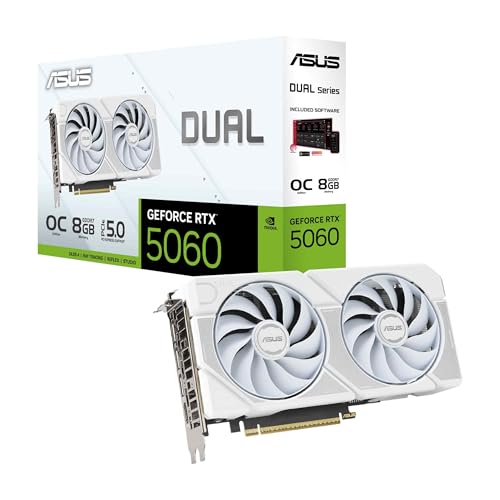 ASUS Dual GeForce RTX 5060 8GB GDDR7
- AI Performance: 623 AI TOPS
- OC mode: 2565 MHz (OC mode)/ 2535 MHz…
- Powered by the NVIDIA Blackwell architecture and DLSS…
| Product | Key specs | |
|---|---|---|
 ASUS Dual GeForce RTX™ 4060 V2 OC ASUS Dual GeForce RTX™ 4060 V2 OC | Check price | |
| ASUS Dual GeForce RTX 4060 Ti EVO | Powered by NVIDIA DLSS3, ultra-efficient Ada Lovelace arch,… 4th Generation Tensor Cores: Up to 4x performance… 3rd Generation RT Cores: Up to 2x ray… | Check price |
| ASUS Dual GeForce RTX 5060 8GB GDDR7 | AI Performance: 623 AI TOPS OC mode: 2565 MHz (OC mode)/ 2535 MHz… Powered by the NVIDIA Blackwell architecture and DLSS… | Check price |
 msi Gaming GeForce RTX 3060 Ventus 2X msi Gaming GeForce RTX 3060 Ventus 2X | Chipset: NVIDIA GeForce RTX 3060 Video Memory: 12GB GDDR6 Memory Interface: 192-bit | Check price |
As an Amazon Associate we earn from qualifying purchases at no extra cost to you.
How Demanding Is Atelier Ryza 3?
Not very. Atelier Ryza 3 is a modest, well-behaved release: the official minimum is an NVIDIA GeForce GTX 1050 or AMD Radeon RX 560 at 1280×720, and the official recommended target is a GeForce GTX 1070 or Radeon RX 580 at 1920×1080. Those are 2016-era cards, so a PC built at almost any point since then will clear the bar. Combat is turn-based and exploration happens in compact areas, so the game is not CPU-heavy the way a large simulation or strategy title is — alchemy, gathering and party management stay light on the processor. Where requirements do climb is resolution: 1440p and 4K sit above the official recommended spec, so a newer mid-range card is the sensible step up if you want higher pixel counts.
Atelier Ryza 3 Official PC System Requirements
These are the requirements Koei Tecmo publishes for Atelier Ryza 3. Note that the minimum configuration targets 1280×720 and the recommended configuration targets 1920×1080.
| Component | Minimum (official) | Recommended (official) |
|---|---|---|
| OS | Windows® 10, Windows® 11 64bit | Windows® 10, Windows® 11 64bit |
| Processor | Intel Core i5 6600 or over, AMD Ryzen 3 1200 or over | Intel Core i7 6700 or over, AMD Ryzen 5 1500X or over |
| Memory | 8 GB RAM | 16 GB RAM |
| Graphics | NVIDIA GeForce GTX 1050 or over, AMD Radeon RX 560 or over, 1280×720 | NVIDIA GeForce GTX 1070 or over, AMD Radeon RX 580 or over, 1920×1080 |
| DirectX | Version 11 | Version 11 |
| Storage | 50 GB available space | 50 GB available space |
Source: the official Atelier Ryza 3 Season Pass Steam store listing (app 2156236), checked October 2026. Publishers can update these specs after patches.
Both configurations call for 50 GB of storage space, DirectX 11, a 16-bit stereo 48 kHz WAVE-capable sound device and a broadband connection. On Windows 11 systems, the Windows 11 requirements apply where they differ.
Best GPU for Atelier Ryza 3 by Resolution
1080p
The official recommended spec for 1080p is a GTX 1070 or RX 580, and the AMD Radeon RX 7600 sits comfortably above both, so it handles high settings with headroom to spare. Current-generation cards in the same class, such as the GeForce RTX 5060 or Radeon RX 9060 XT, offer that same margin with newer features on top. Even an older GTX 1070 or RX 580 still matches the resolution the developer recommends.
1440p
1440p is beyond the officially recommended target, so this is where a modern mid-range card earns its keep. The NVIDIA GeForce RTX 4070 SUPER has far more power than this game can use, and current equivalents such as the GeForce RTX 5070 or Radeon RX 9070 do the same job. If you are still on a GTX 1070-class card, staying at 1080p with sensible settings is the better play.
4K
4K is well past the published spec, but Atelier Ryza 3 is light enough that you do not need a flagship card to get there. The NVIDIA GeForce RTX 4070 Ti SUPER is a realistic entry point, as are newer cards in the same tier such as the RTX 5070 or RX 9070, ideally with upscaling enabled. Because the game’s baseline is so low, 4K here is mostly about pixel throughput rather than brute-forcing a heavy engine.
CPU, RAM and Storage for Atelier Ryza 3
Atelier Ryza 3 asks for an Intel Core i5-6600 or AMD Ryzen 3 1200 as a minimum and an Intel Core i7-6700 or AMD Ryzen 5 1500X as recommended — four-core chips from around 2016. Any modern budget processor clears that easily, so the AMD Ryzen 5 7600 is already more CPU than the game can use. The AMD Ryzen 7 7800X3D or Intel Core i5-14600K are worth it only if you also play heavier games. This is not a CPU-bound title, so there is no need to build around the processor.
Memory is just as modest. 8 GB is the official minimum and 16 GB is the official recommendation, which lines up with the practical target for a modern Windows gaming PC. A kit like Corsair Vengeance DDR5 32GB is more than this game needs, but it leaves room for everything else you play. For storage, the game wants 50 GB of space. An SSD such as the Samsung 990 Pro 2TB NVMe SSD is not listed as a requirement, but it will shorten load times and is worth having regardless.
Recommended PC Builds for Atelier Ryza 3
1080p build: AMD Radeon RX 7600 + AMD Ryzen 5 7600 + 16 GB DDR5 — comfortably above the official recommended spec, so it runs Atelier Ryza 3 at 1080p high settings with room to spare.
1440p sweet-spot build: NVIDIA GeForce RTX 4070 SUPER + AMD Ryzen 7 7800X3D + 32 GB DDR5 + 2TB NVMe SSD — more than this game needs, but a sound base for 1440p and for the heavier titles you play alongside it.
4K build: NVIDIA GeForce RTX 4070 Ti SUPER + AMD Ryzen 7 7800X3D + 32 GB DDR5 + fast NVMe SSD — for 4K with upscaling enabled; the CPU side is overkill for this particular game, which is fine.
Is It Worth Upgrading Your PC for Atelier Ryza 3?
For Atelier Ryza 3 on its own, usually not. The official recommended spec is a GTX 1070 or RX 580 with a 2016-era quad-core and 16 GB of RAM, so most desktops and gaming laptops from the last several years already meet it. If you are running integrated graphics, a pre-2016 card, or only 8 GB of memory, then the inexpensive fixes are the ones that matter: 16 GB of RAM, an SSD for load times, and a modest modern GPU such as an RTX 5060 or RX 9060 XT if your current card falls below the minimum. Otherwise, upgrade for the games you want to play next and treat Atelier Ryza 3 as something your existing system very likely handles already.
Can You Play Atelier Ryza 3 on a Laptop or Handheld?
This is an easy game to take on the road. The official minimum is a GTX 1050-class desktop card at 720p, which puts most gaming laptops from the last few years — and handhelds such as the Steam Deck and ROG Ally — at or above the bar. A laptop with an RTX 4060-class mobile GPU or better will run Atelier Ryza 3 at 1080p with settings to spare. The real limits on portable play are battery life and thermals rather than the game’s demands, so lower the resolution and cap the frame rate if you want longer sessions. Storage matters more than usual here: the game wants 50 GB, so keep room free on the internal SSD or a fast microSD card.
How to Boost FPS in Atelier Ryza 3
If performance is lower than you would like, start with resolution scaling or upscaling — DLSS on NVIDIA, FSR on AMD, XeSS on Intel where the game exposes them — and drop the resolution a step if needed. Beyond that, the usual suspects give the best returns: shadows, effects and post-processing are the settings worth trimming first, while texture quality rarely costs much on modern cards. Keep your GPU drivers current, close background applications, and install the game on an SSD to avoid streaming hitches. On a modest system, moving down a resolution step or two will do more than fiddling with individual sliders, and a stable experience always beats a maxed-out one.
Frequently Asked Questions
Can my PC run Atelier Ryza 3?
Probably. The official minimum is an Intel Core i5-6600 or AMD Ryzen 3 1200, 8 GB of RAM and a GeForce GTX 1050 or Radeon RX 560 at 1280×720. For 1080p at higher settings the official recommendation is a Core i7-6700 or Ryzen 5 1500X, 16 GB of RAM and a GTX 1070 or RX 580. Any modern mid-range GPU such as an RTX 5060 or RX 9060 XT sits well beyond both.
Is Atelier Ryza 3 demanding on PC?
No. Atelier Ryza 3 is a light game by modern standards — its recommended GPU is a 2016-era GTX 1070 or RX 580, and that recommendation targets 1080p. Mid-range hardware from the last several years handles it without trouble.
What GPU do I need for Atelier Ryza 3 at 1440p 60fps?
The official recommended spec only covers 1080p, so 1440p is beyond what Koei Tecmo published. A NVIDIA GeForce RTX 4070 SUPER-class card, or a current-generation equivalent such as the RTX 5070 or RX 9070, gives you plenty of headroom for a 1440p target, and even a mid-range card will manage it with upscaling enabled.
How much RAM does Atelier Ryza 3 need?
8 GB is the official minimum and 16 GB is the official recommendation. 16 GB is the sensible target for a modern gaming PC, and 32 GB will not make this particular game run any better.
Do I need an SSD for Atelier Ryza 3?
No — it is not listed as a requirement. The game needs 50 GB of space, and an NVMe drive like the Samsung 990 Pro will shorten load times, but a regular hard drive will still run it.