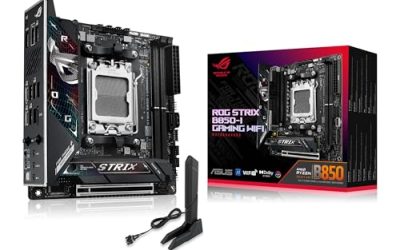
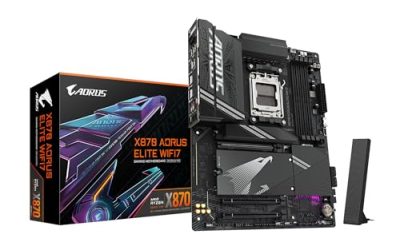
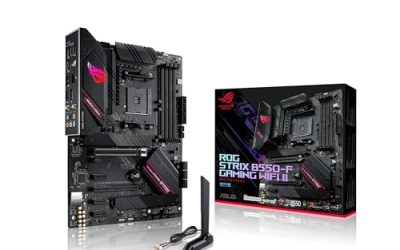
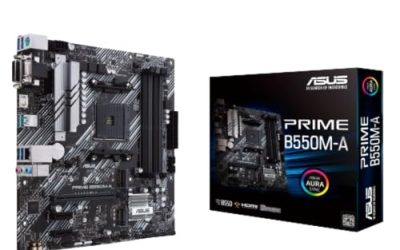
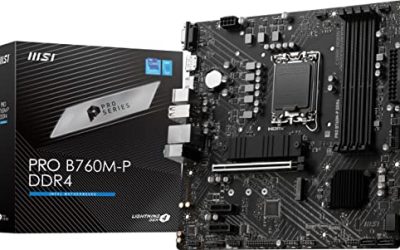
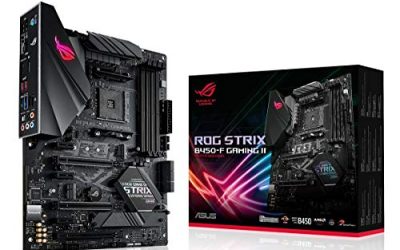
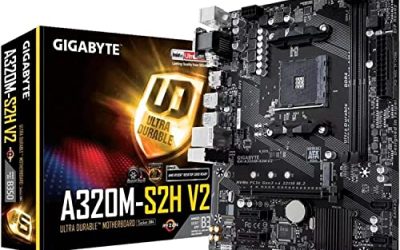
Our Short List of 3

- ASUS ROG Strix B650E-F Gaming WiFi — Best overall board and the strongest case for ASUS as the top motherboard company. Check on Amazon
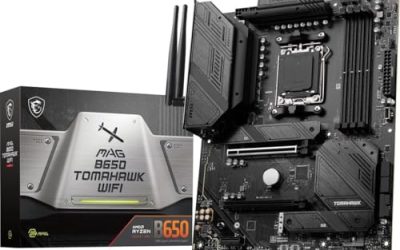
- MSI MAG B650 Tomahawk WiFi — Best all-rounder from MSI, with heavy power delivery and three M.2 slots. Check on Amazon
- GIGABYTE B650 AORUS Elite AX — Best feature set for the money from Gigabyte, with a PCIe 5.0 main M.2 slot. Check on Amazon
- ASRock B850 Steel Legend WiFi — Best newer-chipset pick from ASRock, with WiFi 7 and four M.2 slots. Check on Amazon

- Heavy 14+2+1 power design with 80A stages for Ryzen 9 chips
- Three M.2 slots with heatsinks and strong DDR5 memory support
- WiFi 6E, Bluetooth 5.3 and 2.5Gb LAN built in
- Flash BIOS button for updates without a processor installed

- PCIe 5.0 on the main M.2 slot at a mid-range tier
- Strong 14+2+1 power design on an 8-layer PCB
- WiFi 6E, 2.5GbE and Q-Flash Plus for processor-free BIOS updates
- Five-year warranty with online registration, the longest here
All 4 Picks at a Glance
| Product | Specs | Action |
|---|---|---|
| Our Top Picks |
| Check price on Amazon |
| 2. MSI MAG B650 Tomahawk WiFi |
| Check price on Amazon |
| 3. GIGABYTE B650 AORUS Elite AX |
| Check price on Amazon |
 4. ASRock B850 Steel Legend WiFi |
| Check price on Amazon |
Our Top Picks
As an Amazon Associate I earn from qualifying purchases.
The Short Answer
The best company for motherboards is ASUS. Its ROG Strix boards pair mature BIOS software with strong power delivery and the most complete connectivity in the mainstream range, and the ROG Strix B650E-F Gaming WiFi is the single board that best shows why ASUS sits at the top. MSI takes second place: the MAG B650 Tomahawk WiFi is the most balanced board in this comparison, with a heavy 14+2+1 power design, three M.2 slots and a BIOS that handles memory profiles without fuss. Gigabyte ranks third on the strength of the B650 AORUS Elite AX, which packs a PCIe 5.0 M.2 slot into a mid-range board with a five-year warranty. ASRock rounds out the ranking with the B850 Steel Legend WiFi, the newest chipset of the four and the best value route to WiFi 7.
That ranking holds for a standard AM5 gaming build with one graphics card, one or two NVMe drives and a Ryzen 7 or Ryzen 9 processor. The sections below compare the four companies through one real board each, so you can see what each brand does well and where it cuts corners.
Our Top Picks
- ASUS ROG Strix B650E-F Gaming WiFi — Best overall board and the strongest case for ASUS as the top motherboard company. Check on Amazon
- MSI MAG B650 Tomahawk WiFi — Best all-rounder from MSI, with heavy power delivery and three M.2 slots. Check on Amazon
- GIGABYTE B650 AORUS Elite AX — Best feature set for the money from Gigabyte, with a PCIe 5.0 main M.2 slot. Check on Amazon
- ASRock B850 Steel Legend WiFi — Best newer-chipset pick from ASRock, with WiFi 7 and four M.2 slots. Check on Amazon
Quick Comparison
| Board | Brand | Chipset | Form Factor | Power Stages | WiFi | M.2 Slots | PCIe 5.0 Graphics |
|---|---|---|---|---|---|---|---|
| ASUS ROG Strix B650E-F Gaming WiFi | ASUS | B650E | ATX | 12+2 | WiFi 6E | 3 | Yes |
| MSI MAG B650 Tomahawk WiFi | MSI | B650 | ATX | 14+2+1 | WiFi 6E | 3 | No |
| GIGABYTE B650 AORUS Elite AX | Gigabyte | B650 | ATX | 14+2+1 | WiFi 6E | 3 | No |
| ASRock B850 Steel Legend WiFi | ASRock | B850 | ATX | 14+2+1 | WiFi 7 | 4 | Yes |
How to Choose
Start with the company, not the chipset
Motherboard brands differ in ways that matter more than a single specification line. ASUS invests the most in BIOS polish: clear menus, clean memory profiles and easy fan controls. MSI is close behind, with a BIOS long-time builders know well and a reputation for stable memory support across Ryzen generations. Gigabyte has closed the gap with its AORUS boards, pairing strong hardware with a much-improved BIOS, and its five-year AORUS warranty is the longest standard coverage in this comparison. ASRock undercuts the other three on value and is the brand most likely to include a newer feature at a lower tier, but its software is less polished and its support network is smaller. Pick the company whose strengths match your priorities, then pick the board.
Power delivery decides which processors the board handles
All four boards use a 12-phase or better power design, enough for a Ryzen 7 9800X3D or a Ryzen 9 at stock settings. The MSI Tomahawk and the ASRock Steel Legend both use 80A power stages, the Gigabyte AORUS Elite AX uses 70A stages on an 8-layer PCB, and the ASUS Strix B650E-F uses 12+2 stages with large heatsinks. For a Ryzen 5 or Ryzen 7 gaming build, any of the four is ample. For a Ryzen 9 running long renders or compiles, the MSI and ASRock boards have the most headroom.
Match the chipset and socket to your processor
All four picks are AM5 socket boards for Ryzen 7000, 8000 and 9000 series processors with DDR5 memory. The chipset is where they split. The ASUS board uses B650E, which guarantees PCIe 5.0 for the graphics slot and the main M.2 slot. The MSI and Gigabyte boards use B650, where PCIe 5.0 is optional — Gigabyte includes it on the main M.2 slot, MSI does not. The ASRock board uses the newer B850 chipset, which makes PCIe 5.0 standard and adds WiFi 7. If you plan to keep the board through a graphics card upgrade in two or three years, a PCIe 5.0 graphics slot is worth having. Check the manufacturer’s CPU support list for your exact processor before ordering.
Count the storage, USB and networking you need
Three boards have three M.2 slots; the ASRock B850 Steel Legend WiFi has four, the most expansion in this group. All four include WiFi and 2.5Gb wired LAN, but the ASRock board steps up to WiFi 7 while the other three use WiFi 6E. USB is the quiet differentiator: the ASUS Strix B650E-F and the MSI Tomahawk both include a 20Gbps Type-C port on the rear panel, while the ASRock and Gigabyte boards cover the same ground with a mix of 10Gbps and 5Gbps ports on the rear panel (ASRock’s 20Gbps Type-C is a front-panel header). Count your drives and USB devices before choosing, and confirm the rear I/O layout on the listing against the ports your peripherals need.
The Picks in Detail
1. ASUS ROG Strix B650E-F Gaming WiFi
The ROG Strix B650E-F Gaming WiFi is the board that best represents ASUS, and the reason ASUS takes the top spot. It is an ATX board on the AMD B650E chipset for the AM5 socket, supporting Ryzen 9000, 8000 and 7000 series processors with DDR5 memory. The 12+2 power design drives demanding Ryzen chips without strain, and the board carries three M.2 slots — one PCIe 5.0 and two PCIe 4.0 — plus a PCIe 5.0 x16 slot for the graphics card. WiFi 6E and 2.5Gb LAN cover networking, a USB 3.2 Gen 2×2 Type-C port sits on the rear panel, and BIOS Flashback lets you update firmware without a working processor installed.
Nothing here is missing: the graphics slot and the main storage slot both run at PCIe 5.0, the rear I/O is generous, and the BIOS is the clearest of the four. The main compromise is WiFi 6E rather than WiFi 7, which the newer ASRock board includes.
Pros
- PCIe 5.0 on both the graphics slot and the main M.2 slot
- Mature, clear BIOS with BIOS Flashback for easy updates
- WiFi 6E, 2.5Gb LAN and a 20Gbps Type-C port on the rear panel
- Strong power delivery with good heatsink coverage for Ryzen 9 chips
Cons
- WiFi 6E rather than the newer WiFi 7 standard
- Full-size ATX layout needs a case with room for seven expansion slots
- Confirm on the listing that the shipped BIOS supports your exact Ryzen chip
2. MSI MAG B650 Tomahawk WiFi
- Heavy 14+2+1 power design with 80A stages for Ryzen 9 chips
- Three M.2 slots with heatsinks and strong DDR5 memory support
- WiFi 6E, Bluetooth 5.3 and 2.5Gb LAN built in
- Flash BIOS button for updates without a processor installed
The MAG B650 Tomahawk WiFi is the board that built MSI’s reputation as the safe pair of hands in the mid-range. It is an ATX board on the AMD B650 chipset for the AM5 socket, supporting Ryzen 9000, 8000 and 7000 series processors with DDR5 memory up to 6400 MT/s and beyond with overclocking. The 14+2+1 Duet Rail power design uses 80A power stages, the heaviest power delivery in this comparison alongside the ASRock board, and it runs a Ryzen 9 at full load with headroom to spare. Three M.2 slots sit under heatsinks, with Shield Frozr on two of them, WiFi 6E and Bluetooth 5.3 are built in, 2.5Gb LAN covers wired networking, and a 20Gbps Type-C port sits on the rear panel. The Flash BIOS button lets you update firmware without a processor installed.
The Tomahawk’s weakness is PCIe 4.0 only: no PCIe 5.0 graphics slot and no PCIe 5.0 M.2 slot. For gaming today that costs almost nothing in frame rates, and the board’s power delivery, memory support and BIOS stability are the best in this group at its tier.
Pros
Cons
3. GIGABYTE B650 AORUS Elite AX
- PCIe 5.0 on the main M.2 slot at a mid-range tier
- Strong 14+2+1 power design on an 8-layer PCB
- WiFi 6E, 2.5GbE and Q-Flash Plus for processor-free BIOS updates
- Five-year warranty with online registration, the longest here
The B650 AORUS Elite AX is the board that shows how far Gigabyte has come. It is an ATX board on the AMD B650 chipset for the AM5 socket, supporting Ryzen 9000, 8000 and 7000 series processors with DDR5 memory. The Twin 14+2+1 phase power design uses 70A stages on an 8-layer PCB, enough for a Ryzen 9 at stock settings, and the board includes a PCIe 4.0 x16 graphics slot and a PCIe 5.0 M.2 slot, alongside two more PCIe 4.0 M.2 slots. WiFi 6E and 2.5GbE cover networking, a USB-C 3.2 Gen 2 port sits on the rear panel, and Q-Flash Plus updates the BIOS without a processor or memory installed. EZ-Latch makes the graphics card and M.2 drives easier to remove, and Gigabyte backs the board with a five-year warranty when you register online.
Gigabyte’s strength here is value: PCIe 5.0 storage, a strong power design and a long warranty at a mid-range tier. Its weaknesses are small but real. The lower expansion slots are PCIe 3.0 x1 only, and Gigabyte’s software is still not as polished as ASUS Armoury Crate.
Pros
Cons
4. ASRock B850 Steel Legend WiFi
- Newest chipset here, with WiFi 7 and a PCIe 5.0 graphics slot
- Four M.2 slots, the most storage expansion in this comparison
- 80A power stages and DDR5 support to 8000 MT/s and beyond with overclocking
- White and silver design that suits light-coloured builds
The B850 Steel Legend WiFi is ASRock’s case for the top of this ranking, and it is a strong one. It is an ATX board on the newer AMD B850 chipset for the AM5 socket, supporting Ryzen 9000, 8000 and 7000 series processors with DDR5 memory up to 8000 MT/s and beyond with overclocking. The 14+2+1 power design uses 80A Dr.MOS stages, matching the MSI Tomahawk for power headroom, and the board carries four M.2 slots — one PCIe 5.0 and three PCIe 4.0 — plus a PCIe 5.0 x16 graphics slot. WiFi 7 and 2.5Gb LAN cover networking, a 20Gbps USB Type-C header is available for the front panel, and the Realtek ALC4082 audio codec with Nahimic handles audio. BIOS Flashback is included, and the white PCB with silver-grey heatsinks suits light-coloured builds better than any other board here.
ASRock’s advantage is the newest features at a lower tier: B850, WiFi 7, four M.2 slots and a Gen5 graphics slot in one board. Its disadvantages are the ones ASRock always carries: the least polished software of the four brands, a smaller support network, and a second full-length slot that is disabled when the M2_4 slot is populated.
Pros
Cons
Who Should Choose What
Choose ASUS if you want the safest overall pick and the most polished BIOS. The ROG Strix B650E-F Gaming WiFi suits first-time builders and anyone who values long-term BIOS updates and clear software over saving money.
Choose MSI if you want the most dependable mid-range board and you do not need PCIe 5.0. The MAG B650 Tomahawk WiFi suits Ryzen 7 and Ryzen 9 builds where power delivery and memory stability matter more than next-generation lanes.
Choose Gigabyte if you want PCIe 5.0 storage at a mid-range tier with the longest warranty. The B650 AORUS Elite AX suits builders who plan to keep the board through a graphics card upgrade.
Choose ASRock if you want the newest features at the lowest tier and you like a white build. The B850 Steel Legend WiFi suits builders who want WiFi 7, four M.2 slots and a Gen5 graphics slot without stepping up to X870.
Common Mistakes
The most common mistake is buying on brand name alone and ignoring the chipset. A board from a top company on the wrong chipset still lacks the lanes you need. Match the chipset to your processor and your upgrade plans first, then choose the company.
The second mistake is forgetting the BIOS. A board built before your processor launched may need a BIOS update before it will boot with that chip. All four boards here update the BIOS without a working processor — Flashback, Q-Flash Plus or the Flash BIOS button — but you still need a USB stick and the right firmware file.
The third mistake is counting M.2 slots without reading the bandwidth table. On the ASRock board, populating the M2_4 slot disables the second full-length slot, so read the manual first and map out which combinations share lanes.
The fourth mistake is buying a full-size ATX board for a case that only fits micro-ATX. All four boards here are ATX, with seven expansion slots and a 305 mm by 244 mm footprint, so measure your case before ordering.
FAQ
Which company makes the best motherboards overall?
ASUS makes the best motherboards overall for most builders, on the strength of its BIOS quality, its power delivery and its long record of regular firmware updates. MSI is the closest second, Gigabyte is the best value at the mid-range, and ASRock leads on features for the money.
Is ASUS better than MSI for motherboards?
ASUS is better than MSI on BIOS polish and software, while MSI matches or beats ASUS on power delivery at the same tier — the Tomahawk’s 14+2+1 phases outnumber the Strix B650E-F’s 12+2 (both use 80A stages). For a Ryzen 9 build, MSI has the edge; for a first build, ASUS does.
Are Gigabyte motherboards reliable?
Gigabyte AORUS boards are reliable, with strong power designs, 8-layer PCBs on the Elite AX and a five-year warranty with online registration. Earlier Gigabyte BIOS software had a mixed reputation, but the current generation is much improved. Check the board revision before ordering, as small details differ between revisions.
Is ASRock a good motherboard brand?
ASRock is a good motherboard brand for value-focused builders. It consistently includes newer features — WiFi 7, PCIe 5.0 slots, four M.2 slots — at lower tiers than ASUS, MSI or Gigabyte, and its Steel Legend boards pair that with strong power delivery. Its software is less polished, so it suits builders comfortable managing their own BIOS updates.
Do I need a PCIe 5.0 motherboard?
You need a PCIe 5.0 graphics slot only if you plan to keep the board through a future graphics card upgrade, and a PCIe 5.0 M.2 slot only if you plan to buy a Gen5 NVMe drive. For gaming today, PCIe 4.0 costs almost nothing in frame rates.
Should I buy a B650 or B850 motherboard?
Buy a B850 board if you want WiFi 7 and guaranteed PCIe 5.0, as on the ASRock B850 Steel Legend WiFi. Buy a B650 board if you want the widest choice, and check whether the specific board includes PCIe 5.0 — the Gigabyte AORUS Elite AX does on its main M.2 slot, the MSI Tomahawk does not.
Conclusion
The best company for motherboards is ASUS, with MSI close behind, Gigabyte the best value at the mid-range and ASRock the best route to the newest features. That order reflects what each company does best: ASUS pairs the clearest BIOS with complete connectivity, MSI pairs the heaviest power delivery with stable operation, Gigabyte packs PCIe 5.0 storage and a five-year warranty into a mid-range board, and ASRock puts WiFi 7 and four M.2 slots at a lower tier than anyone else. Pick the company whose priorities match yours, confirm the board supports your exact processor and fits your case, and check the listing before ordering.
FAQ
Which company makes the best motherboards overall?
Is ASUS better than MSI for motherboards?
Are Gigabyte motherboards reliable?
Is ASRock a good motherboard brand?
Do I need a PCIe 5.0 motherboard?
Should I buy a B650 or B850 motherboard?
More from Amazon
Programs that pair well with the guide above. Offers and eligibility are set by Amazon and may change.
Free shipping on eligible items, Prime Video and more. Eligible new members can start with a free trial.
Start a Prime free trialAd-free music streaming. Eligible new subscribers can start with a free trial.
Try Music Unlimited freeA Prime membership for ages 18-24 with a trial period. Eligibility is set by Amazon.
See Prime for Young AdultsAudiobooks and podcasts to listen to on the go. Eligible new members can start with a free trial.
Try Audible freeAs an Amazon Associate we earn from qualifying purchases.