Key takeaways
- Pro: Very wide surface with listed dimensions
- Pro: Neoprene rubber base for grip
- Pro: Low-profile stitched edge
- Con: Too large for narrow desks
- Con: Thickness not listed
The best control mousepads under $50 are the SteelSeries QcK XL for a big, controlled surface, the BenQ Zowie G-SR III for a stitched esports cloth, and the Corsair MM PRO Control Cloth for tuned, low-speed glide. All are compared from listing specifications.
A control mousepad trades a little glide for stopping power. The surface adds friction, so your cursor halts when your hand halts, which helps with tracking, flick-and-stop aiming and slow, deliberate sniper work. This page compares models from their listing text only: size, surface description, base material and edge finish. Nothing here comes from our own use, so check the maker page for anything the listing leaves out.
Under this ceiling you can reach full-size cloth pads from big peripheral brands as well as smaller esports-focused makers. Home office, small-space and gaming uses are covered in the buying section and the FAQ below, so you can match a pad to the desk you actually have.
Quick Comparison
| Model | Key specs per listing | Best for |
|---|---|---|
| SteelSeries QcK XL | Control surface, extra density, 15.75 x 34.43 in, neoprene rubber base, low-profile stitched edge | Wide sweeps and a full desk |
| BenQ Zowie G-SR III | Large esports cloth, humidity-resistant, medium-softness rubber base, stitched edges | Consistent glide in damp rooms |
| CORSAIR MM PRO Control Cloth Large | Esports-tuned control cloth, 4mm thick non-slip base, stitched edges | Precision and micro-adjustments |
| CORSAIR MM PRO Control Cloth Medium | Same control cloth as the Large, 4mm thick non-slip base, stitched edges | Small desks and laptops |
| Pulsar Paraglide XL | Medium speed, stitched edge, 19.3 x 16.5 in (XL) | Mid-speed hybrid feel |
| AIM1 x coalowl KAGERO | Control balance type, smooth surface, 500 x 500 mm, non-slip base | Square footprint, low sensitivity |
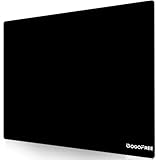
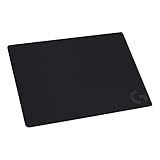
SteelSeries QcK XL Performance Control
As an Amazon Associate we earn from qualifying purchases at no extra cost to you.

Spec line: Performance control gaming mousepad, extra density for a smooth glide, low-profile edge stitching, non-slip neoprene rubber base, 15.75 x 34.43 inch.
This is the largest control surface in the group, and the listing gives exact dimensions, which is useful when you are measuring a desk. At roughly 34 inches wide it can hold a keyboard and mouse together, so your wrist never leaves the cloth at the edge of a sweep. The listing mentions extra density and a low-profile stitched edge, which suggests a flat surface that will not catch your wrist. The compromise is footprint: it will not fit a narrow desk or a shelf-style workstation, and the listing does not state the thickness, so check the maker page if you need that figure. It is the pick if you play with low sensitivity and large arm movements.
- Pro: Very wide surface with listed dimensions
- Pro: Neoprene rubber base for grip
- Pro: Low-profile stitched edge
- Con: Too large for narrow desks
- Con: Thickness not listed
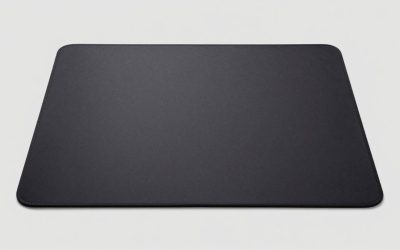
BenQ Zowie G-SR III Large Esports Mouse Pad

Spec line: Large esports gaming mouse pad, humidity-resistant cloth, uniform high-density rubber base with medium softness, stitched edges, anti-slip base.
The G-SR III leads with consistency. The listing talks about a controlling glide and a uniform high-density rubber base with medium softness, so the pad should feel the same across its surface. The humidity-resistant cloth is a useful detail if your room is damp or you sweat during long sessions, since some cloth pads change feel when moist. The listing does not give dimensions beyond calling it large, so measure against the maker page before ordering for a small desk. The stitched edges and anti-slip base cover the basics. It is a plain, no-frills esports pad, which is the point: no lighting, no hub, just a predictable surface for aim practice.
- Pro: Humidity-resistant cloth
- Pro: Uniform medium-softness rubber base
- Pro: Stitched edges
- Con: Dimensions not listed
- Con: No extras or decoration
CORSAIR MM PRO Control Cloth Large
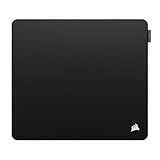
Spec line: Control cloth gaming mouse pad, esports-tuned surface for precision and micro-adjustments, 4mm thick non-slip base, durable stitched edges, large size.
Corsair markets this surface for precision and micro-adjustments, which is what a control pad should deliver. The 4mm base is thicker than many thin desk mats, giving some cushioning under the wrist, and the listing states a non-slip base and stitched edges. It sits at the top of this price range, so you pay for the Large size and the tuned surface. Corsair also sells a Medium in the same series, so if desk depth is limited you do not have to give up the surface type. The listing does not state the exact measurements, so confirm them on the maker page. Pick this if you want a slightly thicker pad and a surface built for slow, accurate hand movements.
- Pro: Control surface tuned for micro-adjustments
- Pro: 4mm thick base
- Pro: Stitched edges
- Con: Sits at the top of this tier
- Con: Exact size not in the listing
CORSAIR MM PRO Control Cloth Medium

Spec line: Control cloth gaming mouse pad, medium size, gray, esports-tuned surface for precision and micro-adjustments, 4mm thick non-slip base, stitched edges.
This is the smaller sibling in the same series, and it is a good answer if desk space is the limit. The listing carries the same wording as the Large: an esports-tuned surface, a 4mm non-slip base and durable stitched edges. The Medium covers a mouse hand comfortably but leaves a keyboard off the pad, so it suits players who use a mouse-only pad and a bare desk beside it. Because the surface is the same as the bigger pad, you can start small and move up later without relearning your aim. The size is the trade-off, since low-sensitivity players who swipe across a wide area may run out of room at the edge.
- Pro: Compact for small desks
- Pro: Same tuned surface as the Large
- Pro: Lower in the tier
- Con: Not enough room for big arm swings
- Con: Dimensions not listed
Pulsar Paraglide XL Esports Gaming Mouse Pad

Spec line: Esports-level premium gaming mouse pad, medium speed, smooth glide, stitched edge, 19.3 x 16.5 inch (XL, orange).
The Paraglide is a useful middle option. The listing calls it medium speed with a smooth glide, so it sits between a fast pad and a hard-stopping control pad. That is a good fit if you like a little glide but still want stops to feel reliable. At 19.3 x 16.5 inches the surface is roomy in depth, though narrower than the long desk mats above. The stitched edge is listed, and the orange color is a break from the usual black. Because the listing says medium speed rather than control, treat this as the hybrid choice rather than the firmest option here. Players moving from a speed pad will probably find the change easiest with this one.
- Pro: Medium-speed hybrid surface
- Pro: Roomy 19.3 x 16.5 inch size
- Pro: Stitched edge
- Con: Not a pure control surface
- Con: Narrower than long desk mats
AIM1 x coalowl KAGERO Large Mouse Pad

Spec line: Gaming mouse pad, large, 500 x 500 mm, control balance type, smooth surface for precision control, non-slip base.
KAGERO is the unusual shape here: a 500 x 500 mm square. The listing describes a control balance type with a smooth surface aimed at precision control. A square pad gives plenty of depth for vertical movement, which low-sensitivity players often prefer, but it takes more desk depth than a long strip does. The listing is short on construction details such as edge finish and thickness, so read the maker page if those matter. It is a niche pick from a smaller brand, and the collaboration branding may appeal if you follow that scene. Choose it when you want room to swipe in every direction and have the desk space to spare.
- Pro: Large square 500 x 500 mm surface
- Pro: Control balance surface
- Pro: Non-slip base
- Con: Needs a deep desk
- Con: Thickness and edge details not listed
How to Choose Under $50
Match the pad size to your sensitivity
Low-sensitivity players who sweep their whole arm need roughly 450 mm of travel or more, so a Large or XL pad makes sense. If you keep sensitivity high and move only your wrist, a Medium pad of around 36 by 30 cm is enough, and it saves desk space. Keep your fastest swipe on the pad.
Check the base and the stitching
A non-slip base keeps the pad still during flicks, and stitched edges stop fraying. Listings in this group mention rubber or neoprene bases and stitching. Skip any pad that does not state a non-slip base, because a drifting pad ruins consistent aim.
Think about the desk you have
For a home office with a laptop and a small mouse, a medium pad avoids clutter, while an extended pad lets one surface cover keyboard and mouse. In small spaces, measure the clear depth from the desk edge, and leave room for your forearm.
Control versus speed
Control surfaces add friction so that stops feel exact, while speed pads glide freely. If you mostly play tactical shooters, pick control. If you play fast-paced games or swing wide, a medium-speed model like the Paraglide is a safer start. Staying within your $50 budget leaves room for a mouse upgrade later.
A quick decision summary: for the widest surface choose the SteelSeries QcK XL, for a plain consistent esports cloth choose the BenQ Zowie G-SR III, for a tuned surface with a thicker base choose a CORSAIR MM PRO in Large or Medium, for a hybrid feel choose the Pulsar Paraglide XL, and for a square footprint choose the AIM1 KAGERO. Whatever you pick, give a new cloth pad a few days before judging it, since your hand needs time to adjust to a different amount of friction. Compare the listed size to your desk with a tape measure, and read the maker page for thickness and care details that the listing leaves out.
FAQ
What is a control mousepad?
A control mousepad has a textured cloth surface with extra friction. It slows the mouse slightly so stops are precise, which helps tracking and short, exact adjustments during aiming.
Are control pads good for a home office?
Yes. They give a steady surface for spreadsheet work and design clicks, and a medium size fits beside a laptop without taking over the desk.
Which control pad fits a small desk?
The CORSAIR MM PRO Control Cloth Medium is the most compact option here. Measure your clear desk depth first, since the listing does not state dimensions.
Do control pads work for gaming?
They are built for it. Esports players use them for aim consistency, and the BenQ Zowie G-SR III and Corsair MM PRO are both described for esports or precision use.
How do I clean a cloth control pad?
Check the maker page for care steps. In general, wipe dust with a dry lint-free cloth and avoid heat, because rubber bases can warp when dried too hot.
Last updated: November 2026
FAQ
What is a control mousepad?
Are control pads good for a home office?
Which control pad fits a small desk?
Do control pads work for gaming?
How do I clean a cloth control pad?
More from Amazon
Programs that pair well with the guide above. Offers and eligibility are set by Amazon and may change.
Free shipping on eligible items, Prime Video and more. Eligible new members can start with a free trial.
Start a Prime free trialAd-free music streaming. Eligible new subscribers can start with a free trial.
Try Music Unlimited freeA Prime membership for ages 18-24 with a trial period. Eligibility is set by Amazon.
See Prime for Young AdultsAudiobooks and podcasts to listen to on the go. Eligible new members can start with a free trial.
Try Audible freeAs an Amazon Associate we earn from qualifying purchases.