Our Top Picks
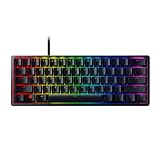
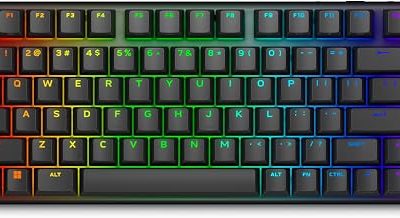
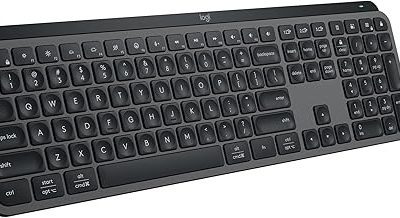
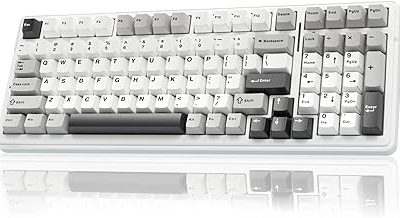
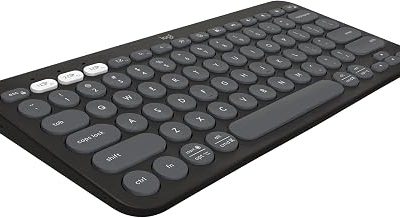
 Logitech G316 X 98 Mechanical Gaming Keyboard98 percent15.12 x 5.51 x 1.57 inches1.9 PoundsCheck on Amazon
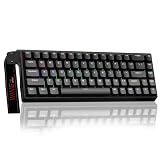
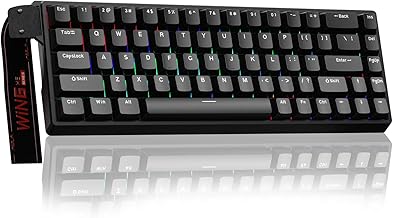
 Logitech G PRO Mechanical TKL Tenkeyless Gaming KeyboardTKL - Wired14.9 x 6.5 x 1.9 inches2.16 poundsCheck on Amazon


The Logitech G515 Lightspeed TKL is the best overall Logitech gaming keyboard for most people: it is a slim tenkeyless board with factory-lubed low-profile tactile switches, tri-mode connectivity (LIGHTSPEED wireless, Bluetooth and wired) and a listed battery life of up to 36 hours. Competitive players who want speed should look at the G316 X 98 with its 8 kHz report rate, and anyone on a tight setup can start with the G213 Prodigy. “Logitech G” is the brand’s gaming line, run through G HUB software.
Quick List
- Logitech G213 Prodigy – best for a quiet membrane-style board with an integrated palm rest
- Logitech G915 X Wired – best for a full-size low-profile linear board with an aluminum top plate
- Logitech G413 SE – best for a straightforward full-size mechanical board with tactile switches
- Logitech G316 X 98 – best for a hot-swappable 98% board with an 8 kHz report rate
- Logitech G PRO TKL – best for esports-style clicky switches and a detachable cable
- Logitech G515 Lightspeed TKL – best for wireless, low-profile tactile play
Which One Is Right for You?
| If you… | Choose |
|---|---|
| want to use one keyboard across a PC, a laptop and a tablet | Logitech G515 Lightspeed TKL |
| care about report rate, swapping switches and a quiet gasket-mounted feel | Logitech G316 X 98 |
| like slim keys and need a number pad | Logitech G915 X Wired |
| enjoy audible clicks and want a tournament-friendly compact board | Logitech G PRO TKL |
| want a classic tactile mechanical board without extras | Logitech G413 SE |
| need a simple, spill-resistant starter keyboard | Logitech G213 Prodigy |
Logitech’s lineup falls into two switch families: low-profile GL switches (G515, G915 X) and standard-height switches (G316 X, G413 SE, G PRO). The G213 is the only non-mechanical board. Start by deciding whether you like slim, laptop-like travel or standard keycaps, since that single choice eliminates half of the list. After that, decide how much you value connectivity (wireless on the G515 only), customization (hot-swap on the G316 X) and sound (clicky on the G PRO TKL versus the muted G213). Because the models span a wide range of features, the simplest-looking option is not always the right one for your habits; match the board to how you actually play and type, and use the comparison table below to verify each detail before you buy.
All 6 Picks in Detail
1. Logitech G213 Prodigy – Best Starter Board
As an Amazon Associate we earn from qualifying purchases at no extra cost to you.

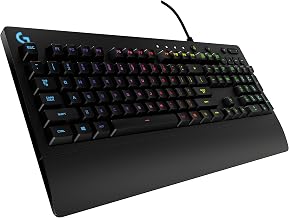
The G213 Prodigy is the only non-mechanical keyboard in this list and the simplest to use. It is a full-size wired RGB board with five lighting zones, dedicated media controls, an integrated palm rest and a spill-resistant design, per the listing.
- Full-size wired keyboard
- Five customizable lighting zones with over 16.8 million colors
- Dedicated media controls
- Integrated palm rest and adjustable feet
- Designed to repel liquids, crumbs and dirt
- Programmable through G HUB
The listing does not call the keys mechanical; it says each key is tuned for tactile feedback. Expect a softer, quieter feel than a mechanical board. It is a sound choice for a first gaming keyboard, a shared computer or a work desk.
The integrated palm rest and adjustable feet make it comfortable out of the box for people who dislike attaching accessories. The zoned lighting is simpler than per-key RGB, which keeps setup short. If you later outgrow it, it also works as a spare keyboard for a second PC.
Setup tip: use G HUB to pick one lighting zone color per activity, such as a cool tone for work and a vivid one for games. Adjust the feet to a comfortable angle, and wipe crumbs away periodically with the board unplugged. Spill resistance helps with small accidents but is not a license to soak the board.
Pros
- Quiet and spill-resistant
- Palm rest is built in
Cons
- Not mechanical, so feel is less precise
- Zoned lighting instead of per-key
It is the gentle on-ramp to the G413 SE.
2. Logitech G915 X Wired – Best Full-Size Low-Profile Linear

The G915 X Wired is a full-size board with low-profile GL linear switches, a sand-blasted aluminum top plate and double-shot PBT keycaps. It suits users who want the full layout, macros and a premium finish on a slim body.
- Full-size layout with number pad
- Low-profile GL mechanical switches, linear
- 1.3 mm actuation point and 3.2 mm total travel
- Sand-blasted aluminum top plate
- Double-shot PBT keycaps
- KEYCONTROL (up to 15 functions per key) and LIGHTSYNC RGB
The shallow 1.3 mm actuation point means light touches register quickly, which helps rapid tapping and also makes accidental presses more likely if you rest fingers on the keys. Dimensions of about 20.2 by 7.2 inches make it a large board overall.
Think of it as the desktop-bound sibling of the wireless G915 line. You give up the battery and the Bluetooth, but you also avoid charging and keep a slim design. Players who like to remap many keys will appreciate the 15-function KEYCONTROL system listed.
Setup tip: lower profile means your wrists can rest closer to the desk, so check whether a palm rest is needed for comfort. Map your most-used macros with KEYCONTROL in G HUB, and save a profile for each main game. Remember the actuation point is shallow, so rest your fingers lightly between presses.
Pros
- Fast actuation and slim profile
- Premium materials
Cons
- Wired in this version
- Large footprint and weight above three pounds
Against the G515, it keeps the full layout at the cost of portability.
3. Logitech G413 SE – Best Plain Mechanical Full-Size

The G413 SE is a no-frills full-size mechanical board with tactile switches, PBT keycaps and a brushed aluminum top case. It suits buyers who want a durable keyboard with a straightforward feature set.
- Full-size layout
- Tactile mechanical switches
- PBT keycaps, heat- and wear-resistant
- Black-brushed aluminum top case with white LED backlighting
- 6-key rollover anti-ghosting
White-only backlighting keeps it understated. Six-key rollover covers typical gaming input, though it is less than the n-key rollover that some boards advertise. The listing does not describe wireless or macro features, so assume it is a wired, simple keyboard.
It makes sense for someone who wants to step up from a membrane board and does not care about wireless, hot-swapping or macros. Its limited feature list is also a benefit: nothing to configure, nothing to update, and few things to break.
Setup tip: because the listing gives six-key rollover and white-only lighting, there is little to configure, so spend your time on placement. A small wrist rest or a lower chair height can improve comfort, and a keycap puller makes cleaning under the PBT keycaps easy once or twice a year.
Pros
- Durable build with PBT keycaps
- Understated look
Cons
- White lighting only
- Few advanced features
Compared with the G213, it adds mechanical switches and a metal top case.
4. Logitech G316 X 98 – Best for Fast Report Rate and Customization

The G316 X 98 is a 98%-size board with a gasket-mounted structure, hot-swappable switches and an 8 kHz report rate. It suits players who want modern enthusiast features in a Logitech package.
- 98% layout with linear switches
- 8 kHz report rate, per the listing
- Hot-swappable switches and double-shot PBT keycaps
- Gasket-mounted structure with silicone and foam dampening layers
- LED dot-matrix display and dial for report rate, volume, brightness and media
- LIGHTSYNC RGB with 30 light zones and per-key lighting
The dot-matrix display is more than a gimmick: it lets you change the report rate or volume without opening software. The 98% layout keeps a number pad in a compact frame, around 15 by 5.5 inches on the listing.
The gasket-mounted design is meant to flex slightly when you press, softening the bottom-out and reducing the harsh, pingy sound common in cheaper aluminum cases. It is a good fit if you type for work in the same session as you play, because the sound is less tiring over long hours.
Setup tip: learn the dial and display shortcuts before you open software, because they let you change report rate, volume and brightness in the middle of a session. If you swap switches, make sure the replacements fit the board’s sockets and use a proper puller to avoid bending pins.
Pros
- Hot-swap sockets and PBT keycaps
- Quiet, dampened typing sound
Cons
- Wired only, as far as the listing states
- Tight layout takes adjustment
It is the board for enthusiasts, while the G413 SE is the board for people who just want to plug in.
5. Logitech G PRO TKL – Best Clicky Esports Board

The G PRO Mechanical TKL was built with esports athletes in mind. The listing describes GX Blue Click switches, a tenkeyless design that frees mouse space, onboard lighting memory and a detachable Micro USB cable. It suits players who like an audible, tactile click and want a travel-friendly board.
- Tenkeyless layout
- GX Blue clicky switches with audible and tactile feedback
- LIGHTSYNC lighting with patterns saved to onboard memory
- Detachable three-pronged Micro USB cable
- Wired connection
Onboard memory matters at tournaments where installing G HUB may be prohibited, since lighting and settings stay with the keyboard. Clicky switches are loud, so avoid them in shared rooms or on voice chat without noise suppression.
For travel, the detachable cable is the key detail: a fixed cable is the part of a keyboard most likely to get damaged in a bag. Carry a spare cable if you attend events, and check any tournament rules on lighting and software before you rely on custom profiles.
Setup tip: program your lighting once, store it in the onboard memory and then check it on a second PC without G HUB installed. Carry the keyboard in a padded sleeve, and tuck the detachable cable into its own pocket so the connector is never under tension during transport.
Pros
- Portable and tournament-friendly
- Strong tactile and audible feedback
Cons
- Clicky sound is not for quiet environments
- Micro USB is an older connector than USB-C
It is the sharpest alternative to the G515 for players who prefer standard-height clicky switches.
6. Logitech G515 Lightspeed TKL – Best Overall for Wireless Versatility

The G515 TKL pairs a slim tenkeyless layout with tri-mode connectivity and GL Brown tactile switches. It suits players who split time between gaming and typing and want one board that moves between a desktop, a laptop and a TV setup.
- Tenkeyless low-profile mechanical keyboard
- LIGHTSPEED wireless, Bluetooth or wired connection
- GL Brown tactile switches, factory-lubed
- Up to 36 hours of continuous play per the listing (varies with use)
- Double-shot PBT keycaps with an anti-oil design
- KEYCONTROL programming of up to 15 functions per key
Low-profile switches have shorter travel than standard switches, which some players find quicker and others find less satisfying. The listing says battery life varies with conditions, so lighting use will change real-world runtime.
In daily use the appeal is flexibility. You can leave the receiver in a desktop for gaming, pair the keyboard to a laptop over Bluetooth for work, and plug in a cable when the battery runs low. Because the keys are low-profile, the board suits people who dislike the tall, chunky look of standard mechanical keyboards.
Setup tip: put the LIGHTSPEED receiver in a front USB port or on a short extension close to the keyboard, pair a second device over Bluetooth, and switch between them with the connection keys. Turning the backlight down is the simplest way to stretch battery life between charges.
Pros
- Three connection modes
- Slim body that suits small desks
Cons
- Low-profile keycaps limit replacement options
- Wireless boards need charging
Compared with the G915 X, it drops the number pad and the cable in exchange for portability.
Specs Compared
| Model | Layout | Switch type | Connectivity | Hot-swap | Extras |
|---|---|---|---|---|---|
| Logitech G213 Prodigy | Full-size | Non-mechanical keys | Wired | No | 5-zone RGB; palm rest; media controls |
| Logitech G915 X Wired | Full-size | GL linear, low-profile | Wired | Confirm on listing | 1.3 mm actuation; aluminum top plate |
| Logitech G413 SE | Full-size | Tactile mechanical | Wired | Confirm on listing | PBT keycaps; 6-key rollover; white LED |
| Logitech G316 X 98 | 98% | Linear mechanical | Wired (confirm on listing) | Yes | 8 kHz; dot-matrix display; gasket mount |
| Logitech G PRO TKL | Tenkeyless | GX Blue clicky | Wired, detachable Micro USB | Confirm on listing | Onboard lighting memory |
| Logitech G515 Lightspeed TKL | Tenkeyless | GL Brown tactile, low-profile | LIGHTSPEED, Bluetooth, wired | Confirm on listing | Up to 36 hours; PBT keycaps; KEYCONTROL |
How We Chose These
We started with the Logitech G keyboards in the current catalog listings and compared the facts each listing states: layout, switch family, connectivity, report rate, keycap material and extras. We looked for a spread of layouts and switch feels so that different players could find a fit, and we preferred products whose listings clearly state their key features. We did not run typing or latency measurements. This guide relies on published specifications and listing text, and we mark any detail the listing leaves out as something to confirm on the product page. The order reflects fit for a typical buyer rather than a score.
What to Look For
Low-profile versus standard-height switches
Low-profile switches, such as Logitech’s GL series, have shorter travel and a slimmer case. The G915 X lists 1.3 mm actuation and 3.2 mm total travel, compared with about 2 mm and 4 mm for many standard switches. That feels fast and laptop-like but limits keycap swaps and the deeper sound that taller switches provide. Standard-height boards, including the G316 X, G413 SE and G PRO TKL, work with the huge range of aftermarket keycaps.
Linear, tactile and clicky
Linear switches move smoothly with no bump, which suits rapid repeated taps. Tactile switches add a bump at the actuation point, helping you feel when a key registers. Clicky switches add a sound and a sharper bump, but they are loud. Typists often prefer tactile; competitive players split between linear and tactile; clicky is best in private rooms. Logitech offers all three across this lineup, and the G515 is available in more than one switch type, as the listing title indicates a tactile version, so confirm the version you are buying.
Report rate, connectivity and latency
Report rate is how often the keyboard sends data to the PC. The G316 X lists 8 kHz, which is eight times the standard 1 kHz. That can reduce delay by under a millisecond and mostly helps fast shooters on a strong CPU. Wireless connections add convenience and, with LIGHTSPEED, are designed for low delay; Bluetooth is better for casual use. A wired connection never needs charging, so it suits a fixed desk.
Layout and desk space
A full-size board runs about 17 to 20 inches wide, depending on the case and extras, while a tenkeyless is roughly 14 to 15 inches. The 98% layout of the G316 X sits in between at about 15 inches. If you use a low mouse sensitivity, a narrower board gives your mouse arm more room. Check your desk depth too: low-profile keyboards sit lower, which can suit wrist comfort, although a palm rest is a personal preference.
Keycaps, rollover and anti-ghosting
PBT plastic resists shine and wear better than ABS, which is why Logitech highlights it on the G515, G915 X, G316 X and G413 SE. Rollover tells you how many keys register at once: the G413 SE lists six-key rollover, which suits most games, while some enthusiast boards offer full n-key rollover. Anti-ghosting means the keyboard avoids phantom or missed presses when you hold several keys together. If you play fighting games or rhythm games that need many simultaneous keys, look for the highest rollover figure you can find on the product page.
Software, lighting and onboard memory
Logitech’s G HUB handles lighting effects, macros and profile switching. It adds convenience but is another program running in the background. Onboard memory solves this by storing a profile on the keyboard itself, so your lighting and mappings travel with it. Check whether the model you are considering stores settings internally, and whether you can disable the lighting entirely if you want to save battery on a wireless model. For shared computers, a board that does not require installed software is an advantage.
A worked example
Suppose you split time between a work laptop and a gaming PC and want a single board. The G515 TKL connects to both through Bluetooth and LIGHTSPEED, so you switch between devices with a key press. If instead you mostly play fast shooters at a fixed desk and enjoy tweaking, the G316 X 98 gives you hot-swap sockets and an 8 kHz option. Budget for a keycap puller or switch puller if you plan to experiment.
Questions
Which Logitech gaming keyboard is best overall?
For most buyers the G515 Lightspeed TKL is the best all-rounder because of its three connection modes and slim design. Players who prioritize speed or customization may prefer the G316 X 98.
Are Logitech G keyboards mechanical?
Most are, including the G515, G915 X, G316 X, G413 SE and G PRO TKL. The G213 Prodigy is the exception, using non-mechanical keys.
Do I need G HUB?
G HUB is needed for lighting, macros and key remapping, but several boards store settings in onboard memory so they work without it. The G PRO TKL specifically supports saving lighting patterns for tournament PCs.
What does a low-profile switch change?
Low-profile switches have shorter travel and a slimmer body, which many find faster but less cushioned. They also limit keycap choices because standard keycaps may not fit.
Is wireless good enough for gaming?
Modern 2.4 GHz wireless, such as LIGHTSPEED, is designed for gaming use, and the G515 lists up to 36 hours of battery. Bluetooth is better for general use, and a wired connection is simplest for fixed desks.
What is the difference between tactile and clicky?
Tactile switches have a bump you feel without much sound, while clicky switches add an audible click. Clicky models like the G PRO TKL are louder, so think about your environment.
Update History
- October 14, 2026 – Initial publication; product set drawn from current catalog listings.
- Check the product page for current specifications and availability before buying.
Sources
- Retailer listing titles, feature bullets and specification fields for the Logitech G models covered