
Our Short List of 3

- 27-inch Full HD IPS panel, 1920 by 1080 resolution
- 180 Hz refresh rate with up to 0.5 ms response
- AMD FreeSync Premium and HDR10 support
- 99 percent sRGB coverage, one DisplayPort and two HDMI inputs

- 27-inch Full HD IPS panel, 1920 by 1080 resolution
- 180 Hz refresh rate with up to 0.5 ms response
- AMD FreeSync Premium and HDR10 support
- 99 percent sRGB coverage, one DisplayPort and two HDMI inputs
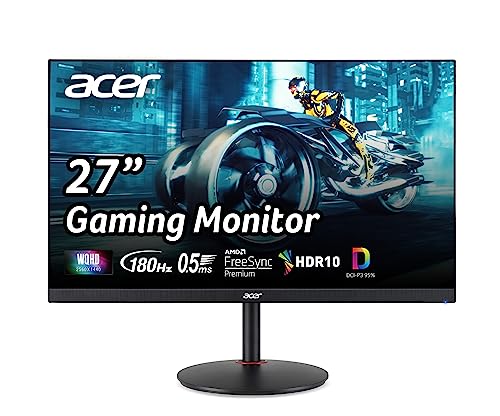
- 27-inch WQHD IPS panel, 2560 by 1440 resolution
- 180 Hz refresh rate with 0.5 ms response
- AMD FreeSync Premium, DCI-P3 95 percent coverage
- One DisplayPort 1.2 input and two HDMI 2.0 ports
All 5 Picks at a Glance
| Product | Specs | Action |
|---|---|---|
| Acer Nitro VG270 M3bmiipx |
| Check price on Amazon |
| Acer Nitro KG271 M3biip |
| Check price on Amazon |
| Acer Nitro XV271U M3bmiiprx |
| Check price on Amazon |
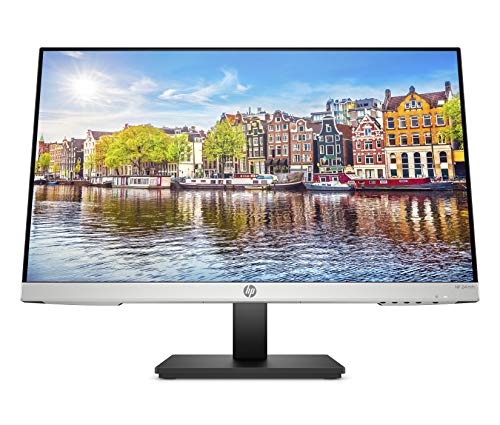 HP 24mh |
| Check price on Amazon |
 Sceptre E248W-FPT |
| Check price on Amazon |
Key takeaways
- best monitors under 300 dollars: five capable displays for work, study and gaming, compared on panel, refresh rate and ports.
The best monitors under 300 dollars cover a wide range of desks, from a compact screen for study notes to a fast 27-inch panel for evening gaming sessions. This guide compares five displays that sit in the same sensible tier, so you can match the panel to the job instead of guessing from a spec sheet. Every pick below is a complete monitor with its own stand, HDMI and DisplayPort inputs, and a panel that suits everyday use. We look at resolution, refresh rate, colour coverage, ergonomics and connectivity, because a monitor lives on your desk for years and small differences in stand adjustment or port choice matter more than a single headline number. Read the buying criteria first, then compare the five picks side by side in the table.
How to Choose
Panel size and resolution
A 24-inch Full HD panel gives crisp text at a normal desk distance and keeps windows easy to read, while a 27-inch panel benefits from a higher resolution so text stays sharp across the wider screen. Full HD on a 27-inch display can look soft to a careful eye, so a 27-inch pick in this tier is at its best with a Quad HD panel. Think about how far you sit from the screen and how many windows you keep open at once. A larger panel suits split-screen work, while a smaller one keeps a crowded desk tidy.
Refresh rate and response
A 60 Hz panel is fine for documents, video and casual browsing, but a 144 Hz or 180 Hz panel makes mouse movement and scrolling feel noticeably smoother, and it helps in fast games where frames change quickly. Response time matters alongside refresh: a quoted figure near one millisecond or below keeps moving images clean. If you play competitive games, prioritise refresh rate; if your day is mostly documents and video calls, a 75 Hz IPS panel is already a clear step up from an old office display.
Panel type and colour
IPS panels give wide viewing angles and steady colours when you shift in your chair, which is why most picks in this tier use them. VA panels can show deeper blacks, which suits dark rooms and films, but viewing angles narrow at the edges. Colour coverage near the full sRGB range keeps photos and web pages looking natural, and a panel that lists 99 percent sRGB coverage is a good sign for everyday creative work. Matte coatings cut glare from a window behind you.
Ports and connectivity
Look for at least one HDMI port and one DisplayPort input so you can connect a laptop and a desktop without swapping cables. A DisplayPort input is the usual route to the highest refresh rate on a PC, while HDMI suits consoles and laptops. Check that the monitor includes a cable in the box, because some listings ship with only one type. A headphone jack or built-in speakers can simplify a desk that has no separate audio gear.
Stand and ergonomics
A stand that adjusts for height and tilt lets you set the top of the screen at eye level, which keeps your neck comfortable through long sessions. Swivel helps when you share the screen with someone beside you, and VESA mounting holes let you move the monitor to an arm later. Slim bezels make two monitors sit neatly side by side. Measure your desk depth before choosing a 27-inch or larger panel, because a deep stand foot can crowd a keyboard.
Eye comfort and extras
Flicker-free backlighting and a low blue light mode reduce eye strain during long evenings, and both are common in this tier. Some monitors add a built-in blue light filter you can switch on from the on-screen menu. Built-in speakers are usually modest, so plan for headphones or desktop speakers if sound matters to you. A three-year maker’s warranty and a straightforward on-screen menu round out a pick that should serve for years.
Top Picks
Acer Nitro VG270 M3bmiipx
- 27-inch Full HD IPS panel, 1920 by 1080 resolution
- 180 Hz refresh rate with up to 0.5 ms response
- AMD FreeSync Premium and HDR10 support
- 99 percent sRGB coverage, one DisplayPort and two HDMI inputs
Full HD stretched across 27 inches is softer than Quad HD at the same size, so check text sharpness against your own eyes before settling in.
The Acer Nitro VG270 M3bmiipx is a 27-inch Full HD IPS gaming monitor with a 180 Hz refresh rate, AMD FreeSync Premium, HDR10 support and 99 percent sRGB coverage. It pairs a fast panel with a slim ZeroFrame design, so it suits a desk where gaming sits next to work. The listed model number is UM.HV0AA.302, and the panel keeps motion smooth in fast games while staying readable for documents and browsing.
Check the Acer Nitro VG270 M3bmiipx on Amazon
Who it suits: gamers who want a fast 27-inch panel that also handles everyday work without a second display.
Watch out for: Full HD stretched across 27 inches is softer than Quad HD at the same size, so check text sharpness against your own eyes before settling in.
Acer Nitro KG271 M3biip
- 27-inch Full HD IPS panel, 1920 by 1080 resolution
- 180 Hz refresh rate with up to 0.5 ms response
- AMD FreeSync Premium and HDR10 support
- 99 percent sRGB coverage, one DisplayPort and two HDMI inputs
As with other Full HD 27-inch panels, fine text is less crisp than on a Quad HD screen of the same size.
The Acer Nitro KG271 M3biip is a 27-inch Full HD IPS monitor with a 180 Hz refresh rate, AMD FreeSync Premium, HDR10 support and 99 percent sRGB coverage. Its 180 Hz panel and low response time make it a natural fit for fast-paced games, while the IPS panel keeps colours steady from off-centre viewing angles. The listed model number is UM.HX1AA.302, and the monitor includes a DisplayPort input plus two HDMI ports.
Check the Acer Nitro KG271 M3biip on Amazon
Who it suits: players who want high refresh on a 27-inch screen and a simple plug-and-play setup.
Watch out for: As with other Full HD 27-inch panels, fine text is less crisp than on a Quad HD screen of the same size.
Acer Nitro XV271U M3bmiiprx
- 27-inch WQHD IPS panel, 2560 by 1440 resolution
- 180 Hz refresh rate with 0.5 ms response
- AMD FreeSync Premium, DCI-P3 95 percent coverage
- One DisplayPort 1.2 input and two HDMI 2.0 ports
A Quad HD panel asks more of a graphics card in games, so pair it with a machine that can drive the resolution.
The Acer Nitro XV271U M3bmiiprx steps up to a 27-inch WQHD IPS panel at 2560 by 1440, with a 180 Hz refresh rate, AMD FreeSync Premium and DCI-P3 95 percent coverage. That combination gives sharper text than Full HD at the same size and richer colour for games and media. The listed model number is UM.HX1AA.301, and the monitor carries one DisplayPort input and two HDMI 2.0 ports.
Check the Acer Nitro XV271U M3bmiiprx on Amazon
Who it suits: anyone who wants a sharper 27-inch screen for mixed gaming and desk work in this tier.
Watch out for: A Quad HD panel asks more of a graphics card in games, so pair it with a machine that can drive the resolution.
HP 24mh
- 23.8-inch Full HD IPS panel, 1920 by 1080 resolution
- 75 Hz refresh rate with AMD FreeSync support
- Slim bezels and a tilt-adjustable stand
- HDMI and VGA inputs plus a headphone jack
The 75 Hz refresh rate and modest gaming features make it a poor match for fast competitive games.
The HP 24mh is a 23.8-inch Full HD IPS monitor with a slim profile, a 75 Hz refresh rate and a built-in tilt stand, and it is a steady choice for a work-first desk. Its IPS panel gives wide viewing angles for shared screens and video calls, and the compact footprint leaves room for a laptop beside it. The 24mh has been a common everyday pick for home offices, where reliability and a clean image matter more than gaming speed.
Who it suits: home offices and study desks where a compact, dependable screen is the priority.
Watch out for: The 75 Hz refresh rate and modest gaming features make it a poor match for fast competitive games.
Sceptre E248W-FPT
- 24-inch Full HD panel, 1920 by 1080 resolution
- 75 Hz refresh rate for smooth everyday use
- HDMI and DisplayPort inputs
- Built-in speakers and a slim bezel design
Colour accuracy and brightness are everyday grade rather than creator grade, so photo work deserves a wider-gamut panel.
The Sceptre E248W-FPT is a 24-inch Full HD monitor with a 75 Hz refresh rate, an IPS-style wide viewing panel and a slim frame that fits smaller desks. It covers the basics well: clear text, HDMI and DisplayPort inputs, and built-in speakers for video calls and media. It is the kind of screen that disappears into a setup and simply works, which is exactly what a second monitor or a first desk needs.
Check the Sceptre E248W-FPT on Amazon
Who it suits: a second screen, a student desk, or a first monitor on a tight desk.
Watch out for: Colour accuracy and brightness are everyday grade rather than creator grade, so photo work deserves a wider-gamut panel.
Comparison Table
| Pick | Standout feature | Panel or format | Connectivity | Best for |
|---|---|---|---|---|
| Acer Nitro VG270 M3 | 180 Hz IPS gaming panel | 27-inch Full HD IPS | DisplayPort, 2x HDMI | Fast gaming and work |
| Acer Nitro KG271 M3 | 180 Hz IPS gaming panel | 27-inch Full HD IPS | DisplayPort, 2x HDMI | High-refresh gaming |
| Acer Nitro XV271U M3 | Quad HD sharpness | 27-inch WQHD IPS | DisplayPort, 2x HDMI | Sharp mixed use |
| HP 24mh | Compact everyday IPS | 23.8-inch Full HD IPS | HDMI, VGA | Home office |
| Sceptre E248W-FPT | Slim second screen | 24-inch Full HD | HDMI, DisplayPort | Small desks |
Which One Is Right for You?
Choose the Acer Nitro XV271U M3bmiiprx if you want the sharpest image in this group, because Quad HD at 27 inches keeps text crisp for work and games alike. Pick the Acer Nitro VG270 M3bmiipx or the KG271 M3biip if high refresh matters most and you are happy with Full HD, since both give 180 Hz gaming at a lower demand on your graphics card. Take the HP 24mh for a work-first desk where a compact screen, wide viewing angles and a tidy footprint matter more than speed, and take the Sceptre E248W-FPT as a second screen or a first monitor for a small desk. Match the panel to your main task first, then let refresh rate and ports settle the choice.
Frequently Asked Questions
Is a 27-inch Full HD monitor sharp enough for work?
A 27-inch Full HD panel is readable for documents, browsing and video, but text is softer than on a Quad HD panel of the same size. If you read small text all day, the Quad HD Acer Nitro XV271U in this guide is the safer pick, while a 24-inch Full HD screen like the HP 24mh keeps text crisp at a smaller size.
Do I need a 180 Hz monitor for casual gaming?
Casual games play well on a 75 Hz panel, and a 180 Hz screen mainly helps in fast competitive games and makes scrolling feel smoother. If your graphics card cannot reach high frame rates, the extra refresh headroom goes unused, so match the monitor to your machine as well as your games.
What ports should a monitor in this tier have?
Look for at least one HDMI port and one DisplayPort input. DisplayPort is the usual route to the highest refresh rate on a PC, while HDMI suits laptops and consoles. Check the box contents, because some listings include only one cable type.
Is IPS the best panel type for mixed use?
IPS is the safest all-round choice in this tier, with wide viewing angles and steady colours for work, media and games. VA panels can show deeper blacks in a dark room, but their viewing angles narrow, so IPS suits a desk where you shift position or share the screen.
Disclosure: As an Amazon Associate, we may earn from qualifying purchases.
FAQ
Which One Is Right for You?
Is a 27-inch Full HD monitor sharp enough for work?
Do I need a 180 Hz monitor for casual gaming?
What ports should a monitor in this tier have?
Is IPS the best panel type for mixed use?
More from Amazon
Programs that pair well with the guide above. Offers and eligibility are set by Amazon and may change.
Free shipping on eligible items, Prime Video and more. Eligible new members can start with a free trial.
Start a Prime free trialAd-free music streaming. Eligible new subscribers can start with a free trial.
Try Music Unlimited freeA Prime membership for ages 18-24 with a trial period. Eligibility is set by Amazon.
See Prime for Young AdultsAudiobooks and podcasts to listen to on the go. Eligible new members can start with a free trial.
Try Audible freeAs an Amazon Associate we earn from qualifying purchases.









