Our Short List of 3

- Best for: A fixed TV setup where the drive never moves and power reliability matters most.
- Capacity: 4TB (Wii U uses up to 2TB)
- Interface: USB 3.0
- Power: 18W power adapter included
- In the box: drive, 18-inch USB 3.0 cable, 18W power adapter, quick start guide

- Best for: Owners who want the console’s full 2TB allowance in a drive that still fits in a drawer.
- Capacity: 2TB
- Interface: USB 3.0
- Drive type: mechanical hard disk
- Read speed: 120 MB/s

- Best for: Tight entertainment units where the drive has to hide out of sight.
- Capacity: 2TB
- Interface: USB 3.0, backward compatible with USB 2.0
- Rotational speed: 5400 rpm
- Finish: matte, smudge-resistant
All 4 Picks at a Glance
| Product | Specs | Action |
|---|---|---|
| Seagate Expansion Desktop 4TB |
| Check price on Amazon |
| Seagate Portable 2TB |
| Check price on Amazon |
| Toshiba Canvio Basics 2TB |
| Check price on Amazon |
 WD_BLACK P10 Game Drive 2TB |
| Check price on Amazon |
Key takeaways
- Five external hard drives that work with the Wii U, checked against Nintendo's power-supply and 2TB capacity rules, led by a self-powered desktop drive.
The Wii U shipped with just 8GB of storage on the Basic set and 32GB on the Deluxe set, so a handful of downloaded games, updates and save files can fill it completely. An external USB hard drive is the only way to expand it, but the console is pickier than most: Nintendo states that a drive should draw power from its own power supply or through a Y-cable that uses two USB ports, because the console cannot guarantee enough power for a bus-powered drive on a single cable.
Nintendo also caps usable capacity at 2TB, so a larger drive works but the space above 2TB goes unused, and it warns against USB flash drives, which wear out under the console’s constant reading and writing. The five drives below are standard models chosen around those rules: one wall-powered desktop that needs no workarounds, full-size 2TB portables that use the whole allowance, and a rugged option for drives that travel.
Quick Picks
As an Amazon Associate we earn from qualifying purchases. All five picks are spinning hard drives at or under the Wii U’s 2TB usable limit, with the power arrangement flagged for each one.
| Product | Best for | Key spec from title |
|---|---|---|
| Seagate Expansion Desktop 4TB | Set-and-forget home setups | Self-powered with 18W adapter |
| Seagate Portable 2TB | Full 2TB in a portable body | 120 MB/s read speed |
| Toshiba Canvio Basics 2TB | Slim drive on a tight shelf | 5400 rpm, matte finish |
| WD_BLACK P10 Game Drive 2TB | Console-first households | USB 3.2 Gen 1 game drive |
| LaCie Rugged USB-C 2TB | Drives that travel | Drop, shock, dust and rain resistant |
How to Choose
Give the drive its own power
Nintendo’s guidance on Wii U storage is blunt about power: use a drive with its own external power supply, or connect a bus-powered drive with a Y-cable that draws from two USB ports at once. A single USB 2.0 port cannot be relied on to spin up a portable drive, and an underpowered drive can disconnect mid-save or fail to appear at all. A desktop drive with a wall adapter removes the question entirely. If you choose a portable, budget for a Y-cable and keep two ports free, ideally the pair at the back of the console.
Stay at or under 2TB
The Wii U recognises drives larger than 2TB, but it can only use 2TB of the space, and Nintendo documents 2TB as the maximum. That makes a 2TB drive the sweet spot: every byte of it is available for games. A 4TB desktop still makes sense when its wall-powered design is the draw, as long as you accept that half of it will sit empty on this console. Anything smaller than 1TB fills quickly once a few retail-sized downloads land, so 2TB is the capacity to aim for in a portable.
Expect USB 2.0 speeds
Every USB port on the Wii U is USB 2.0, so a modern USB 3.0 drive works perfectly well but transfers at USB 2.0 speed. That is fast enough for loading games, and it means there is no benefit in paying extra for the quickest drive on the shelf. Stick with a spinning hard drive: Nintendo does not recommend USB flash drives for this job because their memory wears out under constant game reading and writing, and it gives the same caution to solid-state drives. A plain mechanical drive is both the cheapest and the officially safer route.
Know that formatting claims the drive
When you connect a drive, the Wii U asks to format it in Data Management, and formatting erases everything on it. From that moment the drive belongs to the console: a computer cannot read it, and the Wii U only works with one USB storage device at a time. Back up anything you want to keep before you connect a drive you already own, and pick a capacity you can commit, because swapping drives later means moving your whole library. Treat the drive as a permanent part of the console rather than a shared spare.
The 5 Best Options
Seagate Expansion Desktop 4TB
- Best for: A fixed TV setup where the drive never moves and power reliability matters most.
- Capacity: 4TB (Wii U uses up to 2TB)
- Interface: USB 3.0
- Power: 18W power adapter included
- In the box: drive, 18-inch USB 3.0 cable, 18W power adapter, quick start guide
A fixed TV setup where the drive never moves and power reliability matters most.
The Wii U can only use 2TB of this drive’s 4TB, and the desktop body needs its own shelf space and outlet.
This is the one pick that follows Nintendo’s preferred setup exactly: it plugs into the wall with its own 18W power adapter, so the Wii U never has to feed it through USB. It is a desktop unit that sits beside the console full time, connects with the included USB 3.0 cable, and simply stays put. The catch is capacity: the drive holds 4TB, but the Wii U can only use 2TB of it, so half the drive will always sit empty on this console. Choose it for the power arrangement, not the headline size.
Watch out for: The Wii U can only use 2TB of this drive’s 4TB, and the desktop body needs its own shelf space and outlet.
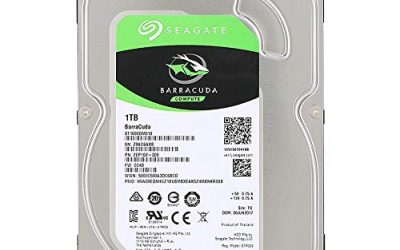
Seagate Portable 2TB
- Best for: Owners who want the console’s full 2TB allowance in a drive that still fits in a drawer.
- Capacity: 2TB
- Interface: USB 3.0
- Drive type: mechanical hard disk
- Read speed: 120 MB/s
Owners who want the console’s full 2TB allowance in a drive that still fits in a drawer.
It is bus-powered with no wall adapter, so reliable Wii U use calls for a Y-cable feeding it from two USB ports.
Seagate’s portable is the natural size for a Wii U library: its full 2TB matches the console’s usable maximum, so none of the capacity you pay for goes to waste. It is a slim mechanical drive that runs over a single USB 3.0 cable, includes an 18-inch cable in the box, and reads at up to 120 MB/s on a modern computer. On the Wii U it will run at USB 2.0 speed like everything else. Because it draws all its power from the cable, pair it with a Y-cable across two ports.
Watch out for: It is bus-powered with no wall adapter, so reliable Wii U use calls for a Y-cable feeding it from two USB ports.
Toshiba Canvio Basics 2TB
- Best for: Tight entertainment units where the drive has to hide out of sight.
- Capacity: 2TB
- Interface: USB 3.0, backward compatible with USB 2.0
- Rotational speed: 5400 rpm
- Finish: matte, smudge-resistant
Tight entertainment units where the drive has to hide out of sight.
Bus power only, so plan on a Y-cable; it also arrives formatted for Windows, which is irrelevant once the Wii U formats it.
The Canvio Basics is the slimmest drive here, a matte-finished portable a little over half an inch thick that disappears behind the console or under the TV. Inside is a 5400 rpm mechanical drive with the full 2TB the Wii U can use, and setup on a computer is plug and play with no software to install. Its listing states plainly that no external power cord is needed, which is exactly the point to plan around on a Wii U: give it a Y-cable so two ports share the load.
Watch out for: Bus power only, so plan on a Y-cable; it also arrives formatted for Windows, which is irrelevant once the Wii U formats it.
WD_BLACK P10 Game Drive 2TB
- Best for: Households that already keep game drives with their consoles and want one that matches.
- Capacity: 2TB
- Interface: USB 3.2 Gen 1
- Cable: USB Type-A to Micro-B included
- Form factor: 2.5-inch portable
Households that already keep game drives with their consoles and want one that matches.
Bus-powered, so add a Y-cable for the Wii U; the game branding does not exempt it from the console’s power and 2TB rules.
The P10 is built for console libraries, with a metal-topped portable body and a listing aimed at PlayStation, Xbox and PC owners. The Wii U is older than the consoles on its box, but electrically the job is the same: a 2TB mechanical drive over USB, running here at USB 2.0 speed and using the console’s full capacity allowance with nothing wasted. It ships with a USB Type-A to Micro-B cable, which suits the Wii U’s ports directly. Like the other portables here, it takes all its power from that cable.
Watch out for: Bus-powered, so add a Y-cable for the Wii U; the game branding does not exempt it from the console’s power and 2TB rules.
LaCie Rugged USB-C 2TB
The Rugged is the pick for a drive that gets handled: its orange bumper is rated for drops and shock, and the listing describes it as dust and rain resistant, which suits a console that moves between rooms or houses. Capacity is the full 2TB the Wii U can use, and the manufacturer’s manual lists both a USB-C cable and a USB-C to Type-A cable in the box, so it can plug into the console’s Type-A ports. It is still a bus-powered mechanical drive underneath the armour, so the Y-cable advice applies unchanged.
Specs
- Capacity: 2TB
- Connector: USB-C, USB 3.0 compatible
- Resistance: drop, shock, dust and rain resistant
- Cables per manufacturer manual: USB-C cable and USB-C to USB Type-A cable
- Model: STFR2000800
Best for: A Wii U that travels between rooms, houses or a shared family space.
Watch out for: Confirm the Type-A cable is in the box before relying on it, as newer packaging may differ; the drive is bus-powered, so use a Y-cable.
Which One Fits Your Situation
The drive never leaves the TV stand
Choose the Seagate Expansion Desktop. Its wall adapter follows Nintendo’s preferred arrangement exactly, it never competes for USB power, and it can sit behind the TV permanently. Accept that only 2TB of its 4TB will ever show up on the console and the trade is worth it.
You want every gigabyte usable
Pick either 2TB portable from Seagate or Toshiba. Both match the console’s maximum exactly, so the whole drive works for your library. The Seagate Portable is the simpler all-rounder; the Canvio Basics is slimmer and lighter if the drive needs to tuck into a narrow gap behind the console.
The console moves around
Take the LaCie Rugged USB-C. The bumper and weather resistance protect the mechanical drive inside when the setup is packed up and carried, and its 2TB matches the console’s limit. Check the box for the Type-A cable, and pack a Y-cable with it so power is covered wherever it lands.
You already own a game drive
The WD_BLACK P10 suits a shelf that already holds console gear, and its included Type-A cable matches the Wii U’s ports without an adapter. It still needs a Y-cable for reliable power. If your household games on several systems, note the Wii U format will claim whichever drive you connect to it.
Common Mistakes
- Plugging a portable drive into a single port and assuming it is faulty when it disconnects: the console cannot guarantee bus power alone, so use a Y-cable or a wall-powered drive.
- Buying a 4TB or larger drive for the extra room: the Wii U uses at most 2TB, and the rest stays invisible.
- Using a USB flash drive because it is small and cheap: Nintendo warns that its limited write life makes it unsuitable for game storage.
- Connecting a drive with files on it that you still need: the Wii U format erases everything and makes the drive unreadable to a computer.
- Planning to swap between two drives: the console works with one USB storage device at a time, so commit to one drive.
Frequently Asked Questions
Can the Wii U use a hard drive bigger than 2TB?
A larger drive is recognised and will work, but the console can only use 2TB of its capacity, and Nintendo documents 2TB as the maximum usable size. The space above that stays unavailable for games. A 2TB drive is therefore the efficient buy, while a bigger desktop only makes sense for its power supply.
Does a Wii U hard drive need its own power supply?
Nintendo recommends a drive with its own external power supply. A bus-powered portable can work when it draws from two USB ports through a Y-cable, but the console cannot guarantee that a single port will power a drive reliably. If a portable drive clicks, disconnects or never appears, power is the first thing to fix.
Can I still use the drive with my computer afterwards?
Not without reformatting it again. When the Wii U formats a drive, it erases everything on it and sets it up in a format only the console reads, so a computer will not recognise the drive or its games. Treat any drive you connect as dedicated Wii U storage from that point on.
Will a USB 3.0 drive load games faster on the Wii U?
No. All four of the console’s USB ports are USB 2.0, so a USB 3.0 drive runs at USB 2.0 speed once connected. The faster interface still helps when the drive is used with a computer, and USB 3.0 drives are fully compatible, but load times on the Wii U are set by the console, not the drive.
FAQ
Can the Wii U use a hard drive bigger than 2TB?
Does a Wii U hard drive need its own power supply?
Can I still use the drive with my computer afterwards?
Will a USB 3.0 drive load games faster on the Wii U?
More from Amazon
Programs that pair well with the guide above. Offers and eligibility are set by Amazon and may change.
Free shipping on eligible items, Prime Video and more. Eligible new members can start with a free trial.
Start a Prime free trialAd-free music streaming. Eligible new subscribers can start with a free trial.
Try Music Unlimited freeA Prime membership for ages 18-24 with a trial period. Eligibility is set by Amazon.
See Prime for Young AdultsAudiobooks and podcasts to listen to on the go. Eligible new members can start with a free trial.
Try Audible freeAs an Amazon Associate we earn from qualifying purchases.