Key takeaways
- Wired Ports: Look for at least one gigabit Ethernet port for your main gaming rig. If your home network supports multi-gig internet, a 2.5 Gbps port gives you future-proof headroom for minimal ping.
- WiFi Standard: WiFi 6 (802.11ax) is the current sweet spot for value, offering better congestion handling and lower latency than WiFi 5. WiFi 7 models are dropping in price and worth watching if you want a longer upgrade cycle.
- Quality of Service (QoS): Prioritization features let you reserve bandwidth for gaming traffic, preventing background downloads or streaming from inflating your ping during critical moments.
- Coverage and Device Capacity: Match the router’s rated square footage and device limit to your home. A router that covers 1,500 sq. ft. with 20 devices is plenty for an apartment; larger homes should aim for 2,000+ sq. ft. ratings.
- Mesh Compatibility: Even budget routers now support mesh systems like AiMesh or EasyMesh. This lets you expand coverage later by adding a node instead of replacing the whole unit.
What's inside
Finding a gaming router that doesn’t drain your wallet can feel like a boss fight on maximum difficulty. Budget-conscious PC gamers often settle for cheap ISP-provided gateways that throttle bandwidth, drop connections mid-match, and bottleneck high-refresh-rate online play. Latency spikes, packet loss, and congested 2.4 GHz bands can turn a competitive advantage into a frustrating defeat before you even load into the lobby.
As an Amazon Associate we earn from qualifying purchases.


This guide cuts through the marketing noise to highlight routers that deliver where it matters: low latency, stable wired connections, and enough throughput to handle modern multiplayer titles alongside streaming and downloads. We focus on affordable models that still pack gaming-relevant features like gigabit ports, QoS prioritization, and WiFi 6 or even WiFi 7 readiness. Whether you’re building a budget battle station or upgrading from a dying rental modem, these picks balance price and performance for 2026.
🛒 Best Price Today on Amazon
Prime members get fast, free shipping on everything above, plus member-only deals. New members get a 30-day free trial — cancel anytime.
Watch: Best Budget Gaming Router 2026 — Video Review
How to Choose a Budget Gaming Router 2026
- Wired Ports: Look for at least one gigabit Ethernet port for your main gaming rig. If your home network supports multi-gig internet, a 2.5 Gbps port gives you future-proof headroom for minimal ping.
- WiFi Standard: WiFi 6 (802.11ax) is the current sweet spot for value, offering better congestion handling and lower latency than WiFi 5. WiFi 7 models are dropping in price and worth watching if you want a longer upgrade cycle.
- Quality of Service (QoS): Prioritization features let you reserve bandwidth for gaming traffic, preventing background downloads or streaming from inflating your ping during critical moments.
- Coverage and Device Capacity: Match the router’s rated square footage and device limit to your home. A router that covers 1,500 sq. ft. with 20 devices is plenty for an apartment; larger homes should aim for 2,000+ sq. ft. ratings.
- Mesh Compatibility: Even budget routers now support mesh systems like AiMesh or EasyMesh. This lets you expand coverage later by adding a node instead of replacing the whole unit.
The Best Budget Gaming Router 2026s Reviewed
TP-Link Archer AX21 V5
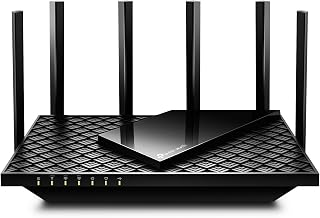
The Archer AX21 V5 hits a sweet spot for budget gamers with solid WiFi 6 performance, easy setup, and Alexa integration. Its gigabit ports and Easy Mesh support make it a flexible foundation for a growing home network without stretching your GPU budget.
ASUS RT-AX1800S
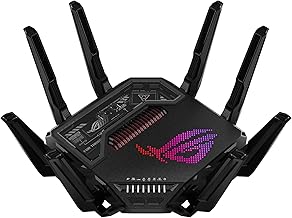
ASUS packs surprising value here with subscription-free network security, built-in VPN support, and AiMesh compatibility. The RT-AX1800S handles gaming and streaming loads well, and the robust parental controls are a bonus if the router pulls double duty for a family household.
NETGEAR R6700AX
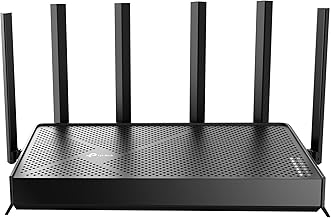
The R6700AX delivers reliable AX1800 speeds across up to 1,500 sq. ft. and 20 devices, making it ideal for apartment dwellers. Free expert support and straightforward QoS settings keep your latency in check without requiring a networking degree.
NETGEAR Nighthawk RS140
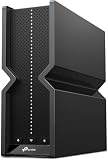
For gamers eyeing future-proofing, the Nighthawk RS140 brings WiFi 7 to the budget tier with a 2.5 Gbps port and BE5000 speeds. It covers up to 2,250 sq. ft. and 80 devices, making it the premium pick for larger homes willing to stretch slightly past the basement price point.
GL.iNet Flint 2
The GL-MT6000 Flint 2 is the enthusiast’s budget pick, offering dual 2.5 Gbps ports and pre-installed OpenWrt for deep customization. With 8-stream WiFi 6 and WireGuard support, it delivers enthusiast-grade features at a price that respects your graphics card upgrade fund.
Frequently Asked Questions
Is WiFi 6 enough for gaming in 2026?
Yes. WiFi 6 provides excellent latency and congestion management for most online games. WiFi 7 offers more headroom for bandwidth-heavy households, but a wired Ethernet connection on a WiFi 6 router will outperform any wireless setup for competitive gaming.
Should I use Ethernet or WiFi for gaming?
Always use Ethernet when possible. A wired gigabit or 2.5 Gbps connection eliminates wireless interference, reduces jitter, and delivers consistently lower ping — critical for fast-paced shooters and fighting games where every millisecond counts.
What is QoS and do I need it?
Quality of Service lets you prioritize gaming traffic over other network activity like streaming or file downloads. If anyone else shares your connection, QoS helps prevent sudden ping spikes when a roommate starts a 4K stream or large update.
Are budget routers good for large homes?
Single budget routers typically cover 1,500 to 2,500 sq. ft. For larger spaces, choose a mesh-compatible model like the ASUS RT-AX1800S or TP-Link Archer AX21 V5 so you can add nodes later without replacing your primary router.
Final Thoughts
For most budget-focused PC gamers, the TP-Link Archer AX21 V5 and ASUS RT-AX1800S represent the best balance of price, features, and reliability. If you want to future-proof with multi-gig and WiFi 7, the NETGEAR Nighthawk RS140 justifies a slightly higher spend. And for tinkerers who crave control, the GL.iNet Flint 2 is hard to beat at this price tier.