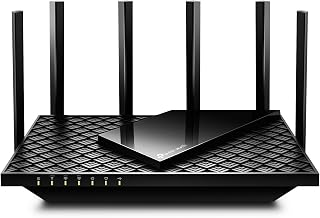
If you are upgrading your home network in 2026, WiFi 7 is no longer a future-proofing luxury — it is the baseline for anyone streaming high-bitrate video, pushing gigabit fiber to multiple rooms, or keeping latency-sensitive traffic like cloud gaming and competitive shooters from falling apart under load. The problem for most buyers is that the router aisle has become genuinely difficult to navigate. TP-Link alone has released several overlapping Archer BE-series models with nearly identical names, different port configurations, and subtle feature deltas that make side-by-side comparison a headache without a spec sheet open in another tab.
Our top picks
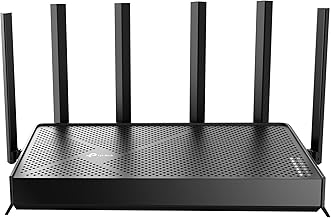
 TP-Link Tri-Band BE9300 WiFi 7 Router
- BE9300 Tri-Band Wi-Fi 7 Speeds: Archer BE550 features…
- Unmatched Performance for Streaming and Gaming: Ensures seamless…
- Extend Your Coverage with EasyMesh: Add EasyMesh-compatible routers,…
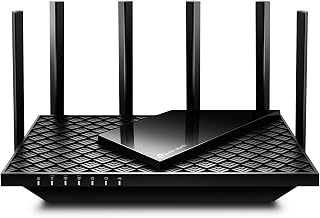
 TP-Link Tri-Band BE9700 WiFi 7 Router
- 𝐁𝐄𝟗𝟕𝟎𝟎 𝐓𝐫𝐢-𝐁𝐚𝐧𝐝 𝐖𝐢-𝐅𝐢 𝟕 𝐒𝐩𝐞𝐞𝐝𝐬: Features up to…
- 𝟏𝟎 𝐆𝐛𝐩𝐬 𝐏𝐨𝐫𝐭 𝐟𝐨𝐫 𝐌𝐮𝐥𝐭𝐢-𝐆𝐢𝐠𝐚𝐛𝐢𝐭 𝐂𝐨𝐧𝐧𝐞𝐜𝐭𝐢𝐯𝐢𝐭𝐲 : Features…
- 𝐄𝐱𝐩𝐚𝐧𝐝 𝐖𝐢𝐅𝐢 𝐂𝐨𝐯𝐞𝐫𝐚𝐠𝐞 𝐰𝐢𝐭𝐡 𝐄𝐚𝐬𝐲𝐌𝐞𝐬𝐡: Extend network range…
| Product | Key specs | |
|---|---|---|
| TP-Link Tri-Band BE9300 WiFi 7 Router | BE9300 Tri-Band Wi-Fi 7 Speeds: Archer BE550 features… Unmatched Performance for Streaming and Gaming: Ensures seamless… Extend Your Coverage with EasyMesh: Add EasyMesh-compatible routers,… | Check price |
| TP-Link Tri-Band BE9700 WiFi 7 Router | 𝐁𝐄𝟗𝟕𝟎𝟎 𝐓𝐫𝐢-𝐁𝐚𝐧𝐝 𝐖𝐢-𝐅𝐢 𝟕 𝐒𝐩𝐞𝐞𝐝𝐬: Features up to… 𝟏𝟎 𝐆𝐛𝐩𝐬 𝐏𝐨𝐫𝐭 𝐟𝐨𝐫 𝐌𝐮𝐥𝐭𝐢-𝐆𝐢𝐠𝐚𝐛𝐢𝐭 𝐂𝐨𝐧𝐧𝐞𝐜𝐭𝐢𝐯𝐢𝐭𝐲 : Features… 𝐄𝐱𝐩𝐚𝐧𝐝 𝐖𝐢𝐅𝐢 𝐂𝐨𝐯𝐞𝐫𝐚𝐠𝐞 𝐰𝐢𝐭𝐡 𝐄𝐚𝐬𝐲𝐌𝐞𝐬𝐡: Extend network range… | Check price |
| TP-Link Tri-Band BE9300 WiFi 7 Router | Check price | |
 TP-Link BE6500 Dual-Band WiFi 7 Router TP-Link BE6500 Dual-Band WiFi 7 Router | 𝐅𝐮𝐭𝐮𝐫𝐞-𝐑𝐞𝐚𝐝𝐲 𝐖𝐢-𝐅𝐢 𝟕 - Designed with the latest… 𝟔-𝐒𝐭𝐫𝐞𝐚𝐦, 𝐃𝐮𝐚𝐥-𝐁𝐚𝐧𝐝 𝐖𝐢-𝐅𝐢 𝐰𝐢𝐭𝐡 𝟔.𝟓 𝐆𝐛𝐩𝐬 𝐓𝐨𝐭𝐚𝐥 𝐁𝐚𝐧𝐝𝐰𝐢𝐝𝐭𝐡… 𝐖𝐢𝐝𝐞 𝐂𝐨𝐯𝐞𝐫𝐚𝐠𝐞 𝐰𝐢𝐭𝐡 𝐒𝐭𝐫𝐨𝐧𝐠 𝐂𝐨𝐧𝐧𝐞𝐜𝐭𝐢𝐨𝐧 - Get up… | Check price |
 TP-Link Dual-Band BE3600 Wi-Fi 7 Router TP-Link Dual-Band BE3600 Wi-Fi 7 Router | 𝐅𝐮𝐭𝐮𝐫𝐞-𝐏𝐫𝐨𝐨𝐟 𝐘𝐨𝐮𝐫 𝐇𝐨𝐦𝐞 𝐖𝐢𝐭𝐡 𝐖𝐢-𝐅𝐢 𝟕: Powered by… 𝐁𝐄𝟑𝟔𝟎𝟎 𝐃𝐮𝐚𝐥-𝐁𝐚𝐧𝐝 𝐖𝐢-𝐅𝐢 𝟕 𝐑𝐨𝐮𝐭𝐞𝐫: Delivers up to… 𝐔𝐧𝐥𝐞𝐚𝐬𝐡 𝐌𝐮𝐥𝐭𝐢-𝐆𝐢𝐠 𝐒𝐩𝐞𝐞𝐝𝐬 𝐰𝐢𝐭𝐡 𝐃𝐮𝐚𝐥 𝟐.𝟓 𝐆𝐛𝐩𝐬 𝐏𝐨𝐫𝐭𝐬… | Check price |
 TP-Link Tri-Band BE9700 WiFi 7 Router TP-Link Tri-Band BE9700 WiFi 7 Router | 𝐍𝐞𝐱𝐭-𝐆𝐞𝐧 𝐖𝐢-𝐅𝐢 𝟕 - Optimize performance on latest… 𝟕-𝐒𝐭𝐫𝐞𝐚𝐦, 𝐁𝐄𝟗𝟕𝟎𝟎 𝐓𝐫𝐢-𝐁𝐚𝐧𝐝 𝐖𝐢-𝐅𝐢 𝟕 𝐒𝐩𝐞𝐞𝐝𝐬 - Delivers… 𝐌𝐚𝐱𝐢𝐦𝐢𝐳𝐞𝐝 𝐂𝐨𝐯𝐞𝐫𝐚𝐠𝐞 - Up to 2,600 sq | Check price |
 TP-Link AX5400 WiFi 6 Router TP-Link AX5400 WiFi 6 Router | 𝐆𝐢𝐠𝐚𝐛𝐢𝐭 𝐖𝐢𝐅𝐢 𝐟𝐨𝐫 𝟖𝐊 𝐒𝐭𝐫𝐞𝐚𝐦𝐢𝐧𝐠 𝐅𝐮𝐥𝐥 𝐅𝐞𝐚𝐭𝐮𝐫𝐞𝐝 𝐖𝐢𝐅𝐢 𝟔 𝐑𝐨𝐮𝐭𝐞𝐫 𝐂𝐨𝐧𝐧𝐞𝐜𝐭 𝐌𝐨𝐫𝐞 𝐃𝐞𝐯𝐢𝐜𝐞𝐬 | Check price |
 TP-Link Tri-Band BE18000 WiFi 7 Router TP-Link Tri-Band BE18000 WiFi 7 Router | 𝐏𝐞𝐫𝐟𝐨𝐫𝐦𝐚𝐧𝐜𝐞 𝐰𝐨𝐫𝐤𝐡𝐨𝐫𝐬𝐞 𝐭𝐡𝐚𝐭'𝐬 𝐫𝐞𝐚𝐝𝐲 𝐟𝐨𝐫 𝐭𝐨𝐦𝐨𝐫𝐫𝐨𝐰 𝐁𝐄𝟏𝟖𝟎𝟎𝟎 𝐭𝐫𝐢-𝐛𝐚𝐧𝐝 𝟏𝟎-𝐬𝐭𝐫𝐞𝐚𝐦 𝐖𝐢-𝐅𝐢 𝟕 𝐫𝐨𝐮𝐭𝐞𝐫 - Delivers… 𝟏𝟎 𝐆𝐛𝐩𝐬 𝐬𝐭𝐚𝐲𝐬 𝐚𝐡𝐞𝐚𝐝 𝐚𝐬 𝐲𝐨𝐮𝐫 𝐢𝐧𝐭𝐞𝐫𝐧𝐞𝐭 𝐠𝐫𝐨𝐰𝐬… | Check price |
As an Amazon Associate we earn from qualifying purchases at no extra cost to you.
This guide cuts through that confusion. We focused on the TP-Link Archer BE550 family and its closest siblings within the BE-series lineup, comparing tri-band and dual-band options, port speeds, coverage ratings, and value. Whether you want the standard BE550, the higher-throughput BE550 Pro, a budget-conscious BE230, or a renewed option to save some cash, the breakdown below identifies which model earns its asking price and which ones you can safely skip.
🛒 Best Price Today on Amazon
Prime members get fast, free shipping on everything above, plus member-only deals. New members get a 30-day free trial — cancel anytime.
Watch: TP-Link Archer BE550 Review — Video Review
How to Choose a TP-Link Archer BE550 (2026)
- Band Configuration: Tri-band routers dedicate a separate 6GHz band to high-throughput devices, which matters most in dense households. Dual-band models cost less but split bandwidth more aggressively under heavy simultaneous use.
- Wired Port Speed: All BE550 variants include multi-gig ports, but the Pro adds a 10Gbps port. If your ISP plan exceeds 2.5Gbps or you want headroom for NAS links, that 10G port justifies the premium.
- Coverage Area: The BE550 covers up to 2,000 sq. ft., while the BE600 reaches 2,600 sq. ft. Match the rating to your actual floor plan rather than overpaying for range you will never use.
- New vs. Renewed: A renewed BE550 can save meaningful money with full functionality, but verify the seller’s warranty terms and return window before committing, especially for a device that anchors your whole network.
- Mesh Expansion: Every model here supports TP-Link EasyMesh, so you can add a compatible satellite later if your coverage needs grow. Do not oversize your initial purchase assuming one router must cover everything permanently.
The Best TP-Link Archer BE550 (2026)s Reviewed
TP-Link Archer BE550 (BE9300)
The baseline tri-band BE550 remains the most balanced option in the lineup, pairing six-stream WiFi 7 with full 2.5G ports across the back panel. It hits the sweet spot for price-to-performance in homes under 2,000 sq. ft. that need serious wireless throughput without paying for ports they cannot saturate.
TP-Link Archer BE550 Pro (BE9700)
The Pro steps up to a 10Gbps port alongside four 2.5G ports and adds USB 3.0 for local storage sharing. It is the right call if your internet plan exceeds 2.5Gbps or you want a wired backhaul that will not bottleneck a high-end NAS for years to come.
TP-Link Archer BE550 (Renewed)
Functionally identical to the new BE550, this renewed version delivers the same tri-band WiFi 7 performance and 2.5G port layout at a lower entry point. It is the smart pick for budget-conscious buyers who prioritize coverage and speed over having a factory-sealed box.
TP-Link Archer BE230 (BE3600)
A dual-band alternative that still brings dual 2.5G ports and a 2.0GHz quad-core CPU to the table. It trades tri-band headroom for a lower price, making it a solid entry point for smaller homes or anyone whose devices are not yet WiFi 7 capable across the board.
TP-Link Archer BE600 (BE9700)
The BE600 pushes coverage to 2,600 sq. ft. and supports 320MHz channels on the 6GHz band, plus a 10G port for maximum wired throughput. It is the strongest choice here for larger homes where a single-router setup must replace a mesh system without sacrificing range.
Frequently Asked Questions
Is the Archer BE550 worth it over a WiFi 6E router?
Yes, if your household has multiple active devices or you plan to keep the router for several years. WiFi 7 adds multi-link operation and 320MHz channel support, which tangibly reduces congestion and latency under heavy load compared to WiFi 6E.
What is the difference between the BE550 and BE550 Pro?
The Pro adds a 10Gbps port and USB 3.0, bumping total throughput to BE9700. The standard BE550 tops out at BE9300 with 2.5G ports only, making the Pro the better choice only if you have internet or LAN speeds that exceed 2.5Gbps.
Does the Archer BE550 support wired VPN?
Both the BE550 and BE550 Pro support VPN clients and server functionality. This lets you route specific traffic through a VPN tunnel directly at the router level without installing client software on individual devices.
Can I expand coverage with EasyMesh?
Yes. The BE550 supports TP-Link EasyMesh, so you can pair it with any compatible TP-Link range extender or satellite node to extend coverage. This makes it a practical starting point if you anticipate needing broader coverage later.
Final Thoughts
For most buyers, the standard TP-Link Archer BE550 hits the best balance of tri-band WiFi 7 performance, 2.5G wired speeds, and price. If you need 10Gbps wired headroom, the BE550 Pro is the clear upgrade path, and budget-conscious shoppers should look at the renewed BE550 for identical functionality at a lower cost.