Key takeaways
- Test the PSU with the paperclip jump-start method: bridge the green wire to any black wire on the 24-pin plug; the fan should spin if the unit lives.
- On modular units, verify the cable is fully seated on the PSU side too, not just the motherboard side.
- If you recently added an RTX 5070 or 5080, confirm the 12V-2×6 power cable is clicked in fully; a partial seat trips modern PSU protection instantly.
Few things kill a gaming session faster than pressing the power button and getting nothing. A gaming PC that won’t turn on in 2026 is almost always fixable at home, and in the vast majority of cases the culprit is something small: a loose 24-pin connector, a wall switch on the power supply flipped to off, or a front-panel header that popped free during a recent upgrade. Before you assume a dead motherboard or fried GPU, it pays to work through the failure points in order.
This guide walks you through the exact sequence experienced builders use, from “no lights, no fans” to “fans spin but no display.” You don’t need specialized tools for most of it, though a cheap POST diagnostic card can turn a two-hour guessing game into a five-minute fix. The reference guides below are handy if you want to understand what each component does while you troubleshoot.
Our top picks


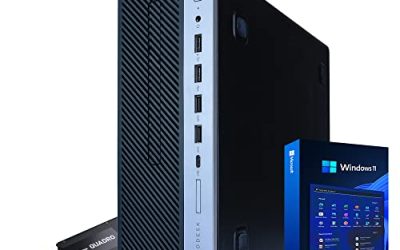
 Pre-Built PC
- Equipped with i5 Power for Gaming & Work…
- Speed and Stability in One - Boot up…
- RGB Lighting and Advanced Cooling - Stay cool…



As an Amazon Associate we earn from qualifying purchases at no extra cost to you.
⚡ Save on Your Next PC — Amazon Prime
Prime members get fast free shipping on the systems above, plus early access to Prime Day & Black Friday PC deals. New members get a 30-day free trial.
Watch: Why Won’t My Gaming PC Turn On? (2026 Fixes) — Video Review
Start With Power Delivery
Roughly half of “dead PC” cases never make it past the power stage. Confirm the wall outlet works with another device, then check the rocker switch on the back of the power supply, right next to the cable socket. It must read “I” (on), not “O.” Reseat both ends of the wall cable and, most importantly, reseat the 24-pin ATX and the 8-pin (or dual 8-pin) EPS CPU connector at the top of the board. These backpedal loose over time, especially after transport.
- Test the PSU with the paperclip jump-start method: bridge the green wire to any black wire on the 24-pin plug; the fan should spin if the unit lives.
- On modular units, verify the cable is fully seated on the PSU side too, not just the motherboard side.
- If you recently added an RTX 5070 or 5080, confirm the 12V-2×6 power cable is clicked in fully; a partial seat trips modern PSU protection instantly.
Check the Front-Panel and Power Button
If the PSU is proven good but nothing happens on a press, the power switch header is the next suspect. The tiny two-pin PWR_SW lead from your case connects to the motherboard’s front-panel block, and it’s easy to knock loose or plug onto the wrong pins. Bridge the two PWR_SW pins directly with a screwdriver tip for one second; if the system springs to life, your case button or its wiring is the problem.
Look for POST Codes and Beeps
Most gaming motherboards from the last five years include either a two-digit debug LED or four EZ-Debug LEDs labeled CPU, DRAM, VGA, and BOOT. Watch which one stays lit. A stuck DRAM light usually means reseating or reslotting RAM fixes it; a VGA light points at the graphics card. If your board lacks these, a $10 POST diagnostic card gives you the same hex codes and is worth keeping in your kit.
Reseat RAM and GPU
Fans that spin with no display almost always trace back to memory or the graphics card. Pull each RAM stick, blow out the slot, and reseat until both clips snap. Test with a single stick in the second slot from the CPU. Do the same for the GPU: unclip it, reseat firmly until the PCIe latch clicks, and re-plug its power. Intermittent contact here is the single most common “won’t boot” fault after a move or a dusty year.
Clear CMOS as a Reset
A corrupted BIOS setting, often from a failed overclock or a memory profile the board can’t handle, can leave a system in a no-boot loop. Clearing CMOS returns firmware to defaults. Pull the flat CR2032 battery for two minutes with the PSU switched off, or use the Clear CMOS button on the rear I/O if your board has one. This costs nothing and resolves a surprising number of stubborn cases.
Tips
- Work outside the case on a cardboard box if you suspect a short from a loose standoff behind the motherboard tray.
- Photograph your cable layout before disconnecting anything so reassembly is foolproof.
- Change one variable at a time; swapping three parts at once hides which fix actually worked.
- Keep a known-good spare PSU or a POST card around, they pay for themselves the first time your main rig goes dark.
Frequently Asked Questions
My fans spin for a second then stop, over and over. What is that?
That’s a boot loop, and it usually signals a short, an unstable memory profile, or insufficient CPU power. Clear CMOS first, then reseat the 8-pin EPS connector and RAM. If it persists, remove all non-essential drives and cards and boot bare.
No lights or fans at all, is the motherboard dead?
Not necessarily. A completely dark system points at power delivery far more often than a dead board. Prove the PSU with the paperclip test and confirm the rear rocker switch before condemning anything expensive.
The PC powers on but there’s no signal to my monitor.
Confirm the cable is in the GPU’s output, not the motherboard’s, on a system with a dedicated card. Then reseat the GPU and RAM. A VGA debug LED lit solid confirms the graphics card is the point of failure.
Could a BIOS update brick the board and cause this?
A failed flash can, but most modern boards include BIOS Flashback to recover from a USB stick without a working CPU or RAM. Check your board manual for the flashback button on the rear I/O.
Conclusion
A gaming PC that won’t turn on feels catastrophic but rarely is. Move methodically from wall power to PSU to front-panel header to RAM and GPU, watching debug LEDs at every step, and you’ll isolate the fault without wasted spending. Keep a cheap diagnostic card and a spare PSU on hand, lean on a solid troubleshooting reference when a code stumps you, and most no-boot situations resolve in under an hour.