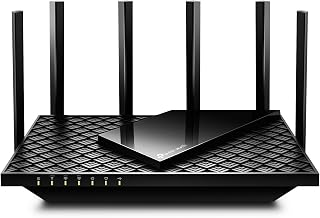
Key takeaways
- Wi-Fi 7 (802.11be) dual-band, BE3600 class aggregate
- 2.4 GHz and 5 GHz radios; no 6 GHz band
- Wi-Fi 7 features including 4K QAM, OFDMA, MU-MIMO and Multi-Link Operation between the two bands
- Three nodes in the pack, aimed at whole-home coverage
- Gigabit-class Ethernet ports for wired backhaul where you have cabling
- EasyMesh-based roaming with 802.11k/v/r support
- Deco app setup with HomeShield parental controls and per-device management
For a large home — roughly 3,000 to 6,000 square feet across two or three floors — the best premium mesh Wi-Fi 7 system for most buyers is the TP-Link Deco 7 Pro BE63 Tri-Band BE10000. It lines up the three things that actually matter in a big house: a tri-band radio layout with a clean 6 GHz path for backhaul, multi-gig Ethernet on the nodes so wired backhaul is genuinely fast, and enough spatial streams to keep 80–120 devices from queuing behind one another. If you are building around multi-gig fibre and a 10 Gbps LAN, the Deco 7 Pro BE10000 6-Stream is the step up. If you are spending less, the Deco 7 BE25 BE5000 and the Tenda BE3600 Mesh cover the budget end without dropping Wi-Fi 7. Everything below is judged on real coverage for large homes, wired backhaul, multi-gig ports, client capacity, roaming behaviour, parental controls and setup quality — not on peak lab throughput printed on a box.
Top 3 Picks
Best overall: TP-Link Deco 7 Pro BE63 Tri-Band BE10000. It is the sweet spot of the premium tier: a true tri-band Wi-Fi 7 platform with 6 GHz and 320 MHz channel support, multi-gig Ethernet for wired backhaul, and a mature app that handles parental controls and device prioritisation without a subscription. It suits a 4,000–6,000 sq ft home on a 1–2.5 Gbps plan that may or may not have Ethernet in the walls.
Best budget: TP-Link Deco 7 BE25 Dual-Band BE5000. Dual-band Wi-Fi 7 with a wide 5 GHz channel is the cheapest sensible route into the new standard for a house that already has decent node placement. It is not the system to buy if your ISP sells you more than a gigabit, but for 500 Mbps–1 Gbps plans it delivers Wi-Fi 7 client benefits at a fraction of tri-band money.
Best premium: TP-Link Deco 7 Pro BE10000 6-Stream. The heaviest configuration in this roundup, aimed at multi-gig fibre, 10 Gbps-class wired backhaul and households where dozens of devices are active at once. Buy it only if you have the WAN speed and the cabling to feed it — otherwise the BE63 gives you the same platform for less.
Quick Comparison
| Product | Best for | Key specs | Price tier |
|---|---|---|---|
| TP-Link Deco 7 BE23 (3-pack) | Whole-home coverage on a mid-range budget | Dual-band BE3600, Wi-Fi 7, 4K QAM, MLO, EasyMesh, gigabit ports | Mid-range |
| TP-Link Deco 7 Pro BE63 | Large homes needing tri-band headroom and multi-gig wired backhaul | Tri-band BE10000, 6 GHz + 320 MHz, 4K QAM, MLO, multi-gig (2.5 Gbps-class) ports | Premium |
| eero 7 | App-first setup and 2.5 Gbps plans with minimal fiddling | Dual-band Wi-Fi 7, supports plans up to 2.5 Gbps, 2.5 GbE port, subscription-gated extras | Premium |
| TP-Link Deco XE75 AXE5400 (2-pack) | Wi-Fi 6E value with a clean 6 GHz band | Tri-band AXE5400, 6 GHz at 160 MHz, 802.11k/v/r, gigabit ports | Mid-range |
| TP-Link Archer BE400 (BE6500) | Budget single-router Wi-Fi 7 upgrade with a fast 5 GHz band | Dual-band BE6500, 160 MHz 5 GHz, 2.5 Gbps port, EasyMesh-capable | Budget |
| TP-Link Archer BE230 (BE3600) | Entry-level Wi-Fi 7 for smaller footprints | Dual-band BE3600, Wi-Fi 7, gigabit ports, EasyMesh-capable | Budget |
| Tenda BE3600 Mesh | Budget mesh for a single floor or open plan | Dual-band BE3600, seamless roaming, claimed coverage up to 4,600 sq ft | Budget |
| Deco 7 BE5000 4-Stream | Mid-range dual-band mesh for gigabit-plus plans | Dual-band BE5000, 4-stream, 5 Gbps class, 240 MHz channel support | Mid-range |
| Deco 7 Pro BE10000 6-Stream | Multi-gig fibre plus 10 Gbps-class wired backhaul | Tri-band BE10000, 6-stream, 6 GHz, 320 MHz, multi-gig/10 Gbps-class ports | Premium |
| Deco 7 BE25 | Budget Wi-Fi 7 mesh for 500 Mbps–1 Gbps homes | Dual-band BE5000, 5 Gbps class, 240 MHz channel support | Budget |
Price tiers are relative within this group, not absolute. Budget kits generally land somewhere in the low hundreds of dollars, mid-range systems usually sit in the mid-hundreds, and premium tri-band kits with multi-gig ports typically run from the high hundreds upward depending on how many nodes are in the box. Listing prices move constantly, so treat the tier as a signal about where a product sits in the stack rather than a quote.
How We Chose
This roundup is built from published specification sheets, vendor documentation and the way each product’s feature set maps onto the physics of a large home, not from any hands-on session with the hardware. The first filter was radio architecture: for a house over roughly 3,500 sq ft, a tri-band system with a separate 6 GHz band is the difference between a mesh that holds up under load and one that collapses when two people game while someone else pulls a 100 GB patch. Dual-band Wi-Fi 7 systems stay in the list because they are genuinely the right answer for smaller or well-cabled homes, and pretending otherwise would push readers into spending they do not need.
The second filter was backhaul. Any node that talks to the base station over the air loses a large slice of its throughput to the second hop, so we weighted multi-gig Ethernet ports heavily — they are the cheapest performance upgrade available in a mesh system, and they are the one spec that does not degrade with distance. Third was client capacity and roaming: OFDMA and MU-MIMO scheduling, stream count per band, and support for the 802.11k/v/r roaming standards that stop phones clinging to a far node. Fourth was the software layer — parental controls, per-device priority, and whether core features are free or behind a subscription. Finally, upgrade path: which systems let you add nodes later, mix generations, or reuse existing cabling. Category fit, use case and price tier then decide the ranking within each tier.
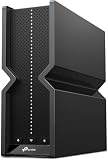
1. TP-Link Deco 7 BE23 – Best for whole-home coverage on a mid-range budget
As an Amazon Associate we earn from qualifying purchases at no extra cost to you.

The Deco 7 BE23 is the three-pack that answers the most common large-home question: “I have 5,000-odd square feet and I do not want to spend premium money.” It is a dual-band Wi-Fi 7 system, which means the 2.4 GHz and 5 GHz radios carry both client traffic and backhaul, and it ships as a kit of three nodes sized for a typical two-storey house. For a household on a 500 Mbps to 1 Gbps plan with drywall interior walls and no serious hobbyist workloads, that is a genuinely sensible place to land.
Key specifications as stated for the product family:
- Wi-Fi 7 (802.11be) dual-band, BE3600 class aggregate
- 2.4 GHz and 5 GHz radios; no 6 GHz band
- Wi-Fi 7 features including 4K QAM, OFDMA, MU-MIMO and Multi-Link Operation between the two bands
- Three nodes in the pack, aimed at whole-home coverage
- Gigabit-class Ethernet ports for wired backhaul where you have cabling
- EasyMesh-based roaming with 802.11k/v/r support
- Deco app setup with HomeShield parental controls and per-device management
The strength here is value density. Wi-Fi 7’s most useful everyday benefits for a large home are not the headline peak rate — they are MLO, which lets a client hold a link on two bands at once so a momentary fade on 5 GHz does not stall a game, and improved scheduling that keeps latency stable when thirty devices are chatting. The BE23 delivers both at a mid-range price, and three nodes give you a decent chance of getting a node within one wall of every room that matters.
The weakness is the missing 6 GHz radio, and it shows up in exactly one scenario: wireless backhaul under load. With dual-band, the node-to-node link shares airtime with your clients. In a house where the satellite nodes are carrying real traffic — a 4K TV, a console, a couple of laptops — you can feel the second hop compress throughput. The fix is wired backhaul, and the BE23 supports it, but if you cannot run cable, you are paying for coverage rather than speed.
Pros
- Three nodes at a mid-range price makes 5,000+ sq ft coverage affordable
- Full Wi-Fi 7 feature set for clients, including MLO and 4K QAM
- Deco app is one of the more polished setup and management experiences in the category
- Parental controls and device profiles included without a subscription
- EasyMesh support means you can add nodes later rather than replacing the kit
Cons
- No 6 GHz band, so no clean backhaul channel and no 320 MHz channels
- Gigabit ports cap wired backhaul below what a 2.5 Gbps plan can deliver
- Wireless backhaul throughput drops noticeably on the furthest node
- Not the system to buy if your ISP line exceeds 1 Gbps
Compared with the nearest alternative in this list, the Deco XE75 AXE5400, the BE23 trades a 6 GHz radio for a newer Wi-Fi 7 feature set. The XE75 gives you a genuinely clean 6 GHz band for backhaul and client traffic, which helps in a congested neighbourhood, but it is Wi-Fi 6E hardware without MLO or 4K QAM and its ports are gigabit-only. If your airspace is crowded, the XE75’s extra band may matter more than the newer standard; if your airspace is quiet and your clients are new, the BE23 is the better long-term buy.
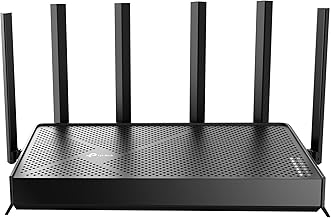
2. TP-Link Deco 7 Pro BE63 – Best for large homes that need tri-band headroom

This is the pick we would put in most large homes if the budget allows it. The Deco 7 Pro BE63 is a tri-band BE10000 Wi-Fi 7 system, which means it has a 6 GHz radio to work with in addition to 2.4 GHz and 5 GHz. In a big house, that third band is not a luxury: it is the difference between a mesh that keeps its shape under load and one that sags the moment the satellite nodes start relaying real traffic.
Key specifications as stated for the product family:
- Wi-Fi 7 (802.11be) tri-band, BE10000 class aggregate across 2.4, 5 and 6 GHz
- 6 GHz band with support for 320 MHz channels and 4K QAM where the client supports it
- Multi-Link Operation, OFDMA and MU-MIMO across bands
- Multi-gig Ethernet (2.5 Gbps class) on the nodes for wired backhaul and multi-gig WAN
- EasyMesh-based whole-home mesh with 802.11k/v/r roaming support
- Deco app with HomeShield parental controls, device priority and network security tools
The practical argument for this system in a large home comes down to airtime. A 6 GHz backhaul link on a 320 MHz channel is wide, mostly empty, and short-range — which is precisely what you want between two nodes on the same floor. Clients on 5 GHz get the full 5 GHz band without competing with the relay traffic, and 6 GHz-capable clients get a fast, quiet lane of their own. In a house with three or four nodes, that architecture is what keeps a 4K stream from stuttering because someone upstairs started a download.
The multi-gig ports matter just as much, and they matter more the bigger the house gets. Every wireless hop in a mesh costs you a large fraction of the link rate to overhead, contention and the second transmission. A 2.5 Gbps Ethernet run between the base and a satellite removes that cost entirely and makes the satellite behave like a second access point on a wire. If you are renovating, or if the house already has coax you can convert with adapters, this is the single highest-return upgrade in the whole build.
Where it gives ground is on port layout, which is the one place TP-Link’s naming gets confusing. The BE63 family spans several pack configurations, and the number and mix of multi-gig versus gigabit ports varies between them. Before buying, check the specific pack’s port list rather than assuming every node has an identical complement. It is also worth noting that the BE10000 aggregate is a sum across three bands — no single client will ever see that number, and a Wi-Fi 6 laptop will top out far below it.
Pros
- Tri-band with a dedicated 6 GHz path is the right architecture for 4,000+ sq ft
- Multi-gig Ethernet on the nodes makes wired backhaul genuinely fast
- 320 MHz channels and MLO give Wi-Fi 7 clients real headroom
- Roaming standards support means phones and laptops hand off cleanly between nodes
- Parental controls and per-device prioritisation included at no extra cost
Cons
- Premium tier pricing; overkill for a house under about 3,000 sq ft
- Port complement varies by pack, so you have to read the listing carefully
- 6 GHz range is shorter than 5 GHz, so node placement matters more, not less
- You need a plan above 1 Gbps and matching cabling to use the multi-gig ports fully
Against the Deco 7 Pro BE10000 6-Stream later in this list, the BE63 is the mainstream configuration of the same idea: tri-band, 6 GHz, multi-gig ports, whole-home mesh. The 6-stream variant pushes port capability and configuration further for households with 10 Gbps-class wired backhaul. If you have multi-gig fibre and a wired backbone, the 6-stream model is worth the step up; if your ceiling is a 2.5 Gbps plan and one wired run, the BE63 is the better-value version of the same platform.
3. eero 7 – Best for app-first setup and 2.5 Gbps plans

eero’s newest dual-band model takes the opposite approach to TP-Link: fewer knobs, less jargon, and a setup process that a non-technical household can complete in ten minutes without a browser. The eero 7 is a dual-band Wi-Fi 7 router that the listing states supports internet plans up to 2.5 Gbps, with a 2.5 GbE port to match. It is a premium-tier product, and you are paying for the software experience and the ecosystem as much as the radios.
Key specifications as stated for the product family:
- Dual-band Wi-Fi 7 (2.4 GHz and 5 GHz)
- Supports internet plans up to 2.5 Gbps
- 2.5 GbE port for the WAN, with additional Ethernet for wired devices
- Mesh-capable: additional eero units extend coverage with a single network name
- Managed entirely from the eero app, including guest network, device profiles and scheduling
- Advanced security, ad blocking and richer parental controls tied to the eero Plus subscription
What eero does better than anyone in this list is make a large home network feel like one appliance. Adding a node is a two-tap operation, band steering is automatic and aggressive in a good way, and the app surfaces which device is hogging bandwidth in plain language. For a household where the person maintaining the network is not the person who enjoys router menus, that has real value. The 2.5 GbE port also means a 2 Gbps fibre plan is not wasted at the front door, which is more than several budget mesh kits can claim.
The trade-off is control and cost. eero exposes far fewer settings than the Deco app: you will not find per-band channel width selection, manual backhaul preference, or detailed roaming thresholds. Several features that TP-Link bundles free — advanced security filtering, content categories, ad blocking — sit behind the eero Plus subscription, which changes the total cost of ownership over a three-year window. And because this model is dual-band, wireless backhaul shares airtime with clients, exactly as it does on the Deco 7 BE23.
On coverage in a genuinely large home, the eero 7 is best deployed with wired backhaul if you can manage it, or with a node count high enough that no satellite is more than one wall from the clients it serves. eero’s mesh handles node-to-node handoff gracefully, but physics does not care about software quality: a dual-band relay node will always cost you throughput on the far side.
Pros
- The simplest setup and day-to-day management in this roundup
- 2.5 GbE port means 2–2.5 Gbps plans are usable, unlike gigabit-only rivals
- Excellent client steering and handoff behaviour with no configuration required
- Compact, living-room-friendly industrial design
- Straightforward path to adding nodes as the household grows
Cons
- Dual-band only — no 6 GHz band and no 320 MHz channels
- Advanced parental controls and security require a paid subscription
- Very few advanced settings for readers who like to tune their own network
- Premium-tier price for dual-band hardware
The nearest alternative here is the Deco 7 BE23, and the comparison is instructive. The eero 7 costs more and has fewer bands than some mid-range rivals, but it has a faster WAN port and a dramatically simpler interface. If your priority is “set it up once and never think about it”, eero wins. If your priority is maximum coverage per dollar and you do not mind learning an app, the Deco 7 BE23 or the Deco 7 BE25 gives you more hardware for the money.
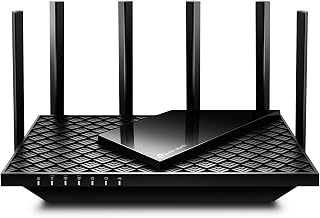
4. TP-Link Deco XE75 AXE5400 – Best for Wi-Fi 6E value with a clean 6 GHz band

The Deco XE75 is the veteran of this group. It is a tri-band Wi-Fi 6E system in a two-pack, rated AXE5400, and it has one specific advantage that newer dual-band Wi-Fi 7 kits lack: a 6 GHz radio, which means a genuinely quiet band for backhaul and for 6E-capable clients. In a dense neighbourhood where the 5 GHz band is a scrum of overlapping networks, that quiet band is worth more than a newer standard badge.
Key specifications as stated for the product family:
- Wi-Fi 6E tri-band, AXE5400 class aggregate across 2.4, 5 and 6 GHz
- 6 GHz band at up to 160 MHz channel width
- Two nodes in the pack, expandable with additional Deco units
- 802.11k/v/r roaming support for clean handoffs between nodes
- Gigabit Ethernet ports on the nodes for wired backhaul
- Deco app with HomeShield parental controls and per-device management
The case for buying Wi-Fi 6E in 2026 is narrower than it was two years ago but it has not vanished. Wi-Fi 7’s headline additions — 320 MHz channels and Multi-Link Operation — require Wi-Fi 7 clients to matter, and a large share of laptops, phones and consoles in a typical home still do not support them. Meanwhile, 6 GHz at 160 MHz is already a very fast, very clean lane, and the XE75 gives you that lane for less than a tri-band Wi-Fi 7 system costs. If your house is full of Wi-Fi 6E devices and your internet plan is 1 Gbps or below, the XE75 is a rational buy rather than a compromise.
The limitations are the flip side of its age. There is no MLO, so a client cannot hold two bands at once to survive a fade. There is no 4K QAM, so peak rates on the 5 GHz band are lower than a Wi-Fi 7 system’s. The Ethernet ports are gigabit, which caps wired backhaul at 1 Gbps — fine for a 1 Gbps plan, limiting for anything faster. And with only two nodes in the pack, a sprawling multi-floor house may need a third, which erodes the value advantage.
Placement discipline matters more with 6 GHz than with 5 GHz. The 6 GHz band attenuates faster through walls and floors, so a node that works fine on 5 GHz in a far bedroom may deliver a weak 6 GHz backhaul link in the same spot. If you go the XE75 route in a big house, plan node positions around line-of-sight through a doorway or along a hallway rather than through a load-bearing wall.
Pros
- Clean 6 GHz band for backhaul and 6E clients at a mid-range price
- Tri-band architecture avoids the dual-band backhaul penalty
- Mature, well-documented firmware with reliable roaming behaviour
- Deco app ecosystem means nodes can be mixed with other Deco systems
- Gigabit wired backhaul supported on every node
Cons
- Wi-Fi 6E, not Wi-Fi 7 — no MLO, no 4K QAM, no 320 MHz
- Gigabit-only ports limit wired backhaul on faster plans
- Two nodes may not cover a very large or unusually shaped house
- 6 GHz range is shorter, so placement is less forgiving
Against the Deco 7 BE23, the XE75 trades newer Wi-Fi 7 features for a third radio. In a congested area with a 1 Gbps plan, the XE75’s 6 GHz backhaul will often produce more consistent results on the far node than the BE23’s dual-band relay. In a quiet area with Wi-Fi 7 clients and a plan above a gigabit, the BE23’s newer feature set and lower price make more sense. Neither is universally better; the deciding factor is your local airspace and your clients.
5. TP-Link Archer BE400 (BE6500) – Best budget single-router Wi-Fi 7 upgrade

Not every large home needs a mesh kit. If the house has a central location with reasonable line of sight to most rooms — a stairwell landing, a hallway closet, a living room corner — a single strong router can beat a mediocre mesh. The Archer BE400, sold as the TP-Link BE6500 Dual-Band Wi-Fi 7 Router, is the budget-tier option for that situation, and its standout spec is a fast 5 GHz band.
Key specifications as stated for the product family:
- Dual-band Wi-Fi 7 (802.11be), BE6500 class aggregate
- 5 GHz band with 160 MHz channel support and 4K QAM
- 2.5 Gbps Ethernet port for multi-gig WAN or LAN use
- Additional gigabit Ethernet ports for wired devices
- EasyMesh-capable firmware, so it can be combined with compatible TP-Link mesh units
- TP-Link router app and web interface with parental controls and QoS
The BE6500 rating is concentrated where it counts. Because the aggregate is dominated by the 5 GHz radio, this router has more usable throughput on the band your devices actually use than a cheap tri-band design that splits its budget three ways. The 2.5 Gbps port means a 2 Gbps fibre plan is not throttled at the router, and it can double as a fast wired link to a NAS or a gaming PC. For a budget product, that is a lot of capability.
Where it falls short in a large home is coverage. A single router in a 4,000 sq ft multi-floor house will leave dead spots, and no amount of 5 GHz bandwidth fixes a room where the signal is below the noise floor. The mitigation is EasyMesh: pair it with compatible TP-Link mesh units to extend coverage while keeping the BE6500’s fast radio as the base. That works, but it is a more fiddly path than buying a purpose-built kit, and you lose some of the seamless single-app management that the Deco line provides.
The dual-band limitation is the same as everywhere else in this tier: if you extend with wireless backhaul, the relay shares airtime with clients. The 2.5 Gbps port partially rescues this if you can run a cable to the second unit, which turns a budget router plus a mesh node into a genuinely fast two-AP network.
Pros
- Fast 5 GHz band with 160 MHz support at a budget price
- 2.5 Gbps port is unusual at this tier and supports multi-gig plans
- EasyMesh-capable, so coverage can be extended later
- Full router controls including QoS, port forwarding and parental controls
- Good fit for a gaming PC on Ethernet plus wireless everything else
Cons
- Single unit; large multi-floor homes will have dead spots
- No 6 GHz band and no tri-band backhaul
- Extending it into a mesh is less seamless than a purpose-built kit
- Dual-band relay nodes will compress throughput if added wirelessly
Compared with the Archer BE230 below it, the BE400 buys you a wider 5 GHz channel and a multi-gig port for a modest step up in price. If your plan is above 1 Gbps or you have a NAS, that port alone justifies the difference. If your plan is 500 Mbps and your house is modest, the BE230 covers the same ground for less.
6. TP-Link Archer BE230 – Best entry-level Wi-Fi 7 router for smaller footprints

The Archer BE230 is the cheapest way into Wi-Fi 7 in this roundup, and it is honest about what it is: a dual-band BE3600 router with gigabit ports, aimed at apartments, small houses and single-floor plans. If you have been holding off on Wi-Fi 7 because the hardware looked expensive, this is the entry point.
Key specifications as stated for the product family:
- Dual-band Wi-Fi 7 (802.11be), BE3600 class aggregate
- 2.4 GHz and 5 GHz radios with Wi-Fi 7 features including 4K QAM and OFDMA
- Gigabit Ethernet ports for WAN and LAN
- EasyMesh-capable firmware for later expansion with compatible units
- TP-Link app and web interface with parental controls and QoS
The value proposition is straightforward: Wi-Fi 7 client features — better scheduling, MLO between the two bands on supported clients, and 4K QAM on the 5 GHz band — for entry-level money. On a 300–500 Mbps plan in a 1,500–2,000 sq ft home, that is a meaningful improvement over an older Wi-Fi 5 router and a perfectly adequate one over a mid-range Wi-Fi 6 unit.
The gigabit ports are the hard ceiling. If your ISP sells you 2 Gbps or 2.5 Gbps, this router cannot pass it through, and the bottleneck sits at the WAN port regardless of how good the radios are. For a large home with a fast plan, that is disqualifying. For a smaller home on a sub-gigabit plan, it is irrelevant.
Coverage is the other constraint. One BE230 in a 3,500 sq ft two-storey house will not do it, and the fix is either a second EasyMesh unit or accepting a dead zone. Since the ports are gigabit, a wired backhaul run is capped at 1 Gbps, which is still far better than wireless relay but will not let a satellite node deliver multi-gig speeds to its clients.
Pros
- The lowest entry price for Wi-Fi 7 in this group
- Wi-Fi 7 client features including MLO and 4K QAM
- EasyMesh-capable, so coverage can be extended incrementally
- Full router feature set — QoS, parental controls, guest network
- Simple setup through the TP-Link app
Cons
- Gigabit-only ports cap WAN and wired backhaul at 1 Gbps
- Single unit with no 6 GHz band
- Not suitable for a large multi-floor home on its own
- Lower aggregate throughput than every mesh kit in this list
Versus the Archer BE400, you give up the 2.5 Gbps port and the wider 5 GHz channel. Versus the Deco 7 BE23, you give up the third node and the seamless mesh management. The BE230 is the right answer when the honest answer to “how big is your house and how fast is your line?” is “not very” and “under a gigabit”.
7. Tenda BE3600 Mesh – Best budget mesh for a single floor or open plan

Tenda’s Wi-Fi 7 mesh kit is the value play for buyers who want multiple nodes and a seamless network without paying TP-Link or eero prices. The listing describes a dual-band BE3600 mesh system for the home with claimed coverage up to 4,600 sq ft and seamless roaming between units. That coverage figure assumes open, drywall-friendly conditions — a real 4,600 sq ft house with masonry interior walls will need more nodes or better placement.
Key specifications as stated for the product family:
- Wi-Fi 7 (802.11be) dual-band, BE3600 class aggregate
- Claimed coverage up to 4,600 sq ft across the nodes in the kit
- Seamless roaming between mesh units with a single network name
- Wi-Fi 7 features including 4K QAM and OFDMA on supported clients
- App-based setup and management
- Ethernet ports on the nodes for wired backhaul
The attraction is obvious: a multi-node Wi-Fi 7 mesh at a budget price. For a single-storey home, a long open-plan layout, or a two-storey house where the floors are open to each other, a budget kit like this can genuinely solve coverage. The seamless roaming claim matters more than the speed numbers for a house this shape — being able to walk from the kitchen to the garage without a video call dropping is the feature people actually notice.
The caveats are the usual ones for budget mesh hardware. Dual-band means no dedicated backhaul radio, so the far node’s throughput drops when it is relaying. The claimed coverage is a marketing figure derived from ideal conditions; in practice, budget kits tend to need a node per 1,200–1,500 sq ft of real, wall-separated space. And the software layer is generally thinner than TP-Link’s or eero’s — expect functional parental controls and basic device management rather than fine-grained scheduling and content categories.
For a large home on a fast plan, this is not the pick. For a large home on a modest plan where the budget is genuinely tight, it covers the basics and it is the only sub-premium multi-node Wi-Fi 7 option here outside TP-Link’s own budget Deco models.
Pros
- Multi-node Wi-Fi 7 mesh at budget pricing
- Claimed coverage up to 4,600 sq ft suits a single floor or open plan well
- Seamless roaming with a single SSID
- Straightforward app setup
- Ethernet ports allow wired backhaul if you have cabling
Cons
- Dual-band only, with no dedicated backhaul radio
- Claimed coverage is optimistic for wall-heavy construction
- Thinner feature set than the Deco or eero apps
- Not intended for multi-gigabit internet plans
Against the Deco 7 BE25, the Tenda kit competes on price and on node count in the box, while the Deco competes on software polish, roaming behaviour and long-term firmware support. If the mesh app is something you will actually use — parental controls, device naming, pausing the kids’ tablets — the Deco is worth the difference. If you want coverage and nothing else, Tenda delivers it for less.
8. Deco 7 BE5000 4-Stream – Best mid-range dual-band mesh for gigabit-plus plans

This Deco 7 configuration sits in the middle of TP-Link’s Wi-Fi 7 range: a dual-band BE5000 mesh system described as 4-stream with 5 Gbps class throughput and 240 MHz channel support. It exists for the household that wants more headroom than the entry-level BE3600 kits but is not ready to pay tri-band money.
Key specifications as stated for the product family:
- Wi-Fi 7 (802.11be) dual-band, BE5000 class aggregate
- 4-stream configuration across the two bands
- 5 Gbps class throughput rating
- 240 MHz channel support on the 5 GHz band, where local spectrum and regulatory rules permit
- Multi-node mesh with EasyMesh-based roaming and 802.11k/v/r support
- Deco app with HomeShield parental controls and device prioritisation
The interesting number here is 240 MHz. Standard Wi-Fi 7 channel widths top out at 320 MHz in the 6 GHz band and 160 MHz in the 5 GHz band; TP-Link advertises wider-than-standard channel support on some Deco models as a way to squeeze more throughput out of the 5 GHz band. The practical caveat is that a channel that wide is only available where the surrounding spectrum is empty enough and local rules allow it, and it can hurt more than help in a congested area by increasing sensitivity to interference. When it works, though, it is the closest a dual-band system gets to tri-band throughput on the main client band.
Four streams also matter for a busy house. Stream count determines how many clients can be served simultaneously on a given band before scheduling starts to serialise traffic, and it is one of the reasons a mid-range mesh feels smoother than a budget one when ten devices are active. Combined with OFDMA, which subdivides a channel into resource units, four streams give the scheduler more room to keep latency low for the devices that need it.
The limitation remains the missing 6 GHz radio. If you extend this system wirelessly across a large house, the backhaul competes with clients on both bands. Wired backhaul fixes that, and if you have cabling, this system is an excellent mid-range choice. If you do not, and your house is genuinely large, you are better served by a tri-band kit.
Pros
- More headroom than entry-level BE3600 kits without tri-band pricing
- 4-stream configuration handles busy households better than 2-stream designs
- 240 MHz channel support can deliver near-tri-band throughput where spectrum allows
- Full Deco software stack with parental controls included
- EasyMesh support for adding nodes over time
Cons
- Dual-band only; no dedicated backhaul radio
- Very wide channels are situational and can backfire in congested areas
- Not the right pick for a multi-floor home without wired backhaul
- Check the pack configuration — node count varies between SKUs
Compared with the Deco 7 BE25, this is the same dual-band Wi-Fi 7 idea with more streams and a higher aggregate rating. If your house has a lot of simultaneous clients — a family of five with consoles, laptops and streaming TVs — the extra streams are worth paying for. If your household is two or three people with modest device counts, the BE25 delivers most of the benefit for less.
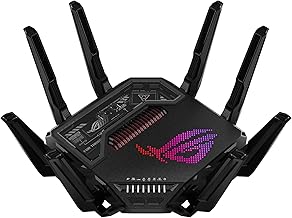
9. Deco 7 Pro BE10000 6-Stream – Best premium for multi-gig wired backhaul and heavy client loads

This is the top of the range in this roundup. The Deco 7 Pro BE10000 6-Stream is a tri-band Wi-Fi 7 mesh system rated at BE10000 with a 6-stream configuration and 10 Gbps-class throughput in its description. It is aimed at a specific buyer: someone with multi-gigabit fibre, a wired backbone through the house, and enough devices that the network is effectively a small enterprise deployment.
Key specifications as stated for the product family:
- Wi-Fi 7 (802.11be) tri-band, BE10000 class aggregate across 2.4, 5 and
Affiliate disclosure. As an Amazon Associate we earn from qualifying purchases at no extra cost to you. Prices accurate as of the date shown.Best Premium Mesh Wi-Fi 7 Router SystemsCheck price on Amazon