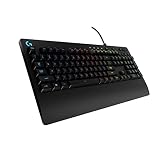
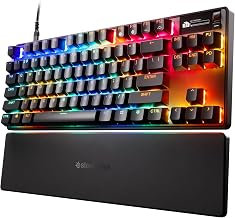
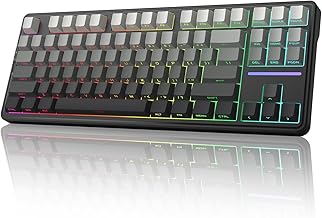
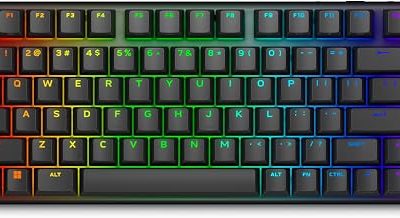
Our Top Picks


For fast shooters and rhythm games, a Hall effect keyboard gives you something a standard mechanical keyboard cannot: adjustable actuation depth and rapid trigger, which resets a key the instant you start letting go. For typing, strategy games and anyone who loves swapping switch types, a traditional mechanical board still has the broader choice and a feel many people prefer. The practical gap is smaller than the marketing implies, and it depends on whether you will actually tune the settings. This guide explains what changes inside the switch, what stays the same, a checklist for choosing, and four Hall effect boards in different layouts.
Quick Verdict
| Your situation | Our verdict |
|---|---|
| Competitive FPS player who counter-strafes | Hall effect. Rapid trigger and per-key actuation are the main benefit. |
| Mostly typing and office work | Mechanical is fine. A tuned Hall effect board can feel similar, so the upgrade is optional. |
| You love swapping switches, lubing and modding | Mechanical. The ecosystem is far larger. |
| You play single-player and strategy games | Either; neither has a clear advantage. |
| You want wireless freedom | Check carefully; wireless polling rates on Hall effect boards may be lower than wired, and battery sizes vary. |
| You play Counter-Strike 2 | Hall effect works, but turn off any Snap Tap or SOCD feature, because Valve kicks players who use it. |
What Actually Changes
A sensor replaces the metal contact
In a standard mechanical switch, two metal leaves touch at a fixed point in the key’s travel, and the board registers a press. In a Hall effect switch, a small magnet sits in the stem and a sensor on the circuit board measures the magnetic field as the key moves down. The board therefore reads position as a continuous value rather than an on/off contact. That one change is why Hall effect boards can offer the features below.
Adjustable actuation
Because the board knows exactly how far a key is pressed, you can set the actuation point in software, typically anywhere from about 0.1 mm to about 4.0 mm, and often per key. Standard mechanical switches actuate at a single fixed depth, commonly around 2 mm. A shallow setting means faster response but more accidental presses; a deeper setting is more forgiving for typing. Exact ranges differ by board and are stated in each manufacturer’s spec.
Rapid trigger
Rapid trigger resets a key as soon as it moves back up by a small distance, then re-activates it when you press down again, even a fraction of a millimeter. On a normal mechanical switch the key must rise past a fixed reset point before it can register again. In shooters, that means a faster counter-strafe (tapping the opposite direction to stop moving) and cleaner tap-fire in some games. The benefit shows most for players who already practice that kind of movement.
Durability and trade-offs
Since the magnet and sensor never touch, there is no metal contact to wear or oxidize, which is why manufacturers quote long lifespans. Corsair, for example, rates its MGX switches at 150 million keystrokes; other brands advertise different figures, and these are manufacturer claims rather than independent results. The trade-offs are real: mechanical boards offer more switch types and a huge modding community, while Hall effect boards have a narrower set of stems, and hot-swap compatibility depends on the board. Hall effect keyboards also depend on firmware and web or desktop software for configuration.
What stays the same
Plenty of keyboard qualities do not depend on the sensing method. Keycap material and profile, case construction, stabilizers on long keys, the sound of the board and the feel of the spring are shared between both types. A Hall effect board with thin plastic keycaps and rattly stabilizers will feel cheaper than a well-built mechanical board, and the reverse is also true. Read comments about the stabilizers and the plate material, not just the switch type. Likewise, per-key RGB, onboard profile memory and a detachable cable are separate features that appear on both kinds of keyboard.
Setup effort is part of the cost
A mechanical keyboard works the moment you plug it in. A Hall effect board works too, but the features that justify it, such as per-key actuation and rapid trigger sensitivity, live in a configurator. Most makers use a web-based driver or a desktop app, and some of those run only on Windows. If you switch between a PC and a console, or between a work laptop and a gaming PC, check that your profile is stored on the keyboard itself, so your settings travel with you. Boards with several onboard profiles let you keep a shallow gaming profile and a forgiving typing profile and switch between them from the keyboard.
Side-by-side comparison
| Feature | Mechanical | Hall effect |
|---|---|---|
| Detection method | Metal contacts close at a fixed point | Sensor reads magnet position |
| Actuation depth | Fixed, around 2 mm typical | Adjustable, about 0.1-4.0 mm on many boards |
| Rapid trigger | No | Yes, on most boards |
| Switch variety | Very wide | Narrower, growing |
| Wear on contacts | Possible over time | No contact to wear |
| Configuration | Often none or basic | Software required to tune |
| Typical polling rate | 1000 Hz common | 1000 to 8000 Hz depending on board |
Verified from manufacturer pages and keyboard reference sources: the sensing method, adjustable range, rapid trigger behavior and Corsair’s lifespan rating. What depends on the exact model: the actual actuation range, polling rate wirelessly versus wired, and whether the switches are hot-swappable.
The CS2 and SOCD caveat
Some Hall effect boards ship a feature (called Snap Tap, SOCD or similar) that resolves left and right being held at once. Valve responded in 2024 by kicking players who use this feature on official CS2 servers. Rapid trigger itself is not treated as a cheat, since you still press and release the key, but tournament rules vary, so check your organizer’s ruleset. If you play CS2, turn off any SOCD-style setting in the configuration software.
How to Decide
- Name your main game. Precision movement shooters benefit most. Strategy and typing-heavy games gain little.
- Decide how much you will tune. If you will never open the software, a Hall effect board runs on defaults and you lose most of the advantage.
- Pick a layout by desk space. A 60-65% board saves room for mouse swings; a 96% board keeps the number pad.
- Pick wired or wireless. Wired gives the highest polling rates and the simplest power situation. Wireless adds convenience but may cap polling, and battery life depends on the model.
- Set starting actuation by rule of thumb. Many players try a shallower point (around 1.0 mm) for movement keys and a deeper one (around 1.5 to 2.0 mm) for typing keys, then adjust to their own habits.
- Check your USB port. A polling rate of 8000 Hz may need a direct port and can raise CPU load on some systems; start at 1000 Hz and raise it only if you notice a benefit.
Worked example: you play a tactical shooter and type for work. A 65% wired Hall effect board with WASD set shallow and the rest at default covers both, and you can switch to a different profile for typing.
Products That Fit
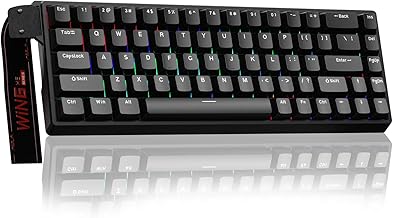
AULA WIN68 HE – a compact wired board for tight desks
As an Amazon Associate we earn from qualifying purchases at no extra cost to you.

This compact wired board matches the “competitive player with limited desk space” situation. The listing advertises Hall effect magnetic switches, adjustable actuation, a fast trigger mode and an 8000 Hz polling rate. A small layout leaves room to swing a mouse, which suits low-sensitivity shooter setups.
- Compact layout (listed as 60%; the series is commonly described as 65%, 68 keys)
- Hall effect magnetic switches with adjustable actuation
- Fast trigger mode and 8000 Hz polling rate (per listing)
- Wired RGB backlight; software is web-based per the maker
Caveat: sellers list slightly different actuation ranges for different versions, so confirm the exact model and range on the listing.
AULA F75 HE Wireless – for wireless freedom with tri-mode connection

If you want a Hall effect board that cuts the cable, this is the listing to consider. It is a 75% layout with tri-mode connectivity (Bluetooth, 2.4 GHz wireless and USB-C wired), hot-swappable switches and a media knob. It suits a gamer who also uses the keyboard with a laptop or tablet.
- 75% layout, hot-swappable switches (per maker page)
- Bluetooth, 2.4 GHz and wired USB-C modes
- 8000 Hz applies to wired mode on the standard model; wireless is lower
- Battery size: listings conflict, so confirm on listing
Caveat: wireless Hall effect boards may give up polling rate for convenience, and battery life depends on the battery size and lighting use. Make sure you are looking at the F75 HE and not a similar-looking model with different specs.
Corsair Vanguard PRO 96 Hall Effect – a full-size board with a screen

This is the choice if you want a number pad and a premium wired board. Corsair lists MGX linear magnetic switches rated for 150 million keystrokes, actuation adjustable from 0.1 mm to 4.0 mm, and an up-to-8000 Hz report rate. It also has programmable keys, a dial and a small LCD, which suits streamers and productivity users.
- 96% layout with number pad
- Actuation 0.1-4.0 mm; Corsair recommends 0.3-3.6 mm for accuracy
- Up to 8000 Hz report rate; wired USB-C only
- Listed size about 388 x 141 x 43 mm; around 1.1 kg
Caveat: it is large and heavy for small desks, and it has no wireless mode. Disable its SOCD option for CS2.
ATTACK SHARK X68 HE – a budget-minded compact alternative

This wired compact board is an alternative for someone who wants rapid trigger without the cost of a premium brand. The maker lists adjustable actuation roughly from 0.1 to 3.4 mm, 8000 Hz polling and rapid trigger with a very fine reset setting. Note that the listing calls it both a 60% and a TKL, while the maker lists 66 keys, so check the layout carefully before ordering.
- Wired USB-C Hall effect keyboard
- Adjustable actuation, rapid trigger and 8000 Hz polling (per maker)
- Hot-swappable, PBT keycaps, aluminum positioning plate (per maker)
- Includes a Snap Tap feature that you should disable for CS2
Caveat: the layout wording on the listing is inconsistent, and a compact board may lack arrow or function keys you use daily.
Common Mistakes
- Leaving everything on default. Without tuning, a Hall effect board does little more than a mechanical one.
- Setting actuation too shallow. Very light settings cause accidental presses when your fingers rest on the keys.
- Using SOCD or Snap Tap in CS2. Valve kicks players using it on official servers.
- Chasing 8000 Hz without checking. Higher polling is optional and may stress the CPU; confirm you benefit before keeping it.
- Ignoring the layout. A 60% board has no dedicated arrows or function row; check the keys you use.
Questions
Is a Hall effect keyboard better than a mechanical one?
For tasks that reward fast, precise key resets, such as shooters and rhythm games, yes. For typing and general use, the difference is small, and a mechanical board offers more switch choices.
Are Hall effect keyboards more durable?
The switch has no metal contact that wears, so lifespans are rated high, such as 150 million keystrokes for Corsair’s MGX switches. These are manufacturer claims, not independent tests.
Does rapid trigger count as cheating?
Valve allows rapid trigger in CS2 because you still press and release the key yourself. SOCD and Snap Tap are different and can get you kicked. Always check your specific tournament’s rules.
Can I swap switches on a Hall effect keyboard?
Some boards are hot-swappable with compatible magnetic switches; others are not. The selection of compatible switches is narrower than for mechanical boards.
Do Hall effect keyboards work on consoles?
Some do. Corsair lists PS5 and Xbox compatibility for the Vanguard PRO 96, but support varies by model, so check each listing.
Update History
- October 14, 2026 – Initial publication.
- Check the product page for current specifications and availability before buying.
Sources
- Corsair: Hall effect keyboards explained and Vanguard PRO 96 product page
- AULA manufacturer pages for the WIN68 HE series and F75 HE
- ATTACK SHARK manufacturer pages for the X68 HE series
- Valve and press coverage of the CS2 SOCD policy
- Keyboard reference guides on Hall effect switches and rapid trigger
- Retailer listing fields for each keyboard named above