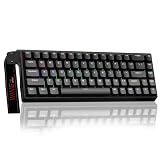
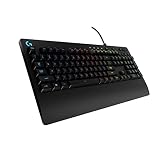
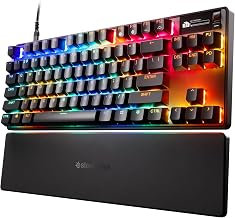
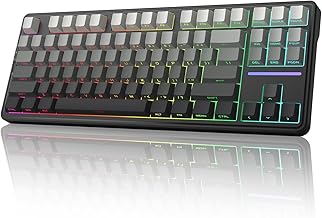
Our Top Picks
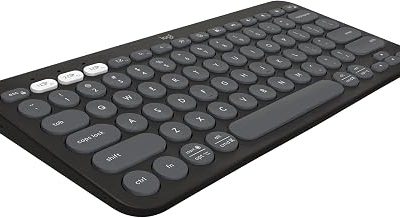
 Logitech G316 X 98 Mechanical Gaming Keyboard98 percent15.12 x 5.51 x 1.57 inches1.9 poundsCheck on Amazon

For most gamers, a linear switch is the right default, a tactile switch is the better compromise if you also type a lot, and Hall effect is worth the extra complexity only if you play fast competitive shooters and will actually tune rapid trigger and actuation in software. The three terms are not strict rivals: Hall effect describes how a keyboard senses a press, while linear and tactile describe how the key feels. This guide untangles the vocabulary, compares the real trade-offs, gives you a way to choose, and then places three non-Hall keyboards in that framework.
Quick Verdict
| Your situation | Our verdict |
|---|---|
| General PC gaming, shared with typing | Tactile or a light linear. Pick the feel you like; neither is a competitive handicap. |
| Fast shooters, quick strafing and double-taps | Linear, and Hall effect if you want rapid trigger and adjustable actuation. |
| You want the lowest possible key reset delay | Hall effect with rapid trigger, set up in the maker’s software. |
| You type for hours and dislike mushy bottom-outs | Tactile, ideally on a gasket or foam-dampened board. |
| Tight desk space | A compact layout (60%, 75% or 87 keys) matters more than the switch type. |
| Limited budget, first mechanical board | A basic linear board is a safe starting point; do not pay for Hall effect you will not tune. |
What Each Switch Type Actually Does
Linear and tactile: a matter of feel
A linear switch moves smoothly from top to bottom with no bump, which many gamers prefer for repeated taps and quick direction changes. A tactile switch has a bump at the actuation point so you can feel when the press registers, which many typists like and which gives a useful cue in games where you do not want to bottom out every key. Neither is objectively faster; the difference is in feel and control. Spring weight, lubrication, plate material and case construction change how both feel as much as the switch name does.
Optical switches: a different sensing method
Optical switches such as Razer’s Linear Optical type use a light beam rather than a metal contact to register a press. They are still linear (or clicky, in other versions) in feel. The manufacturer lists a shorter actuation distance than typical mechanical linears, and sources quote values between about 1.0 and 1.2 mm, so confirm the figure on Razer’s page for your model. Optical sensing removes contact bounce, but it does not give you adjustable actuation or rapid trigger.
Hall effect: magnets and software
A Hall effect switch puts a small magnet in the stem and a sensor under it that continuously reads how close the magnet is. Because the board knows the key position, not only on or off, the maker’s software can set the actuation point per key, and it can offer rapid trigger. Competitive players commonly set movement keys to a very short actuation distance and leave modifier keys deeper to prevent accidental presses, according to guides from hardware retailers and hobby sites. Several sources note that Hall effect boards are overwhelmingly linear; tactile versions are rare.
What rapid trigger does and does not do
On a conventional switch, the key resets at a fixed point in its travel. With rapid trigger, the board registers release as soon as the key starts moving up and a new press as soon as it moves down again, wherever that happens in the travel. The benefit is mostly in movement, such as counter-strafing in shooters. It does not improve aim, crosshair placement or game sense, and it takes practice to avoid unintended inputs.
A note on tournament rules
Do not confuse rapid trigger with SOCD or “Snap Tap” features. Valve stopped Snap Tap-style features from working on official servers in August 2024, and ESL and BLAST banned that class of feature at their events. Press coverage and secondary sources indicate rapid trigger itself has not been banned in Counter-Strike 2, though that is not an official blanket approval. Check the rulebook for any event you enter, and keep SOCD-style options switched off unless rules explicitly allow them.
Switch types compared
| Type | Sensing | Feel | Adjustable actuation | Best for |
|---|---|---|---|---|
| Mechanical linear | Metal contacts | Smooth | No | All-round gaming |
| Mechanical tactile | Metal contacts | Bump | No | Gaming plus typing |
| Optical linear | Light beam | Smooth | No | Fast, low-bounce feel |
| Hall effect | Magnet and sensor | Mostly linear | Yes, in software | Competitive tuning |
The “Adjustable actuation” column is the dividing line. It is verified across the sources for Hall effect boards, and not available on standard mechanical or optical designs. Keep in mind that this is a general comparison; individual models vary.
Polling rate, layout and the rest of the board
Switch type is only part of the experience. A higher polling rate reports key presses more often; 1,000 Hz is already fast, and 8,000 Hz boards such as the Logitech G316 X 98 are aimed at players with very high-refresh monitors. As a rule of thumb, most players will not notice the jump, and a higher rate can increase CPU load, so treat it as a nice-to-have. Layout is the other big choice: a 60% board like the Huntsman Mini frees up desk space for mouse movement but drops the arrow keys and function row, while an 87-key tenkeyless board keeps them and a 98-key layout adds a number pad in a compact footprint.
Feel, sound and build: what the switch name hides
Two linear switches with the same name can feel very different in two different keyboards. A gasket-mounted board with foam and silicone layers, like the Logitech G316 X 98 described by the manufacturer, muffles the hollow sound that cheaper steel-plate boards produce. A budget board with an exposed metal plate can sound sharp and feel stiffer even with a similar spring weight. Keycaps add another layer: thick PBT caps sound deeper and resist shine, while thin ABS caps sound brighter. If you share a room or use voice chat, build quality will affect your daily experience more than whether the sensing method is optical, mechanical or magnetic.
Force and travel numbers help when you compare. Actuation force is the weight needed to register a press, usually listed in gram-force, and total travel is how far the key moves before bottoming out. Independent measurements for a budget red-switch board put the operating force in the mid-40 gf range with about 1.8 mm of pre-travel and just over 4 mm of total travel, while the Logitech linear switch is listed at 40 gf, 1.9 mm actuation and 3.5 mm total travel. The differences are small on paper; they show up in how often you bottom out and how tiring a long session feels.
Software and ownership
Hall effect boards depend on the maker’s software or a browser-based configurator to set actuation and rapid trigger, so the quality of that software matters as much as the switch. Check whether settings are stored on the keyboard, so they travel with it, or only live in an app on your PC. Also consider long-term support: a keyboard that needs an app to behave properly is only as durable as the app. Traditional mechanical and optical boards work out of the box and treat software as optional.
How to Decide
- Name your main use. If it is competitive movement shooters, Hall effect deserves a look. If it is mixed gaming and typing, choose by feel.
- Be honest about tuning. Hall effect value comes from configuring actuation and rapid trigger. If you will never open the software, a good linear mechanical board gives you the same result for less.
- Pick a layout by desk width. As a rule of thumb, leave at least a forearm’s width on the mouse side. A 60% board is about 29 cm wide, a tenkeyless board is roughly 36 cm, and a 98-key board like the G316 X 98 measures about 38 cm according to its specifications.
- Test noise tolerance. Linear switches on gasket mounts with foam are quieter; clicky and bare tactile boards can disturb voice chat.
- Consider hot-swap. Hot-swappable boards let you change switches without soldering, but they are not all compatible with analog or Hall effect switches. The G316 X 98 is reported to support digital switches only.
- Weigh the budget. Set a cap, then compare whole keyboards by layout, build and software rather than by switch name alone.
Worked example: a player with a 24-inch monitor, a 40 cm mouse area and a habit of low-sensitivity aiming wants a compact linear board. A 60% or TKL linear board covers the need. If the same player plays Counter-Strike and cares about counter-strafing speed, that is when a Hall effect board enters the shortlist.
Products That Fit
The keyboards below are examples that fit the situations above, not a ranking. None of them uses Hall effect sensing, so they represent the optical and mechanical linear options; use them as the baseline when you decide whether Hall effect is worth the step up.
Razer Huntsman Mini – compact optical linear for tight desks
As an Amazon Associate we earn from qualifying purchases at no extra cost to you.

This board suits players who want maximum mouse room and a smooth linear feel. Its optical switches register presses with a light beam, which matches the “fast, low-bounce” row in the comparison table.
- 60% layout with Linear Optical switches (listing name)
- Aluminum top frame and doubleshot PBT keycaps (listing features)
- Razer Chroma RGB lighting and programmable keys via Hypershift
- Dimensions listed as 11.56 x 4.07 x 1.45 inches and weighs 1.1 pounds
Caveat: a 60% layout has no dedicated arrow keys, function row or number pad, and it does not offer adjustable actuation or rapid trigger. If you rely on those, look at a larger layout or a Hall effect model.
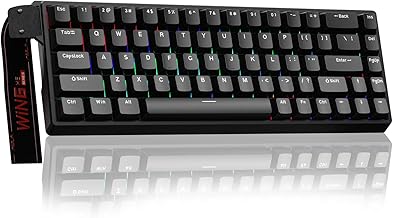
Redragon K552 – an affordable tenkeyless linear starter

This is the entry-level choice for someone buying a first mechanical keyboard with red (linear) switches. It keeps the arrow keys and function row in a tenkeyless footprint.
- 87-key tenkeyless layout with red switches (listing name)
- Metal frame and anti-ghosting, according to the listing
- Outemu Red-type linear switches; one independent measurement reported roughly 44 gf operating force and about 1.8 mm of pre-travel
- Hot-swap support: confirm on listing, because retailer descriptions disagree
Caveat: this is a budget board with a plain feel and no adjustable actuation. It will not match gasket-mounted boards for sound or typing comfort, but it is a sensible way to learn whether you prefer linear switches.
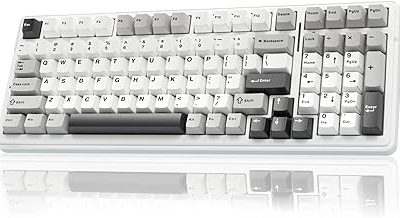
Logitech G316 X 98 – a gasket-mount linear for gaming and typing

This model fits someone who wants a quieter, better-built linear board that is still gaming-focused. The listing is the Linear version, and press coverage describes a tactile option as well.
- 98% layout with linear switches (listing name), 8 kHz report rate
- Hot-swappable switches and double-shot PBT keycaps (listing features)
- Gasket-mounted structure with dampening layers, dot-matrix display and a dial
- Press coverage lists the linear switch at 40 gf with a 1.9 mm actuation point and 3.5 mm total travel
Caveat: hot-swap is reported to accept digital switches only, so you cannot turn this into a Hall effect board, and its actuation point is fixed. The larger size also needs more desk space than the Huntsman Mini.
Common Mistakes
- Treating Hall effect as a feel category. It describes sensing, not how the key feels. Check the spring weight and stem design too.
- Buying rapid trigger and never setting it up. Without tuning, you pay for features you do not use.
- Setting actuation too short on every key. Very short settings cause accidental presses, especially on modifier keys.
- Ignoring tournament rules. SOCD and Snap Tap-style features are banned in major events; check before you compete.
- Choosing layout last. A layout that does not fit your desk or habits will annoy you more than a switch preference.
- Assuming hot-swap means any switch fits. Compatibility varies, and analog switches often do not work.
Questions
Are Hall effect keyboards better than mechanical ones?
They are different, not strictly better. Hall effect gives adjustable actuation and rapid trigger, which help in fast competitive games, while mechanical boards offer more switch variety and a wider choice of feel.
Is linear or tactile better for gaming?
Linear is the common preference for rapid repeated presses, while tactile gives feedback you can feel. Both are fully viable for gaming.
Are there tactile Hall effect switches?
Most sources say Hall effect switches are almost entirely linear because of how the magnet and stem are arranged. Treat any tactile claim on a Hall effect board with caution and confirm it with the maker.
Is rapid trigger allowed in tournaments?
Secondary sources report that rapid trigger has not been banned in Counter-Strike 2, whereas SOCD features such as Snap Tap are banned at major events. Rules differ by organizer, so read the current rulebook.
What actuation distance should I use?
Competitive players commonly choose a short setting for movement keys, around 0.5 to 1.0 mm, and a deeper setting of about 2.0 to 2.5 mm for modifiers, according to retailer and hobby guides. Treat these as starting points and adjust to your hands.
Does a higher polling rate matter?
For most players the jump from 1,000 Hz to 8,000 Hz is hard to notice. It can help on very high-refresh setups and costs some CPU overhead.
Update History
- October 14, 2026 – Initial publication.
- Check the product page for current specifications and availability before buying.
Sources and Methodology
Switch behavior and terminology were gathered from manufacturer pages and keyboard guides, then cross-checked between sources. Tournament-rule statements come from esports press coverage and are marked as secondary where they are not official policy. Product details come from retailer listing fields and manufacturer or press coverage.
- HLTV coverage of ESL and BLAST keyboard feature rules
- Razer product specifications
- Logitech G316 X 98 press coverage and B&H specification sheet
- LTT Labs measurements for the Redragon K552
- Keyboard guides from HP, Box and other retail and hobby sites
- Retailer listing fields for each keyboard