Our Top Picks
“Budget” and “workstation” pull in opposite directions, so this list is honest about the compromise: used, renewed or older-generation mobile workstations from Dell and HP that cost far less than a new professional machine. Seven listings here are real laptops, and three more results turned out not to be laptops at all, which we flag at the end. For CAD, light 3D, data work and virtual machines, a 32GB Dell Precision with a professional GPU is the typical sweet spot. Read each title closely, because several mix specs or hide the graphics card.
Quick picks by workload
As an Amazon Associate we earn from qualifying purchases at no extra cost to you.


- Dell Precision 5570 (renewed) – best for a newer 12th-gen i7 with a named RTX A1000 and 1TB of storage
- Dell Precision 3561 (renewed) – best for a balanced 32GB build with a Quadro T1200
- Dell Precision 3551 (renewed) – best for the same 32GB idea at a lower tier, GPU model unnamed
- Dell Precision 3541 (renewed) – best for the lowest entry cost, with 16GB only
- HP ZBook 8 G1ak – best for a 14-inch Copilot+ machine with 32GB and a three-year warranty claim
- Dell Precision 5760 – best for a 17-inch chassis, once the seller fills in the specs
- Dell Precision 7780 – best for the maximum-spec case, but not a budget buy
Compared on what the titles state
| Model | Type | Key specs as stated in the title | Best for |
|---|---|---|---|
| Dell Precision 7780 | 17.3″ mobile workstation | i9-13950HX, 128GB, 1TB NVMe, RTX Ada 3500 12GB, Windows 11 Pro | Top spec |
| Dell Precision 5570 (renewed) | Mobile workstation | i7-12800H, 32GB, 1TB SSD, RTX A1000 4GB | Newer budget pick |
| Dell Precision 3561 (renewed) | 15.6″ mobile workstation | i7-11800H, 32GB, 512GB SSD, Quadro T1200 | Balanced value |
| Dell Precision 3551 (renewed) | 15.6″ mobile workstation | i7-10850H, 32GB, 512GB SSD, “NVIDIA Quadro” | Cheaper 32GB |
| Dell Precision 3541 (renewed) | FHD mobile workstation | i7-9850H, 16GB, 512GB NVMe, Thunderbolt | Entry price |
| HP ZBook 8 G1ak | 14″ mobile workstation | Ryzen AI 7 PRO 350, 32GB DDR5, 1TB SSD, 2x Thunderbolt 4, Wi-Fi 7 | Portable Copilot+ work |
| Dell Precision 5760 | 17-inch workstation | Title gives no CPU, RAM or GPU – check the listing | Unknown until confirmed |
The seven laptops
Dell Precision 5570 Workstation Laptop (Renewed)
The most modern design of the renewed Precisions: a Core i7-12800H, 32GB of RAM, a 1TB SSD and an NVIDIA RTX A1000 4GB, with Windows 11 Pro. The title writes the graphics card and the operating system twice and calls the card’s memory “DDR6”, which is most likely a typo for GDDR6, so confirm it with the seller. RTX A-series is a professional line, so driver support for CAD and design tools is the point. Four gigabytes of video memory is small for larger scenes and AI models, which is the limit to bear in mind. The 1TB drive is generous for a renewed machine at this tier, because project files, texture libraries and virtual machine images add up quickly. Ask whether the SSD is a single drive or whether a second slot is free, as that tells you how easily storage can be expanded later.
- Pros: 32GB and 1TB together; named professional GPU; 12th-generation H-series chip.
- Cons: 4GB of VRAM caps large projects; renewed condition and battery unknown; duplicated title text.
Who it’s for: designers and engineers who want a current-era chip at a mid tier. Who should skip it: anyone doing heavy rendering or local AI work that wants 8GB or more of VRAM.
Dell Precision 3561 15.6″ Workstation Laptop (Renewed)
This listing gives the cleanest all-round numbers for the money: an 11th-generation Core i7-11800H, 32GB of RAM, a 512GB SSD and a Quadro T1200, running Windows 11 Pro. The H-series chip is built for sustained loads rather than battery life, so expect a heavier charger and shorter unplugged time than a thin notebook, though the title states no battery figure. Quadro-branded graphics keep the ISV-certification angle that workstation buyers care about. The title does not mention the display resolution or whether the memory is upgradable. Unlike the 5570, the T1200 is an entry-level professional card, so it suits 2D drafting, modest 3D models and GPU-accelerated editing rather than big assemblies. Check the product page for the number of memory slots, since 32GB as two modules leaves no free slot, and ask for the charger wattage, as H-series machines need a larger brick.
- Pros: 32GB of RAM; Quadro graphics; Windows 11 Pro stated.
- Cons: only 512GB of storage; display details missing; renewed battery wear.
Who it’s for: CAD students and freelancers on a tight budget. Who should skip it: buyers who need a laptop that lasts a full day away from an outlet.
Dell Precision 3551 15.6″ Workstation Laptop (Renewed)
One step older than the 3561, with a 10th-generation Core i7-10850H, 32GB of RAM and a 512GB SSD. The graphics line reads only “NVIDIA Quadro”, with no model number, and that matters, since different Quadro parts range widely in power and memory. Until the seller names the card, the GPU is the biggest unknown. The upside is that an older 32GB workstation is usually priced below the newer one, so ask the seller for the model and compare. Windows 11 Pro is stated, and the 10th generation sits inside Microsoft’s official support list. Seen against the 3561, you give up one processor generation and get the same RAM, so the decision comes down to the price gap, the unknown GPU and the seller’s return terms. If the gap is small, take the newer model, and if the seller will name and photograph the graphics card, the 3551 becomes an easy choice.
- Pros: 32GB of RAM at a lower tier; Windows 11 Pro stated; professional-class graphics family.
- Cons: GPU model not named; older platform; renewed battery wear.
Who it’s for: spreadsheet-heavy and light-CAD users who value memory over graphics. Who should skip it: anyone whose software needs a known GPU for certification.
Dell Precision 3541 Workstation Laptop (Renewed)
The cheapest listing in the group and the one with the least memory: a 9th-generation Core i7-9850H, 16GB of RAM, a 512GB NVMe SSD, HDMI, a webcam, Thunderbolt and a non-touch Full HD screen. The title never names a graphics card, so do not assume a discrete one. Treat it as a capable portable for development, spreadsheets and virtual machines of modest size rather than as a CAD or 3D machine. Windows 11 Pro is listed, and Intel’s 9th generation falls within the official Windows 11 support list. Being the oldest platform here, it is also the one where a worn battery or keyboard is most likely, so a seller willing to describe cosmetic grade and battery health in writing is worth a premium. The 16GB of RAM may be upgradable on this chassis, but the title does not say, so check the manual for the model before you count on it.
- Pros: lowest entry cost; Thunderbolt and HDMI stated; NVMe storage.
- Cons: GPU not stated; 16GB limits larger workloads; oldest platform here.
Who it’s for: developers and analysts who need a sturdy business laptop cheaply. Who should skip it: CAD and 3D users, who need a confirmed professional GPU.
HP ZBook 8 G1ak Mobile Workstation, 14″ FHD+
A very different machine: a 14-inch FHD+ display, an AMD Ryzen AI 7 PRO 350, 32GB of DDR5, a 1TB SSD, two Thunderbolt 4 ports, Wi-Fi 7 and Windows 11 Pro, sold as a Copilot+ PC with a three-year warranty. The seller is a third-party reseller, so ask who delivers the warranty. The “(> Intel Ultra 7 155H)” note is the seller’s comparison, not a result, and the phrase “for Local LLM and 3D” is a use suggestion. No discrete graphics are named, so expect integrated graphics unless the page says otherwise. Because a 14-inch body leaves less room for cooling and memory slots, check whether the 32GB is soldered; on thin workstations it often is. For work like code, data analysis, virtual machines and large documents, this configuration should cope, but for GPU-bound CAD the Precision models with a named professional card are the safer reading of their titles.
- Pros: 32GB DDR5 and 1TB; two Thunderbolt 4 ports; a three-year warranty is claimed.
- Cons: no discrete GPU named; third-party seller; higher price tier than the renewed Dells.
Who it’s for: mobile professionals who prize weight and warranty over GPU power. Who should skip it: anyone who needs a professional graphics card for CAD certification.
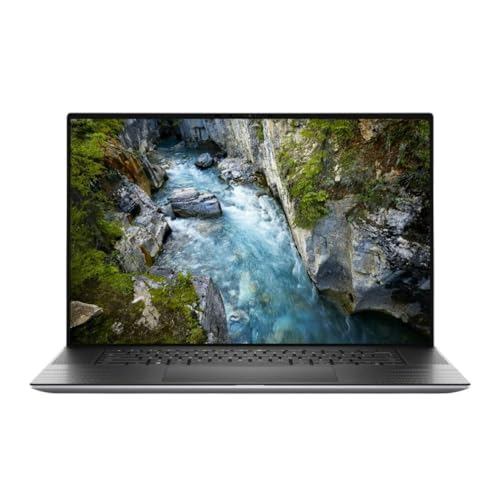
Dell Precision 5760 17-Inch Workstation Laptop
The title says only that this is a Dell Precision 5760 17-inch workstation laptop, and nothing else: no processor, memory, storage, GPU, operating system or condition. That makes it the hardest entry to recommend. The model name and 17-inch size tell you the chassis, but every spec that decides value is missing. Ask the seller for the full configuration and the condition, and compare those numbers with the 5570 above before treating it as a bargain. It may be a strong deal, but nothing in the title lets us say so. A sensible approach is to treat it as a blank form: the seller must fill in CPU, RAM, storage, graphics card, operating system, condition and warranty before the price means anything. If the answers come back as an i7 or better with 32GB and a named professional GPU, it moves up the list. If the seller cannot answer, walk away.
- Pros: large 17-inch workstation chassis; mid-tier listing.
- Cons: no specs in the title; condition unknown; warranty unknown.
Who it’s for: buyers willing to message the seller and verify every detail. Who should skip it: anyone who wants to compare specs at a glance.
Dell Precision 7780 Mobile Workstation, 17.3″ FHD
This is the performance ceiling and not a budget purchase: an Intel Core i9-13950HX, 128GB of RAM, a 1TB NVMe SSD and an NVIDIA RTX Ada 3500 with 12GB of video memory, plus HDMI, USB-C, Wi-Fi, Bluetooth and Windows 11 Pro, in a 17.3-inch chassis. We include it as a labeled upper anchor so you can see what the budget machines give up. The title does not state whether it is new or refurbished, and “AI Copilot” is a label. At this tier, warranty terms and seller identity matter even more. A 17.3-inch machine with these components also draws a lot of power, so expect a large charger and a heavy body; check the listed dimensions and weight against what you can carry. The 12GB card is the point of the machine, as it opens up bigger scenes and larger local AI models than any other entry in this list.
- Pros: 128GB of RAM; 12GB professional GPU; top-end H-series processor.
- Cons: premium tier, not a budget laptop; heavy and large; condition not stated.
Who it’s for: heavy 3D, simulation and AI users who want one machine to do it all. Who should skip it: anyone shopping on a budget, which is the whole point of this list.
Three results that are not laptops
These came up in the same search. They are not laptop workstations, so they are not ranked.
Medical Trolley Cart with Laptop Tray (not a laptop – listed because of “mobile workstation on wheels”)
A wheeled cart with a laptop tray, a drawer and an oral scanner holder for clinics and labs. It is furniture; it contains no computer. Useful only if you already own a laptop and need a rolling stand.
CUNPU 27″ Touchscreen Monitor (not a laptop – listed because the title says “Workstation”)
A 27-inch 1080P Nano IPS 10-point touchscreen monitor with VGA and HDMI, 60Hz and 100% sRGB, on VESA mount. It is a display, and it needs a computer to drive it.
95Wh Laptop Battery for Dell Precision 7550/7750 Series (not a laptop – a third-party replacement battery)
A replacement battery whose title lists the Precision 7550, 7750, 7560 and 7760. The title does not list the 5570, 5760, 7780 or any model above, so do not assume it fits them.
How we picked these
We took the ten listings returned for the search, kept the seven that are laptops and set aside three that are not. Ranking is based on what a workstation buyer cares about: memory, professional graphics, storage and how clearly the title states each one. We use only the details in the published titles and mark the rest as “check the listing”. Nobody on the team used or measured these units. Our basis is published specifications, manufacturer documentation and buyer reviews.
What to look for in a budget laptop workstation
CPU class and core count
Workstation laptops generally use H-series or HX-series Intel chips, which run at higher power than the U-series chips in thin notebooks. Six cores is the practical floor, with eight or more helping when you compile code, render or run virtual machines. Generation matters for Windows 11: Intel 8th generation and newer are on the official list, while older chips are not. Thermals matter as much as the chip name: H-series processors throttle when the cooling is clogged or the fans are worn, which is another reason to ask about condition on renewed units. Titles that quote a peak clock speed describe a short boost, not what the processor sustains under a long render.
RAM and whether it upgrades
Thirty-two gigabytes is the useful starting point for CAD assemblies, big spreadsheets and virtual machines. Many Precision models use removable SODIMM memory, which is a good reason to choose them, but ultrathin models often solder it. Titles rarely say, so check the manufacturer’s documentation for the exact model. Some workstation lines also offer ECC (error-correcting) memory on certain configurations, which matters for long simulations and data integrity; none of the titles here mention it, so do not assume it. For virtual machines, remember that every VM takes a share of RAM, so size the host for the sum of your guests plus the operating system.
GPU, VRAM and ISV certification
Professional graphics (Quadro, RTX A-series, RTX Ada) are tuned and validated for applications from vendors such as Autodesk and Dassault. The amount of video memory limits scene size and AI model size, so a 4GB card and a 12GB card are in different classes. Certification means the software vendor has checked that combination of driver and application, which reduces odd graphical bugs and helps when you need support, though most hobby work runs fine without it. On older renewed units the last supported driver may be several versions behind, so check that your application still supports the card. A listing that says only “NVIDIA Quadro” or names no card is a question to settle before buying.
Storage, ports and expandability
512GB suits a working drive with cloud storage; 1TB is more comfortable. Thunderbolt matters for docks, external GPUs and fast drives. A budget external SSD is an inexpensive way to extend a 512GB machine. Count the ports too: a workstation used with a dock, two monitors and a drive needs at least two Thunderbolt or USB-C connections. Wi-Fi generation is another detail to check, since older machines may have Wi-Fi 5 or Wi-Fi 6 only, and a Wi-Fi 7 card needs a compatible router to show its benefit. Dell and HP both publish manuals showing which parts are replaceable, and those pages are the best source for a given model.
Match the machine to the workload
| Workload | RAM | Graphics | Fits from this list |
|---|---|---|---|
| Spreadsheets, code, virtual machines | 16-32GB | Integrated is fine | 3541, ZBook 8 |
| Light CAD and 2D drafting | 32GB | Quadro T1200 class | 3561 |
| 3D CAD assemblies, light rendering | 32GB or more | RTX A1000 or better | 5570 |
| Heavy simulation, local AI | 64GB or more | 12GB or more VRAM | 7780 (not budget) |
Inspection list for a renewed workstation
- Use the service tag to look up the original configuration and warranty status on the maker’s support site.
- Run a battery report with
powercfg /batteryreportand compare design and full-charge capacity. - Confirm the GPU in Device Manager matches the title.
- Check the memory modules and SSD size in System Information.
- Test every port, the keyboard and the hinge, and photograph the box and label for any return.
Mistakes buyers make
The most expensive one is buying a workstation without confirming the graphics card, since a few titles here name no model at all. Others assume “renewed” means the same thing everywhere, when grading, battery coverage and warranty vary by seller. Many treat marketing lines such as “beats Intel Ultra 7” or “Local LLM ready” as measurements. Some forget that older platforms drop out of Windows 11 support, and some match a replacement part to the wrong model. Lastly, people shop on price alone and ignore the cost of a replacement battery. A related slip is searching for a workstation and accidentally ordering a cart, a monitor or a spare part, as three of the results here show; read the first line of the title and the category before adding anything to the cart. And buyers often overlook the weight and charger size of a 17-inch workstation until it arrives.
Verdict
For most budget buyers the Dell Precision 5570 and 3561 are the strongest on paper, thanks to 32GB and a named professional GPU, with the 3551 as the lower-tier alternative once its graphics card is confirmed. The 3541 suits non-graphics work, the ZBook 8 suits portability, and the 5760 needs the seller to fill in the blanks. Skip the Precision 7780 unless budget is no concern. Check condition, warranty and the actual GPU before paying, and keep the return window in writing. If two listings look equal, choose the one with the clearer seller details.
Questions about budget laptop workstations
What makes a laptop a workstation rather than a regular laptop?
A mobile workstation pairs a performance processor with a professional graphics chip, such as Nvidia’s Quadro or RTX A and Ada lines, plus more memory and a sturdier chassis. Many are certified by software vendors for programs like CAD and 3D tools. Regular laptops can run the same software, but certification, driver support and cooling headroom are the usual differences.
Is a renewed workstation laptop a safe way to save money?
It can be, because business workstations were built for heavy daily use and lose value quickly. The risks are battery wear, hinge and keyboard wear, and warranty terms that differ by seller. Look for a stated renewer, a clear return window and a warranty that names the battery, and check the service tag against the manufacturer’s support site.
How much RAM does a budget laptop workstation need?
Thirty-two gigabytes is a sensible floor for CAD assemblies, large spreadsheets and virtual machines, and 16GB is the minimum for lighter work. Many workstation models use removable SODIMM modules, which is a reason to prefer them, but the title rarely says, so confirm on the product page whether the memory can be upgraded.
Can a laptop workstation run local AI models?
It depends on GPU memory and RAM. Larger models want plenty of video memory, which is why a card with 12GB or more helps, and smaller models can run on CPU and system memory more slowly. One HP listing mentions local LLM use, but the title does not name a graphics card, so check what is actually fitted.
What does it mean when a listing title mixes specifications?
Some sellers paste the same spec twice, compare their chip with a rival’s, or add marketing phrases like Copilot-ready. These are not extra features. Read the main spec line for CPU, RAM, storage and GPU, and treat any comparison to another processor as the seller’s opinion rather than a result.
Related guides
- Gaming Headsets For Competitive Fps Directional Audio
- Threadripper Vs Xeon Vs Core I9 For Workstations
- How Many Ram Slots Does A Motherboard Need