
Key takeaways
- Cloth is the default surface for gaming mouse pads because it is quiet, affordable and forgiving.
Cloth is the default surface for gaming mouse pads because it is quiet, affordable and forgiving, and it comes in a bigger range of sizes than hard or glass pads. That freedom is exactly what makes the choice tricky. A cloth pad can be a thin, fast sheet for a wrist-flick aimer, a thick foam-backed mat that doubles as a desk cover, or a decorative runner that holds a keyboard and mouse together. The right pick depends on your sensitivity, your desk and how much friction you want under the mouse.
This guide is for players who want a dependable cloth surface in 2026 without chasing premium materials. It compares eight pads from compact 320 x 300 millimeter models to full desk mats, mixing established brands with budget extended pads. Sizes and thicknesses come from the product titles, and the guide avoids claims the listings do not make. Treat the Quick Picks table as a size and style map, then use the buying advice to pick the surface that suits your grip.
Quick Picks
Our top picks

 SteelSeries QcK XXL Gaming Mouse Pad
- With over 10 million sold, the SteelSeries QcK…
- Encompass your battlestation with a surface you can…
- Tested by the top mouse sensor manufacturer, the…
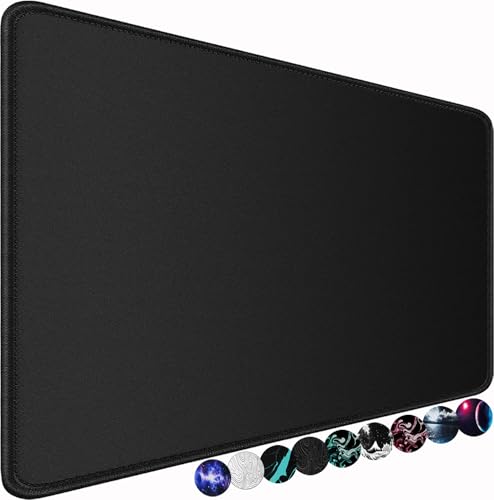 Large Gaming Mouse Pad
- ☑️Large And Perfect Size: Dimension of this xxl…
- ☑️Ultra-Smooth Surface: With comfortable lycra surface and breathable…
- ☑️High Stability& Durability: Featuring an anti-slip rubber base…




 Mouse Pad Gaming
- The surface of the gaming mouse pad is…
- The keyboard pad adopts advanced printing technology, the…
- This mouse pad large measures 31.5 x 11.8…
As an Amazon Associate we earn from qualifying purchases at no extra cost to you.
| Product | Best for | Key spec from the title |
|---|---|---|
| Logitech G240 | Small desks, low-sensitivity wrist play | 340x280x1, moderate surface friction |
| SteelSeries QcK XXL | Esports full-desk coverage | XXL cloth, never-slip base |
| Large 31.5 x 15.7 inch pad | Budget desk coverage | 31.5 x 15.7 inches, water resistant, rubber base |
| Razer Gigantus V2 XXL | Cushioned comfort | Thick, high-density foam, non-slip base |
| Corsair MM Anti-Fray | Durable medium pad | 320 x 300mm, stitched edge, natural rubber base |
| Logitech G640 | Low-sensitivity arm movements | 600x460x3, moderate surface friction |
| Extended stitched-edge pad | Desk mat on a budget | 31.5 x 15.7 inches, stitched edges, waterproof |
| Kanagawa wave desk mat | Style-focused setups | 31.5 x 11.8 inches, non-slip base |
How to Choose
Size should follow your sensitivity
Low-sensitivity players who swing their whole forearm across the desk need room: 450 millimeters of width is a reasonable minimum, and 600 millimeters or more is comfortable. High-sensitivity, wrist-based players do fine on a pad around 320 x 270 millimeters. Also account for the keyboard; a long desk mat can hold both devices, but only if you have the desk depth. If you are unsure, a medium-large pad leaves room to adjust your habits without feeling cramped.
Thickness, base and edges
Thin pads around 1 millimeter feel precise and low-profile, while 3 to 4 millimeter pads cushion the wrist and hide small desk imperfections. A natural rubber base grips the desk better than a smooth plastic backing, which can slide on glossy surfaces. Stitched edges stop the cloth from fraying at the borders, a common failure on cheaper pads. If you rest your wrist on the border, stitching also feels smoother than a raw cut.
Surface friction and sensor compatibility
Cloth surfaces range from slick speed weaves to higher-friction control weaves. Moderate friction suits most players and works with both optical and laser sensors. Pads marketed for gaming sensors should track cleanly, but very dark or very busy patterns can occasionally confuse a sensor. Ignore marketing terms like “peak tracking” unless they are backed by a clear description of the weave, and expect a fresh pad to feel slightly different after a few weeks of use.
Cleaning, water resistance and where budget pads cut corners
Water-resistant coatings help with spilled drinks, but they can change the feel and may make a surface slicker. Cloth can usually be hand washed with mild soap and air dried flat. Budget pads often skimp on stitching, use thin rubber that curls at the corners and arrive with creases that take days to settle. Roll rather than fold, and wipe the surface occasionally to keep the glide consistent.
The 8 Best Options
Logitech G240
A compact, thin cloth pad for players who want a clean, no-nonsense surface. The title lists 340x280x1 dimensions, optimization for gaming sensors and moderate surface friction, which points to a balanced feel for players who use mostly wrist motions. It fits small desks, laptop setups and shared workspaces where a larger pad would be in the way.
- Moderate friction suits a wide range of grip styles.
- Thin, compact body fits tight desks and travel bags.
- Trade-off: the small footprint restricts large arm sweeps at low sensitivity.
Skip it if you use low sensitivity or want a mat that holds your keyboard too, because the surface simply runs out of room for bigger movements.
SteelSeries QcK XXL
An esports-oriented extra-large cloth pad built for full desk coverage. The title mentions XXL size, peak tracking and stability, a never-slip design and an esports focus, which fits players who treat the pad as a permanent part of their desk. Streamers and competitive players who want both mouse and keyboard on one surface will appreciate the room.
- XXL size gives plenty of room for large mouse swipes.
- Never-slip base keeps the pad anchored during intense play.
- Trade-off: its large footprint demands a deep desk and some cleaning effort.
Skip it if your desk is shallow or you prefer a minimal pad.
Large 31.5 x 15.7 inch pad
A budget extended pad for buyers who want desk coverage without brand premiums. The listing cites 31.5 x 15.7 inches, a water-resistant surface, a non-slip rubber base and a long XXL design intended for keyboard and mouse use. It is a good starter for someone moving from a tiny pad to a full desk mat.
- Large footprint fits keyboard and mouse together.
- Water-resistant surface helps with spills.
- Trade-off: the listing gives no weave or thickness details, so feel is uncertain.
Skip it if you want a recognizable brand or a documented tracking surface.
Razer Gigantus V2 XXL
A thick, cushioned XXL cloth pad for players who value comfort. The title lists a non-slip base and high-density foam, signaling a plush feel under the wrist and forearm for long sessions. It appeals to people who game for hours and want a soft landing zone for their arm.
- Thick, high-density foam adds comfort during long play.
- Non-slip base keeps the XXL surface in place.
- Trade-off: thick pads can raise the mouse height slightly, which some players dislike.
Skip it if you prefer a thin, low-profile surface that keeps the mouse close to the desk.
Corsair MM Anti-Fray
A medium cloth pad with durability in mind. The title cites a precision micro-woven surface, a non-slip natural rubber base, a stitched edge and medium dimensions of 320 x 300mm. It is tailored to players who want a tidy, hard-wearing surface without taking over the desk.
- Stitched edge resists fraying around the borders.
- Natural rubber base grips the desk reliably.
- Trade-off: the medium size limits low-sensitivity arm movement.
Skip it if you need a large pad or full desk coverage.
Logitech G640
A large cloth pad for low-sensitivity play. The title lists 600x460x3 dimensions, optimization for gaming sensors and moderate friction, which gives room for wide sweeps and a bit of cushioning. It suits competitive shooter players who rely on arm movement.
- Large footprint supports full-arm swipes.
- 3 millimeter thickness adds comfort without feeling bulky.
- Trade-off: the pad does not span a full keyboard and mouse setup.
Skip it if you want a desk mat that holds the keyboard.
Extended stitched-edge pad
A budget extended mat with stitched edges, a natural rubber base and waterproof construction, at 31.5 x 15.7 inches. It suits buyers who want a large mat without paying for a famous name, and stitching helps it hold up when the edges get handled often.
- Stitched edges improve durability.
- Waterproof surface eases cleanup after spills.
- Trade-off: it looks very similar to other budget extended pads, so quality varies.
Skip it if you want a documented gaming-sensor surface or brand backing.
Kanagawa wave desk mat
A decorative desk mat for players who care about style. The title lists a Japanese sea wave design, 31.5 x 11.8 inches and a non-slip base, aiming at keyboard-and-mouse coverage on a themed setup. It suits people who want their desk to look intentional.
- Distinct artwork stands out from plain black pads.
- Large enough for a keyboard and a mouse.
- Trade-off: busy artwork can occasionally affect sensor tracking.
Skip it if you want a plain surface for precise tracking.
Which One Fits Your Situation
You play at low sensitivity
The Logitech G640 and the SteelSeries QcK XXL give the width needed for forearm swipes. If you drag the mouse across the whole pad when turning in a shooter, either option keeps you from lifting and repositioning in the middle of a flick. Measure your desk before ordering the XXL.
You have a compact desk
The Logitech G240 or Corsair MM Anti-Fray keep a small footprint. Both fit beside a laptop or between a keyboard and a monitor stand, and the Corsair adds stitched edges that hold up to daily handling. Expect to use wrist-based aiming and a moderate sensitivity setting with a pad this size.
You want comfort for long sessions
The Razer Gigantus V2 XXL offers thick foam under the wrist. The soft base is especially welcome on hard desk edges, and the extra size lets you rest your forearm without leaving the surface. If you like a firmer, faster feel, a thinner pad will suit you better.
You want a stylish budget mat
The Kanagawa wave mat or the extended stitched-edge pad cover keyboard and mouse together. Both turn a bare desk into a finished-looking workspace and give your hands a softer surface than wood or laminate. Choose the plain pad if tracking matters more than looks.
Common Mistakes
- Buying a small pad for low sensitivity and then running out of room mid-swipe.
- Ignoring the base, which is why a pad slides on a smooth desk.
- Choosing artwork over tracking and then blaming the sensor.
- Washing the pad with hot water or a dryer, which can warp the base.
- Leaving the pad folded for storage, which causes lasting creases.
Related guides
- Gaming Headsets For Competitive Fps Directional Audio
- Threadripper Vs Xeon Vs Core I9 For Workstations
- Compact Mini Itx Gaming Pcs For Small Desks
Frequently Asked Questions
Is cloth better than hard pads?
Neither is universally better. Cloth is quieter and more comfortable, while hard pads can be faster and more consistent. If you are new to gaming mice, a cloth pad is the safer starting point because it is more forgiving and easier to replace.
How big should my mouse pad be?
Match it to your sensitivity. High sensitivity works on a medium pad; low sensitivity needs a large one. As a quick test, place your mouse in the middle of your current pad and sweep a full turn in a game; if you run out of room, size up.
Can I wash a cloth mouse pad?
Usually yes, by hand with mild soap, then air dry flat. Avoid machine drying, since heat can curl the base and loosen the glue between layers.
Does mouse pad color affect tracking?
Modern sensors work on most colors, but very reflective or busy patterns can cause problems. If your cursor jitters on a decorative pad, try a plainer surface before replacing the mouse.









