Key takeaways
- Linear, tactile or clicky. Linear is smooth all the way down. Tactile has a bump near the actuation point. Clicky adds an audible click on top of the bump.
- Actuation force. How hard you press to register a key, shown in centinewtons (cN). Roughly 45 cN feels light, 60 cN or more feels heavier.
- Actuation distance. How far the key must travel before it registers. Standard MX sits near 2 mm, while Speed variants register sooner.
The best cherry mx switch for gaming is usually the MX Red: it is linear, so a key goes down smoothly with no bump or click, which suits fast repeated presses. MX Brown is the better pick if you also type a lot, and MX Blue is the one to skip for shared rooms or voice chat because of its loud click. No single switch is objectively best, so match the feel to your games.
Quick Answer: Which Switch Should You Pick?
| Your situation | Switch to start with | Why |
|---|---|---|
| Fast shooters, rhythm games, rapid double taps | MX Red (linear) | Smooth travel, no tactile bump to push through |
| Mixed gaming and typing | MX Brown (tactile) | A small bump confirms the press without a loud click |
| You love a clicky sound and mostly type | MX Blue (clicky) | Audible and tactile feedback on every press |
| Shared room, streaming, late-night play | MX Silent Red or a quiet membrane board | Dampened bottom-out noise |
| Competitive play where every millisecond of travel counts | MX Speed Silver | Shorter actuation distance than standard MX switches |
| You want to avoid loud keys and spend little | Quiet membrane or mecha-membrane | Soft, low-noise keystrokes at a lower entry cost |
Everything below explains why, how the switch families differ, and which keyboard types suit each choice. The numbers quoted are the typical figures Cherry publishes for its MX line, so always confirm the exact switch spec on the maker page of the keyboard you are considering.
How Cherry MX Switches Work (In 60 Seconds)
A mechanical switch is a spring-loaded plunger inside a plastic housing. Press the keycap and the stem moves down until it passes the actuation point, where the key registers. Cherry MX switches share a typical total travel of around 4 mm, and Cherry rates its MX line for tens of millions of keystrokes (the figure is 50 million for classic MX).
Three things change how a switch feels and sounds:
- Linear, tactile or clicky. Linear is smooth all the way down. Tactile has a bump near the actuation point. Clicky adds an audible click on top of the bump.
- Actuation force. How hard you press to register a key, shown in centinewtons (cN). Roughly 45 cN feels light, 60 cN or more feels heavier.
- Actuation distance. How far the key must travel before it registers. Standard MX sits near 2 mm, while Speed variants register sooner.
Colors are a convenient shorthand, but they are a Cherry naming convention. Clone makers such as Gateron, Kailh and Outemu use similar color names, and their versions can differ slightly in force and sound.
Cherry MX Switch Comparison Table
| Switch | Type | Typical actuation force | Sound | Best for |
|---|---|---|---|---|
| MX Red | Linear | About 45 cN | Quiet to moderate | Fast, repeated presses |
| MX Black | Linear | About 60 cN | Quiet to moderate | Players who dislike accidental presses |
| MX Brown | Tactile | About 45 cN | Moderate | Gaming plus typing |
| MX Blue | Clicky | About 50 to 60 cN | Loud | Typing-first users who like the click |
| MX Silent Red | Linear, dampened | About 45 cN | Very quiet | Shared spaces and streaming |
| MX Speed Silver | Linear, short actuation | About 45 cN | Quiet to moderate | Competitive shooters |
Treat these as typical values. Cherry updates its range (for example the newer MX2A line), and keyboard makers sometimes use their own spring weights, so the datasheet for your exact board is the final word.
Cherry MX Red for Gaming
MX Red is the default recommendation for gaming because it is linear and light. With no bump to push through, repeated taps such as strafing, bunny hopping or spamming an ability feel effortless, and the light force reduces finger fatigue in long sessions.
- Pros: Smooth, light, quiet enough for most rooms, widely available in many keyboard sizes.
- Cons: Easy to press by accident if your fingers rest on keys; no tactile confirmation for typing.
- Choose it if: you play shooters, MOBAs, racing games or rhythm games and want the lightest, simplest feel.
Cherry MX Brown for Gaming and Typing
MX Brown shares MX Red’s light force but adds a small tactile bump. That bump tells you the key has registered, which many typists prefer, while staying far quieter than a clicky switch. For people who game after a workday of writing or coding on the same keyboard, Brown is the balanced choice.
- Pros: One keyboard that works for typing and play, modest noise, light force.
- Cons: The bump can feel slightly slower in very rapid taps; some players find it vague.
- Choose it if: you split time between games, documents and chat.
Cherry MX Blue for Gaming: Worth It?
MX Blue is clicky: a tactile bump plus an audible click. Many typists love it, and it makes each press unmistakable. For gaming it is less popular because the click is loud, the bump adds a little resistance, and the sound travels into a headset microphone if you use a desk-mounted mic.
- Pros: Satisfying feedback, strong typing feel.
- Cons: Loud for housemates and voice chat; slightly heavier and slower to reset in rapid taps.
- Choose it if: you play alone, enjoy the sound and mostly use the board for typing.
Red vs Brown vs Blue: Quick Decision Guide
| Question | Red | Brown | Blue |
|---|---|---|---|
| Feels smooth with no bump? | Yes | No | No |
| Quiet enough for calls? | Usually | Usually | No |
| Good for typing? | Fine | Very good | Very good |
| Best for rapid taps? | Yes | Fine | Less ideal |
Non Clicky Gaming Keyboard: Which Switches Qualify?
A non clicky gaming keyboard uses either linear switches (Red, Black, Silent Red, Speed) or tactile switches (Brown), or it uses a membrane or mecha-membrane design. All of these avoid the audible click of a Blue switch.
- Quietest mechanical: Silent Red or similar dampened linears.
- Quiet with some feedback: Brown or silent tactile switches.
- Quietest overall: Many membrane boards, which cushion the keystroke with a rubber dome.
If a family member sleeps nearby or you stream with an open mic, begin with silent linears or a quiet membrane layout.
Redragon K556 style hot-swap linear option
Hot-swap boards let you pull switches out and try different ones without soldering, which suits anyone who is not sure whether they prefer linear or tactile. This is useful when you are still working out your preference.
As an Amazon Associate we earn from qualifying purchases at no extra cost to you.

This Redragon K556 is a wired 104-key mechanical board with an aluminum top plate and a hot-swap socket design, listed with smooth, soft linear red switches for quieter use. The 20 backlight modes give it a lively look, and the full layout keeps the number pad for spreadsheets. Because it is hot-swappable, you can later try tactile switches in the same sockets if you want to compare.
Best for: players who want a quiet linear feel and room to experiment. Skip if: you need a wireless board or a compact layout.
Cherry MX Keyboard Example: MX 3.0S With Red Switches
If you want genuine Cherry MX switches rather than a clone, a Cherry-branded gaming board is the simplest route.
The Cherry MX 3.0S is a wired mechanical gaming keyboard with a robust aluminum housing, RGB lighting, full key rollover and anti-ghosting, listed here with MX Red switches in white. It suits players who want the classic linear Cherry feel from the maker itself. The standard MX Red switch means the force and travel figures in the table above apply directly.
Best for: gamers who want a genuine Cherry linear switch in a full-size layout. Skip if: you want a clicky switch or a wireless keyboard.
Low Profile Blue Switch Keyboard: What to Know
A low profile blue switch keyboard gives you a clicky, tactile feel in a thinner body with shorter key travel. These are common on slim wireless boards. The shorter travel makes for faster, lighter presses, but the click is still audible.
- Low profile switches are not interchangeable with standard MX switches; the stem and housing differ.
- Short travel suits typists who like flat boards and laptops-style motion.
- The click is still loud, so the same shared-room caveat as MX Blue applies.
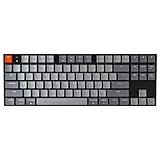
The Keychron K1 is a wireless 87-key mechanical keyboard listed with low profile Gateron Blue switches, white LED backlight, a USB-C wired mode and N-key rollover for Mac and Windows PCs. It is one example of how a slim clicky board is built, in a tenkeyless-style layout that leaves more desk room for your mouse.
Best for: people who want a slim, clicky, wireless keyboard. Skip if: you need quiet keys or want to swap in standard MX switches.
Wireless Mechanical Keyboard With Brown Switches
A wireless mechanical keyboard with brown switches is a strong all-rounder for people who switch between gaming and work. The tactile feedback helps typing accuracy, and Bluetooth lets you pair with more than one device.
Points to check before buying:
- Connection: Bluetooth is fine for casual play; a 2.4 GHz dongle or wired mode is the safer pick for fast competitive games.
- Battery life: Backlight use changes runtime a lot, so look for what the maker states and turn lighting down.
- Layout: Full-size keeps the number pad; compact layouts save desk space.

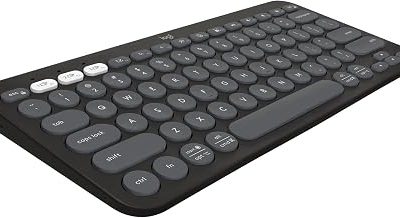
The Keychron K10 is a full-size 104-key Bluetooth mechanical keyboard listed with Brown switches, white LED backlight, multitasking across devices and a USB-C wired option. It works with Mac and Windows, and the tactile switch makes it a reasonable middle path between a gaming board and an office board.
Best for: mixed gaming and typing across several devices. Skip if: you want the lowest possible wireless latency for competitive shooters, where a wired connection is safer.
High Quality Membrane Keyboard: When It Beats Mechanical
A high quality membrane keyboard is a good fit for quiet play and for anyone who does not want to think about switches. Membrane boards use a rubber dome under each key. They are generally quieter than mechanical boards, spill resistance is common, and entry costs are lower. The tradeoffs are a softer, less distinct feel and, on some models, less precise key feedback.
| Factor | Mechanical (Cherry MX style) | Membrane |
|---|---|---|
| Feel | Distinct, many options | Soft, cushioned |
| Noise | Varies by switch | Usually quiet |
| Customization | Often hot-swappable or keycap-friendly | Limited |
| Spill resistance | Varies | Often included |
| Typical cost tier | Mid to high | Low to mid |

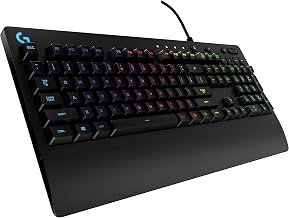
The Corsair K55 CORE RGB is a wired membrane gaming keyboard with a US QWERTY layout, quiet and responsive switches, spill resistance, ten-zone RGB, media keys and iCUE compatibility for PC and Mac. It shows what a quiet, low-fuss gaming board looks like when you skip mechanical switches altogether.
Best for: quiet play and shared rooms. Skip if: you want swappable switches or the crisp feel of a mechanical board.
Other Cherry MX Options Worth Knowing
Cherry MX Black
MX Black is linear like Red but needs more force, around 60 cN. The extra spring weight makes accidental presses less likely and gives a firmer feel, but it tires the fingers sooner in marathon sessions. It suits heavy-handed typists who want a linear switch.
Cherry MX Silent Red
Silent Red keeps the light linear feel but adds dampening so the key lands softly at the bottom and returns without a sharp clack. It is the easiest upgrade for people who like Red but share a room, record audio or stream with an open microphone.
Cherry MX Speed Silver
Speed Silver is a linear switch with a much shorter actuation distance, so a key registers earlier in its travel. Players of fast shooters like it for that reason. The tradeoff is that it can register unintended presses if your fingers hover, and a shorter distance is not automatically a competitive advantage if your technique does not need it.
Cherry MX Clear and other tactile options
MX Clear is a heavier tactile switch with a pronounced bump. It is rarer on gaming boards and better suited to typists who want strong feedback without a click. If you are curious about tactile feel, start with Brown, which is lighter and far more common.
How to Choose If You Are Still Unsure
Switch choice is personal, and reading specs only gets you so far. These steps help you decide without wasting money.
- Decide how loud you can be. If anyone shares your space, rule out Blue and other clicky switches first.
- Decide how much you type. If typing matters as much as gaming, favor Brown. If it is mostly games, favor Red.
- Consider a switch sampler. Small packs let you press each type side by side before you buy a whole keyboard.
- Prefer hot-swap sockets. A hot-swap board turns a wrong guess into a cheap fix.
- Do not chase the fastest spec. A shorter actuation distance or lighter spring helps only if your play style uses it.
Common Myths About Gaming Switches
- “Red switches are faster.” Linear switches feel smoother, but actual speed depends on your fingers and the actuation distance, which is similar across standard Red, Brown and Blue.
- “Blue is the best for everything.” It is a matter of taste; the click is a feature for some and a problem for others.
- “Mechanical always beats membrane.” Mechanical offers more feel and customization, but a good membrane board is perfectly playable and quieter.
- “Clones are identical.” They are close but vary in force, sound and build quality.
- “Color means the same on every brand.” Color naming is a convention, not a standard, so check the force and type on the spec sheet.
Which Switch for Which Game Type?
| Game type | Good starting switch | Reason |
|---|---|---|
| FPS and tactical shooters | Red or Speed Silver | Light, fast, easy to tap and release |
| MOBA and RTS | Red or Brown | Many abilities, long sessions, light force helps |
| MMO and RPG | Brown | Lots of typing and hotkeys |
| Racing and flight | Any | Keyboard matters less than a wheel or stick |
| Rhythm games | Red, Black or Speed | Linear travel feels consistent |
| Streaming and chat-heavy play | Silent Red or membrane | Less mic noise |
Buying Guide: What Else Matters Besides the Switch
- Layout: Full-size (104 keys), tenkeyless (87), 75% and 60% layouts trade keys for desk space. Smaller boards leave more room for mouse swings.
- Hot-swap sockets: A strong feature if you are unsure about switches; you can change them later without soldering.
- Connection: Wired for competitive play; Bluetooth for work and casual use; 2.4 GHz dongle when you want wireless with lower delay.
- Keycaps: PBT plastic resists shine and wear better than thin ABS.
- Rollover: Look for N-key rollover or anti-ghosting so multiple key presses register together.
- Software: Macro and lighting control is handy, but check that it works on your operating system.
Frequently Asked Questions
What is the best Cherry MX switch for gaming?
MX Red is the usual pick because it is linear and light. MX Brown works well if you also type, and personal preference decides the rest.
Are Cherry MX Blue switches good for gaming?
They work, but the click is loud and the bump adds resistance, so most gamers prefer Red or Brown, especially with voice chat on.
What is a non clicky gaming keyboard?
It is a keyboard whose keys do not produce an audible click: linear or tactile mechanical switches, or membrane keys.
Is a low profile blue switch keyboard good for gaming?
It can be, thanks to short travel, but the click is still audible and low profile switches cannot swap with standard MX parts.
Is a wireless mechanical keyboard with brown switches fast enough for gaming?
For casual and most mixed play, yes. For competitive shooters, use the wired mode or a 2.4 GHz dongle if the board has one.
Is a membrane keyboard worth it for gaming?
Yes, if you value quiet keys and a lower entry cost. A quality membrane board covers most games, while mechanical boards offer more feel and customization.
Do Cherry MX clones feel the same as genuine Cherry switches?
They feel similar but not identical. Force, travel and sound vary by maker, so read the datasheet and do not rely on color names alone.
Can I change switches later if I pick the wrong one?
Only on hot-swap keyboards. On a soldered board the switches are fixed, so a hot-swap model is the safer buy if you are unsure, and low profile and standard sockets do not mix.
Does the switch matter more than the keyboard layout?
Both matter. Layout decides desk space and which keys you have, while the switch decides feel and noise. Choose the layout first, then pick the switch type that suits your room and games.
Which One Should You Choose?
- Pick MX Red or a linear clone for shooters and rapid taps.
- Pick MX Brown if the same keyboard handles work and play.
- Pick MX Blue or a low profile blue only if you want the click and play alone.
- Pick Silent Red or membrane for shared rooms and streaming.
- Pick a hot-swap board if you cannot decide, because you can change your mind later.
Sources
- Cherry MX switch datasheets and product pages (manufacturer)
- Keychron product specifications (manufacturer)
- Corsair keyboard product specifications (manufacturer)
- Redragon product specifications (manufacturer)
Last updated: November 2026
FAQ
Cherry MX Blue for Gaming: Worth It?
Non Clicky Gaming Keyboard: Which Switches Qualify?
What is the best Cherry MX switch for gaming?
Are Cherry MX Blue switches good for gaming?
What is a non clicky gaming keyboard?
Is a low profile blue switch keyboard good for gaming?
Is a wireless mechanical keyboard with brown switches fast enough for gaming?
Is a membrane keyboard worth it for gaming?
More from Amazon
Programs that pair well with the guide above. Offers and eligibility are set by Amazon and may change.
Free shipping on eligible items, Prime Video and more. Eligible new members can start with a free trial.
Start a Prime free trialAd-free music streaming. Eligible new subscribers can start with a free trial.
Try Music Unlimited freeA Prime membership for ages 18-24 with a trial period. Eligibility is set by Amazon.
See Prime for Young AdultsAudiobooks and podcasts to listen to on the go. Eligible new members can start with a free trial.
Try Audible freeAs an Amazon Associate we earn from qualifying purchases.