Our Top Picks
The best gaming mousepads under $15 are the Logitech G240 for a no-fuss cloth pad, the Razer Gigantus V2 Medium for thick foam padding, and the Glorious GMP 2 Extended XL for a wide, spill-proof desk mat. All are compared from listing specifications.
A good mousepad does not need to be expensive. At this ceiling you can still get cloth surfaces, rubber bases and stitched edges from well-known peripheral brands. This page compares models from their listing text only: surface, base, edge finish and size. Nothing here comes from our own use, so check the maker page for details the listing leaves out.
The main decision is size. A medium pad fits a laptop desk or a tight home office, while an extended mat covers keyboard and mouse together. Home office, small-space and gaming uses are covered in the buying section and the FAQ below, so you can match a pad to the desk you actually have.
Quick Comparison
| Model | Key specs per listing | Best for |
|---|---|---|
| Logitech G240 | Cloth surface, moderate friction, consistent texture, no-slip rubber base | A reliable everyday pad |
| Razer Gigantus V2 Medium | Textured MicroWeave cloth, thick high-density rubber foam, non-slip base | Thicker padding under the wrist |
| Corsair MM100 | Cloth surface, optimized for gaming sensors, designed for maximum control | Control-leaning feel |
| SteelSeries QcK Cloth (M) | Micro-woven surface, optimized for gaming sensors, maximum control, size M | Esports-style surface in white |
| Glorious GMP 2 Extended XL | Spill-proof, anti-fray edges, 24 x 14 x 0.12 in, balanced for speed and control | Wide desk mat on a tight budget |
| Lenovo Legion Control L | Large control gaming pad, black | Brand-name control pad |
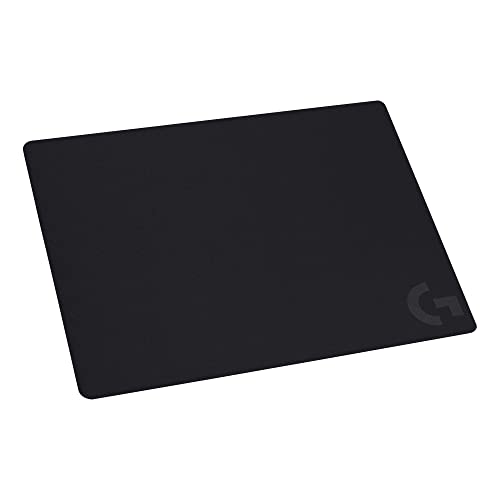
Logitech G240 Cloth Gaming Mouse Pad
As an Amazon Associate we earn from qualifying purchases at no extra cost to you.
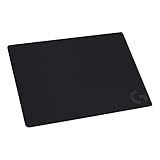
Spec line: Cloth gaming mouse pad, optimized for gaming sensors with moderate surface friction, consistent surface texture, no-slip rubber base, black.
The G240 is the plain, dependable choice. The listing describes moderate surface friction and a consistent texture, which is the sweet spot for most players who do not want to tune their pad to a single game. It lists a no-slip rubber base, so the pad should stay put during quick flicks. The listing does not state the dimensions or thickness, so confirm the size on the maker page, especially for a small desk. There is no lighting, no hub and no extended width, which keeps the design simple. It is a sensible first gaming pad or a replacement for a worn mat, and it suits players who want fewer decisions rather than more features.
- Pro: Moderate friction suits most games
- Pro: Consistent texture
- Pro: No-slip rubber base
- Con: Dimensions not listed
- Con: No extended or desk-mat option in this listing
Razer Gigantus V2 Cloth Gaming Mouse Pad (Medium)

Spec line: Cloth gaming mouse pad, medium, textured MicroWeave cloth surface, thick high-density rubber foam, non-slip base, classic black.
This pad stands out for its padding. The listing mentions a thick, high-density rubber foam base under a textured MicroWeave cloth, which gives your wrist a softer landing than a thin mat. Textured cloth usually adds a little control, so aim should feel steady rather than slippery. The Medium size covers a mouse hand but not a keyboard, which makes it a good match for a small desk or a laptop setup. The listing does not give measurements, so check the maker page before ordering. If you want the same surface with more room, Razer sells larger sizes of the Gigantus V2 as well, so you can move up later without changing the feel.
- Pro: Thick, cushioned foam base
- Pro: Textured cloth for steady aim
- Pro: Non-slip base
- Con: Medium size leaves no room for a keyboard
- Con: Measurements not in the listing
Corsair MM100 Cloth Mouse Pad

Spec line: Cloth mouse pad, high-performance, optimized for gaming sensors, designed for maximum control, black.
The MM100 leans toward control. The listing says it is designed for maximum control and optimized for gaming sensors, so the surface should slow the mouse slightly and make stops feel exact. That suits tactical shooters and anyone who finds smooth speed pads too slippery. The listing is short on construction details: it does not say whether the edges are stitched or how thick the base is, so read the maker page before ordering if those matter to you. It is a plain black pad from a recognized brand, which makes it an easy pick for an office desk. Expect a no-frills surface rather than a premium feature list.
- Pro: Surface designed for control
- Pro: Optimized for gaming sensors
- Pro: Understated black look
- Con: Edge and thickness details not listed
- Con: Not aimed at fast glide
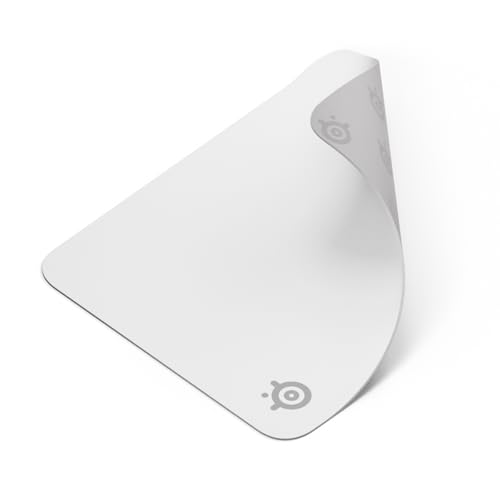
SteelSeries QcK Cloth Gaming Mouse Pad (Medium)

Spec line: Cloth gaming mouse pad, exclusive micro-woven surface, optimized for gaming sensors, maximum control, size M, white.
The QcK has a long history as a budget esports pad, and this listing keeps to that role. It describes an exclusive micro-woven surface optimized for gaming sensors, with a maximum-control focus, in size M. The white color is the visual difference: it brightens a desk, though light fabric will show dirt faster than black, so plan on wiping it. The listing does not give the base material, so check the maker page if grip matters. The Medium size is compact, which suits a tidy desk but does not leave room for large arm sweeps. It is a good choice if you want a known esports surface and prefer a lighter color to the usual black.
- Pro: Micro-woven control surface
- Pro: Compact Medium size
- Pro: White option brightens a desk
- Con: Light color shows marks
- Con: Base material not listed
Glorious GMP 2 Extended XL Mouse Pad

Spec line: Gaming mouse pad, GMP 2 Extended XL, spill-proof, optimised for gaming sensors, balanced for speed and control, anti-fray edges, 24 x 14 x 0.12 inch.
This is the biggest surface in the group, and the listing gives clear numbers: 24 x 14 inches and 0.12 inches thick. That is wide enough to carry a keyboard and a mouse side by side on many desks. The listing also mentions a spill-proof surface, anti-fray edges and a surface balanced for speed and control, which makes it a good all-round pad. The thin profile means less wrist cushioning than the Gigantus, so a wrist rest may help in long sessions. The trade-off is footprint: on a narrow desk 24 inches can feel large. For a home office where the pad also protects the desk from coffee drips, the spill-proof claim is a practical bonus.
- Pro: Listed 24 x 14 inch desk-mat size
- Pro: Spill-proof surface
- Pro: Anti-fray edges
- Con: Thin profile, little wrist cushioning
- Con: Too wide for very small desks
Lenovo Legion Control Gaming Mouse Pad L

Spec line: Gaming mouse pad, Legion Control, size L, black.
Lenovo keeps this listing brief. It names the pad as a Legion Control gaming mouse pad in size L and gives no further material or dimension details, so treat anything beyond that as unconfirmed until you read the maker page. The control branding suggests a surface meant for steady aim rather than speed, and the Legion name ties it to Lenovo gaming hardware, which may matter if your setup already uses that line. The lack of listed detail is the main drawback, because you cannot confirm the base, the edge finish or the exact size from the listing alone. It is worth a look if you like the look of a Legion desk and are happy to check the specifications first.
- Pro: Control-oriented branding
- Pro: Large size named in the listing
- Pro: Matches Legion setups
- Con: Little detail in the listing
- Con: Edge and base unconfirmed
How to Choose Under $15
Pick the size before the brand
A medium pad around 36 by 30 cm fits laptop desks and compact home offices, while a 24 x 14 inch mat covers keyboard and mouse together. Measure your free desk depth first. If you fall between sizes, choose the smaller pad and keep the desk tidy.
Look for a non-slip base and clean edges
A rubber base keeps the pad from drifting during flicks, and stitched or anti-fray edges prevent the corners from peeling over time. Listings that mention both are safer than listings that mention neither. At under $15 these two features matter more than lighting or colors.
Decide between control and speed
Control surfaces add friction so stops are exact, which helps aim in tactical shooters. Balanced surfaces suit mixed play. If the listing does not state which it is, check the maker page, because it changes how your mouse feels more than any other factor.
Match the pad to the room
In a small space, a compact pad leaves room for a laptop stand or notebook. In a shared home office, a spill-proof mat protects the desk. For gaming, a thicker foam base like the Gigantus is kinder to your wrist, and the whole group stays within a $15 budget.
A quick decision summary: choose the Logitech G240 for a dependable all-rounder, the Razer Gigantus V2 Medium for the softest wrist landing, the Corsair MM100 or SteelSeries QcK for a control-leaning surface, the Glorious GMP 2 Extended XL for the widest desk mat, and the Lenovo Legion Control L if you want a brand match and will confirm the specifications yourself. Whatever you choose, give a new cloth pad a few days before judging it, since your hand needs time to adjust to a different amount of friction. Compare the listed size to your desk with a tape measure, and read the maker page for thickness and care details that the listing leaves out. If you are unsure between two models, prefer the one whose listing states more about its base, edges and size, because it leaves fewer surprises when the box arrives.
FAQ
Are gaming mousepads worth it at this price?
Yes. A cloth pad gives a consistent surface and a non-slip base that a bare desk cannot. Even simple models improve tracking, and they protect the desk finish from wear.
Which pad suits a home office?
The Logitech G240 or Corsair MM100 keep a clean, plain look. For a pad that also guards against spills, the Glorious GMP 2 Extended XL lists a spill-proof surface.
What size fits a small desk?
A medium pad such as the Razer Gigantus V2 Medium or SteelSeries QcK Medium. Measure your free depth first, since several listings here do not state exact dimensions.
Do these work for competitive gaming?
Yes for casual and ranked play. The SteelSeries QcK and Corsair MM100 are described for gaming sensors and control, and the Glorious pad is balanced for speed and control.
How do I keep a cloth pad clean?
Check the maker page for care steps. Generally, brush off dust, spot-clean with a damp cloth and let it dry flat, because heat can warp rubber bases.
Last updated: November 2026
FAQ
Are gaming mousepads worth it at this price?
Which pad suits a home office?
What size fits a small desk?
Do these work for competitive gaming?
How do I keep a cloth pad clean?
More from Amazon
Programs that pair well with the guide above. Offers and eligibility are set by Amazon and may change.
Free shipping on eligible items, Prime Video and more. Eligible new members can start with a free trial.
Start a Prime free trialAd-free music streaming. Eligible new subscribers can start with a free trial.
Try Music Unlimited freeA Prime membership for ages 18-24 with a trial period. Eligibility is set by Amazon.
See Prime for Young AdultsAudiobooks and podcasts to listen to on the go. Eligible new members can start with a free trial.
Try Audible freeAs an Amazon Associate we earn from qualifying purchases.