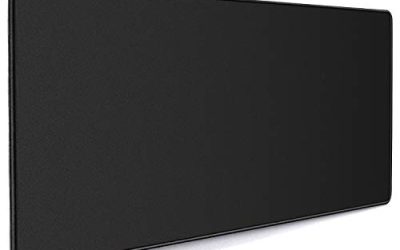
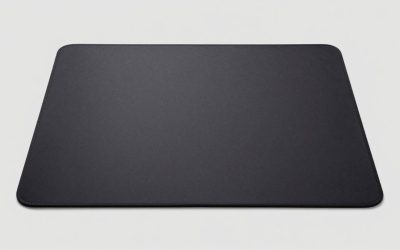
Key takeaways
- Compare the best hard mouse pads for gaming, including aluminum, RGB and ultra-thin polycarbonate picks, with sizes, surfaces and glide specs.
Cloth pads get most of the attention in gaming, but a hard mouse pad does a few things cloth simply cannot. The surface never frays, never absorbs sweat, and never changes feel when the room turns humid. Glide stays the same in January and July, a spill wipes off in seconds, and the low friction lets a mouse move with very little effort from your hand. For players who aim with quick flicks and short, sharp corrections, that consistency is the whole point.
Hard pads are not one single material, though. This guide covers rigid polymer pads, an aluminum dual-sided mat, backlit RGB panels, and an ultra-thin polycarbonate sheet that almost disappears into the desk. Glass pads are a separate family, already covered in their own roundup on this site, so they are left out here. Below: how to choose between the hard-pad styles, then five picks for different players and desks.
Disclosure: As an Amazon Associate, we earn from qualifying purchases made through links in this article, at no extra cost to you.
Quick Picks
| Product | Best for | ASIN |
|---|---|---|
| Razer Firefly V2 | Edge-lit RGB on a hard pad | B07ZDWHL4M |
| Razer Firefly V2 Pro | A fully backlit surface with USB passthrough | B0D72FSVDS |
| Corsair MM600 | Two glide feels on one aluminum pad | B00N4OBA8K |
| Glorious Elements Air XL | A huge pad that sits almost flush with the desk | B08G676GN4 |
| Razer Vespula | Dual surfaces with a gel wrist rest | B0036WTBFY |
How to Choose a Hard Mouse Pad
Surface material decides the glide. Most hard pads use a micro-textured polymer skin. The fine texture gives the sensor plenty to read while keeping friction low, and it adds a touch of control that a polished surface lacks. Aluminum pads bond similar polymer faces to a metal core, which adds weight and a planted feel. Ultra-thin polycarbonate sheets take the opposite path: they flex, sit nearly flush with the desk, and aim for the lowest friction of all. None of these is best in the abstract. Pick based on whether you value stopping power, raw speed, or a pad that feels like part of the desk.
Match size to your sensitivity. Hard pads tend to run smaller than desk-size cloth mats. A medium pad around 340 to 355 mm wide suits mid and high sensitivity players who aim mostly with the wrist and forearm. If you play at low sensitivity and sweep your whole arm, look for the larger formats in this guide, because running off the edge of a rigid pad mid-fight is far more jarring than sliding off cloth.
Think about thickness and edges. A 3 mm polymer pad has a low, friendly edge. Thick RGB panels can stand 5 mm or more off the desk, which some wrists love and others hate. Thin sheets under 1 mm remove the edge question entirely. Also check the base: rubber bases and rubber corner feet keep a rigid pad from skating across the desk during hard flicks, and that grip matters more on hard pads than on cloth.
Treat extras as extras. Lighting zones, USB passthrough ports, and built-in cable catches are genuinely useful, but they should come after surface, size, and base in your decision. A cable catch, for example, keeps a wired mouse lead from dragging, which pairs well with the low friction of a hard surface.
Plan for mouse feet wear. Hard textures are tougher on mouse feet than cloth, and PTFE feet polish and thin faster. Keep a spare set of feet if you switch to a hard pad full time. In exchange, the pad itself needs no washing and never curls at the edges.
The Best Hard Mouse Pads for Gaming
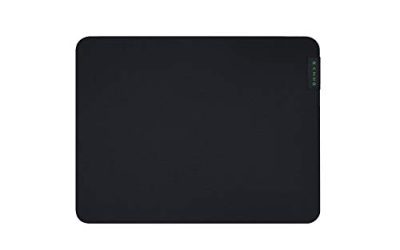
Razer Firefly V2

Specs
- Surface: Micro-textured hard polymer, tuned for all mouse sensors
- Lighting: 19 customizable Razer Chroma RGB zones around the edges
- Size: 14 x 10.8 in, about 3 mm thin
- Extra: Built-in cable catch for a wired mouse lead
- Base: Anti-slip rubber base
- Model: RZ02-03020100-R3U1
The Firefly V2 is the hard pad for players who want their lighting to match the rest of a Chroma setup without giving up a rigid surface. The micro-textured finish is the balanced member of the hard-pad family: quicker than cloth, yet with enough bite that the cursor settles where you stop it. Edge lighting runs around all four sides in 19 zones, bright enough to read as part of the desk theme rather than a thin glow line.
The built-in cable catch is a small detail that earns its place. On a low-friction surface a dragging cable is more noticeable, and the catch holds the lead so swipes stay clean. At roughly 3 mm thin, the pad also keeps a low edge against the wrist. Players who want a plain, dark pad with no lighting at all should look further down this list, but for an RGB build this is the most complete hard option.
Best for: Players building a lit desk who want balanced glide and control on a rigid pad.
Razer Firefly V2 Pro

Specs
- Surface: Micro-textured hard surface with a frosted, light-diffusing panel
- Lighting: 15-zone Razer Chroma RGB across the full surface
- Ports: USB 2.0 passthrough port, detachable USB-C cable
- Size: 14.2 x 11 in, 4.6 mm thick, 2.07 lb
- Base: Anti-slip rubber base
- Model: RZ02-04920200-R3M1 (White)
Where the Firefly V2 lights its edges, the V2 Pro lights the whole mat. A frosted panel spreads 15 zones of Chroma color under the surface, so the pad itself becomes the light source. The glide stays in the same micro-textured family as the standard V2, which means you are choosing between two lighting styles rather than two different feels.
The extras are practical. A USB 2.0 passthrough port is a handy home for a wireless mouse receiver, keeping it close for a clean link, and the cable detaches for easier desk moves. This white version suits pale setups that black pads clash with. It is the thickest, heaviest pad here, so be sure you like a raised, solid panel before choosing it over the slimmer V2.
Best for: White or light-themed builds that want full-surface lighting and a receiver port on the pad.
Corsair MM600

Specs
- Core: 3 mm aircraft-grade aluminum
- Surfaces: Two polymer faces, one smooth glide side and one heavy-texture control side
- Size: 352 x 272 mm
- Base: Non-slip rubber corner plugs
- Finish: Tempered aluminum frame with polymer playing faces
- Model: CH-9000084-WW
The MM600 answers a question most pads cannot: what if you want speed for one game and control for another? One face is a sleek, high-glide skin for fast movement. Flip the pad over and the reverse face carries a heavy texture that grips the mouse feet and helps fine aim settle. Both faces bond to a solid aluminum core, so the pad feels like a single rigid plate rather than a sheet.
Aluminum also brings a cool, dense feel under the hand and a pad that shrugs off years of desk duty. Rubber plugs at the corners hold it in place and lift the metal slightly off the desk surface. There is no lighting and no software, which many players will count as a plus. If you keep two mice or two play styles on one desk, this is the hard pad that covers both without a second purchase.
Best for: Players who switch between fast and precise games and want one pad with two distinct feels.
Glorious Elements Air XL
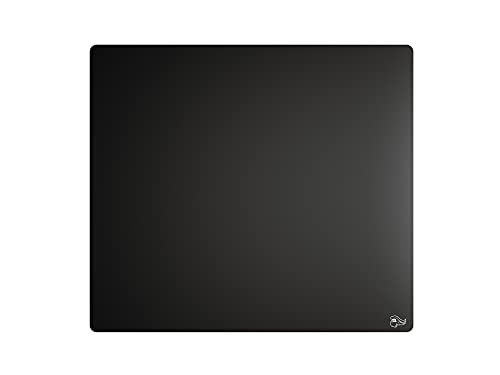
Specs
- Material: Hard polycarbonate with a laminated coating
- Size: 17 x 15 in (XL)
- Thickness: 0.5 mm, sits nearly flush with the desk
- Weight: 4.8 oz
- Surface: Near-zero-friction speed surface, water and tear resistant
- Model: GLO-MP-ELEM-AIR
The Elements Air takes hard pads in the opposite direction from the chunky RGB panels. It is a polycarbonate sheet half a millimeter thin, sized XL so low-sensitivity players get real room to sweep. Once it is down, the edge all but vanishes, and your wrist never climbs onto or drops off the pad. Glorious describes the surface as one of the fastest it makes, with almost no friction holding the mouse back.
That speed is the trade to understand. This is a pad for players who already know they like a slick surface and have the mouse control to match; there is little texture to help you stop. The laminated coating resists creasing and wipes clean, and the sheet flexes rather than cracking if you need to move it. For a big, fast, nearly invisible surface, nothing else in this guide is quite like it.
Best for: Low-sensitivity players who want maximum glide and a pad that feels like part of the desk.
Razer Vespula

Specs
- Surfaces: Dual-sided hard coat, smooth Speed side and textured Control side
- Size: 300 x 240 x 4 mm
- Included: Gel-filled memory conformance wrist rest
- Finish: Non-slip, anti-reflective, abrasion-resistant hard coat
- Weight: 0.77 lb
- Model: RZ02-00320100-R3M1
The Vespula is a long-running dual-sided design. One face is smooth for speed, the other is textured for control, and both sit on an abrasion-resistant hard coat that shrugs off daily wear. It is smaller than the other pads here, which makes it a fit for compact desks and for players who aim at higher sensitivity with short strokes.
What sets it apart is the gel-filled wrist rest that the pad sits with. Long sessions on a rigid surface can press on the wrist, and the soft rest takes that pressure while keeping the pad anchored. Think of it as the comfort-first member of the hard-pad family: two glide options, a tidy footprint, and support for your wrist in the box. Players with room for a bigger surface should look first at the MM600 or the Elements Air.
Best for: Compact desks and players who want two hard surfaces plus wrist support in one package.
FAQ
Are hard mouse pads faster than cloth pads?
Yes, in general. A hard surface has lower friction than woven cloth, so the mouse begins moving with less effort and glides further with the same push. That speed helps quick flicks and wide turns. The flip side is stopping: cloth gives more natural braking, while a hard pad asks your hand and your mouse feet to do that work. Many players adapt within a few days.
Do hard mouse pads wear out mouse feet faster?
They do. Micro-textured polymer and metal faces are harder than PTFE mouse feet, so feet polish down and thin sooner than they would on cloth. How fast depends on the texture; heavy control textures wear feet quickest. Keeping a spare set of replacement feet for your mouse is a sensible habit with any hard pad, and worn feet are cheap and simple to swap.
Will a hard pad work with my gaming mouse?
Almost certainly. The micro-textured surfaces in this guide are made to give optical sensors a consistent pattern to read, and they track laser sensors well too. Very glossy or mirror-like surfaces can trouble some sensors, but none of the picks here are polished to a shine. If your mouse has a lift-off distance setting, a hard pad is a good place to tune it, since the surface height never changes.
How do you clean a hard mouse pad?
Wipe it down with a damp cloth and let it dry. Dust, skin oil, and drink splashes sit on top of a hard surface instead of soaking in, so a weekly wipe keeps glide consistent. Avoid harsh solvents on coated and backlit models, and keep grit off the surface, because a hard pad with grit under the mouse will scratch feet and faces alike.
Conclusion
Hard mouse pads reward players who value a stable, wipe-clean surface and a fast, repeatable glide. For most gaming desks, the Razer Firefly V2 is the well-rounded pick, pairing a balanced micro-textured surface with edge lighting and a cable catch. The Firefly V2 Pro turns the whole mat into the light show and adds a passthrough port, while the Corsair MM600 covers two glide styles on one aluminum plate. The Glorious Elements Air XL is the speed specialist with the biggest, thinnest sheet here, and the Razer Vespula packs dual surfaces and a wrist rest into a compact footprint. Match the surface to how you aim, and a hard pad can stay on your desk for years.
FAQ
Are hard mouse pads faster than cloth pads?
Do hard mouse pads wear out mouse feet faster?
Will a hard pad work with my gaming mouse?
How do you clean a hard mouse pad?
More from Amazon
Programs that pair well with the guide above. Offers and eligibility are set by Amazon and may change.
Free shipping on eligible items, Prime Video and more. Eligible new members can start with a free trial.
Start a Prime free trialAd-free music streaming. Eligible new subscribers can start with a free trial.
Try Music Unlimited freeA Prime membership for ages 18-24 with a trial period. Eligibility is set by Amazon.
See Prime for Young AdultsAudiobooks and podcasts to listen to on the go. Eligible new members can start with a free trial.
Try Audible freeAs an Amazon Associate we earn from qualifying purchases.