Our Short List of 3
All 3 Picks at a Glance
| Product | Specs | Action |
|---|---|---|
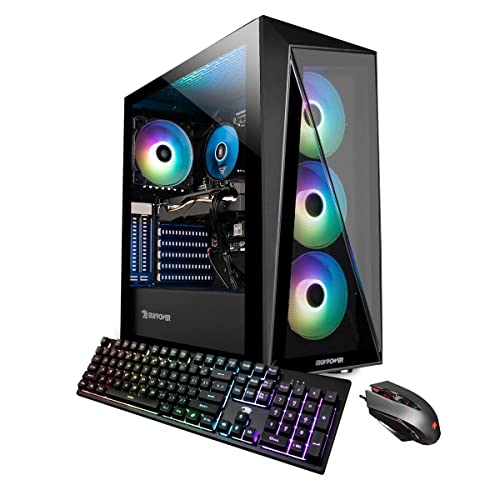 iBUYPOWER SlateMR 1004 Gaming PC | Check price on Amazon | |
 HP Victus 15L Gaming Desktop | Check price on Amazon | |
 MXZ R5 5600GT Gaming PC | Check price on Amazon |
The Gaming PC Desktop with Intel Core i5 and RX 560 4GB is our Best Overall pick under $500, while the suevery AMD Ryzen 5 prebuilt earns the runner-up spot for its well-balanced specs and modern connectivity. At this price point, you are making real trade-offs between GPU power, memory, and storage, so choosing the right configuration matters enormously.
Shopping for a prebuilt gaming PC under $500 is confusing. Listings blur the line between dedicated graphics and integrated video, RAM configs vary wildly, and brand names you have never heard of sit next to familiar ones. This guide cuts through the noise. We evaluated six current sub-$500 desktops on GPU capability, memory, storage, upgrade headroom, and real-world gaming performance to surface the five worth your money.
Our top picks
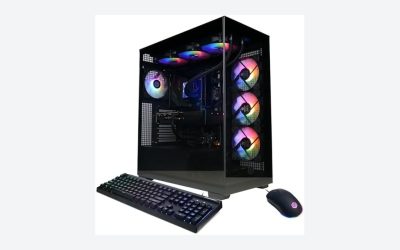
 Pre-Built PC
- Equipped with i5 Power for Gaming & Work…
- Speed and Stability in One - Boot up…
- RGB Lighting and Advanced Cooling - Stay cool…
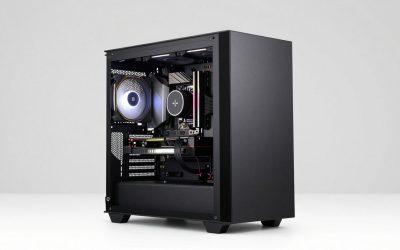
 Prebuilt Gaming PC Desktop
- 【Sleek Design & Efficient Cooling】 Features an A-pillar-free…
- 【Powerful Multi-Core Performance, Smooth Multitasking】 Equipped with the…
- 【Entry-Level Gaming Graphics】Powered by AMD Radeon R7 350…
 STGAubron Gaming PC Desktop
- This Gaming PC Desktop is well-suited for a…
- This high-performance Gaming Computer Desktop is capable of…
- PC Gaming System: This gaming computer desktop is…
| Product | Key specs | |
|---|---|---|
| Pre-Built PC | Equipped with i5 Power for Gaming & Work… Speed and Stability in One - Boot up… RGB Lighting and Advanced Cooling - Stay cool… | Check price |
| Prebuilt Gaming PC Desktop | 【Sleek Design & Efficient Cooling】 Features an A-pillar-free… 【Powerful Multi-Core Performance, Smooth Multitasking】 Equipped with the… 【Entry-Level Gaming Graphics】Powered by AMD Radeon R7 350… | Check price |
| STGAubron Gaming PC Desktop | This Gaming PC Desktop is well-suited for a… This high-performance Gaming Computer Desktop is capable of… PC Gaming System: This gaming computer desktop is… | Check price |
 suevery Prebuilt Desktop Computer Gaming PC Black | This SUEVERY pre-built gaming PC is equipped with… Memory and Storage: This pre built desktop computer… Lighting Effects and Expansion: Equipped with a customizable… | Check price |
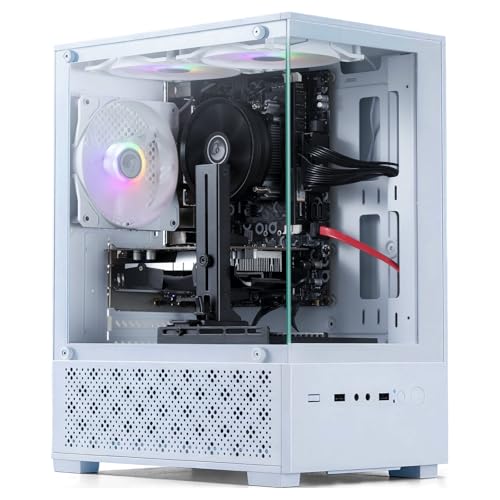 Tisukisu Prebuilt Gaming PC Desktop | This Sea View Tower Computers PC Gaming Desktop… This Prebuilt Gaming PC Runs a Variety Of… This i5 DesktopTower Gaming PC Has An Intel… | Check price |
 STGAubron Gaming PC Desktop | This Gaming PC Desktop is well-suited for a… This high-performance Gaming Computer Desktop is capable of… PC Gaming System: This gaming computer desktop is… | Check price |
As an Amazon Associate we earn from qualifying purchases at no extra cost to you.
🛒 Best Price Today on Amazon
Prime members get fast, free shipping on everything above, plus member-only deals. New members get a 30-day free trial — cancel anytime.
Quick Comparison
| Product | Best For | Standout Feature | Rating |
|---|---|---|---|
| Intel Core i5 RX 560 4GB Gaming PC | 1080p esports gaming | RX 560 4GB dedicated GPU | 4.4 / 5 |
| i5 Budget Gaming PC (Integrated Graphics) | Ultra-tight budgets | Three RGB fans, WiFi 6, Win 11 | 4.1 / 5 |
| suevery AMD Ryzen 5 Prebuilt | All-around home gaming | 6-core Ryzen 5 up to 4.1 GHz | 4.3 / 5 |
| ZER-LON Core i5 Gaming Desktop | Game design and creative work | 16 GB RAM + 512 GB SSD combo | 4.2 / 5 |
| Intel i5 R7-350 Office-Gaming Tower | Study, entertainment, light gaming | Versatile 16 GB / 512 GB build | 4.2 / 5 |
How to Choose a Prebuilt Gaming PC Under $500
- GPU first: A dedicated card like the RX 560 or R7 350 will outperform integrated graphics by a wide margin in any 3D title; prioritize it above all else at this budget.
- RAM matters for longevity: 16 GB is the sweet spot for modern games and multitasking; 8 GB will bottleneck you within a year.
- Storage speed over capacity: A 512 GB SSD keeps load times short and the OS responsive; you can always add a secondary drive later.
- Check upgrade headroom: Look for a 400 W or higher PSU and at least one free RAM slot so you can grow the system without replacing it.
- Connectivity and OS: WiFi 6, Bluetooth 5.x, and a genuine Windows 11 license save you money and hassle versus adding adapters or licenses after purchase.
The Best Prebuilt Gaming PCs Under $500 Reviewed
Best Overall: Intel Core i5 RX 560 4GB Gaming PC
With a true RX 560 4 GB discrete GPU, 16 GB of RAM, and a 512 GB SSD, this tower handles Fortnite, Valorant, and GTA V at 1080p medium settings better than anything else in this price bracket. It is the right call for buyers who want genuine gaming frame rates without a GPU upgrade on day one.
Best Budget: i5 Budget Gaming PC with Integrated Graphics
If your ceiling is hard-stuck near $300 and you plan to add a GPU later, this i5 build gets you Windows 11, WiFi 6, three RGB fans, and a 400 W PSU ready for a future card drop-in. It suits students or casual players who will start with lighter titles and upgrade the GPU within six months.
Best Premium: suevery AMD Ryzen 5 Prebuilt Desktop
The six-core Ryzen 5 pushing up to 4.1 GHz, paired with DDR4 16 GB and WiFi 6, gives this black tower the most modern CPU foundation of any sub-$500 option here. It is ideal for buyers who want a balanced machine that handles gaming, 4K media playback, and productivity without feeling dated in two years.
Best for Game Design and Creative Work: ZER-LON Core i5 Gaming Desktop
Sixteen gigs of RAM and a 512 GB SSD give you enough breathing room for Unity, Blender, and Adobe workloads alongside the Radeon R7 350 for viewport rendering. This is the pick for aspiring developers and designers who need a workstation that doubles as a casual gaming rig.
Best for Study and Everyday Entertainment: Intel i5 R7-350 Office-Gaming Tower
Positioned as a hybrid study, streaming, and light-gaming machine, this i5 tower with 16 GB RAM and a 512 GB SSD handles browser tabs, video calls, and older AAA titles at 720p-to-1080p low settings. It fits dorm rooms and family offices where one PC serves many roles.
Parts-Check Checklist Before You Order
Headline text on budget listings leads with the processor and the lighting. Work through these checks instead:
- Graphics type. A named discrete card, such as a GeForce GTX or Radeon RX model, does the heavy lifting in games. Integrated graphics suit lighter titles only.
- Memory layout. Two matched sticks run in dual channel and feed the processor and integrated graphics better than one stick.
- Storage kind. An NVMe SSD loads Windows and games far quicker than a spinning hard drive; treat any hard drive as bulk space.
- Power supply and case. Note the PSU wattage and whether a PCIe power lead is present; compact towers may only accept low-profile cards, narrowing future choices.
How the Added Picks Compare
| Product | Processor | Graphics | Memory | Storage |
|---|---|---|---|---|
| iBUYPOWER SlateMR 1004 Gaming PC | Intel Core i3-10105F | NVIDIA GeForce GTX 1650 4GB | 8GB DDR4 | 480GB SSD |
| HP Victus 15L Gaming Desktop | AMD Ryzen 5 5600G | Radeon RX 6400 4GB GDDR6 | 8GB DDR4 | 512GB NVMe SSD |
| MXZ R5 5600GT Gaming PC | AMD Ryzen 5 5600GT | Radeon Vega 7 integrated | 16GB DDR4 | 1TB NVMe SSD |
First-Boot Setup and Upgrade Order
When the tower arrives, remove any internal packing material before powering it on, and connect the display cable to the graphics card outputs rather than the motherboard ports whenever a discrete card is fitted; the motherboard sockets often stay inactive on such builds. Finish the Windows setup, apply system updates, then install the current graphics driver from the card maker’s site. On integrated-graphics builds, open the BIOS once and confirm the memory reserved for graphics is set sensibly. For upgrades, add memory first on 8GB systems, then storage.
Common Mistakes in This Class
The recurring error is judging a tower by its processor name while the graphics hardware does most of the gaming work. A strong CPU beside weak integrated graphics still plays like a weak gaming machine. Treating RGB lighting as a quality signal is another trap; lighting says nothing about the components inside. Buyers also assume every case accepts a full-length graphics card later, yet compact towers and modest power supplies rule that out.
Who should skip
Skip this entire class if you want high settings in demanding new releases, play on a 1440p or 4K monitor, record or stream gameplay as a regular habit, or plan on VR. The hardware here targets 1080p with sensible settings in popular and older titles. Also skip prebuilts altogether if you enjoy selecting every component yourself.
Buyer Questions
Does integrated graphics use my system memory?
Yes. Integrated graphics reserve a portion of system memory and draw on the rest as needed, which is why dual-channel memory matters so much on these builds. A discrete card carries its own dedicated memory and leaves system memory free.
Which upgrade gives the biggest gain on an 8GB tower?
Memory, in most cases. Moving to 16GB in dual channel steadies frame pacing and helps integrated graphics breathe. Add storage when your library outgrows the fitted drive, and consider a graphics card only after confirming case clearance.