Our Short List of 3
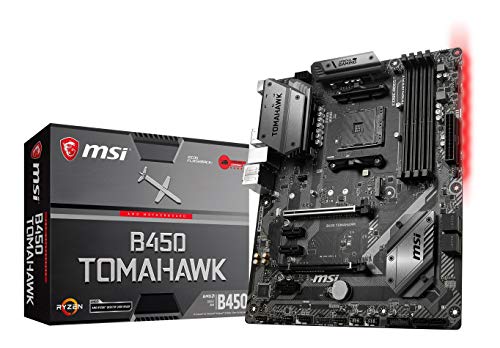
- Best for: Balanced ATX gaming builds around a Ryzen 5 2600 or Ryzen 7 2700X.
- Socket AM4 for AMD Ryzen 1st and 2nd generation processors
- AMD B450 chipset, ATX form factor
- 4 DIMM slots, dual channel DDR4 up to 3466 MHz
- 1 M.2 slot and 6 SATA 6Gb/s ports

- Best for: Ryzen 7 2700X builds that need dual NVMe storage and richer onboard audio.
- Socket AM4 for AMD Ryzen 2nd generation processors
- AMD X470 chipset, ATX form factor
- 4 DIMM slots, DDR4 3600 MHz by overclock
- 2 M.2 slots and 6 SATA 6Gb/s ports
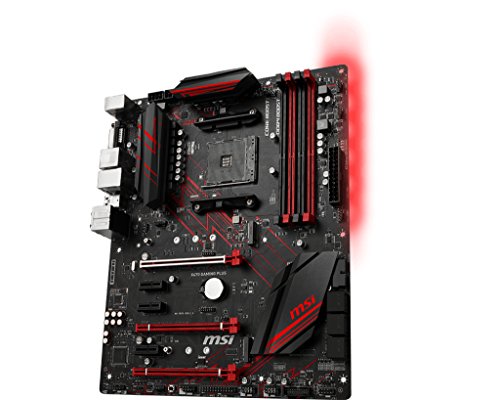
- Best for: Builders who want X470 storage and expansion without the premium ROG extras.
- Socket AM4 for AMD Ryzen desktop processors
- AMD X470 chipset, ATX form factor
- 4 DIMM slots, dual channel DDR4 up to 3466 MHz and beyond by overclock
- 2 M.2 slots and 6 SATA 6Gb/s ports
All 4 Picks at a Glance
| Product | Specs | Action |
|---|---|---|
| MSI B450 Tomahawk |
| Check price on Amazon |
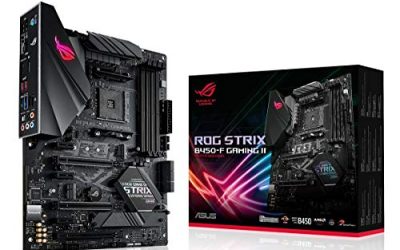
| ASUS ROG Strix X470-F Gaming |
| Check price on Amazon |
| MSI X470 Gaming Plus |
| Check price on Amazon |
 ASUS TUF Gaming B450-PLUS II |
| Check price on Amazon |
Key takeaways
- Compare the best AM4 motherboards for Ryzen 2000 builds, from B450 value picks to X470 boards with dual M.2 slots, stronger power stages and USB-C.
Picking a motherboard for a Ryzen 2000 series processor is really a decision about how long the build should stay useful. The chip itself is settled, so the board decides your memory ceiling, how many fast drives you can add, whether a later Ryzen upgrade drops straight in, and how much tuning headroom the power delivery leaves you. A cheap board that limits RAM speed or storage can quietly hold back a processor that still has plenty of life in it.
This guide is for builders assembling or refreshing a Ryzen 2 system around chips such as the Ryzen 5 2600 and Ryzen 7 2700X. The picks below cover the MSI B450 Tomahawk for balanced ATX value, two X470 boards for dual M.2 storage and stronger expansion, the ASUS TUF Gaming B450-PLUS II with BIOS FlashBack, and the compact ASRock B450M Steel Legend for micro ATX cases.
Quick Picks
As an Amazon Associate we earn from qualifying purchases
| Product | Best for | Key spec from title |
|---|---|---|
| MSI B450 Tomahawk | Balanced ATX gaming builds | AM4 M.2 USB 3 DDR4 DVI HDMI Crossfire ATX |
| ASUS ROG Strix X470-F Gaming | Feature-rich X470 builds | AMD Ryzen 2 AM4 DDR4 DP HDMI M.2 USB 3.1 Gen2 |
| MSI X470 Gaming Plus | X470 value with Crossfire | AMD X470 DDR4 VR Ready HDMI USB 3 Crossfire ATX |
| ASUS TUF Gaming B450-PLUS II | Easy BIOS recovery | DDR4 4400 (O.C.) HDMI 2.0b USB 3.2 Gen 2 Type-C BIOS Flashback |
| ASRock B450M Steel Legend | Compact micro ATX builds | DDR4 Quad CrossFireX SATA3 and USB 3.1 M.2 MicroATX |
How to Choose
Chipset: B450 or X470
The chipset is the first fork in the road for a Ryzen 2 build. B450 covers the needs of most single graphics card systems, with overclocking support, one fast M.2 slot on most boards, and enough USB and SATA connections for a typical gaming or family PC. X470 adds a second full speed M.2 slot on many models, more chipset fed USB ports, and support for splitting the main PCIe lanes between two graphics cards. If your build is one GPU and one NVMe drive, B450 is the sensible default. Choose X470 when extra storage and expansion are already in the plan.
Power delivery and cooling
Ryzen 2000 processors range from modest six core chips to the eight core Ryzen 7 2700X, and the board’s voltage regulator section has to feed whichever one you install. Boards with larger heatsinks over the power stages, such as the extended heatsink designs on the MSI picks in this guide, hold up better during long gaming sessions and mild overclocks. A board with small or bare regulators can still run a Ryzen 5 2600 at stock settings, but it leaves little room for tuning or a later eight core upgrade. Match the board’s power hardware to the strongest chip you realistically expect to install.
Memory support and slot layout
Every board here takes DDR4 memory in four DIMM slots, but the validated top speed differs, from 3466 MHz on the MSI B450 Tomahawk to 4400 MHz by overclock on the ASUS TUF Gaming B450-PLUS II. Ryzen 2 chips respond well to faster memory, so a board that officially supports higher DDR4 speeds gives your kit a better chance of running at its rated profile. Also check the physical layout: four slots let you start with two sticks and add more later, while a micro ATX board trades expansion room for a smaller footprint inside compact cases.
Storage, ports and board size
Count your drives before you count features. A single M.2 slot suits one NVMe boot drive, while the dual M.2 layouts on the X470 picks and the ASRock board make room for a second drive without cables. SATA ports still matter for bulk storage, and all five boards here provide at least four. Rear panel connections deserve the same attention: USB 3.1 Gen 2 and Type-C appear on most of these boards, display outputs matter only when your Ryzen chip has integrated graphics, and ATX versus micro ATX decides which cases the board can physically fit.
The 5 Best Options
MSI B450 Tomahawk
- Best for: Balanced ATX gaming builds around a Ryzen 5 2600 or Ryzen 7 2700X.
- Socket AM4 for AMD Ryzen 1st and 2nd generation processors
- AMD B450 chipset, ATX form factor
- 4 DIMM slots, dual channel DDR4 up to 3466 MHz
- 1 M.2 slot and 6 SATA 6Gb/s ports
Balanced ATX gaming builds around a Ryzen 5 2600 or Ryzen 7 2700X.
Only one M.2 slot, so a second NVMe drive needs a SATA drive or an adapter card instead.
The B450 Tomahawk is the board many Ryzen 2 builders settled on, and the listing explains why: it pairs the B450 chipset with an extended heatsink over the power section, a Flash BIOS Button for recovery, and a full ATX layout with room to grow. For a Ryzen 5 2600 or Ryzen 7 2700X gaming build it covers the essentials without paying for a second graphics card setup. DDR4 Boost, one Turbo M.2 slot and Audio Boost round out a specification that suits a single GPU system meant to stay in service for years.
ASUS ROG Strix X470-F Gaming
- Best for: Ryzen 7 2700X builds that need dual NVMe storage and richer onboard audio.
- Socket AM4 for AMD Ryzen 2nd generation processors
- AMD X470 chipset, ATX form factor
- 4 DIMM slots, DDR4 3600 MHz by overclock
- 2 M.2 slots and 6 SATA 6Gb/s ports
Ryzen 7 2700X builds that need dual NVMe storage and richer onboard audio.
No onboard WiFi, so wireless networking means a USB adapter or a PCIe card.
The ROG Strix X470-F Gaming is the step up for builders who want the X470 chipset’s extra bandwidth. Its listing highlights dual NVMe M.2 slots, a front panel USB 3.1 Gen 2 connector, and support for both SLI and CrossFire multi graphics setups, which B450 boards cannot match. The SupremeFX S1220A audio codec and Intel Gigabit LAN are a tier above the basic solutions on value boards, and Aura Sync lighting ties the board into a wider ROG themed build. It suits a Ryzen 7 2700X system planned around fast storage and long upgrade runway.
MSI X470 Gaming Plus
- Best for: Builders who want X470 storage and expansion without the premium ROG extras.
- Socket AM4 for AMD Ryzen desktop processors
- AMD X470 chipset, ATX form factor
- 4 DIMM slots, dual channel DDR4 up to 3466 MHz and beyond by overclock
- 2 M.2 slots and 6 SATA 6Gb/s ports
Builders who want X470 storage and expansion without the premium ROG extras.
The audio and LAN hardware is a step below the ROG Strix X470-F, which matters for demanding headphone setups.
The X470 Gaming Plus brings the X470 feature set down to a simpler, more affordable specification. You still get two M.2 slots, lane splitting for 2-way CrossFire, and DDR4 support up to 3466 MHz by overclock, which covers the storage and memory plans of most Ryzen 2 builds. Core Boost power design and an extended heatsink aim at stable delivery for eight core chips, while the rear panel keeps USB 3.1 Gen 2 for fast external drives. It is a practical choice when the Tomahawk’s single M.2 slot feels limiting but the ROG Strix board offers more than you need.
ASUS TUF Gaming B450-PLUS II
- Best for: Builders who value easy BIOS updates and a path to later AM4 processors.
- Socket AM4 for AMD Ryzen 5000, 3000 and 2000 series processors
- AMD B450 chipset, ATX form factor
- 4 DIMM slots, DDR4 4400 MHz by overclock
- 1 M.2 slot and 6 SATA 6Gb/s ports
Builders who value easy BIOS updates and a path to later AM4 processors.
A single M.2 slot limits NVMe expansion, and there is no onboard WiFi on this model.
The TUF Gaming B450-PLUS II is a later refresh of the B450 formula, and its listing leads with practical recovery features: BIOS FlashBack lets you update firmware from a USB stick, and the board supports DDR4 up to 4400 MHz by overclock. That combination suits Ryzen 2 builders who may later drop in a newer AM4 processor, since a current BIOS can be loaded before the swap. TUF Protection hardware, an M.2 slot with NVMe support, USB 3.2 Gen 2 Type-C and HDMI 2.0b output complete a specification built around durability and easy maintenance.
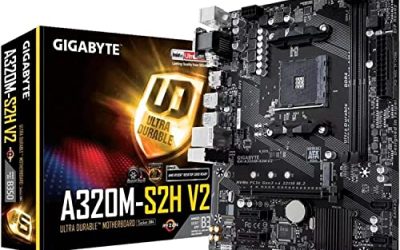
ASRock B450M Steel Legend
The B450M Steel Legend is the compact option in this guide, packing the B450 chipset into a micro ATX board for smaller cases. Despite the size it keeps four DIMM slots, two M.2 slots (one Ultra M.2 at PCIe Gen3 x4 and one SATA mode slot), and USB 3.1 Gen 2 in both Type-A and Type-C on the rear panel. DisplayPort and HDMI outputs serve Ryzen chips with integrated graphics, and the steel reinforced PCIe slot is built for heavier graphics cards. It fits a Ryzen 5 2400G or 2600 build where desk space matters more than expansion slots.
Specs
- Socket AM4 for AMD Ryzen 2000 series processors
- AMD Promontory B450 chipset, micro ATX form factor
- 4 DIMM slots, DDR4 3533 MHz and beyond by overclock
- 1 Ultra M.2 PCIe Gen3 x4 slot and 1 M.2 SATA slot
- 4 SATA3 ports
- 2 USB 3.1 Gen 2 rear ports, Type-A and Type-C
- DisplayPort and HDMI graphics outputs
- Realtek Gigabit LAN and 7.1 channel HD Audio
Best for: Compact micro ATX builds, including systems using a Ryzen processor with integrated graphics.
Watch out for: Four SATA ports and fewer PCIe slots than the ATX boards, so plan storage and add in cards carefully.
ASIN: B07MV9BMNY
Which One Fits Your Situation
You are building a straightforward gaming PC
Start with the MSI B450 Tomahawk. A single graphics card, one NVMe drive and a Ryzen 5 2600 or Ryzen 7 2700X are exactly the load its power design and slot layout were built around. You give up a second M.2 slot and onboard WiFi, but for a wired desktop that boots from one fast drive, nothing important is missing, and the Flash BIOS Button adds a safety net for firmware updates.
You plan to add drives and keep the board for years
Look at the two X470 boards. The MSI X470 Gaming Plus covers the practical side with dual M.2 slots and CrossFire support, while the ASUS ROG Strix X470-F Gaming adds better audio, Intel LAN and a front panel USB 3.1 Gen 2 connector. Either gives a Ryzen 2 build more storage runway than B450, so the choice comes down to how much the ROG extras are worth to your setup.
Your case is small and space comes first
Choose the ASRock B450M Steel Legend. Its micro ATX footprint fits compact cases that cannot take the ATX boards above, yet it still offers four memory slots, two M.2 slots and display outputs for Ryzen processors with integrated graphics. It is the natural pick for a living room PC or a small office build that still needs a real graphics card slot with steel reinforcement.
You may upgrade the processor later
The ASUS TUF Gaming B450-PLUS II is built for that path. BIOS FlashBack updates the firmware without a working processor installed, which removes the classic problem of a newer AM4 chip arriving before the board can recognise it. Its high validated memory speeds also leave room for a faster DDR4 kit later, making it the most forward looking B450 option here.
Common Mistakes
- Assuming every AM4 board runs a Ryzen 2000 chip on its shipping BIOS; most do, but a board that sat in storage may need an update before a later processor swap.
- Buying a micro ATX board for an ATX case build without checking standoff positions, then finding the smaller board leaves cables and connectors awkwardly placed.
- Planning two NVMe drives on a single M.2 board such as the Tomahawk or TUF B450-PLUS II, which forces a slower SATA drive or an adapter later.
- Pairing a Ryzen chip without integrated graphics, such as the Ryzen 7 2700X, with a build plan that relies on the board’s HDMI output; those ports only work with graphics equipped processors.
- Ignoring the validated memory list and expecting any DDR4 kit to reach its rated overclock speed on a Ryzen 2 memory controller.
Frequently Asked Questions
Does a Ryzen 5 2600 work on both B450 and X470 boards?
Yes. The Ryzen 5 2600 is a socket AM4 processor, and both chipsets were released alongside the Ryzen 2000 series, so support is native rather than added by later updates. The practical differences are features: X470 boards usually add a second M.2 slot and more expansion, while B450 boards cover a single graphics card build at a lower cost.
Can I upgrade from a Ryzen 2000 chip to a newer AM4 processor later?
Often, yes, provided the board maker released a BIOS update for the newer processor and you install it before swapping chips. Boards with BIOS FlashBack, such as the ASUS TUF Gaming B450-PLUS II, make this easier because the update does not need the old or new processor installed. Always confirm your exact model on the maker’s CPU support list first.
How much memory does a Ryzen 2 build actually need on these boards?
All five boards here accept up to 64 GB or more across four DIMM slots, but most gaming and everyday builds are well served by two sticks totalling 16 GB or 32 GB. Buying a matched pair leaves two slots free for a later upgrade, and choosing a kit listed in the board’s validated memory list improves the odds of reaching its rated speed.
Do these motherboards include WiFi?
Most of them do not. The MSI B450 Tomahawk, both X470 boards, the ASUS TUF Gaming B450-PLUS II and the ASRock B450M Steel Legend all rely on wired Gigabit Ethernet in the specifications listed here. If your PC cannot reach the router with a cable, budget for a PCIe wireless card or a USB adapter as part of the build.
FAQ
Does a Ryzen 5 2600 work on both B450 and X470 boards?
Can I upgrade from a Ryzen 2000 chip to a newer AM4 processor later?
How much memory does a Ryzen 2 build actually need on these boards?
Do these motherboards include WiFi?
More from Amazon
Programs that pair well with the guide above. Offers and eligibility are set by Amazon and may change.
Free shipping on eligible items, Prime Video and more. Eligible new members can start with a free trial.
Start a Prime free trialAd-free music streaming. Eligible new subscribers can start with a free trial.
Try Music Unlimited freeA Prime membership for ages 18-24 with a trial period. Eligibility is set by Amazon.
See Prime for Young AdultsAudiobooks and podcasts to listen to on the go. Eligible new members can start with a free trial.
Try Audible freeAs an Amazon Associate we earn from qualifying purchases.