Key takeaways
- Console vs PC gaming compared head to head: performance, game libraries, value and upgrades, plus five systems that show what each platform offers.
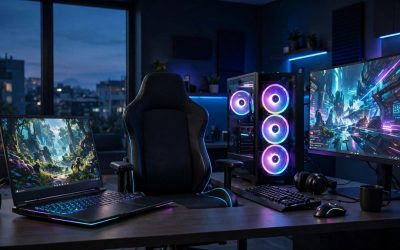
If you want the short answer: buy a console if you want the simplest, most predictable way to play big games on your TV, and buy a gaming PC if you want the highest performance ceiling, the largest game library, and hardware you can upgrade over time. Neither side is objectively better. They optimize for different things, and the right choice depends on how you play, where you play, and how much control you want over the machine itself.
Consoles are closed, fixed systems. Every PlayStation 5 has the same hardware, so developers can tune games to run well on it for years. A gaming PC is an open platform: parts vary widely, performance scales with the components you choose, and the same machine also handles work, streaming, and everyday computing. This guide compares the two platforms across performance, game libraries, long-term value, and ease of use, then profiles five real systems you can buy on Amazon today — three consoles and two prebuilt gaming PCs — so you can see exactly what each side offers.
As an Amazon Associate, we earn from qualifying purchases.
Table of Contents
- Quick Verdict
- Console vs PC Gaming at a Glance
- Performance and Graphics
- Game Library and Exclusives
- Value Over Time
- Upgrades and Longevity
- Ease of Use and Living-Room Fit
- The Consoles: Three Systems to Consider
- The PCs: Two Prebuilt Systems to Consider
- Who Should Buy a Console
- Who Should Buy a Gaming PC
- FAQ
- Conclusion
- Product and ASIN Reference
Quick Verdict
Choose a console for plug-and-play simplicity, strong exclusive games, and a fixed hardware target that stays relevant for a whole generation. Choose a gaming PC for higher frame rates, sharper graphics settings, free online multiplayer in most games, mods, and the freedom to upgrade parts instead of replacing the whole system. If you only play a handful of big releases each year on the couch, a console is the easier win. If gaming is your main hobby and you also want a capable everyday computer, a PC earns its keep.
Console vs PC Gaming at a Glance
| Factor | Console | Gaming PC |
|---|---|---|
| Setup | Plug into a TV and play | Desk or TV setup, more configuration |
| Performance target | Fixed, tuned per game | Scales with your components |
| Game library | Store exclusives plus major multiplatform titles | Largest library, including older PC classics |
| Online play | Usually needs a paid subscription | Free in most games |
| Upgrades | Storage expansion only | GPU, RAM, storage, and more can be swapped |
| Extra uses | Streaming apps and media playback | Full computer: work, creation, browsing |
| Typical tier | Budget to premium, one box | Budget to premium, wider range |
Performance and Graphics
A modern console is built around a single hardware target, and developers squeeze a lot out of it. The PlayStation 5 and Xbox Series X both aim for 4K output, with many games offering a performance mode that targets higher frame rates. Because the hardware never changes, a game released late in the generation still runs on the same box you bought at launch.
A gaming PC has no fixed ceiling. A mid-range prebuilt with a current graphics card can push higher frame rates at 1440p or 4K than any console, and settings menus let you trade visual detail for smoothness however you like. The trade-off is variability: PC performance depends on the parts in the build, and hitting top settings in demanding games means choosing a premium-tier GPU. The two prebuilt PCs profiled below sit in the mid-range tier and are aimed at smooth 1080p and 1440p play, which is where most PC gamers actually spend their time.
Game Library and Exclusives
Consoles compete on exclusives. PlayStation is known for its single-player story titles, Xbox leans on its subscription catalog and franchises like Halo and Forza, and Nintendo’s systems are the only place to play Mario, Zelda, and Pokémon games. If the games you care about most live on one console, that settles the debate quickly.
PC has the broadest library overall. Steam, the Epic Games Store, GOG, and other storefronts compete with each other, older titles stay on sale for decades, and entire genres — strategy, simulation, and most indie hits — launch on PC first or only on PC. Backward compatibility on PC is simply how the platform works: games from twenty years ago usually still run. Consoles have improved here, with the Xbox Series X playing titles from four generations and the PS5 playing most PS4 games, but the library is still curated by the platform holder.
Value Over Time
A console is a single purchase in the budget-to-premium range, and that box stays competitive for its whole generation, typically six years or more. The ongoing costs are games and, on PlayStation and Xbox, a paid subscription for online multiplayer. Nintendo also charges for its online service, though it sits in a lower tier.
A gaming PC costs more up front at comparable performance, but the running costs tilt the other way: online play is free in most games, storefront competition keeps game prices aggressive, and you never pay again for a new generation just to keep playing new releases. A PC also replaces a separate home computer, which matters if you would otherwise buy both. Over a full generation, heavy players often find the totals closer than the sticker prices suggest, while light players are usually better served by the console’s simplicity.
Upgrades and Longevity
Consoles are essentially sealed. On the PS5 and Xbox Series X you can expand storage with an added SSD, and the Nintendo Switch uses microSD cards, but the processor and graphics hardware you buy on day one are what you keep. When the next generation arrives, you replace the whole system.
A PC is modular. The prebuilt systems below both use standard parts with spare memory slots and room for additional storage, so adding RAM or a bigger SSD later is straightforward, and a graphics card swap a few years in can restore top-tier performance without replacing the machine. That upgrade path is the PC’s strongest long-term argument, balanced against the fact that consoles ask nothing of you at all.
Ease of Use and Living-Room Fit
Consoles are designed for the couch. They wake from sleep quickly, update in the background, and every game is built for a controller and a TV. The Switch adds a dimension neither rival matches: it plays on its own screen as a handheld and docks to the TV when you get home.
PCs have closed much of this gap. Big Picture modes, wireless controllers, and compact cases make living-room PC gaming practical, and both prebuilt PCs below include a keyboard and mouse in the box and connect to a TV over HDMI like any console. Still, a PC remains a computer, with drivers, launchers, and settings to manage. Some players enjoy that control; others want the appliance-like console experience.
The Consoles: Three Systems to Consider
PlayStation 5 Console (1TB, Slim)
Sony’s current PS5 pairs a custom SSD with a compact slim chassis, and it anchors the premium console tier. Its DualSense controller adds haptic feedback and adaptive triggers that developers use for everything from rainfall to bowstring tension, and the system plays a large back catalog of PS4 games alongside PS5 releases.
Specs
- Model: PlayStation 5 Slim (CFI-2100)
- Storage: 1TB built-in SSD, expandable with an M.2 SSD
- Output: Up to 4K, with ray tracing support
- Media: Ultra HD Blu-ray disc drive
- Controller: DualSense wireless controller included, with haptic feedback and adaptive triggers
- Connectivity: Wi-Fi, Bluetooth 5.1, HDMI, USB, Ethernet
- Extras: 3D audio support, PS4 backward compatibility
- Tier: Premium
Xbox Series X (1TB, Carbon Black)
Microsoft’s flagship is the most powerful console hardware in this comparison on paper, built around fast storage and a feature called Quick Resume that lets you jump between several suspended games. It is also the backward-compatibility leader, playing select titles from four Xbox generations, and it is designed to pair with Microsoft’s subscription catalog.
Specs
- Model: Xbox Series X (RRT-00001)
- Storage: 1TB custom NVMe SSD, expandable with a storage expansion card
- Memory: 16GB GDDR6
- Output: True 4K gaming, up to 120 FPS in supported titles
- Media: 4K UHD Blu-ray disc drive
- Controller: Xbox Wireless Controller included
- Connectivity: Wi-Fi, Bluetooth, HDMI
- Extras: Quick Resume, backward compatibility across four generations
- Tier: Premium
Nintendo Switch – OLED Model (White Joy-Con)
The Switch OLED plays a different game: flexibility over raw power. Its 7-inch OLED screen makes it the best-looking handheld in this roundup, the dock outputs to your TV, and Nintendo’s first-party library is unavailable anywhere else. It sits in the budget tier of this comparison and suits families and players who split time between the couch and everywhere else.
Specs
- Model: Nintendo Switch – OLED Model (HEG-001)
- Display: 7-inch OLED multi-touch screen
- Storage: 64GB internal, expandable with a microSD card
- Output: Up to 1080p on a TV via the included dock
- Battery life: Approximately 4.5 to 9 hours, depending on the game
- Controllers: Detachable Joy-Con pair included
- Connectivity: Wi-Fi, Bluetooth, dock with a wired LAN port
- Modes: Handheld, tabletop, and TV
- Tier: Budget
The PCs: Two Prebuilt Systems to Consider
CyberPowerPC Gamer Xtreme VR (GXiVR8060A24)
This prebuilt tower represents the mainstream PC route: a ten-core Intel processor and a GeForce RTX 4060, a combination aimed squarely at high-refresh 1080p and capable 1440p play. It runs Windows 11 Home, includes a gaming keyboard and mouse, and its four memory slots and standard case leave clear room to grow.
Specs
- Model: CyberPowerPC Gamer Xtreme VR GXiVR8060A24
- Processor: Intel Core i5-13400F, 2.5GHz, 10 cores
- Graphics: NVIDIA GeForce RTX 4060, 8GB GDDR6
- Memory: 16GB DDR5 5200MHz, expandable up to 128GB across 4 slots
- Storage: 1TB PCIe Gen4 NVMe SSD
- Operating system: Windows 11 Home
- Connectivity: Wi-Fi 802.11ac, Bluetooth, Ethernet, 9 USB ports
- Included: Gaming keyboard and mouse
- Warranty: 1 year parts and labor, lifetime tech support
- Tier: Mid-range
Skytech Gaming Nebula 2 (ST-NEBULA2-2391-B-AM)
Skytech’s Nebula 2 takes the AMD route with an eight-core Ryzen 7 and a Radeon RX 9060 XT graphics card. Skytech positions the system for smooth 1080p play at high settings across popular competitive and open-world titles, and like the CyberPowerPC it ships ready to run with a keyboard and mouse in the box.
Specs
- Model: Skytech Gaming Nebula 2 ST-NEBULA2-2391-B-AM
- Processor: AMD Ryzen 7 5700, 3.7GHz (up to 4.6GHz), 8 cores
- Graphics: AMD Radeon RX 9060 XT, 8GB GDDR6
- Memory: 16GB DDR4 3200MHz with heat spreaders
- Storage: 1TB NVMe M.2 SSD
- Power supply: 650W Gold
- Operating system: Windows 11 Home
- Connectivity: Wi-Fi 802.11ac, Ethernet, HDMI and DisplayPort outputs
- Included: Keyboard, mouse, and power cord
- Warranty: 1 year parts and labor, lifetime technical support
- Tier: Mid-range
Who Should Buy a Console
Buy a console if you mostly play on a TV, want every game to simply work, and care about a platform’s exclusive titles. Consoles also suit households where several people share one system, players who prefer physical discs they can lend or resell, and anyone who does not want to think about hardware at all. The Switch OLED is the pick for families and portable play, while the PS5 and Xbox Series X serve players who want the strongest living-room performance in a fixed box.
Who Should Buy a Gaming PC
Buy a gaming PC if you want the highest frame rates and graphics settings, the widest game library, free online play, and access to mods and strategy or simulation genres that consoles rarely get. A PC also makes sense if you need a computer anyway for work, study, streaming, or content creation, or if you like the idea of upgrading one part at a time instead of replacing a whole system each generation. The two prebuilt towers above show the mid-range sweet spot: no assembly required, with standard parts you can upgrade later.
FAQ
Is PC gaming cheaper than console gaming in the long run?
It depends on how much you play. A console costs less up front, but online multiplayer on PlayStation and Xbox requires a paid subscription, and console games are sold through a single storefront per platform. A PC costs more initially, yet online play is free in most games and competing stores keep game prices low, so frequent players can close the gap over a generation — especially if the PC also serves as their everyday computer.
Can a gaming PC connect to a TV like a console?
Yes. Both prebuilt PCs in this guide output over HDMI and DisplayPort, work with wireless controllers, and can launch into controller-friendly interfaces designed for the couch. The experience is close to a console’s, with the caveat that a PC still occasionally asks you to adjust settings or update drivers, which a console handles invisibly.
Do consoles or PCs get better graphics?
A high-end PC gets the best graphics, full stop, because you can fit a far more powerful graphics card than any console contains. At the mid-range tier covered here, the difference narrows: the prebuilt PCs offer higher frame rates and more graphics settings to tune, while the PS5 and Xbox Series X deliver polished 4K presentation with zero configuration. The Switch OLED trades power for portability and does not compete on graphics.
What if I want to play with friends who are on the other platform?
Cross-play has become common in major multiplayer titles, so PC and console players can often join the same matches regardless of platform. It is not universal, though — some games and some modes remain platform-locked. If your friends all play on one system and a favorite series does not support cross-play, matching their platform is the safest choice.
Conclusion
Console vs PC gaming is not a contest with one winner. A console is the better appliance: fixed, simple, and tuned for the TV, with exclusives that define each brand. A gaming PC is the better platform: faster at the top end, broader in its library, free to play online, and built to evolve with upgrades. Pick the PS5 or Xbox Series X for premium couch gaming, the Switch OLED for flexible family play, or a prebuilt PC like the CyberPowerPC Gamer Xtreme VR or Skytech Nebula 2 if you want performance headroom and a machine that grows with you.
FAQ
Is PC gaming cheaper than console gaming in the long run?
Can a gaming PC connect to a TV like a console?
Do consoles or PCs get better graphics?
What if I want to play with friends who are on the other platform?
More from Amazon
Programs that pair well with the guide above. Offers and eligibility are set by Amazon and may change.
Free shipping on eligible items, Prime Video and more. Eligible new members can start with a free trial.
Start a Prime free trialAd-free music streaming. Eligible new subscribers can start with a free trial.
Try Music Unlimited freeA Prime membership for ages 18-24 with a trial period. Eligibility is set by Amazon.
See Prime for Young AdultsAudiobooks and podcasts to listen to on the go. Eligible new members can start with a free trial.
Try Audible freeAs an Amazon Associate we earn from qualifying purchases.