Key takeaways
- Gaming TV vs gaming projector compared on input lag, refresh rate, screen size and room fit, with five 4K picks for console and PC players alike.
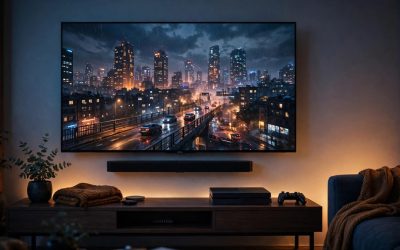
If you want the sharpest, brightest picture, a gaming TV is the better default: modern sets pair a 4K panel with 120 Hz or 144 Hz refresh rates, HDMI 2.1 inputs, variable refresh rate and strong HDR, and they work in a normally lit room. If you want a huge image, a gaming projector is the smarter buy, because a projector can fill a 100-inch or larger screen, and gaming models now rival TVs for input lag at 1080p.
The trade-off is control. A TV gives you consistent brightness and deep contrast in almost any room, while a projector gives you scale but asks for a darker space and more careful placement. This guide compares the two formats head to head, then finishes with five current 4K picks: three gaming TVs and two gaming projectors.
As an Amazon Associate, we earn from qualifying purchases.
Table of contents
- The short answer
- Picture quality and brightness
- Input lag and refresh rate
- Screen size and room fit
- Setup, sound and everyday use
- The 5 products compared
- How to choose between a gaming TV and a gaming projector
- FAQ
- Conclusion
- Product and ASIN Reference
The short answer
Choose a gaming TV if you play in a room with normal lighting, you want one device for games, streaming and audio, or you play competitive titles where the lowest input lag at 4K matters. Choose a gaming projector if you have a room you can darken, you want an image far bigger than any affordable TV, and you are willing to plan throw distance, screen placement and sound. Both formats support 4K at 60 Hz or better, so the decision is about your room and screen-size ambitions.
Picture quality and brightness
A gaming TV produces its own light, pixel by pixel or through a backlight, so brightness and contrast hold up even with lamps on. OLED sets such as the LG C4 switch each pixel off individually for true blacks, while Mini-LED sets such as the Hisense U8N and Samsung QN90D use dense backlights with local dimming for high peak brightness in bright rooms.
A projector bounces light off a screen or wall, so its picture depends heavily on the room. In a dark room, a good gaming projector such as the BenQ X3100i or Optoma UHD38x produces a large, immersive image with pleasing color, but ambient light washes out blacks quickly, and contrast is a step behind a good TV. Projector brightness, measured in ANSI lumens, describes light reaching the screen, not how bright the picture looks in a lit room, so high-lumen projectors still look best after dark. Light sources matter too: lamps are bright and affordable but dim over time and need replacement, while LED and laser sources last far longer with more stable color.
Input lag and refresh rate
For fast games, input lag and refresh rate matter more than raw resolution. Current gaming TVs are strong here: the LG C4, Hisense U8N and Samsung QN90D all offer refresh rates up to 144 Hz, HDMI 2.1 inputs, auto low latency mode and variable refresh rate, so a PS5, Xbox Series X or gaming PC can run at 4K and 120 Hz with low lag and no screen tearing. OLED panels add near-instant pixel response, rated at 0.1 ms on the C4.
Gaming projectors have closed the gap at lower resolutions. The BenQ X3100i is rated at 4.2 ms of input lag at 1080p and 240 Hz, 8.3 ms at 120 Hz, and 16.7 ms at 4K and 60 Hz. The Optoma UHD38x posts the same headline figures in its Enhanced Gaming Mode. The catch: most gaming projectors use HDMI 2.0, not HDMI 2.1, so 4K gaming tops out at 60 Hz, with no 4K and 120 Hz mode for consoles. Competitive PC play at 1080p feels just as responsive on a projector; 4K at 120 Hz from a console remains TV-only territory.
Screen size and room fit
This is where the projector pulls ahead. TV prices climb steeply past 65 inches; projectors start where TVs get expensive: both projectors below can throw images up to 200 or 300 inches, with 100 to 120 inches the sweet spot for a typical room. That scale transforms open-world and racing games, and a retractable screen can disappear from the room in a way a giant TV cannot.
The cost of that flexibility is planning. A standard-throw projector such as the X3100i or UHD38x needs roughly 13 feet of distance for a 120-inch image, plus a mount or shelf, a screen or flat wall, and light control. A TV asks for far less: measure the stand or wall space, check the size suits your viewing distance, and plug in.
Setup, sound and everyday use
A gaming TV is an all-in-one device. It includes a smart platform, built-in speakers, and enough HDMI ports for a console, a PC and a streaming box at once. Both the Samsung QN90D and the LG C4 carry four HDMI 2.1 inputs, so nothing needs swapping. Everyday use is simple: one remote and an instant-on picture.
A projector is a component, not a complete system. The Optoma UHD38x has no smart platform built in, so streaming comes from a console, PC or streaming stick, and while the BenQ X3100i includes Android TV, it still benefits from external sound. Built-in projector speakers are small, so most setups add a soundbar or speakers. Lamp-based models need a lamp change after thousands of hours; LED models are rated for tens of thousands. None of this is difficult, but it suits a dedicated media room or a living room arranged around the screen.
The 5 products compared
1. LG 42-Inch Class OLED evo C4 Series (OLED42C4PUA) — premium gaming TV
The smallest C4 suits players who split time between desk and couch. Its self-lit OLED panel delivers perfect blacks, a 0.1 ms response time and up to 144 Hz, a spec set closer to a gaming monitor than most TVs. Four HDMI 2.1 ports with G-Sync, FreeSync Premium and VRR cover a PS5, Xbox Series X and a gaming PC at once. Trade-offs: 42 inches is big for a desk and small for a large living room, and OLED brightness trails the brightest Mini-LED sets in sunlit rooms.
Specs
- Screen size: 42 inches
- Panel: OLED evo, self-lit pixels
- Resolution: 4K (3840 x 2160)
- Refresh rate: up to 144 Hz
- Response time: 0.1 ms
- HDMI: 4 x HDMI 2.1
- VRR: NVIDIA G-Sync, AMD FreeSync Premium, HDMI VRR, ALLM
- HDR: Dolby Vision, HDR10, HLG
- Price tier: Premium
2. Samsung 55-Inch Class Neo QLED 4K QN90D Series (QN55QN90D) — premium gaming TV
The QN90D is the bright-room option. Its Neo QLED panel pairs Quantum Dot color with a Mini LED backlight and Neo Quantum HDR+, so HDR highlights stay punchy even in daylight. Motion Xcelerator supports up to 4K at 144 Hz with a PC connected, consoles run at 4K and 120 Hz, and all four HDMI ports are HDMI 2.1. The main omission is Dolby Vision, since Samsung uses HDR10+ instead, so check the HDR formats your console and apps rely on.
Specs
- Screen size: 55 inches
- Panel: Neo QLED with Mini LED backlight
- Resolution: 4K (3840 x 2160)
- Refresh rate: up to 144 Hz (Motion Xcelerator)
- HDMI: 4 x HDMI 2.1
- HDR: Neo Quantum HDR+, HDR10+
- Processor and platform: NQ4 AI Gen2, Tizen
- Audio: Object Tracking Sound+, Dolby Atmos
- Price tier: Premium
3. Hisense 55-Inch Class U8 Series Mini-LED ULED (55U8N) — mid-range gaming TV
The U8N brings flagship-style gaming specs to a mid-range tier. Its Mini-LED panel uses Full Array Local Dimming Pro with up to 1,800 nits peak brightness, and the native 144 Hz panel runs 144Hz Game Mode Pro: VRR from 48 Hz to 144 Hz, AMD FreeSync Premium Pro, ALLM and an on-screen Game Bar. HDR coverage is broad, with Dolby Vision IQ and Dolby Vision gaming alongside HDR10+, and Google TV handles streaming. Viewing angles are narrower than OLED, so wide seating arrangements should take note.
Specs
- Screen size: 55 inches (54.6-inch viewable)
- Panel: Mini-LED ULED with Quantum Dot color
- Resolution: 4K (3840 x 2160)
- Refresh rate: native 144 Hz
- Backlight: Full Array Local Dimming Pro, up to 1,800 nits peak brightness
- HDMI gaming features: 144Hz Game Mode Pro, VRR 48 Hz to 144 Hz, ALLM
- VRR: AMD FreeSync Premium Pro
- HDR: Dolby Vision IQ, Dolby Vision gaming, HDR10+
- Price tier: Mid-range
4. BenQ X3100i True 4K 4LED Gaming Projector — premium gaming projector
The X3100i is the projector for players who want the big screen without giving up speed. Its 4LED source is rated at 3,300 ANSI lumens with wide DCI-P3 color, and gaming comes first: 4.2 ms input lag at 1080p and 240 Hz, 8.3 ms at 120 Hz, and 16.7 ms at 4K and 60 Hz. Vertical lens shift and a 1.3x zoom make placement forgiving, the LED source is rated for 20,000 hours, and Android TV plus 10W TreVolo speakers with eARC cover streaming and basic audio. It needs a dark room for its best contrast, and HDMI 2.0 caps 4K gaming at 60 Hz.
Specs
- Resolution: 4K UHD (3840 x 2160) via XPR pixel shifting
- Light source: 4LED, rated 20,000 hours
- Brightness: 3,300 ANSI lumens
- Input lag: 4.2 ms at 1080p/240 Hz, 8.3 ms at 120 Hz, 16.7 ms at 4K/60 Hz
- Throw: standard throw, 1.15 to 1.50 throw ratio, 1.3x zoom, vertical lens shift
- Image size: 60 to 200 inches
- HDMI: HDMI 2.0, with eARC support
- Price tier: Premium
5. Optoma UHD38x True 4K UHD Gaming Projector — budget gaming projector
The UHD38x is the value route to a very large 4K image. Its lamp produces 4,000 lumens, the highest brightness figure here, and Enhanced Gaming Mode matches the BenQ on speed: 4.2 ms at 1080p and 240 Hz, 16.7 ms at 4K and 60 Hz, with 1080p at 120 Hz for consoles. The savings show in running costs and extras: the lamp will eventually need replacing, there is no built-in smart platform, and the small speaker means external sound belongs in the budget.
Specs
- Resolution: 4K UHD (3840 x 2160)
- Light source: lamp, up to 15,000 hours in eco modes
- Brightness: 4,000 lumens
- Input lag: 4.2 ms at 1080p/240 Hz, 16.7 ms at 4K/60 Hz (Enhanced Gaming Mode)
- Contrast ratio: 1,000,000:1
- HDR: HDR10 and HLG
- Throw: standard throw, 1.1x zoom, 120-inch image from about 13.1 feet
- Image size: 33 to 300 inches
- HDMI: 2 x HDMI 2.0 (HDCP 2.2)
- Price tier: Budget
How to choose between a gaming TV and a gaming projector
Start with the room. If the space has windows you cannot black out, or the screen doubles as the everyday family TV, a TV’s panel will look better far more of the time. If you have a basement, media room or a living room with good curtains, a projector’s size advantage becomes real.
Next, match the format to your hardware. Console players who want 4K at 120 Hz with VRR need an HDMI 2.1 TV today, since projectors still cap 4K at 60 Hz over HDMI 2.0. PC players competing at 1080p can use either format at 240 Hz, so size and room decide.
Then think about total setup, not just the display. A TV needs a stand or mount and nothing else. A projector budget should include a screen, a mount or shelf, longer HDMI runs and external audio, plus lamp replacements on lamp-based models. Finally, picture the screen from your seat: a 55-inch TV suits couches up to about eight feet away, while a 100-inch image wants a similar distance and a wall that can take it.
FAQ
Is a gaming projector good enough for competitive play?
At 1080p, yes. Dedicated gaming projectors such as the BenQ X3100i and Optoma UHD38x are rated at 4.2 ms of input lag at 240 Hz, in the same range as fast TVs. At 4K they sit around 16.7 ms at 60 Hz, fine for single-player and casual multiplayer, but short of the 4K and 120 Hz modes an HDMI 2.1 TV offers.
Do I need a screen for a gaming projector, or is a wall enough?
A smooth, matte white wall works, but a proper screen improves brightness uniformity, contrast and color, and gives the image clean edges. An ambient light rejecting screen helps in rooms that cannot be fully darkened. Keep the surface flat: waves and texture show up clearly at 100 inches and above.
Which is better for movies, a gaming TV or a gaming projector?
For picture quality per inch, the TV wins: OLED and Mini-LED sets deliver deeper blacks, higher HDR peak brightness and formats such as Dolby Vision that most gaming projectors lack. For the cinema feeling of a very large image in a dark room, the projector wins, and many players find reflected light easier on the eyes during long sessions. It depends on whether you value precision or scale more.
Can a gaming projector replace a TV for everyday use?
It can in a light-controlled room, especially an LED or laser model that turns on instantly and is rated for tens of thousands of hours. In a bright living room it is harder to recommend as the only display, because daytime viewing looks washed out, and lamp-based models add running costs the more hours they clock up.
Conclusion
A gaming TV is the safer all-round buy: better contrast and HDR, true 4K at 120 Hz over HDMI 2.1, and built-in sound and streaming. The LG C4 is the premium pick for mixed desk and couch play, the Samsung QN90D suits bright rooms and multi-console setups, and the Hisense U8N delivers most of the same gaming features on a mid-range budget. A gaming projector is the pick when screen size is the whole point and your room can go dark: the BenQ X3100i is the complete premium package, while the Optoma UHD38x gets you a huge, fast 4K image for a budget-tier outlay. Decide by room first and hardware second; either format will feel like a serious upgrade.
FAQ
Is a gaming projector good enough for competitive play?
Do I need a screen for a gaming projector, or is a wall enough?
Which is better for movies, a gaming TV or a gaming projector?
Can a gaming projector replace a TV for everyday use?
More from Amazon
Programs that pair well with the guide above. Offers and eligibility are set by Amazon and may change.
Free shipping on eligible items, Prime Video and more. Eligible new members can start with a free trial.
Start a Prime free trialAd-free music streaming. Eligible new subscribers can start with a free trial.
Try Music Unlimited freeA Prime membership for ages 18-24 with a trial period. Eligibility is set by Amazon.
See Prime for Young AdultsAudiobooks and podcasts to listen to on the go. Eligible new members can start with a free trial.
Try Audible freeAs an Amazon Associate we earn from qualifying purchases.