Key takeaways
- Start conservative: 875-900mV for the first attempt on most cards.
- Change one variable at a time so you know what caused an instability.
- Save each stable curve as an Afterburner profile before pushing further.
Undervolting your GPU is one of the rare free upgrades in PC gaming: you lower the voltage the card draws at a given clock speed, which cuts heat, fan noise, and power draw—often with zero loss in frame rate, and sometimes a small gain because the card stops thermal-throttling. On a modern 250-350W card, a good undervolt commonly shaves 40-70W and 8-12°C off the core while holding the same clocks. In 2026, with RTX 50-series and Radeon RX 9000 cards boosting aggressively, undervolting has become the go-to tune for anyone who wants a cooler, quieter rig.
This guide covers the theory in plain language and the exact steps in MSI Afterburner, which works on both NVIDIA and AMD cards. You will spend most of your time stress-testing, not tweaking, so budget an evening to dial in a stable curve. Nothing here voids a warranty or risks the hardware—undervolting only ever reduces voltage, so the worst case is a driver crash you recover from with a reboot.
Our top picks
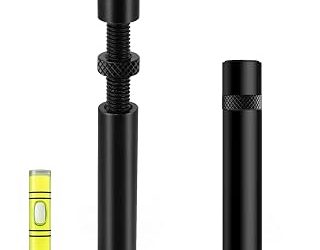
 acer GPU Support Bracket
- [Esports-grade Materials] Constructed from high-quality aluminum alloy, the…
- [Ajustment Freely] The detachable design features precise 0.5mm…
- [Powerful Magnetic Design] The top and bottom are…
 California JOS GPU Support Bracket Graphics Card
- ✅ Package Includes: 1 PCS Large Black GPU…
- ✅Prevents GPU Sag and Damage
- ✅Durable All-Aluminum Build
| Product | Key specs | |
|---|---|---|
| acer GPU Support Bracket | [Esports-grade Materials] Constructed from high-quality aluminum alloy, the… [Ajustment Freely] The detachable design features precise 0.5mm… [Powerful Magnetic Design] The top and bottom are… | Check price |
| California JOS GPU Support Bracket Graphics Card | ✅ Package Includes: 1 PCS Large Black GPU… ✅Prevents GPU Sag and Damage ✅Durable All-Aluminum Build | Check price |
 ASUS NVIDIA GeForce RTX™ 5060 LP BRK ASUS NVIDIA GeForce RTX™ 5060 LP BRK | Check price | |
 Lian Li ATX PC Case 4 Slots Lian Li ATX PC Case 4 Slots | Check price | |
 GPU Support Bracket GPU Support Bracket | ✅【Screw adjustment design】The minimum size of the GPU… ✅【Aluminum Alloy Metal】The GPU support is made of… ✅【Magnetic Non-Slip Base】The magnet hidden in the base… | Check price |
 Graphics Card GPU Brace Support Graphics Card GPU Brace Support | All-aluminum metal material - Provides strong and long-lasting… Screw adjustment design - The graphics card bracket… Bottom hidden mag.net design - The mag.net hidden… | Check price |
 upHere 5V 3PIN Addressable RGB Graphics Card upHere 5V 3PIN Addressable RGB Graphics Card | 01.Simple and Convenient adjustment method,has a slide type… 02.Use sturdy iron as the main structure to… 03.Adaptable to a wide range of motherboards and… | Check price |
 OwlTree GPU Support Bracket Graphics Card Stand OwlTree GPU Support Bracket Graphics Card Stand | The GPU Support bracket features an all-metal material… The GPU Support Bracket features 0.24 to 4.92inch… Universal compatibility - the GPU sag bracket fits… | Check price |
As an Amazon Associate we earn from qualifying purchases at no extra cost to you.
⚡ Save on Your Next PC — Amazon Prime
Prime members get fast free shipping on the systems above, plus early access to Prime Day & Black Friday PC deals. New members get a 30-day free trial.
Watch: How to Undervolt Your GPU — Video Review
Why Undervolting Works
Your GPU ships with a voltage-frequency curve set conservatively so that every single chip off the line is stable, including the weakest. Most chips are better than that worst case, so they can hit the same clock at lower voltage. Power scales roughly with the square of voltage, so a small voltage cut produces a large power and heat reduction. Less heat means the card holds its boost clock longer instead of throttling, which is why some games actually run a hair faster after an undervolt.
Install and Set Up MSI Afterburner
Download MSI Afterburner and its companion, the built-in monitoring overlay. Enable the voltage/frequency curve editor in settings (a checkbox under General). Before touching anything, run a benchmark like a 10-minute loop of your favorite demanding title or a tool such as Heaven or Superposition, and note your stock clock, voltage, temperature, and average FPS. That baseline is how you will judge every change.
Build the Undervolt Curve
Open the curve editor (Ctrl+F). Pick a target: a good starting point is the frequency your card already boosts to—say 2700 MHz—at a lower voltage such as 900mV instead of the stock 1050mV. Drag the point at 900mV up to your target clock, then flatten every point to the right of it so the card never asks for more voltage. Apply, and the card now targets that clock at that voltage.
- Start conservative: 875-900mV for the first attempt on most cards.
- Change one variable at a time so you know what caused an instability.
- Save each stable curve as an Afterburner profile before pushing further.
Stress-Test for Stability
An undervolt that survives a benchmark can still crash after 40 minutes in a real game, because games load the shader cores unevenly. Test with at least 30 minutes of actual gameplay plus a synthetic loop. Watch for driver resets, artifacts (flickering textures, colored dots), or a black screen—any of those means the voltage is too low for that clock. Raise the target voltage 15-25mV and retest.
Manage Sag While You Tune
A heavy triple-fan card puts real strain on the PCIe slot, and a sagging card can shift its cooler contact and skew your temperature readings. An anti-sag support bracket like the acer GPU support bracket or the California JOS adjustable brace holds the card level so your undervolt results stay consistent run to run. It is a cheap insurance item for any card weighing more than a kilogram.
Tips
- Set Afterburner to apply your profile at Windows startup once it is proven stable.
- Keep a stock profile saved so you can rule out the undervolt when troubleshooting any crash.
- Summer ambient temps can expose a marginal undervolt—retest when the room is warm.
- Pair a mild undervolt with a custom fan curve for the quietest possible result.
Frequently Asked Questions
Can undervolting damage my GPU?
No. Undervolting only lowers voltage, so it reduces stress on the components rather than adding it. The worst outcome is an unstable setting that causes a crash or driver reset, which a reboot and a small voltage bump fixes. It is far safer than overclocking.
Will I lose performance?
Usually not. A well-tuned undervolt holds your stock boost clock at lower voltage, so frame rates stay the same. Because the cooler card avoids thermal throttling, some titles even gain a few percent in sustained sessions.
Does undervolting work on both NVIDIA and AMD?
Yes. MSI Afterburner’s curve editor handles NVIDIA cards, and AMD cards can be undervolted either in Afterburner or directly in the AMD Adrenalin software using its per-clock voltage tuning. The concept is identical on both.
How much power can I realistically save?
On a mid-to-high-end card, expect 40-70W lower draw and 8-12°C cooler core temperatures from a moderate undervolt. That also means quieter fans and a lighter load on your power supply.
Conclusion
Undervolting is the highest-value tuning you can do to a gaming GPU: cooler, quieter, and more efficient, with no meaningful downside. Establish a baseline, build a flat curve at a lower voltage, and test relentlessly with real gameplay before you trust it. Add a support bracket to keep a heavy card level, and you have a rig that runs better than it did out of the box.