Key takeaways
- Flawless Dual-PC and Console Integration: Allows a dedicated encoding PC or streaming laptop to capture uncompressed 1080p or 4K video from a gaming rig or console without impacting game performance.
- Zero-Latency Passthrough: Hardware HDMI pass-through ports send raw video directly to your primary gaming monitor without added input lag, allowing you to play at native high refresh rates (1440p at 240Hz or 4K at 120Hz).
- DSLR and Mirrorless Camera Support: Transforms high-end photography cameras into broadcast-quality webcams via HDMI output, far outperforming standard USB webcams in low-light environments and background depth-of-field.
- Direct System Reliability: Physical video ingestion bypasses software-based game hook errors, black screens, or window capture glitches in streaming software.
- Low Thermal and Power Footprint: Operates silently using passive heat distribution, requiring no external power bricks or loud internal cooling fans.
The Short Answer
If you are trying to figure out if a dedicated capture card worth it for pc streaming, the answer comes down to one clear condition: it is only worth it if you stream using two PCs, capture a gaming console, or connect a high-end mirrorless camera as your webcam.
If you plan to game and stream from the exact same PC using a single monitor, buying a capture card will not improve your streaming quality or boost your in-game frame rates. A dedicated capture card does not offload rendering load from your single gaming PC’s primary GPU or CPU. Modern software solutions handle single-PC display capture directly on your system with zero physical hardware overhead.
Our top picks
 Capture Card
- 【1080P HD High Quality】Capture resolution up to 1080p…
- 【Plug and Play】No driver or external power supply…
- 【Compatible with Multiple Systems】suitable for Windows and Mac…
 Elgato 4K S Capture Card for PS5
- 4K60 Capture: Record in cinematic quality with crisp…
- HFR Support: Play and capture in 1440p120 or…
- HDR10 Support: Capture brilliant HDR content with tone…
As an Amazon Associate we earn from qualifying purchases at no extra cost to you.
What You Actually Get
A dedicated capture card is essentially an external or internal video receiver. It takes an HDMI video and audio signal from an output device—such as a Playstation 5, Nintendo Switch, camera, or dedicated gaming PC—converts that signal into a USB Video Class (UVC) data stream, and feeds it into your streaming software (such as OBS Studio or Streamlabs).
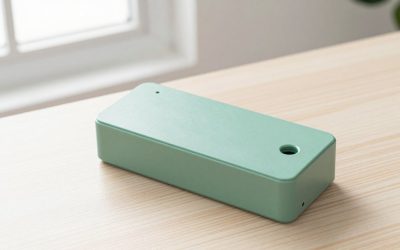
When you add an external capture card to your desk setup, you are introducing a physical hardware bridge. Compact budget dongles typically measure around 2.5 x 1.1 x 0.5 inches and weigh under 1.5 ounces, plugging directly into a USB port. Mid-range to premium desktop capture cards measure roughly 4.4 x 2.8 x 0.7 inches and weigh between 3.5 to 5.5 ounces, resting flat on your desk near your monitor mount or cable management tray.
From a hardware and power perspective, external USB capture cards draw minimal energy—usually between 2.5 watts and 5 watts directly over a USB 3.0 or USB 3.2 Gen 1 connection. However, they do alter your desk cabling. A standard setup requires two HDMI 2.0 or 2.1 cables (one from the input device to the card, and one from the card’s pass-through port to your display) along with a USB-C to USB-A cable back to your streaming computer.
Pros
- Flawless Dual-PC and Console Integration: Allows a dedicated encoding PC or streaming laptop to capture uncompressed 1080p or 4K video from a gaming rig or console without impacting game performance.
- Zero-Latency Passthrough: Hardware HDMI pass-through ports send raw video directly to your primary gaming monitor without added input lag, allowing you to play at native high refresh rates (1440p at 240Hz or 4K at 120Hz).
- DSLR and Mirrorless Camera Support: Transforms high-end photography cameras into broadcast-quality webcams via HDMI output, far outperforming standard USB webcams in low-light environments and background depth-of-field.
- Direct System Reliability: Physical video ingestion bypasses software-based game hook errors, black screens, or window capture glitches in streaming software.
- Low Thermal and Power Footprint: Operates silently using passive heat distribution, requiring no external power bricks or loud internal cooling fans.
Cons
- No Performance Boost for Single-PC Setups: Does not assist your main GPU or CPU with encoding tasks when installed on the same computer you are playing games on.
- Desk Cable Clutter: Adds up to three thick wires (two HDMI and one USB) near your monitor stand, requiring dedicated cable management sleeves or under-desk routing trays.
- Initial Hardware Cost: Demands an investment ranging from $25 for basic 1080p dongles to $150–$200 for 4K passthrough capture cards.
- Audio Routing Complexity: Integrating multi-channel HDMI audio, Discord voice chat, and broadcast microphones across two separate systems often requires virtual audio mixers or physical audio interfaces.
Who Should Buy It
You should buy a dedicated capture card if your home office or studio setup relies on multi-device routing. Dual-PC creators who want to push max-settings 4K gaming on Rig A while encoding a seamless 1080p 60fps stream on Rig B need a hardware card. It is also an essential purchase for console streamers broadcasting Playstation 5, Xbox Series X, or Switch content through a PC setup, as well as creators using a mirrorless camera for facecam footage.
Who Should Skip It
You should skip a capture card if you operate a single-PC desktop streaming setup. In 2026, modern graphics cards feature dedicated hardware video encoders (such as NVIDIA NVENC or AMD VCE) built directly into the silicon chip. These hardware encoders handle video processing using specialized chip real estate without pulling frame rates away from your graphics card’s primary 3D rendering cores. Running software like OBS on a single PC using internal display capture costs $0 and delivers lower latency than routing an HDMI cable out of your GPU and back into a capture card on the same machine.
Cheaper Alternatives
If you want to optimize your streaming setup without spending $150 on a premium capture card, several budget-friendly software and hardware alternatives exist:
| Option | Cost | Trade-off |
|---|---|---|
| GPU Hardware Encoding (NVENC/AMF) | $0 (Built-in) | Requires a modern dedicated graphics card; limited to single-PC streaming setups. |
| NDI / Teleport Network Streaming | $0 (Open Source) | Sends video over local network; requires a wired Gigabit Ethernet router and consumes home network bandwidth. |
| Budget USB 3.0 HDMI Dongles | $20 – $30 | Supports basic 1080p 60fps capture, but lacks high-refresh 4K HDR passthrough and advanced color format controls. |
| Elgato / Premium Capture Interfaces | $140 – $180 | Full feature set with 4K60 HDR passthrough and custom utility software, but carries a higher upfront cost. |
FAQ
Does a capture card increase frame rates on a single gaming PC?
No. A capture card does not increase your frame rate or reduce system load if you are gaming and streaming on the same single PC. The encoding work is still performed by your system’s software and GPU hardware. Capture cards are physical signal pass-through devices designed to send video from one separate device to another.
Do cheap $25 capture cards work well for streaming?
Yes, entry-level $20 to $30 USB capture cards work surprisingly well for basic streaming needs. They generally ingest up to a 4K 30Hz HDMI signal and output a clean 1080p 60fps video feed to OBS. However, they lack advanced features found on $150+ cards, such as zero-latency HDMI passthrough for high-refresh-rate gaming monitors, HDR support, and high-bandwidth uncompressed YUY2 color formats.
Why do I need a capture card for a DSLR or mirrorless camera?
Most dedicated cameras output full-quality, uncompressed video through an HDMI port rather than a standard USB port. A capture card translates that HDMI feed into a recognized USB webcam format (UVC). Without a capture card or dedicated camera link interface, your streaming software cannot recognize the camera’s live video output.
Is an internal PCIe capture card better than an external USB capture card?
An internal PCIe capture card plugs directly into your motherboard, offering slightly lower system overhead, zero desk clutter, and no external cable routing. However, external USB 3.0 capture cards (typically weighing 3 to 5 ounces) offer far greater flexibility, allowing you to quickly move your setup between a desktop, a laptop, or a secondary studio workstation without opening up your computer case.