Key takeaways
- A specification-based review of the 8Bitdo Pro 2 Hall Effect controller, covering PC connections, back buttons, profiles and compatibility caveats.
This review analyzes published product information. We have not performed detailed research of this unit.
As an Amazon Associate, we earn from qualifying purchases.
A Pro 2 configuration worth distinguishing
The 8Bitdo Pro 2 reviewed here is the Transparent Blue Bluetooth configuration identified in the retailer title as the Hall Effect joystick update. It is not the Pro 3, Ultimate 2 or Ultimate 2C. Its practical appeal for PC players is a combination of Bluetooth and wired USB connections, selectable input modes, two programmable back buttons and three custom profiles.
This is a specification-based assessment of the supplied retailer listing, not a hands-on test. The listing gives enough detail to evaluate connection choices and configuration flexibility, but it does not establish measured responsiveness, stick precision or long-term reliability. Importantly, the Hall Effect identification comes from the title; the feature descriptions do not provide further joystick specifications.
Key specifications and their boundaries
| Exact configuration | Pro 2, Hall Effect joystick update, Transparent Blue |
|---|---|
| Connections | Bluetooth wireless and wired USB; USB cable included |
| Selectable modes | Switch, macOS, D-input and X-input |
| Additional controls | Two programmable back buttons; custom profile switch |
| Customization | Button assignments and macros through 8BitDo Ultimate Software; three profiles; turbo support |
| Other listed functions | Adjustable vibration and six-axis motion sensing |
| Battery | Listed 1000mAh lithium battery; claimed 20 hours of play and four-hour charging time |
| Listed platforms | Switch, PC, macOS, Android, Steam and Raspberry Pi; title also names Switch 2 |
| Listed extras | USB cable and two thumbstick grip caps |
Two PC connection paths, without a listed receiver option
For a desk setup, wired USB is the most straightforward connection offered in the evidence: the listing explicitly describes USB controller operation, rather than merely charging over a cable. The included cable therefore provides a starting point without requiring a separate wireless accessory. Its length and connector details are not supplied, so suitability for a PC positioned far from your seat remains an open question.
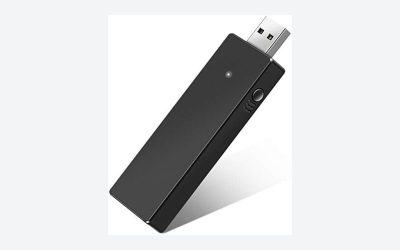
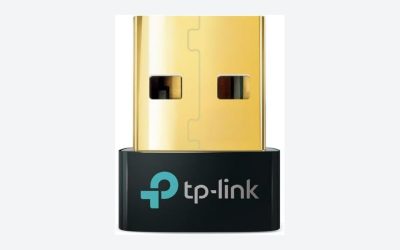
Bluetooth is the alternative for players who want to remove the cable from their playing space. That choice depends on having suitable Bluetooth support on the host device. The supplied evidence names no 2.4GHz receiver connection, so buyers specifically seeking a dedicated receiver-based setup should not assume this Pro 2 provides one.
The four-position mode selector is particularly relevant when moving between devices. X-input and D-input are both named alongside dedicated Switch and macOS modes. For PC buying purposes, that is more informative than a broad compatibility badge: it establishes selectable input options. It does not, however, prove that every game will detect every mode correctly. No polling rate or latency figures are supplied, and there is no basis here for ranking Bluetooth against USB by measured performance.
Back buttons and profiles are the stronger layout story
The two back buttons are the clearest reason to consider this configuration beyond basic gamepad duties. The listing says they can be assigned button functions and macros through 8BitDo Ultimate Software. In practical terms, assigning a frequently used command to a rear control could reduce how often you move a thumb away from a stick. That is a potential ergonomic benefit, not a guarantee that the placement will suit your grip.
Three custom profiles and a dedicated profile switch also give the controller a plausible role across different games. Separate mappings could suit different control schemes without requiring the same assignment choices everywhere. The evidence does not describe profile indicators, storage behavior or the full software workflow, so those details should be checked if configuration management is central to your purchase.
Turbo support is listed, but its available settings and mode restrictions are not. Likewise, the supplied text does not document the face-button legend arrangement or any mechanism for changing it. Players who care about matching physical labels to PC prompts should verify that detail rather than assume all supported platforms present the same layout. Button programmability and matching printed legends are separate considerations.
Hall Effect sticks do not answer every control question
The Hall Effect update is an important part of this exact variant’s identity, but the evidence stops short of describing stick resolution, dead-zone settings or calibration options. It would be premature to turn that title-level specification into a promise of superior aim or immunity from wear. Buyers seeking detailed stick-tuning controls need more documentation than this listing supplies.
Adjustable vibration and six-axis motion sensing are also advertised. Their presence does not establish support in every PC game or connection mode. Similarly, no trigger technology, adjustable trigger travel or trigger-mode switch is specified. Those omissions matter if your buying decision depends on detailed analog control or short-travel trigger behavior rather than rear-button access.
Battery planning and cross-platform caveats
The seller lists a 1000mAh battery, 20 hours of play and four hours to charge. Treat those timings as claims, since the listing does not state the test conditions or vibration settings behind them. Wired USB operation offers another connection choice for desk use, but simultaneous charging behavior is not explained in the published listing information.
Compatibility wording also deserves attention. The feature text names Switch, PC, macOS, Android, Steam and Raspberry Pi, while the title additionally names Switch 2 and Windows. It recommends current firmware without providing a version or update procedure. If Switch 2 sharing is a priority, verify the applicable firmware and feature support before relying on that title claim. Our Switch 2 accessories guide provides broader setup context, rather than confirmation of this controller’s individual functions.
Verdict: useful flexibility, with specific checks before buying
This Pro 2 Hall Effect configuration makes the strongest specification-based case for PC players who want Bluetooth or USB, rear-button assignments and several profiles in one controller. Its limitations are mainly unresolved details: no listed receiver connection, no responsiveness data and incomplete platform-specific feature documentation. Choose it for the documented connection and mapping options, not for unverified promises about competitive performance or universal compatibility.
Sources: Supplied retailer listing for this Pro 2 configuration.
Check the exact product and current offer on Amazon