Our Top Picks
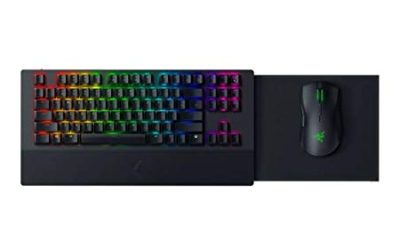
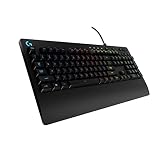
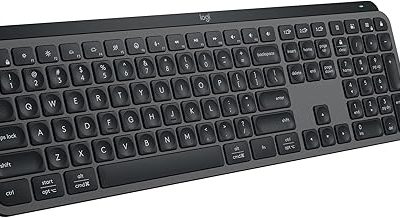
 Logitech G PRO X TKL Lightspeed Wireless GamingTKL - Wireless5.91 x 13.86 x 1.34 inches0.3 poundsCheck on Amazon


Buying a gaming keyboard is really a decision about how your keystrokes register. A shooter player who counter-strafes all evening cares about actuation points and rapid trigger, while an MMO player cares about macro keys, and someone with a shallow desk cares most about how much room the board leaves for the mouse. Switch type, layout and connection decide all of that, so the right board depends on which of those three matters most to you.
This guide serves competitive players chasing faster inputs, MMO and strategy players who live on macros, and smaller-desk setups that need space back. Every pick below was chosen from the names and specification tables on its Amazon product page, covering switch technology, layout, connectivity and keycap material exactly as the listings state them.
Quick Picks
As an Amazon Associate we earn from qualifying purchases
| Product | Best for | Key spec from title |
|---|---|---|
| SteelSeries Apex Pro TKL Gen 3 | Competitive FPS players who want adjustable actuation | OmniPoint 3.0 HyperMagnetic switches with Rapid Trigger |
| Razer BlackWidow V4 Pro | MMO and macro-heavy players who want a full-size board | Green tactile switches, Command Dial, 8 macro keys |
| Logitech G PRO X TKL Lightspeed | Wireless players who travel to events or LANs | LIGHTSPEED wireless tenkeyless with GX Brown switches |
| HyperX Alloy Rise | Customizers who swap switches and change the board’s look | Hot-swappable, gasket mounted, ambient light sensor |
| AULA F75 Pro | Multi-device players who want one board for PC and laptop | 75 percent tri-mode with pre-lubed Reaper switches |
How to Choose
Switch technology decides how a keypress registers
A standard mechanical switch fires at one fixed point in its travel, and that is fine for most games. Hall effect boards such as the Apex Pro TKL Gen 3 let you set actuation anywhere from 0.1 to 4.0 millimeters and add rapid trigger, which resets a key the moment you lift your finger, so repeated strafes and hops register sooner. Optical and standard mechanical switches cannot do that trick, but they cost less in complexity and feel familiar. Decide first whether your games reward that adjustable, reset-on-release behavior; if they do not, a good fixed-actuation board serves you just as well.
Layout is a trade between desk space and dedicated keys
Full-size boards keep the number pad and, on models like the BlackWidow V4 Pro, a bank of macro keys, which suits MMO rotations, streaming controls and spreadsheet work between matches. Tenkeyless boards drop the pad and give your mouse hand a wider arc, the setup most FPS players prefer. A 75 percent board goes further, folding the function row and arrows into a compact block, but everyday keys move behind layers or tight clusters. Measure your desk and think about which keys you touch daily before choosing, because the wrong size annoys you every session.
Wired, 2.4 GHz and Bluetooth are not interchangeable
A wired connection is still the simplest path: no battery, no pairing, and polling features such as the Alloy Rise’s 8K rate run over the cable. A 2.4 GHz dongle connection, called LIGHTSPEED on the Logitech board here, is the wireless mode to game on, since it is built for low latency and can even share one adapter with a supported mouse. Bluetooth is the convenience mode for a laptop, tablet or phone, and it is the one to skip for ranked play. If a board offers all three, treat Bluetooth as the backup and the dongle as the daily driver.
Keycaps, mounting and software shape daily feel
Doubleshot PBT keycaps resist shine and keep legends readable for years, while doubleshot ABS, used on the BlackWidow V4 Pro, feels smooth but can polish over time. Gasket mounting, found on the Alloy Rise, softens the bottom-out of each press, and layered foam inside boards like the F75 Pro quiets the case. Software is the hidden cost: Razer, SteelSeries, Logitech and HyperX each use their own app for macros and lighting, so check that the board stores profiles onboard if you switch PCs often or play on a machine where you cannot install anything.
The 5 Best Options
SteelSeries Apex Pro TKL Gen 3
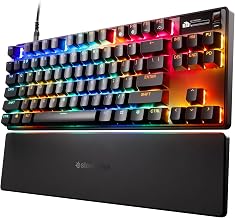
This is the board for players whose games reward the fastest possible key response. Its OmniPoint 3.0 switches are Hall effect units, so each key’s actuation point adjusts across 40 levels, and Rapid Trigger resets a key as soon as you release pressure, which makes counter-strafing and repeated taps feel immediate. Rapid Tap prioritizes the most recent press in a pair, and Protection Mode lowers the sensitivity of neighboring keys to cut down on fat-fingered inputs during tense rounds. The tenkeyless frame keeps your mouse arc wide, and an OLED display lets you change settings without leaving the game.
Specs
- Switch type: OmniPoint 3.0 Adjustable HyperMagnetic (Hall effect)
- Actuation: adjustable from 0.1 mm to 4.0 mm, 40 levels
- Features: Rapid Trigger, Rapid Tap, Protection Mode, OLED Smart Display
- Keycaps: doubleshot PBT
- Layout: tenkeyless, 84 keys listed
- Connectivity: wired USB-C
- Backlighting: RGB
Best for: FPS and movement-heavy players who will actually tune actuation per game.
Watch out for: it is wired only, and the deepest features live in SteelSeries GG software, so check the listing’s stated system requirements before buying.
ASIN: B0DGZLHN8G
Razer BlackWidow V4 Pro

Where the Apex Pro chases speed, this full-size Razer board chases control. You get 104 keys plus eight dedicated macro keys down the left side and along the edge, a Command Dial for programmable functions, and a magnetic plush wrist rest for long sessions. The Green switches in this version are tactile and clicky, so every press gives an audible, physical confirmation that suits MMO rotations, strategy hotkeys and anyone who types as much as they play. Chroma RGB, Snap Tap support and full remapping through Razer Synapse round out a board built to run an entire setup from the left hand.
Specs
- Switch type: Razer Green mechanical, tactile and clicky
- Keycaps: doubleshot ABS
- Layout: full-size, 104 keys, 8 dedicated macro keys
- Controls: Command Dial, media keys, magnetic wrist rest included
- Connectivity: wired USB-C
- Backlighting: Razer Chroma RGB
- Model number: RZ03-04680200-R3U1
Best for: MMO, MOBA and strategy players who bind long macro chains and want a wrist rest in the box.
Watch out for: the clicky Green switches are loud for shared rooms, and the doubleshot ABS keycaps can develop shine faster than PBT; confirm the switch variant on the listing before ordering, since a Yellow linear version shares the same product family.
ASIN: B0BT3VC25K
Logitech G PRO X TKL Lightspeed
Logitech built this tenkeyless board with input from esports players, and it shows in the priorities: a compact frame that travels well, LIGHTSPEED wireless as the main connection, and Bluetooth and USB as fallbacks. The GX Brown tactile switches give a quiet bump rather than a click, and the dual-shot PBT keycaps keep their texture under heavy use. A volume roller, media controls and a game mode switch sit along the top, and one LIGHTSPEED adapter can pair this keyboard with a supported Logitech mouse, which frees a USB port and simplifies a tournament or LAN setup.
Specs
- Switch type: GX Brown tactile mechanical
- Keycaps: dual-shot PBT
- Layout: tenkeyless
- Connectivity: LIGHTSPEED wireless, Bluetooth, USB wired
- Controls: volume roller, media controls, game mode
- Backlighting: LIGHTSYNC RGB
- Power: rechargeable lithium polymer battery, included
- Model number: 920-012127
Best for: competitive players who want a wireless board that still behaves like a wired one at events.
Watch out for: the switches are not hot-swappable on this model, so the GX Brown feel is the feel you keep; check the listing’s variant selector if you wanted a different switch or color.
ASIN: B0BQBSH6NQ
HyperX Alloy Rise

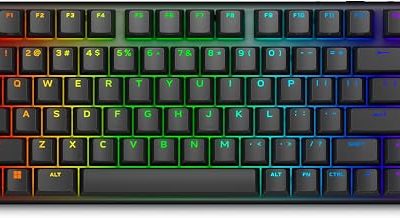
The Alloy Rise treats the keyboard as something you keep changing. Its switches are hot-swappable, the top plate and badges attach magnetically without tools, and a rotary knob handles volume and media. Underneath, a gasket mount softens each keystroke, and the pre-lubed HyperX Linear switches are rated by the listing for up to 80 million keypresses, paired with PBT keycaps. A smart ambient light sensor adjusts the RGB brightness to your room automatically, ten profiles save directly to the board, and the wired connection runs an 8K polling rate for players who count input delay in fractions.
Specs
- Switch type: HyperX Linear mechanical, factory lubed, hot-swappable
- Switch rating: up to 80 million keypresses per the listing
- Mounting: gasket mounted
- Keycaps: HyperX PBT
- Layout: full-size
- Connectivity: wired, detachable USB-C cable, 8K polling rate
- Features: ambient light sensor, rotary knob, media controls, 10 onboard profiles
- Model number: 7G7A3AA#ABA
Best for: players who like to swap switches and restyle their board without buying a new one.
Watch out for: it is wired only, and the customization extras such as alternate top plates and badges are separate purchases, so check what the box contents line of the listing includes.
ASIN: B0CYNZN63J
AULA F75 Pro
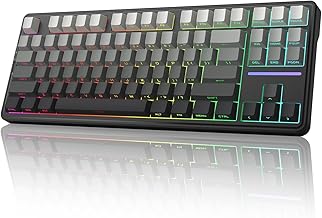
The F75 Pro packs the enthusiast checklist into a compact 75 percent frame: 81 keys, hot-swappable sockets for 3-pin and 5-pin switches, pre-lubed LEOBOG Reaper linear switches, and five layers of internal padding that keep the board sounding deep rather than hollow. It connects three ways, Bluetooth 5.0, 2.4 GHz wireless and USB-C wired, and can stay paired with up to five devices, so one board can serve a gaming PC, a work laptop and a tablet. Side-printed PBT keycaps let the RGB shine through the legends from the front edge, and the multi-function knob switches between lighting control and volume depending on the mode you set.
Specs
- Switch type: LEOBOG Reaper linear, pre-lubed, hot-swappable (3-pin and 5-pin)
- Layout: 75 percent, 81 keys
- Keycaps: side-printed PBT
- Connectivity: Bluetooth 5.0, 2.4 GHz wireless, USB-C wired; up to five devices
- Battery: 4000 mAh rechargeable
- Features: multi-function knob, N-key rollover, five-layer sound padding
- Backlighting: RGB with preset effects
Best for: players who split time between a gaming PC and other devices and want a softer, quieter board.
Watch out for: the full macro and lighting software is a separate driver download, and the side-printed legends take a day or two to get used to if you normally read keycaps from above.
ASIN: B0D14N2QZF
Which One Fits Your Situation
You play ranked shooters and want every input edge
Choose the SteelSeries Apex Pro TKL Gen 3. Adjustable actuation down to 0.1 mm, Rapid Trigger and Rapid Tap are features aimed squarely at strafing, jiggle peeking and fast ability taps, and the tenkeyless shape leaves maximum room for low-sensitivity mouse swings. Nothing else in this list offers per-key actuation tuning, so if that is your priority, the decision is already made.
Your desk is small and your mouse keeps hitting the keyboard
Shrink the board, not your aim. The AULA F75 Pro is the smallest pick here at 75 percent and still keeps arrow keys, while the Logitech G PRO X TKL Lightspeed frees space and removes the cable entirely. Pick the AULA if you also type on the same desk all day and want the knob; pick the Logitech if wireless matters more than size.
You run an MMO or a stream from the same desk
The Razer BlackWidow V4 Pro fits this life best. Eight macro keys, a Command Dial and full-size layout give your left hand dedicated buttons for rotations, scene switches and push-to-talk, and the included magnetic wrist rest helps during long raid nights. Its clicky switches are the trade-off, so keep a headset on if others are nearby.
You like changing how your setup looks and feels
Take the HyperX Alloy Rise. Hot-swappable switches let you move from linear to tactile later without soldering, magnetic top plates and badges change the look in seconds, and onboard profiles mean your settings travel with the board. It is the pick for someone who treats the keyboard as a project rather than a finished purchase.
Common Mistakes
- Buying a full-size board for a small desk, then running out of mouse room and blaming your aim.
- Choosing clicky switches for a shared room or an open microphone without realizing how far the sound carries.
- Paying for Hall effect features, then never opening the software to set actuation or enable rapid trigger.
- Assuming every wireless mode is equal and gaming over Bluetooth instead of the 2.4 GHz dongle.
- Ignoring keycap material, then wondering why legends fade or caps shine after a year of daily play.
Frequently Asked Questions
Is a Hall effect keyboard worth it for casual players?
For casual play, mostly no. Adjustable actuation and rapid trigger help most in fast shooters where repeated strafes and instant key resets decide fights. If you play slower genres, a standard mechanical board like the BlackWidow V4 Pro or the F75 Pro gives you the same solid key feel without settings you will never open.
Which layout should I choose, full-size, tenkeyless or 75 percent?
Start from the keys you actually use. If you rely on a number pad or macro banks, go full-size. If your mouse hand needs room and you rarely touch the pad, tenkeyless is the balanced choice. A 75 percent board suits tight desks, but expect a short adjustment period while your fingers learn the compressed function row and arrow cluster.
Are hot-swappable switches just a hobby feature?
They are practical insurance as much as a hobby. If one switch fails or starts chattering, you can pull it and fit a replacement in minutes instead of replacing the whole keyboard. Hot-swap boards like the Alloy Rise and F75 Pro also let you change the feel of a few keys, such as firmer switches under the spacebar, without any soldering.
Can I use one keyboard for gaming and work?
Yes, and tri-mode boards make it easy. The AULA F75 Pro stays paired with up to five devices, so the 2.4 GHz dongle can live in your gaming PC while Bluetooth serves a work laptop. The Logitech G PRO X TKL Lightspeed does the same trick with LIGHTSPEED for play and Bluetooth for everything else, no cable swapping needed.
FAQ
Is a Hall effect keyboard worth it for casual players?
Which layout should I choose, full-size, tenkeyless or 75 percent?
Are hot-swappable switches just a hobby feature?
Can I use one keyboard for gaming and work?
More from Amazon
Programs that pair well with the guide above. Offers and eligibility are set by Amazon and may change.
Free shipping on eligible items, Prime Video and more. Eligible new members can start with a free trial.
Start a Prime free trialAd-free music streaming. Eligible new subscribers can start with a free trial.
Try Music Unlimited freeA Prime membership for ages 18-24 with a trial period. Eligibility is set by Amazon.
See Prime for Young AdultsAudiobooks and podcasts to listen to on the go. Eligible new members can start with a free trial.
Try Audible freeAs an Amazon Associate we earn from qualifying purchases.