Key takeaways
- Five landmark webcams that defined their eras and are still sold today, from the C920s to the MX Brio, with the specs that made each one matter.
Calling a webcam one of the best ever is not really a question of resolution. It is a question of which models changed what buyers expect: the camera that made 1080p the default, the one that brought 4K and face login to a desk, the one that follows you around the room. The catch is that a hall-of-fame list is useless if the products are museum pieces, so every pick below is still sold new on Amazon.
This guide is for streamers building a long-term setup, remote workers who present on camera daily, and creators who record as much as they call. Each product was chosen from the names and specifications on its Amazon product page, and the list deliberately spans eras and price tiers rather than crowning a single winner for everyone.
Quick Picks
As an Amazon Associate we earn from qualifying purchases.
| Product | Best for | Key spec from title |
|---|---|---|
| Logitech C920s HD Pro | The proven default for calls and starter streams | Full HD 1080p |
| Logitech Brio | Buyers who want 4K headroom and Windows Hello | Ultra 4K HD |
| OBSBOT Tiny 2 | Presenters and teachers who move while they talk | 4K PTZ with AI tracking |
| Razer Kiyo Pro Ultra | Creators who shoot in dim rooms | 4K with 1/1.2-inch sensor |
| Logitech MX Brio | A modern flagship for meetings and streaming | Ultra HD 4K |
How to Choose
Start with the sensor, not the resolution badge
Resolution is the number printed largest on the box, yet sensor size quietly decides how clean that picture looks once the light drops. A small sensor behind a 4K badge tends to smear detail and add noise in an ordinary room, while a larger sensor at 1080p can look calmer and more natural. When you compare listings, look for the sensor size in the title or bullets, and treat it as the real headline spec. It explains why some older flagships still outperform newer budget cameras.
Match frame rate to what you actually do
Thirty frames per second is fine for meetings, classes, and most recorded talking-head video, because calling apps compress your feed anyway. Sixty frames per second earns its place when there is real motion: fast-paced streams, product demos with your hands in frame, or recording that you plan to slow down later. Check the listing carefully here, because many cameras only reach their highest frame rate at 1080p and drop to thirty at 4K. Buying a 4K camera for smooth motion is a common mismatch.
Decide how wide the shot needs to be
Field of view shapes how much of your room the audience sees. A narrow angle around sixty-five degrees keeps the frame on your face and shoulders, which suits formal meetings and small desks. Wider angles near ninety degrees fit two people, a whiteboard, or a desk you want to show off. Some models switch between angles in software, and tracking cameras sidestep the question entirely by panning to follow you. Picture your actual setup first, then let that decide which field of view makes sense.
Weigh the extras you will genuinely use
The features that separate landmark webcams from forgettable ones are practical: a physical privacy shutter, a microphone array you can rely on when your headset is charging, face-recognition login, or a mount that also fits a tripod. Software matters too, since settings for zoom, exposure, and framing usually live in the maker’s app. None of these extras helps if you never touch them, so rank them by your weekly routine instead of by how impressive the feature list reads.
The 5 Best Options
Logitech C920s HD Pro

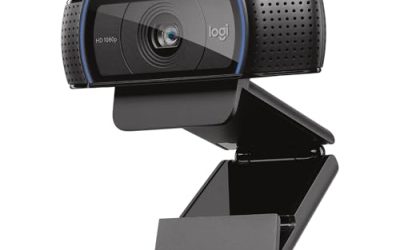
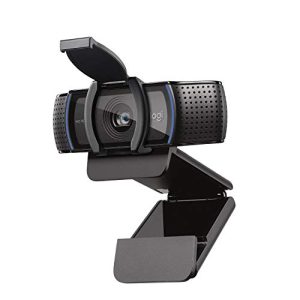
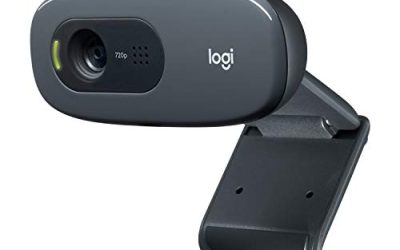
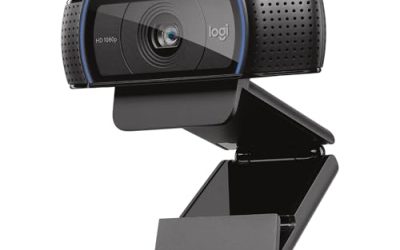
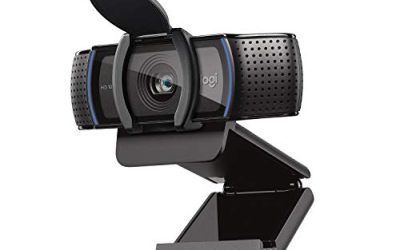
No webcam has been the safe recommendation for as long as the C920 line, and the C920s is the version still on sale, adding a physical privacy shutter to the formula that made the original famous. It records plain Full HD, focuses reliably, and corrects for poor room light without drama. Streamers starting out, teachers, and office workers keep choosing it because it behaves the same on almost any computer. It will not flatter a dark room or satisfy a pixel-counter, but as the baseline every other webcam is judged against, nothing else has held the position this long.
Specs
- Video: Full HD 1080p at 30 fps, 720p at 30 fps
- Field of view: 78 degrees, fixed
- Focus: autofocus, five-element glass lens
- Light correction: RightLight 2
- Microphones: dual stereo mics
- Privacy: attachable privacy shutter included
- Connection: USB-A, 5 ft attached cable
- Mounting: monitor clip with tripod thread
Best for: Anyone who wants the most proven 1080p webcam ever sold and zero setup surprises.
Watch out for: No 60 fps mode and no USB-C; the design is a decade old, so check the listing is the C920s with the shutter, not an older C920 bundle.
ASIN: B07K95WFWM
Logitech Brio
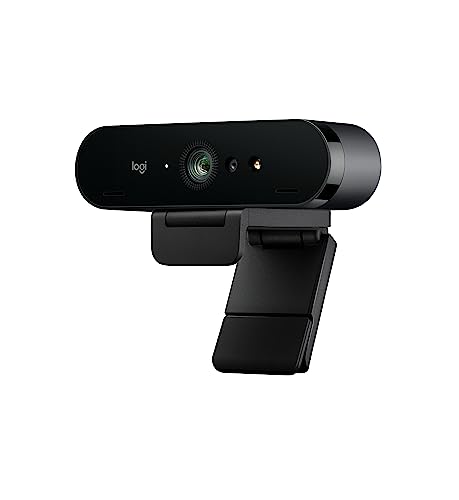
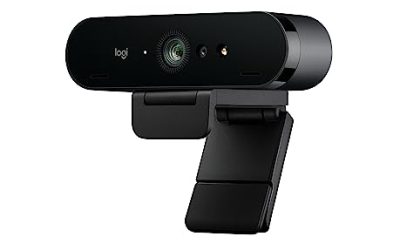
The Brio was the webcam that dragged the category into 4K years before rivals followed, and it paired that jump with HDR light handling and an infrared sensor for Windows Hello face login. Its field of view adjusts between three angles, so the same camera covers a tight headshot and a wider two-person frame. For a buyer who wants the detail headroom to crop a 4K image down to a clean 1080p feed, it remains a rational pick rather than a nostalgia act, and its long production run means accessories and support are easy to find.
Specs
- Video: 4K at 30 fps, 1080p at 60 fps, 720p at 90 fps
- Light correction: RightLight 3 with HDR
- Field of view: 65, 78, or 90 degrees
- Zoom: 5x digital zoom
- Microphones: dual noise-canceling mics
- Security: infrared sensor for Windows Hello, privacy shutter
- Connection: USB-C
Best for: Professionals who want 4K cropping headroom plus face-recognition login in one camera.
Watch out for: The newest features live in Logitech’s software, and this model has been sold for years, so confirm the listing shows a new unit from a current seller before ordering.
ASIN: B01N5UOYC4
OBSBOT Tiny 2

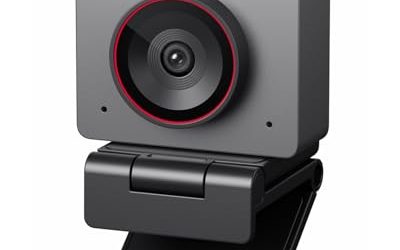
Every camera above sits still and waits for you to stay in frame; the Tiny 2 ended that arrangement. Its motorized two-axis gimbal pans and tilts to track your movement, responds to voice commands and hand gestures, and keeps auto-framing while you pace, teach, or demonstrate a product on a bench. The sensor is unusually large for a webcam, which helps the 4K image hold up as the camera moves. It is the defining example of the AI tracking era, and for presenters who teach from a whiteboard, nothing fixed can do the same job.
Specs
- Video: 4K, up to 60 fps at lower resolutions
- Sensor: 1/1.5-inch CMOS
- Movement: 2-axis PTZ gimbal with AI tracking and auto-framing
- Controls: voice control and gesture control
- Light correction: HDR
- Microphones: dual omnidirectional mics
- Connection: USB-C
Best for: Teachers, coaches, and presenters who stand, move, and gesture instead of sitting still.
Watch out for: Tracking depends on the OBSBOT software for its full mode set, and the moving gimbal draws more attention on a desk than a fixed camera; confirm the listing is the Tiny 2, not the cheaper Tiny 2 Lite.
ASIN: B0C3B6ZR1V
Razer Kiyo Pro Ultra

Razer built this camera around a single argument: sensor size beats everything. Its 1/1.2-inch Sony STARVIS 2 sensor was billed as the largest ever fitted to a webcam, paired with a fast f/1.7 lens, so it gathers far more light than typical rivals and produces natural background blur without software tricks. The trade-offs are size and seriousness — it is a bulky cylinder that belongs on a monitor or tripod, not clipped to a thin laptop lid. Creators who record in moody, lamp-lit rooms will understand the appeal immediately.
Specs
- Video: 4K at 30 fps, uncompressed 4K at 24 fps, 1080p at 60 fps
- Sensor: 1/1.2-inch Sony STARVIS 2, 2.9 μm pixel size
- Lens: f/1.7 aperture
- Focus: face-tracking autofocus with auto exposure
- HDR: supported at 30 fps
- Microphone: built-in mic
- Privacy: built-in shutter and lens cover
- Connection: USB 3.0
Best for: Streamers and creators who film in low light and want background blur from the lens itself.
Watch out for: Advanced settings run through Razer Synapse on Windows, with only basic plug-and-play capture on macOS, so Mac users should read the listing’s compatibility notes closely.
ASIN: B0CT6FFK4R
Logitech MX Brio

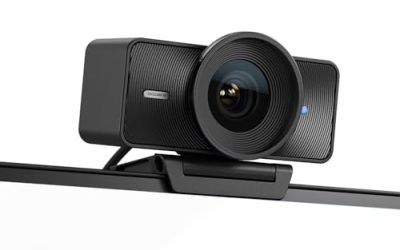
The MX Brio is what the Brio idea grew into: a flagship that pairs 4K capture with a larger, more light-sensitive sensor and software that uses AI to keep exposure and color steady as your room changes through the day. Its Show Mode tilts the view down to share sketches or documents on your desk, a small feature presenters end up using constantly. Dual noise-reducing microphones handle meeting audio respectably on their own. For buyers who want the current Logitech flagship rather than a piece of history, this is the polished, complete version of the formula.
Specs
- Video: Ultra HD 4K at 30 fps, 1080p at 60 fps
- Sensor: 8.5 MP Sony STARVIS
- Image: AI-enhanced image quality with auto light correction
- Feature: Show Mode for sharing desk work
- Microphones: dual noise-reducing mics
- Privacy: built-in privacy shutter
- Connection: USB-C
Best for: Professionals who want one flagship webcam for meetings, streaming, and desk demos.
Watch out for: The 4K mode tops out at thirty frames per second, and several image controls live in Logi Tune, so check the listing’s software requirements if your work computer restricts installs.
ASIN: B0BFJ4CRKD
Which One Fits Your Situation
You present or teach while standing up
Choose the OBSBOT Tiny 2. A fixed camera forces you to perform inside a rectangle, while the Tiny 2 follows you to a whiteboard, a workbench, or across a classroom and reframes on its own. Voice and gesture control mean you can start tracking or zoom without walking back to the keyboard mid-lesson.
Your room is dim and you record more than you call
Choose the Razer Kiyo Pro Ultra. Recorded video keeps every flaw that a compressed meeting feed hides, and its oversized sensor with an f/1.7 lens is built exactly for lamp-lit rooms. The natural background blur also separates you from a cluttered backdrop without green screens or software.
You want one camera for meetings and streaming
Choose the Logitech MX Brio if you present documents or products, thanks to Show Mode and steady AI exposure. Choose the Logitech Brio instead when face-recognition login and a wider choice of frame rates matter more to your routine. Both cover calls and streams well; the difference is which extras match your week.
You just need to look clear and stop researching
Choose the Logitech C920s HD Pro. It is the camera this category keeps circling back to: honest 1080p, microphones that handle a normal room, and a shutter for peace of mind. If your calls are standard meetings and classes, the money saved over a flagship buys lighting, which improves your picture more anyway.
Common Mistakes
- Assuming the most famous old models are still sold new, then landing on a used or third-party listing for a discontinued camera at a silly price.
- Buying a 4K webcam for smoother motion, when the listing only offers sixty frames per second at 1080p and thirty at 4K.
- Judging webcams by resolution alone while ignoring sensor size, which decides how the picture survives ordinary room lighting.
- Forgetting that calling apps compress your video, so an honest 1080p camera often looks identical to 4K on an actual call.
- Mixing up near-identical model names, such as the Tiny 2 and Tiny 2 Lite or the C920 and C920s, and ordering the wrong one.
Frequently Asked Questions
Why are discontinued webcams not on this list?
A best-ever list that points at products you cannot buy helps nobody. Several famous models have quietly left production or survive only through used listings with unreliable condition, so this guide limits itself to landmark cameras still sold new on Amazon. The picks above earned their reputations in earlier eras and remain orderable today, which keeps the list honest and useful.
Is the Logitech C920s still worth buying?
For standard meetings, classes, and starter streams, yes. Its 1080p picture, autofocus, and stereo microphones cover what calling apps actually transmit, and the privacy shutter fixes the one complaint people had about the original design. Buy something newer only when you specifically need 4K detail, sixty frames per second, tracking, or better low-light performance for recorded video.
Does a bigger sensor really change webcam quality?
It is the single hardware change viewers notice most in real rooms. A larger sensor collects more light per pixel, so faces stay cleaner and colors hold together when you rely on a desk lamp instead of studio lighting. That is why the Kiyo Pro Ultra built its whole design around sensor size, and why newer flagships advertise their sensors ahead of resolution.
Should I pick a tracking camera or a fixed one?
Pick tracking only if you genuinely move: teaching at a board, demonstrating products, coaching workouts. If you sit at a desk, a fixed camera is simpler, quieter, and never hunts for your face during a call. The Tiny 2 solves a real problem for presenters, but for seated work its gimbal is capability you will rarely switch on.
FAQ
Why are discontinued webcams not on this list?
Is the Logitech C920s still worth buying?
Does a bigger sensor really change webcam quality?
Should I pick a tracking camera or a fixed one?
More from Amazon
Programs that pair well with the guide above. Offers and eligibility are set by Amazon and may change.
Free shipping on eligible items, Prime Video and more. Eligible new members can start with a free trial.
Start a Prime free trialAd-free music streaming. Eligible new subscribers can start with a free trial.
Try Music Unlimited freeA Prime membership for ages 18-24 with a trial period. Eligibility is set by Amazon.
See Prime for Young AdultsAudiobooks and podcasts to listen to on the go. Eligible new members can start with a free trial.
Try Audible freeAs an Amazon Associate we earn from qualifying purchases.