Our Top Picks
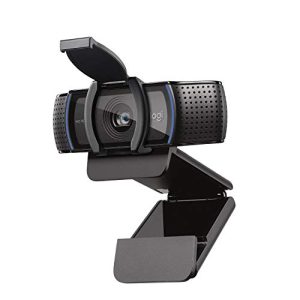
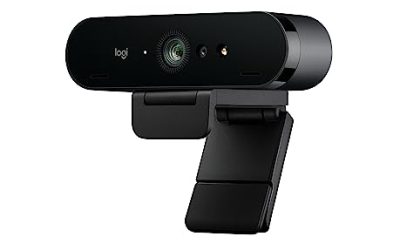
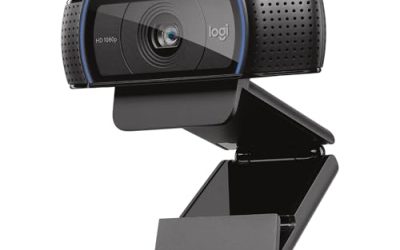
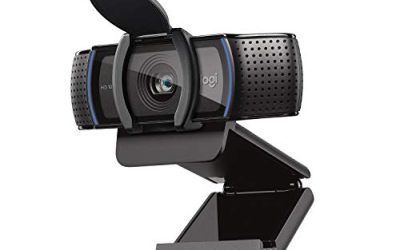
 Logitech C920x HD Pro PC Webcam with Microphone1 Pack2.8 x 1.7 x 3.7 inches0.4 poundsCheck on Amazon

For many older adults, a webcam is not studio equipment. It is the way to see grandchildren at the weekend, join a family gathering from the living room, or speak with a doctor without leaving home. The choice is therefore less about the newest camera and more about finding one that switches on, stays in focus, and lets the person on the other end hear every word. A camera that needs drivers or menus can turn a simple call into a frustrating afternoon.
This guide looks at webcams through that lens. It suits older adults who want clear calls with family, people setting up a computer for a parent, and anyone who prefers one cable and one clip to a box of accessories. The three picks below come from Amazon titles and specifications. The Logitech C920x HD Pro leads on steady autofocus and light correction, the Logitech Brio 101 adds a sliding privacy shutter, and the Anker PowerConf C200 brings sharper 2K video for dim rooms.
Quick Picks
As an Amazon Associate we earn from qualifying purchases
| Product | Best for | Key spec from title |
|---|---|---|
| Logitech C920x HD Pro | Everyday family video calls | Full HD 1080p at 30fps with HD light correction |
| Logitech Brio 101 | Simple setup with a privacy shutter | Full HD 1080p webcam with built-in mic and shutter |
| Anker PowerConf C200 | Sharper video in dim rooms | 2K webcam with low-light correction and AI-noise canceling mics |
How to Choose
Look for plug-and-play setup first
A webcam for an older adult should work the moment it is plugged in, without a download, an account, or a settings screen to navigate. USB-A connections are familiar on most desktop computers and older laptops, while USB-C suits newer machines, so check the port on the computer before choosing. A camera that the computer recognises on its own removes the most common point of failure, and it means a family member can help by telephone instead of travelling over. A firm clip that sits on a monitor or laptop lid keeps the camera steady and the picture level. If setup asks for extra software to change basic settings, treat that as a warning sign rather than a bonus.
Choose clear video in ordinary rooms
Most family calls happen in a living room or kitchen, not in a bright studio, so the camera needs to cope with lamps, windows, and evening light. Full HD 1080p video at 30 frames per second gives a clear, natural picture for grandchildren and friends, and it is enough for reading facial expressions without any fiddling. Automatic light correction helps when a window sits behind the caller or the room darkens in the afternoon, and autofocus keeps the picture sharp when someone leans forward or sits back. A wider field of view helps when two people share one screen, while a narrower view suits a single caller. Judge resolution and light handling, because resolution alone cannot rescue a dark image.
Make sure the microphone is built in
A separate microphone is one more cable, one more setting, and one more thing that can be muted by accident. A webcam with a built-in microphone keeps the whole call in one device, so the caller only needs to check one place for sound. Dual microphones and noise reduction help in a real home, where a television, a kettle, or traffic outside can compete with a quiet voice. The microphone should sit close enough to pick up normal speech without the caller leaning toward the screen or raising their voice. Before settling on a model, confirm that the calling app the family uses recognises the webcam microphone as its audio source, because that single check avoids most sound problems later.
Pick a privacy shutter you can see and move
Many older adults feel more comfortable when they can tell at a glance whether the camera is covered. A physical privacy shutter, a small sliding cover over the lens, gives that reassurance without any menu or button to remember. It slides shut after a call and open before the next one, with no doubt about whether it worked. A built-in cover also protects the lens from dust between calls. Models without a shutter need a separate cover or a habit of unplugging the camera, both easy to forget. A visible, manual shutter is therefore worth more than a software control for everyday use.
The 3 Best Options
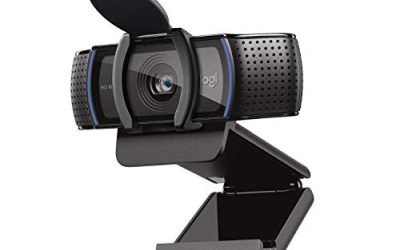
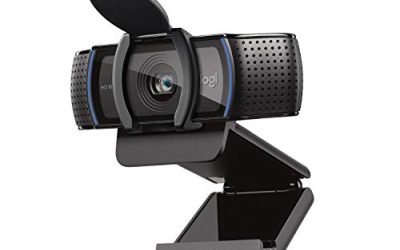
Logitech C920x HD Pro
The Logitech C920x HD Pro is the steady, familiar choice for an older adult who wants video calls to simply work. Its autofocus follows small movements without hunting for focus, and its light correction lifts a dim living room picture so family members can see a face clearly rather than a shadow. The clip fits a monitor or laptop lid, the single cable plugs into a standard USB port, and the camera works with the calling apps most families already use, including Microsoft Teams, Google Meet, and Zoom. Stereo sound from its dual microphones means no separate headset to arrange before each call.
Specs
- Full HD 1080p video at 30fps
- HD light correction
- Autofocus with a five-element glass lens
- Stereo audio with dual microphones
- Works with Microsoft Teams, Google Meet, and Zoom
- Compatible with Mac and tablet devices
Best for: Older adults who want reliable, clear video calls with family every week.
Watch out for: The fixed cable length may feel short on a large desk, so check where the computer sits before mounting the camera.
ASIN: B085TFF7M1
Logitech Brio 101
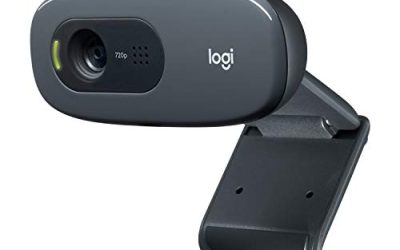
The Logitech Brio 101 is the simplest camera in this guide, and that is exactly its strength. It is small and light, it clips onto a laptop or monitor in seconds, and its USB-A connection suits the desktop computers and laptops many older adults already own. Full HD 1080p video keeps faces clear, automatic light correction helps in rooms that are bright in the morning and dim by evening, and the built-in microphone means no extra audio device is needed. Its sliding privacy shutter sets it apart for cautious callers: one slide covers the lens after a call, and another opens it again.
Specs
- Full HD 1080p resolution
- Video at 1080p at 30fps and 720p at 30fps
- Built-in microphone
- Integrated privacy shutter
- USB-A connectivity
- Works with Zoom, Microsoft Teams, and Google Meet
- Compatible with Windows 7 and up, macOS 10.10 and up, and Chrome OS
- Item model number 960-001589
Best for: A first webcam for an older adult who wants a small camera, a visible privacy shutter, and a short setup.
Watch out for: It uses fixed focus rather than autofocus, so sitting at a steady distance from the screen gives the clearest picture.
ASIN: B0BXGFFSL1
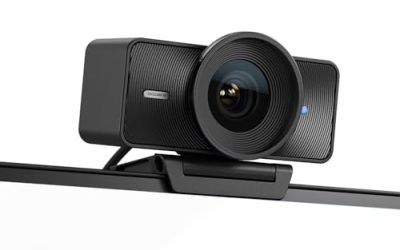
Anker PowerConf C200

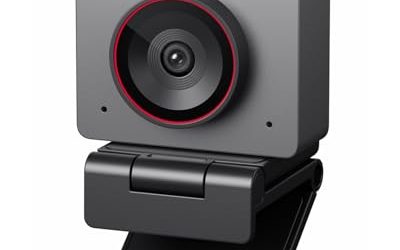
The Anker PowerConf C200 suits an older adult whose calls often happen in a dim room, or whose grandchildren like to crowd onto one sofa for a group call. Its 2K video gives a sharper picture than the two 1080p models here, and its low-light correction is aimed at the evening lighting that makes other cameras look grainy. The adjustable field of view can widen to include a second person beside the caller or narrow to a single face, and the AI-noise canceling microphones help a quiet voice stand out over household sounds. A built-in privacy cover slides across the lens when the call ends.
Specs
- 2K webcam with video up to 2560 x 1440 at 30fps
- Low-light correction
- AI-noise canceling microphones
- Stereo microphones
- Adjustable field of view at 65, 78, and 95 degrees
- Built-in privacy cover
- Autofocus
- Item model number A3369
Best for: Older adults who call in dim rooms or share the screen with a partner during family calls.
Watch out for: The adjustable field of view and companion software add choices that some callers will never need, so set the view once and leave it alone.
ASIN: B09MFMTMPD
Which One Fits Your Situation
You want the easiest weekly call with family
Choose the Logitech C920x HD Pro. Its autofocus and light correction handle the small changes that happen during a real call, such as leaning in to hear a grandchild or sitting back in an armchair, without any adjustment from the caller. The familiar clip, the single cable, and the built-in dual microphones keep the routine to three steps: clip, plug in, and join. For a caller who rings the same family group every week, that consistency matters most.
You are buying a first webcam for a parent
Choose the Logitech Brio 101. Its small size and light weight make it easy to post or carry to a parent’s home, and its USB-A plug fits the computers most parents already have. The sliding privacy shutter gives a clear, physical answer to the question of whether the camera is on, which helps a nervous first-time caller relax. Full HD video and a built-in microphone cover everything a family call needs, with nothing extra to learn.
Your living room is often dim in the evening
Choose the Anker PowerConf C200. Its 2K video and low-light correction are built for rooms lit by a single lamp, where a standard camera can turn faces dark and grainy. The noise-canceling microphones also help when the television is on in the next room or when the caller speaks softly. Set the field of view once for the usual seating position, and the camera will handle most evening calls without further attention.
Two people usually share one screen
Choose the Anker PowerConf C200 as well, for its adjustable field of view. A couple calling children together can widen the view so both faces stay in frame, rather than squeezing onto one chair or taking turns leaning into shot. The sharper 2K picture helps at that wider angle, because each face still has enough detail to read clearly. Keep the camera at eye level and the wider view will feel natural to everyone on the call.
Common Mistakes
- Choosing a camera that needs extra software or a driver download before the first call, when a plug-and-play model would have worked at once.
- Sitting with a bright window behind the caller, which turns a face into a silhouette even on a good camera.
- Placing the webcam below eye level, so the picture looks up at the caller instead of meeting family members face to face.
- Forgetting to check that the calling app is using the webcam microphone, then wondering why nobody can hear the caller.
- Leaving the lens uncovered or the camera unplugged between calls, instead of using the built-in privacy shutter or cover.
Frequently Asked Questions
Do older adults need a 4K webcam for family video calls?
No, a 4K camera is not needed for ordinary family calls. Full HD 1080p video shows faces clearly, and 2K video adds a little extra sharpness for dim rooms or wider shots. What matters more is steady focus, good light handling, and a microphone that picks up normal speech. A simple 1080p or 2K camera with plug-and-play setup will serve most older adults better than a complex camera.
Is a built-in microphone enough for video calls?
Yes, for most family calls a built-in microphone is enough. Dual microphones with noise reduction can pick up a normal speaking voice from a comfortable distance and soften background sounds from the home. Sit at a normal distance, speak as usual, and check that the calling app has selected the webcam as its microphone. A separate microphone only helps for long group calls or a very large, echoing room.
How does a privacy shutter help an older adult?
A privacy shutter is a small sliding cover over the lens that the caller moves by hand. It shows at a glance whether the camera is covered, without opening a menu or remembering a setting. Sliding it shut after a call gives clear reassurance that nobody can see into the room, and opening it before the next call is a single, visible step. That simplicity helps uneasy callers.
Can one webcam work for both a desktop computer and a laptop?
Yes, most plug-and-play webcams work on both, as long as the plug matches the port. A USB-A webcam fits most desktop computers and older laptops, while a USB-C model suits newer laptops. The clip mounts on either a monitor or a laptop lid, and the same calling apps run on both kinds of computer. Check the port type and operating system on the product page before buying.
FAQ
Do older adults need a 4K webcam for family video calls?
Is a built-in microphone enough for video calls?
How does a privacy shutter help an older adult?
Can one webcam work for both a desktop computer and a laptop?
More from Amazon
Programs that pair well with the guide above. Offers and eligibility are set by Amazon and may change.
Free shipping on eligible items, Prime Video and more. Eligible new members can start with a free trial.
Start a Prime free trialAd-free music streaming. Eligible new subscribers can start with a free trial.
Try Music Unlimited freeA Prime membership for ages 18-24 with a trial period. Eligibility is set by Amazon.
See Prime for Young AdultsAudiobooks and podcasts to listen to on the go. Eligible new members can start with a free trial.
Try Audible freeAs an Amazon Associate we earn from qualifying purchases.