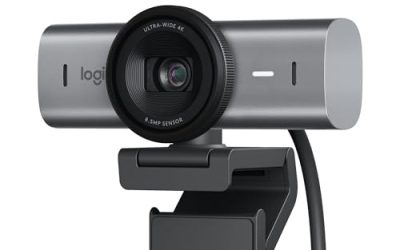
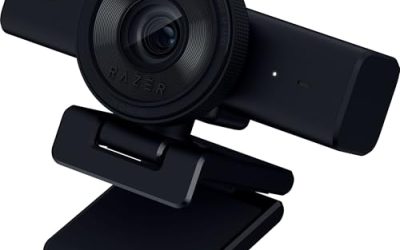
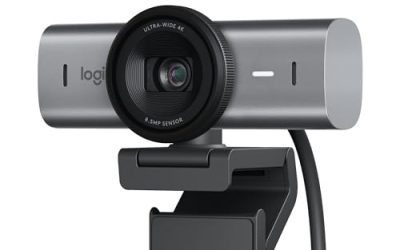
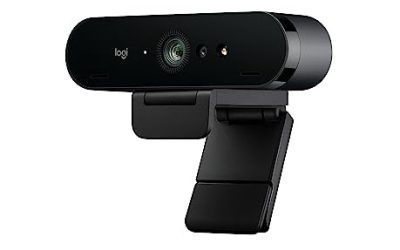
Our Short List of 3

- Best for: A streamer starting a regular live schedule who wants reliable 1080p video with minimal setup.
- Full HD 1080p video at 30 frames per second
- Dual stereo microphones
- HD autofocus with a five-element glass lens
- Automatic light correction

- Best for: Game streamers who want a 60-frame option for motion without moving to a more complex camera setup.
- Full HD 1080p video at 30 frames per second or 720p at 60 frames per second
- HD light correction
- Autofocus
- Stereo audio with dual microphones

- Best for: A dedicated streamer who wants smooth uncompressed 1080p60 video and is happy to adjust image settings.
- True Full HD 1080p video at 60 frames per second, uncompressed
- Sony sensor
- Advanced light correction
- DSLR-style control through companion software
All 5 Picks at a Glance
| Product | Specs | Action |
|---|---|---|
| Logitech C920s Pro HD Webcam |
| Check price on Amazon |
| Logitech C922x Pro Stream Webcam |
| Check price on Amazon |
| Elgato Facecam |
| Check price on Amazon |
 Elgato Facecam MK.2 |
| Check price on Amazon |
 Razer Kiyo Pro |
| Check price on Amazon |
Our Top Picks
A live stream leaves no room for a second take, so the webcam has to hold focus, cope with uneven light and keep motion smooth while you talk, play or present. The real decision is not whether a camera can record high definition video in a quiet room, but whether it can keep that picture steady for an hour or more in the light you actually have. A camera that looks sharp in a short clip and then hunts for focus or washes out under a desk lamp will distract viewers far more than a modest resolution ever could.
This guide is for Twitch and YouTube streamers, OBS users, and creators who go live from a desk setup. The five webcams below were chosen from the names and specifications stated on their Amazon listings, with attention to resolution, frame rate, focus, light handling, field of view and streaming-software compatibility. Every pick records in high definition, and the differences that matter are how each one handles movement, low light and framing.
Quick Picks
As an Amazon Associate we earn from qualifying purchases.
| Product | Best for | Key spec from title |
|---|---|---|
| Logitech C920s Pro HD Webcam | A first reliable camera for regular live streams | Full HD 1080p/30fps video calling |
| Logitech C922x Pro Stream Webcam | Smoother motion for gameplay and talking-head streams | Full HD 1080p/30fps or 720p/60fps video |
| Elgato Facecam | Clean 1080p60 video with detailed manual control | 1080p60 True Full HD webcam for live streaming |
| Elgato Facecam MK.2 | High-definition streaming with HDR and a privacy shutter | Premium Full HD webcam, HDR enabled, 1080p |
| Razer Kiyo Pro | Dim rooms where light changes during a stream | Full HD 1080p 60FPS, adaptive light sensor, HDR enabled |
How to Choose
Resolution and frame rate for live video
Resolution decides how much detail viewers can see, while frame rate decides how smooth movement looks. A 1080p picture at 30 frames per second suits a seated presenter, a tutorial or a calm conversation, because the camera and the subject move very little. Faster hand gestures, gameplay reactions or a presenter who moves around the frame look noticeably better at 60 frames per second, even at the same 1080p resolution. Before choosing, check the output your platform and your upload connection can sustain, because a 60-frame feed that stutters is worse than a steady 30-frame feed. Match the camera to the pace of your stream, not to the largest number on the box.
Light handling and sensor behaviour
Most streams happen in a spare room, a bedroom or a home office, where light comes from one window or a single lamp and changes through the day. A camera with automatic light correction adjusts exposure as that light shifts, while a larger, more sensitive sensor keeps the picture usable when the room gets darker. Look for a sensor name, light correction or HDR in the listing, and treat those features as more useful than a resolution increase for a dim setup. A camera that handles mixed light well keeps skin tones natural and avoids the noisy picture that appears when a small sensor is pushed too far.
Focus, field of view and framing
Autofocus keeps a presenter sharp when they lean in or move back to reach a keyboard, while a fixed-focus camera suits a presenter who stays in one place. Field of view decides how much of the room appears behind you: a narrower view near 78 degrees keeps the frame tight on one person, while a wider view near 90 degrees or more suits two presenters or a desk demonstration. Some cameras offer several field-of-view settings, which helps when the same camera serves a close solo stream and a wider group stream. Check whether the mount fits a monitor, a laptop lid or a tripod, because a camera that cannot sit at eye level will force an unflattering angle.
Streaming software, connection and audio
A webcam for live video needs to work with the software that runs the broadcast, so check OBS, Streamlabs, XSplit, Twitch or YouTube compatibility in the listing before buying. Most of the cameras here connect over USB and appear as a standard video source, which keeps setup simple, but 1080p60 uncompressed video needs a USB 3.0 connection to run without compression artefacts. Built-in stereo microphones are useful as a backup or for a simple setup, yet they pick up keyboard noise and room echo, so a separate microphone remains the better choice for a regular stream. Also confirm the operating system and the cable length, because a short cable limits where the camera can sit relative to the computer.
The 5 Best Options
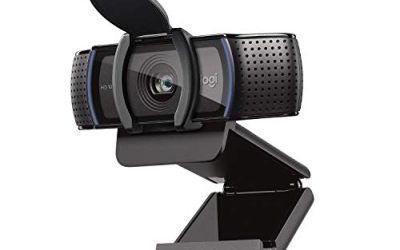
Logitech C920s Pro HD Webcam
- Best for: A streamer starting a regular live schedule who wants reliable 1080p video with minimal setup.
- Full HD 1080p video at 30 frames per second
- Dual stereo microphones
- HD autofocus with a five-element glass lens
- Automatic light correction
A streamer starting a regular live schedule who wants reliable 1080p video with minimal setup.
The 30-frame limit shows in fast hand movement, and the picture gets noisy in a very dim room.
The C920s is the straightforward starting point for a streamer who wants a dependable high-definition picture without learning camera software first. Its autofocus follows small movements, its light correction evens out a bright window or a dim corner, and its familiar clip mount sits on a monitor or laptop lid in seconds. The picture stays clean for talking-head streams, tutorials and community broadcasts, and the built-in privacy shutter covers the lens between streams. It is not the smoothest camera here for fast movement, but for a regular schedule built around conversation, it removes the most common reasons a stream looks unprofessional.
Watch out for: The 30-frame limit shows in fast hand movement, and the picture gets noisy in a very dim room.
Logitech C922x Pro Stream Webcam
- Best for: Game streamers who want a 60-frame option for motion without moving to a more complex camera setup.
- Full HD 1080p video at 30 frames per second or 720p at 60 frames per second
- HD light correction
- Autofocus
- Stereo audio with dual microphones
Game streamers who want a 60-frame option for motion without moving to a more complex camera setup.
The smoother 60-frame mode is only available at 720p, so you trade resolution for motion.
The C922x builds on the same familiar Logitech formula and adds the frame-rate choice that matters most to streamers. It records 1080p at 30 frames per second for a standard talking-head broadcast, or drops to 720p at 60 frames per second when smoother motion matters more than fine detail. That second mode suits gameplay reactions, unboxings and any stream where hands move quickly across the frame. Autofocus, light correction and stereo audio carry over, and the included tripod gives an alternative to clipping the camera to a monitor. For a creator who streams games and talks to chat in the same session, the flexibility is the point.
Watch out for: The smoother 60-frame mode is only available at 720p, so you trade resolution for motion.
Elgato Facecam
- Best for: A dedicated streamer who wants smooth uncompressed 1080p60 video and is happy to adjust image settings.
- True Full HD 1080p video at 60 frames per second, uncompressed
- Sony sensor
- Advanced light correction
- DSLR-style control through companion software
A dedicated streamer who wants smooth uncompressed 1080p60 video and is happy to adjust image settings.
There is no built-in microphone, and the fixed focus is less forgiving if you move far from the camera.
The original Elgato Facecam is aimed squarely at live streaming, and its headline feature is uncompressed 1080p video at 60 frames per second. That combination keeps motion smooth and detail intact, which matters when the camera feed sits beside fast gameplay or a moving presenter. A Sony sensor and advanced light correction handle indoor lighting, while the companion software gives DSLR-style control over exposure, white balance and other image settings. The fixed-focus lens suits a presenter who stays at a consistent distance from the desk, and the camera works with OBS, Zoom and Teams. It has no built-in microphone, so plan for a separate microphone from the start.
Watch out for: There is no built-in microphone, and the fixed focus is less forgiving if you move far from the camera.
Elgato Facecam MK.2
- Best for: A regular streamer who broadcasts in changing daylight and wants HDR, a privacy shutter and smooth 1080p60 video.
- Uncompressed 1080p video at 60 frames per second, HDR enabled
- Sony sensor
- PTZ control
- Built-in privacy shutter
A regular streamer who broadcasts in changing daylight and wants HDR, a privacy shutter and smooth 1080p60 video.
The camera needs a USB 3.0 connection for uncompressed 1080p60, and it has no built-in microphone.
The Facecam MK.2 keeps the original camera’s streaming focus and adds the two features streamers most often ask for next: HDR and a built-in privacy shutter. HDR widens the range between bright and dark areas in the frame, which helps when a window sits behind the presenter or a lamp creates a hot spot on one side of the face. It still delivers uncompressed 1080p video at 60 frames per second, with a Sony sensor, PTZ control for digital framing, and onboard memory for settings. For a creator who streams from the same desk in changing daylight, the newer model is the more complete package.
Watch out for: The camera needs a USB 3.0 connection for uncompressed 1080p60, and it has no built-in microphone.
Razer Kiyo Pro
- Best for: A streamer in a dim or unevenly lit room who needs strong low-light handling and smooth 1080p60 video.
- Uncompressed Full HD 1080p video at 60 frames per second
- HDR enabled at 30 frames per second
- Sony STARVIS CMOS sensor with adaptive light sensing
- Wide-angle glass lens with adjustable field of view: 103, 90 and 80 degrees
A streamer in a dim or unevenly lit room who needs strong low-light handling and smooth 1080p60 video.
HDR drops the frame rate to 30, and the camera has no built-in ring light despite the similar name of the earlier Razer Kiyo.
The Razer Kiyo Pro is the pick for a room where the light is the problem, not the resolution. Its Sony STARVIS sensor and adaptive light sensing adjust to dim, uneven or changing light, so a stream that starts in daylight and continues after dark keeps a usable picture for longer. It records uncompressed Full HD 1080p video at 60 frames per second, with HDR available at 30 frames per second. The wide-angle glass lens offers three field-of-view settings, so the same camera frames a tight solo shot or a wider view of a desk setup.
Watch out for: HDR drops the frame rate to 30, and the camera has no built-in ring light despite the similar name of the earlier Razer Kiyo.
Which One Fits Your Situation
You are starting a regular stream on a simple setup
Choose the Logitech C920s Pro HD Webcam. Its autofocus, light correction and clip mount need almost no adjustment, and 1080p at 30 frames per second is enough for talking, teaching or community streams. The privacy shutter is a practical bonus between broadcasts, and the dual microphones cover a simple setup until a separate microphone is added.
You stream games and react on camera
Choose the Logitech C922x Pro Stream Webcam or the Elgato Facecam, depending on how much control you want. The C922x gives a 720p60 mode for smoother reactions at a simpler level, while the Facecam keeps full 1080p at 60 frames per second for a sharper feed beside gameplay. Both work with the main streaming software, and both suit a presenter who moves and gestures during a broadcast.
You stream from a room with changing daylight
Choose the Elgato Facecam MK.2. HDR handles the bright window and the shaded side of the face in the same frame, and the uncompressed 1080p60 feed stays smooth through a long session. The privacy shutter and onboard settings memory also suit a camera that stays mounted on the same monitor day after day.
You stream late at night or in a dim room
Choose the Razer Kiyo Pro. Its Sony STARVIS sensor and adaptive light sensing are built for low light, and the adjustable field of view helps frame a solo presenter or a wider desk without moving the camera. Keep HDR off when motion matters, because it limits the feed to 30 frames per second, and use a USB 3.0 port for the uncompressed 1080p60 picture.
Common Mistakes
- Choosing a camera by resolution alone, then discovering that 30 frames per second makes fast movement look choppy on a live feed.
- Placing the camera below eye level or on a wobbly surface, which creates an unflattering angle and a picture that shakes whenever the desk moves.
- Streaming with the only light source behind the presenter, so the face falls into shadow while the window or lamp behind stays bright.
- Relying on built-in microphones for a regular stream, when keyboard noise and room echo reach viewers more clearly than the voice.
- Plugging a 1080p60 uncompressed camera into a USB 2.0 port, then blaming the camera when the feed drops frames or falls back to a lower mode.
Frequently Asked Questions
Is 1080p enough for HD live video streaming?
Yes, 1080p is the standard definition of high definition for live video, and it suits Twitch, YouTube and OBS broadcasts. A steady 1080p feed with good light and a stable frame rate looks better to viewers than a higher-resolution feed that stutters or drops frames. Move to 4K only when the platform, the connection and the computer can all sustain it.
Should I choose 30 or 60 frames per second for a live stream?
Choose 30 frames per second for seated presenting, teaching or conversation, where movement is limited. Choose 60 frames per second for gameplay reactions, demonstrations or any stream with fast hand movement. The smoother mode needs more bandwidth and a capable connection, so check that the stream stays stable before committing to it.
Do I need a separate microphone for live streaming?
A separate microphone is strongly recommended for a regular stream, even though several cameras here include stereo microphones. Built-in microphones sit far from the mouth and pick up keyboard noise, fan noise and room echo. A dedicated microphone placed close to the speaker gives clearer voice audio and makes the whole broadcast easier to follow.
Can these webcams work with OBS?
Yes, the webcams in this guide are listed as working with OBS or with the main streaming platforms, including Twitch and YouTube. They connect over USB and appear as a video source in OBS, Streamlabs or XSplit. Add the camera as a video capture device, set the resolution and frame rate in the source settings, and confirm the picture before going live.
FAQ
Is 1080p enough for HD live video streaming?
Should I choose 30 or 60 frames per second for a live stream?
Do I need a separate microphone for live streaming?
Can these webcams work with OBS?
More from Amazon
Programs that pair well with the guide above. Offers and eligibility are set by Amazon and may change.
Free shipping on eligible items, Prime Video and more. Eligible new members can start with a free trial.
Start a Prime free trialAd-free music streaming. Eligible new subscribers can start with a free trial.
Try Music Unlimited freeA Prime membership for ages 18-24 with a trial period. Eligibility is set by Amazon.
See Prime for Young AdultsAudiobooks and podcasts to listen to on the go. Eligible new members can start with a free trial.
Try Audible freeAs an Amazon Associate we earn from qualifying purchases.