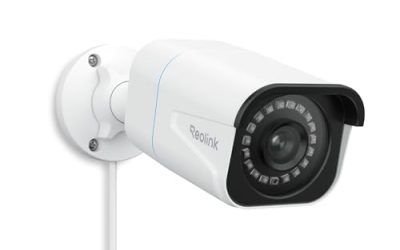
Our Short List of 3

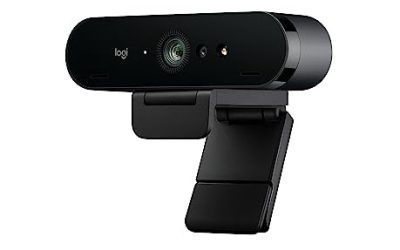
- Best for: clinicians and practices that want the sharpest video available from a single USB webcam.
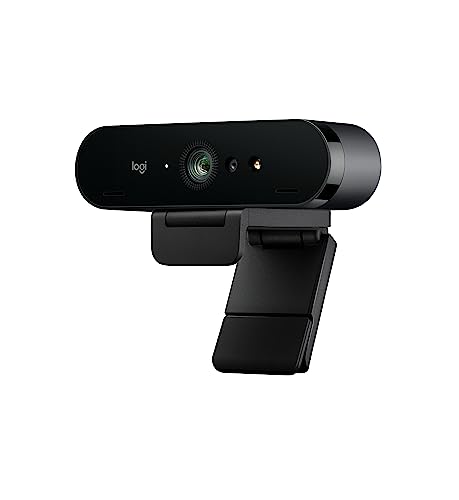
- Best for: practices that want 4K video plus Windows Hello sign-in on shared clinic computers.

- Best for: consultations in dim or unevenly lit rooms where low-light performance matters more than 4K resolution.
All 4 Picks at a Glance
| Product | Specs | Action |
|---|---|---|
| Logitech MX Brio — ASIN B0BFJ4CRKD |
| Check price on Amazon |
| Logitech Brio 4K — ASIN B01N5UOYC4 |
| Check price on Amazon |
| Razer Kiyo Pro — ASIN B08T1MWX6J |
| Check price on Amazon |
 Anker PowerConf C200 — ASIN B09MFMTMPD |
| Check price on Amazon |
Key takeaways
- Find the best webcams for telemedicine with sharp 4K and 2K video, autofocus, low-light correction, and clear, reliable microphones for virtual visits.
The best webcam for telemedicine is the Logitech MX Brio, which delivers 4K video at 30 frames per second, autofocus, and dual noise-reducing microphones in a single USB-C device. A strong telemedicine webcam needs sharp resolution so a clinician can see skin tone and small details, reliable autofocus so the image never drifts soft mid-consultation, and a clear microphone so every word is understood. The four webcams below meet those requirements with published specifications from their manufacturers and their Amazon listings.
Our top pick: Logitech MX Brio. Runner-up: Logitech Brio 4K. This guide compares published specifications only: every resolution, frame rate, field of view, and microphone detail comes from the manufacturer listing or the Amazon product page, not from personal use.
At a Glance
| Product | Best for | Key specification |
|---|---|---|
| Logitech MX Brio | Sharpest overall telemedicine video | 4K at 30 fps, 8.5MP Sony STARVIS sensor, autofocus |
| Logitech Brio 4K | 4K video with Windows Hello sign-in | 4K at 30 fps, RightLight 3, 5x digital zoom |
| Razer Kiyo Pro | Dim rooms and low-light consultations | 1080p at 60 fps, adaptive light sensor, HDR |
| Anker PowerConf C200 | Clear audio with AI noise canceling | 2K at 30 fps, AI noise-canceling stereo mics |
How to Choose
1. Resolution and frame rate
Resolution decides how much detail a clinician can see on screen. A 4K webcam captures four times the pixels of a 1080p webcam, which helps when a patient holds up a rash, a wound dressing, or a medication label. Frame rate decides how smooth motion looks. Thirty frames per second is enough for a seated conversation, while 60 frames per second keeps hand movements and demonstrations smoother. For telemedicine, prioritize resolution first, because most consultations are seated conversations where a sharp still image matters more than fast motion.
2. Autofocus
Autofocus keeps the face sharp when a patient leans toward the camera to show a symptom and then leans back. A fixed-focus webcam can turn soft at close range, which defeats the purpose of a video visit. All four webcams in this guide list autofocus in their published specifications. Check that the autofocus is continuous rather than a single fixed point, so the image stays sharp through the whole consultation.
3. Low-light correction
Exam rooms and home offices rarely have studio lighting. A webcam with a large sensor and low-light correction keeps the image usable when the only light comes from a window or a single ceiling lamp. The Razer Kiyo Pro uses a Sony STARVIS sensor built for low light, and the Logitech models use automatic light correction that adjusts exposure and contrast. If the consultation room has uneven lighting, low-light performance matters as much as resolution.
4. Microphone quality
Clear audio matters as much as clear video in telemedicine, because a misunderstood symptom or dosage instruction has real consequences. Dual microphones with noise reduction pick up the speaker’s voice while reducing keyboard clicks, fans, and room echo. The Anker PowerConf C200 lists AI noise-canceling stereo microphones, and both Logitech models list dual microphones with noise reduction. A headset can replace a webcam microphone, but a good built-in microphone keeps the setup simple for patients who are not comfortable with extra equipment.
5. Field of view
Field of view decides how much of the room the camera shows. A narrow field of view around 65 degrees frames one person tightly, which suits a one-to-one consultation. A wide field of view around 90 degrees or more shows a patient plus a family member or a caregiver sitting beside them. Adjustable field of view is the most flexible option, because the same webcam can frame a single patient or a small group. The Anker PowerConf C200 and the Razer Kiyo Pro both list adjustable field of view settings.
6. Privacy controls
A physical privacy shutter is a simple, visible way to block the camera between consultations. Patients notice it, and clinicians can confirm at a glance that the camera is covered. The Logitech MX Brio has a twist-ring privacy shutter, the Logitech Brio 4K has a detachable privacy shade, and the Anker PowerConf C200 has a built-in sliding privacy cover. A software mute button works too, but a physical cover leaves no doubt.
7. Connection and platform compatibility
A telemedicine webcam should connect with a standard USB cable and work with the video platforms clinics already use, such as Zoom, Microsoft Teams, and Google Meet. USB-C is the current standard on newer laptops, while USB-A remains common on desktop computers and older machines. All four webcams in this guide list compatibility with Windows and macOS and with the major video calling platforms. Confirm the cable type in the listing before ordering, so the webcam plugs straight into the computer that will run the consultation.
Our Picks
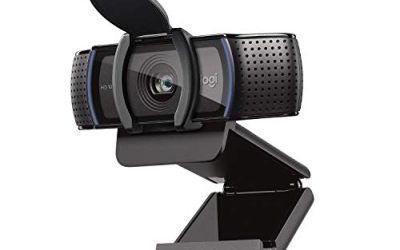
Logitech MX Brio — ASIN B0BFJ4CRKD
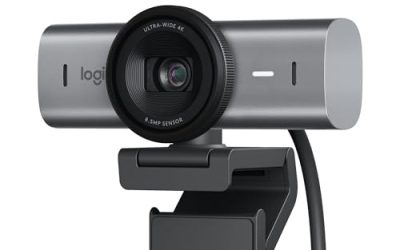
- Best for: clinicians and practices that want the sharpest video available from a single USB webcam.
clinicians and practices that want the sharpest video available from a single USB webcam.
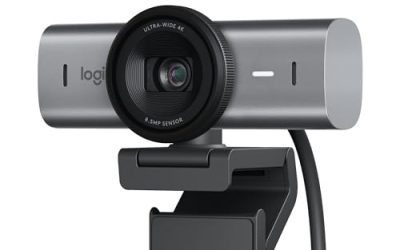
The Logitech MX Brio is a 4K webcam built around an 8.5MP Sony STARVIS sensor, capturing 4K video at 30 frames per second and 1080p video at 60 frames per second. Its autofocus keeps the subject sharp through the consultation, and its dual beamforming microphones use noise reduction to keep speech clear. The aluminum body carries a twist-ring privacy shutter, and the USB-C connection works with Windows, macOS, and ChromeOS. The listing also notes Show Mode, a tilt-down view for showing documents or objects on the desk, which suits a clinician demonstrating a device or a patient showing a prescription bottle.
Consideration: 4K video at 30 frames per second needs a stable connection and a computer that can handle the higher data rate, so confirm the consultation computer meets the published system requirements.
Logitech Brio 4K — ASIN B01N5UOYC4
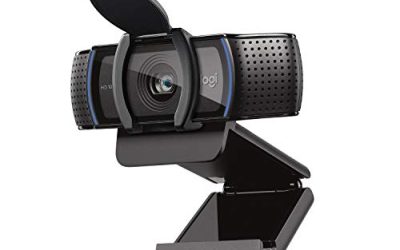
- Best for: practices that want 4K video plus Windows Hello sign-in on shared clinic computers.
practices that want 4K video plus Windows Hello sign-in on shared clinic computers.
The Logitech Brio 4K captures Ultra HD video at up to 4K at 30 frames per second and 1080p at 60 frames per second, with autofocus and 5x digital zoom. RightLight 3 automatic light correction adjusts exposure and contrast for glare and backlighting, which helps in rooms with a bright window behind the patient. Dual omnidirectional microphones with noise-canceling technology capture clear audio from up to 1.2 meters away. The webcam also supports Windows Hello facial recognition through its optical and infrared sensors, and it works with Microsoft Teams, Zoom, and Google Meet.
Consideration: the 5x digital zoom enlarges the image by cropping the sensor, so image quality at maximum zoom is lower than at the native framing.
Razer Kiyo Pro — ASIN B08T1MWX6J
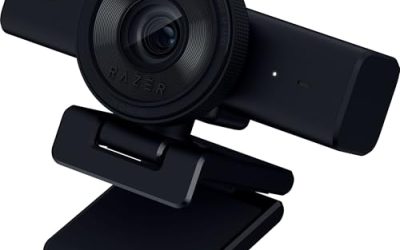
- Best for: consultations in dim or unevenly lit rooms where low-light performance matters more than 4K resolution.
consultations in dim or unevenly lit rooms where low-light performance matters more than 4K resolution.
The Razer Kiyo Pro is a Full HD webcam that captures uncompressed 1080p video at 60 frames per second through a USB 3.0 connection. Its high-performance adaptive light sensor adjusts to changing light so the image stays bright in dim rooms, and HDR mode at 30 frames per second widens the dynamic range for scenes with bright and dark areas at once. The wide-angle lens adjusts across three field-of-view settings, 103 degrees, 90 degrees, and 80 degrees, using Razer Synapse software. A built-in omnidirectional microphone captures voice for calls, and the webcam works with Zoom, Microsoft Teams, OBS, and XSplit.
Consideration: its maximum resolution is 1080p, so it cannot match the fine detail of the two 4K Logitech models when a clinician needs to inspect small skin details on screen.
Anker PowerConf C200 — ASIN B09MFMTMPD
- Best for: home-office telemedicine setups where clear voice pickup and a physical privacy cover matter most.
home-office telemedicine setups where clear voice pickup and a physical privacy cover matter most.
The Anker PowerConf C200 is a 2K webcam that captures video at 2560 by 1440 pixels at 30 frames per second from a 5MP sensor, with autofocus and low-light correction. Its AI noise-canceling stereo microphones reduce background noise during calls, and the field of view adjusts between 65, 78, and 95 degrees through the AnkerWork software. A built-in sliding privacy cover blocks the lens between consultations, and the USB-C cable connects to Windows, macOS, and ChromeOS computers. The compact body mounts on a monitor with a clip or on a tripod.
Consideration: its 2K resolution sits between 1080p and 4K, so it is sharper than a standard HD webcam but does not reach the detail level of the 4K models in this guide.
Which One Is Right for You?
Choose the Logitech MX Brio when video sharpness is the top priority and the consultation computer can handle 4K. Its larger sensor and 4K resolution give the clearest view of skin, eyes, and small details, and its dual microphones and privacy shutter cover the rest of the consultation workflow. Choose the Logitech Brio 4K when the practice also wants Windows Hello sign-in on shared computers, since its infrared sensors add secure facial login without extra hardware.
Choose the Razer Kiyo Pro when the consultation room is dim or the lighting changes through the day. Its adaptive light sensor and HDR mode keep the image usable where a 4K sensor without strong lighting would go dark or grainy. Choose the Anker PowerConf C200 when audio clarity and privacy are the deciding factors, or when the budget favors a 2K webcam with strong microphones over a 4K sensor. Its adjustable field of view also suits consultations where a caregiver joins the patient on camera.
Frequently Asked Questions
What resolution does a webcam need for telemedicine?
A 1080p webcam is the minimum for a usable video visit, because it keeps facial expressions and gestures clear. A 2K or 4K webcam adds visible detail for skin checks, wound checks, and reading small labels on camera. The right choice depends on whether the consultation involves close visual inspection or mostly conversation.
Is autofocus important for a telemedicine webcam?
Yes. Autofocus keeps the image sharp when a patient moves closer to show a symptom and then sits back. A fixed-focus webcam can blur at close range, which makes visual assessment harder. All four webcams in this guide list autofocus in their published specifications.
Do telemedicine webcams need a special microphone?
No special microphone is required, but a webcam with dual microphones and noise reduction makes a clear difference in understanding speech. The Anker PowerConf C200 lists AI noise-canceling stereo microphones, and both Logitech models list dual microphones with noise reduction. A separate headset remains an option when the room is noisy.
Can these webcams work with Zoom, Teams, and Google Meet?
Yes. All four webcams list compatibility with Zoom, Microsoft Teams, and Google Meet, and they connect as standard USB video devices. No special driver is needed for basic video calls on Windows or macOS, though the manufacturers list optional software for adjusting field of view, focus, and image settings.
Why does a telemedicine webcam need a privacy shutter?
A physical privacy shutter gives a visible, certain way to block the camera between consultations. Patients can see that the lens is covered, and clinicians can confirm it without checking software settings. Three of the four webcams in this guide include a built-in shutter or cover, and the fourth includes a detachable privacy shade.
Bottom Line
For most telemedicine setups, the Logitech MX Brio is the strongest single choice, with 4K video, autofocus, dual noise-reducing microphones, and a physical privacy shutter in one USB-C device. The Logitech Brio 4K is the runner-up for practices that also want Windows Hello sign-in, the Razer Kiyo Pro is the pick for dim rooms thanks to its adaptive light sensor, and the Anker PowerConf C200 is the pick for clear audio and a 2K image at a simpler setup. Match the webcam to the room and the workflow: sharpness for visual checks, low-light handling for dim rooms, and microphone quality for every conversation.
Disclosure: As an Amazon Associate, this site earns from qualifying purchases.
FAQ
Which One Is Right for You?
What resolution does a webcam need for telemedicine?
Is autofocus important for a telemedicine webcam?
Do telemedicine webcams need a special microphone?
Can these webcams work with Zoom, Teams, and Google Meet?
Why does a telemedicine webcam need a privacy shutter?
More from Amazon
Programs that pair well with the guide above. Offers and eligibility are set by Amazon and may change.
Free shipping on eligible items, Prime Video and more. Eligible new members can start with a free trial.
Start a Prime free trialAd-free music streaming. Eligible new subscribers can start with a free trial.
Try Music Unlimited freeA Prime membership for ages 18-24 with a trial period. Eligibility is set by Amazon.
See Prime for Young AdultsAudiobooks and podcasts to listen to on the go. Eligible new members can start with a free trial.
Try Audible freeAs an Amazon Associate we earn from qualifying purchases.