Our Short List of 3

- Keyboard: 104 keys, wired USB connection, rainbow backlight
- Mouse: optical sensor with 800, 1200, 1600, and 2000 DPI steps, 6 buttons
- Headset: stereo sound with a built-in microphone for voice chat
- Mouse pad: 12.5 x 9.4 inch surface included in the box

- Keyboard: 104 keys, membrane keys with a mechanical feel, 26 anti-ghosting keys, steel backplate
- Lighting: 4 dynamic and 7 static RGB modes, translucent topographic keycaps
- Mouse: optical sensor up to 7200 DPI, 1000 Hz polling rate, 400 IPS tracking speed, 7 buttons
- Wrist rest: soft faux-leather rest with memory foam included in the box

- Keyboard: 104 keys, brushed metal top panel, water-resistant features
- Lighting: 7 plus 1 backlight colors with multiple lighting modes
- Connection: 2.4 GHz wireless through one shared USB receiver, range up to 10 meters
- Battery: rechargeable 3200 mAh cell, USB-C charging, sleep mode for idle periods
All 5 Picks at a Glance
| Product | Specs | Action |
|---|---|---|
| BlueFinger RGB Gaming Keyboard and Mouse Combo with Headset and Pad |
| Check price on Amazon |
| RedThunder K10 Wired Gaming Keyboard and Mouse Combo with Wrist Rest (Pink) |
| Check price on Amazon |
| RisoPhy Wireless Gaming Keyboard and Mouse Combo |
| Check price on Amazon |
 CHONCHOW G220 Wireless Gaming Keyboard and Mouse Combo |
| Check price on Amazon |
 MageGee K1 RGB Gaming Keyboard and Mouse Combo (Purple) |
| Check price on Amazon |
Our Top Picks
A matched keyboard and mouse set is the simplest way to finish a gaming desk in one box. The two devices share a design language, the lighting matches without any effort, and the wireless sets in this group run both devices from a single receiver, which leaves a USB port free for a headset, a controller dongle, or a capture device. The five sets below cover the main directions this band takes: a wired four-piece set from BlueFinger that adds a headset and a pad, a wired RedThunder set built around a steel plate and a fast mouse, a wireless RisoPhy set with a metal top panel, a wireless CHONCHOW set with large rechargeable cells, and a wired MageGee set with a transparent base and floating keycaps.
The differences that matter are easy to name once you know where to look. Connectivity decides whether cables cross the desk. Switch design decides how each keypress feels and how much noise a late session makes. Layout decides how much room the mouse gets to move. The buying guide after the picks walks through each of those points in turn, and the FAQ answers the questions that come up most often when a first matched set is on the way to a new desk.
Disclosure: As an Amazon Associate, we earn from qualifying purchases made through links on this page, at no extra cost to you.
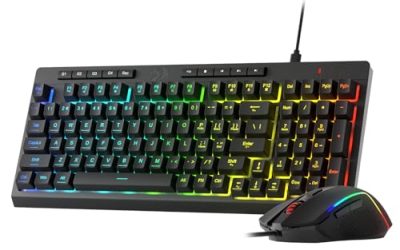
BlueFinger RGB Gaming Keyboard and Mouse Combo with Headset and Pad
- Keyboard: 104 keys, wired USB connection, rainbow backlight
- Mouse: optical sensor with 800, 1200, 1600, and 2000 DPI steps, 6 buttons
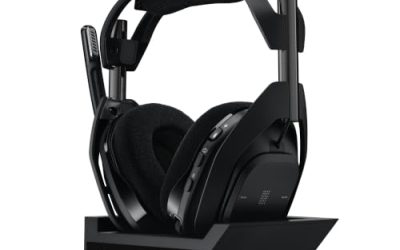
- Headset: stereo sound with a built-in microphone for voice chat
- Mouse pad: 12.5 x 9.4 inch surface included in the box
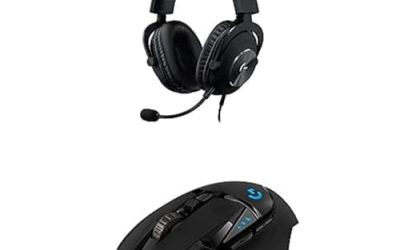
BlueFinger takes the widest approach in this group: the box holds a keyboard, a mouse, a headset, and a pad, so a bare desk becomes a complete station with nothing else to add. The keyboard is a full-size 104-key board with a rainbow backlight and a wired USB connection, and the mouse is a six-button optical model with four sensitivity steps that cover everyday play and faster shooters alike. The headset brings stereo sound and a built-in microphone for voice chat, which makes this set a natural fit for a first console corner as much as for a PC, since the listing names PlayStation 4 and Xbox One support alongside Windows machines. Everything is plug and play, with no software to install before the first session. Players who want one purchase to cover input, sound, and surface will find the fewest gaps here, while players who already own a good headset may prefer one of the two-piece sets further down the page.
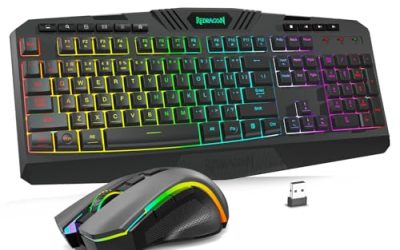
RedThunder K10 Wired Gaming Keyboard and Mouse Combo with Wrist Rest (Pink)
- Keyboard: 104 keys, membrane keys with a mechanical feel, 26 anti-ghosting keys, steel backplate
- Lighting: 4 dynamic and 7 static RGB modes, translucent topographic keycaps
- Mouse: optical sensor up to 7200 DPI, 1000 Hz polling rate, 400 IPS tracking speed, 7 buttons
- Wrist rest: soft faux-leather rest with memory foam included in the box
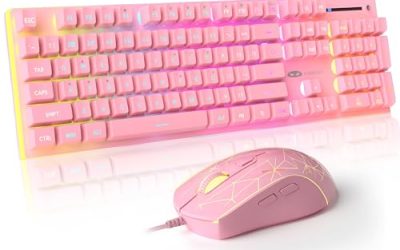
The RedThunder K10 wired set is the pick for players who like their lighting loud and their mouse quick. The full-size keyboard pairs mechanical-feel membrane keys with a steel backplate that keeps the deck firm under heavy typing, and the translucent topographic keycaps let the lighting show through the legends as well as around them. Four dynamic and seven static lighting modes give the board more looks than most sets in this group. The mouse is the strongest sensor package here, with a ceiling of 7200 DPI, a 1000 Hz polling rate, and tracking figures that suit fast flicks in shooters. A soft wrist rest with memory foam sits in the box as well, which helps during long sessions at a desk without a separate rest. The trade-off is the cable: both devices are wired, so this set suits a fixed desk rather than a couch setup. The pink finish will not match every room, but players building a light-colored desk will find few sets that commit to the theme this fully.
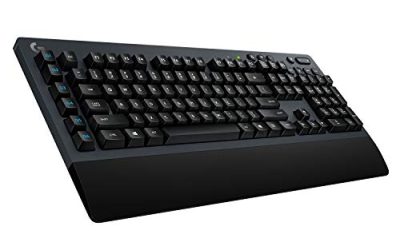
RisoPhy Wireless Gaming Keyboard and Mouse Combo
- Keyboard: 104 keys, brushed metal top panel, water-resistant features
- Lighting: 7 plus 1 backlight colors with multiple lighting modes
- Connection: 2.4 GHz wireless through one shared USB receiver, range up to 10 meters
- Battery: rechargeable 3200 mAh cell, USB-C charging, sleep mode for idle periods
RisoPhy builds its wireless set around a brushed metal top panel, which gives the full-size board a firmer, cooler feel than the all-plastic decks that dominate this band. The keyboard and mouse share one 2.4 GHz USB receiver with a range of up to ten meters, so the set works from a desk chair or from across a small room. A rechargeable 3200 mAh cell and USB-C charging mean no disposable batteries to swap, and a sleep mode stretches the time between charges when the desk sits idle. The keyboard lighting runs through seven colors plus an additional mode set, and a wrist rest is included for longer sessions. The mouse offers four sensitivity steps up to 3200 DPI, which covers everyday play and most shooters, though players who run very high sensitivity settings in competitive titles may want a higher ceiling. For a tidy desk with a sturdier board and no cables in view, this is the most complete wireless package in the group.
CHONCHOW G220 Wireless Gaming Keyboard and Mouse Combo
- Keyboard: 104 keys, LED backlit, mechanical-feel membrane keys, anti-ghosting support
- Connection: 2.4 GHz wireless through one USB receiver stored in the mouse
- Battery: 2500 mAh keyboard cell and 500 mAh mouse cell, rechargeable over the included USB-C cable
- Mouse: 7 buttons, sensitivity up to 3600 DPI
The CHONCHOW G220 is a full-size wireless set that leans on battery capacity. The keyboard carries a 2500 mAh rechargeable cell and the mouse a 500 mAh cell, and both charge over the included USB-C cable, so a single cable tops up the whole set. One 2.4 GHz receiver covers both devices and stores in the back of the mouse, which keeps it from going missing between desks. The keys use a mechanical-feel membrane design with anti-ghosting support for the clusters that matter in games, and the LED backlight keeps the legends readable in a dark room. The mouse reaches 3600 DPI across its steps and carries seven buttons, enough for the extra binds most players map in shooters and action games. The listing names PC and PlayStation 4 support, which makes the G220 a sensible pick for a desk that doubles as a console station. Players who dislike charging cables on the desk will still need one nearby now and then, but the large cells keep those moments rare.
MageGee K1 RGB Gaming Keyboard and Mouse Combo (Purple)
- Keyboard: 104 keys, wired USB, RGB backlight with 8 colors and 5 modes
- Keycaps: floating design, removable, over a transparent base
- Anti-ghosting: 19 keys, with FN plus F1 to F12 media shortcuts
- Mouse: 6 sensitivity steps from 600 to 3200 DPI, 7-color breathing LED
The MageGee K1 is the most decorative set in this group. A transparent base sits under floating, removable keycaps, so the RGB backlight glows through the board as well as around each key, and the purple finish carries the theme across both devices. The keyboard offers eight light colors and five modes, with brightness and speed adjustments from the board itself. Nineteen-key anti-ghosting covers the movement and ability clusters most games lean on, and the FN row doubles as media shortcuts for volume, playback, and mail. The mouse gives six sensitivity steps from 600 to 3200 DPI and a seven-color breathing light of its own. The listing also notes a splash-resistant design, a small comfort at desks where drinks live next to the keyboard. Both devices are wired over USB and work with Windows, Mac, and Linux machines without extra software. Players who want the desk to glow and the theme to match will land here; players who want a plain black desk may prefer the RedThunder or BlueFinger sets above.
How to Choose a Gaming Keyboard and Mouse Combo in This Band
Wired or wireless
Wired sets answer every input with no delay added by a radio link and never need charging, which is why three of the five picks here keep their cables. The trade-off is visible: two cables cross the desk, and the keyboard stays where the cable lets it sit. Wireless sets clear the desk and travel better between rooms, and the two wireless picks here share one receiver between keyboard and mouse, so they still use a single USB port. Their trade-offs are charging and the small chance of interference in a room crowded with wireless devices. For a fixed desk where the machine never moves, wired is the calmer choice. For a desk that doubles as a living-room station, wireless earns its place.
Membrane, mechanical feel, and mechanical switches
Most sets in this band use membrane keys, sometimes tuned to imitate the travel and sound of mechanical switches. Membrane boards are quiet, light, and simple, and the mechanical-feel designs add a firmer press and a light click that many players enjoy. True mechanical switches give the most defined press and the longest service life, but they sit in very few sets at this level. The honest way to choose is by feel and noise: membrane for a quiet room and shared spaces, mechanical feel for a middle ground, and mechanical only when a listing names real switches rather than a feel. Every set in this roundup is membrane-based, and each product section says so plainly.
Layout and desk space
All five picks use a full-size 104-key layout with a number pad. That layout suits players who also type, enter figures, or bind the pad keys in strategy and simulation games. It does claim more desk width, which leaves less room for wide mouse sweeps. Players who play low-sensitivity shooters on a small desk should measure before ordering: a full-size board plus a pad can crowd a shallow desk. Players with a wide desk get the full pad, the media row, and the extra bind options with nothing lost.
Mouse sensitivity and buttons
Sensitivity figures in this group run from 2000 DPI on the BlueFinger mouse to 7200 DPI on the RedThunder mouse. Higher numbers let the pointer cross a screen with less hand movement, but most players settle somewhere in the middle steps for control. What matters more day to day is having several steps to switch between, a button layout that puts at least two side buttons under the thumb, and a shape that suits your grip. Every mouse here offers multiple steps and extra buttons beyond the basic three, so the choice comes down to grip and how fast you like the pointer to move.
Lighting, extras, and compatibility
Lighting ranges from a single rainbow pattern to multi-mode RGB with brightness control. It changes nothing about play, so treat it as a desk-style choice and check whether the modes can dim or switch off for late sessions. Extras differ more: the BlueFinger set adds a headset and a pad, while the RedThunder and RisoPhy sets add wrist rests. Finally, check the compatibility line before ordering. Windows support is universal here; console and Mac support varies by set, and the product sections above name what each listing states.
FAQ
Do these combos use one USB port or two?
The two wireless sets use one port, because the keyboard and mouse share a single receiver. The three wired sets use two ports, one for each cable. A small USB hub solves the wired case on machines with few ports, and the wireless sets leave the second port free for other devices.
Are membrane and mechanical-feel keyboards good enough for gaming?
For most players, yes. Anti-ghosting support on the key clusters that games use matters more than the switch type, and every set here covers those clusters. Mechanical-feel keys add a firmer, louder press that some players prefer. Players who type all day or play at a high competitive level may still want true mechanical switches, which mostly live in sets above this band.
Can these sets work on a console as well as a PC?
Some can, within limits. The BlueFinger listing names PlayStation 4 and Xbox One support, and the CHONCHOW G220 listing names PlayStation 4 support. Console support also depends on the game itself allowing keyboard and mouse input, which many titles restrict. Check the listing for your console and the input rules of the games you play before relying on a set for console use.
How long do the wireless sets run between charges?
It depends on the lighting. The RisoPhy set carries a 3200 mAh cell and a sleep mode that stretches idle time, and the CHONCHOW G220 splits its capacity between a 2500 mAh keyboard cell and a 500 mAh mouse cell. Backlights draw the most power, so dimming or switching them off extends the run time the most. Both sets charge over USB-C, and a short top-up during a break covers most players.
Final Word
Each set here solves a different desk. The BlueFinger four-piece set covers input, sound, and surface in one box. The RedThunder K10 pairs the fastest mouse in the group with the boldest lighting. The RisoPhy set brings a metal panel and wireless freedom, the CHONCHOW G220 brings the largest batteries, and the MageGee K1 brings the strongest theme. Match the set to the desk and the games, and this band covers a complete station without a second purchase.
FAQ
Do these combos use one USB port or two?
Are membrane and mechanical-feel keyboards good enough for gaming?
Can these sets work on a console as well as a PC?
How long do the wireless sets run between charges?
More from Amazon
Programs that pair well with the guide above. Offers and eligibility are set by Amazon and may change.
Free shipping on eligible items, Prime Video and more. Eligible new members can start with a free trial.
Start a Prime free trialAd-free music streaming. Eligible new subscribers can start with a free trial.
Try Music Unlimited freeA Prime membership for ages 18-24 with a trial period. Eligibility is set by Amazon.
See Prime for Young AdultsAudiobooks and podcasts to listen to on the go. Eligible new members can start with a free trial.
Try Audible freeAs an Amazon Associate we earn from qualifying purchases.