Our Short List of 3

- Best for: Buyers wanting a balanced QHD screen for workdays and evening gaming without extra complexity.
- Screen size: 27 inches
- Resolution: QHD 2560 x 1440
- Refresh rate: up to 180Hz
- Response time: 2ms, as stated in the listing title

- Best for: Competitive players who want motion-clarity features on a fast QHD screen.
- Screen size: 27 inches
- Resolution: QHD 2560 x 1440
- Panel: Fast IPS
- Refresh rate: 180Hz

- Best for: Anyone sharing one monitor between a desktop PC and a laptop who wants built-in switching.
- Screen size: 27 inches
- Resolution: 2560 x 1440
- Panel: SS IPS
- Refresh rate: 165Hz
All 4 Picks at a Glance
| Product | Specs | Action |
|---|---|---|
| Dell G2725D |
| Check price on Amazon |
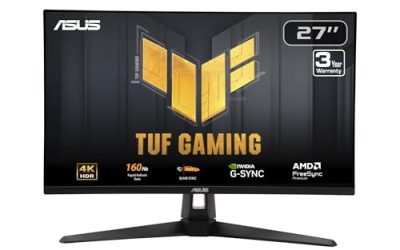
| ASUS TUF Gaming VG27AQ3A |
| Check price on Amazon |
| GIGABYTE M27Q |
| Check price on Amazon |
 LG UltraGear 27GR83Q-B |
| Check price on Amazon |
Key takeaways
- Compare five 2560x1440 QHD monitors for gaming, office work and mixed desks, checked on refresh rate, panel type, colour coverage, ports and stand fit.
Buying a 2K monitor is really a decision about balance: you want text and game worlds visibly sharper than 1080p, without handing your graphics card the much heavier workload that a 4K panel demands. In this guide, 2K means exactly one thing, a native resolution of 2560 x 1440, often labelled QHD. Every pick below states that resolution in its own Amazon listing for the exact variant named, so nothing here is a 1080p screen, an ultrawide, or a 4K model wearing a 2K badge.
The shortlist suits PC gamers stepping up from Full HD, home-office workers who live in documents and spreadsheets, and mixed-use buyers sharing one desk between work and play. Each monitor was selected from the name and specifications printed on its Amazon product page, and the sections that follow explain how those listed figures translate into a sensible choice for your desk, your graphics card, and your daily routine.
Quick Picks
As an Amazon Associate we earn from qualifying purchases
| Product | Best for | Key spec from title |
|---|---|---|
| Dell G2725D | Balanced work and gaming on one 27-inch screen | QHD 2560 x 1440, up to 180Hz |
| ASUS TUF Gaming VG27AQ3A | Fast competitive play with motion-clarity features | Fast IPS, 180Hz, 1ms |
| GIGABYTE M27Q | Switching between a desktop PC and a laptop | 2560 x 1440, 165Hz, KVM switching |
| Samsung Odyssey G55C 32-inch | Immersive single-player games on a big curved panel | 32-inch QHD, 1000R curve, 165Hz |
| LG UltraGear 27GR83Q-B | High frame rates with a fully adjustable stand | 240Hz by DisplayPort 1.4 or HDMI 2.1 |
How to Choose
Confirm that 2K on the listing really means 2560 x 1440
The label 2K causes more confusion than any other term in this category, because sellers occasionally apply it loosely. A true 2K computer monitor for a desktop desk carries a native resolution of 2560 x 1440, also called QHD, and that figure should appear in the listing title or specification table for the exact size you are ordering. Screens described with 2048 x 1080 belong to a cinema format, not this guide, and 3440 x 1440 ultrawides stretch the same vertical resolution across a much wider panel. Before ordering, match the resolution line, the screen size, and the model number together, since one listing page often hosts several variants that differ in all three.
Pair the refresh rate with the frames your PC can produce
A 2560 x 1440 panel asks noticeably more of a graphics card than 1080p, so the refresh rate only matters if your games can feed it. A card that holds around 60 to 100 frames per second in your favourite titles pairs happily with a 165Hz screen, because adaptive sync smooths the range in between. Pushing towards 240Hz at this resolution is a job for stronger hardware and lighter, competitive settings. Check also which port carries the headline rate: some models reach their maximum over DisplayPort while the HDMI input stops lower, which decides how a second machine or console behaves on the same screen.
Choose the panel type and colour coverage for your whole day
Most 2K monitors use IPS panels, which hold colour and brightness steady when you lean back or share the screen, and that consistency suits long document sessions as much as gaming. Curved VA panels, like the Samsung in this guide, trade some of that viewing-angle stability for a wraparound feel that single-player and simulation fans enjoy. Colour figures in the listing tell you how wide the palette runs: a 99% sRGB claim covers ordinary work and play, while DCI-P3 percentages in the nineties point to a wider gamut for photo and video projects alongside games.
Check the stand, ports and switching before the panel itself
Two monitors with identical panels can feel completely different at 6 p.m. if one stand only tilts and the other raises, swivels and pivots. If your desk sits at an awkward height, height adjustment is not a luxury; it decides whether you add a monitor arm later. Port selection matters just as much for mixed desks. A built-in KVM switch, as on the GIGABYTE pick, lets one keyboard and mouse serve two computers, while twin DisplayPort inputs help when a PC and a laptop both need the full refresh rate rather than whichever cable was left plugged in.
The 5 Best Options
Dell G2725D
- Best for: Buyers wanting a balanced QHD screen for workdays and evening gaming without extra complexity.
- Screen size: 27 inches
- Resolution: QHD 2560 x 1440
- Refresh rate: up to 180Hz
- Response time: 2ms, as stated in the listing title
Buyers wanting a balanced QHD screen for workdays and evening gaming without extra complexity.
The stand is tilt-only, so check your desk height or plan on a mount if you need height adjustment.
This Dell is the straightforward answer for a desk that earns its keep twice, handling office hours first and gaming after them. The listing pairs the 2560 x 1440 panel with a refresh rate up to 180Hz and 99% sRGB colour, a combination that keeps spreadsheets crisp and still leaves real headroom for fast games. AMD FreeSync support smooths frame-rate dips, and the DisplayPort and HDMI inputs cover a PC plus a second source without adaptors. Nothing about the specification chases extremes, which is precisely its appeal for a first QHD upgrade.
ASUS TUF Gaming VG27AQ3A
- Best for: Competitive players who want motion-clarity features on a fast QHD screen.
- Screen size: 27 inches
- Resolution: QHD 2560 x 1440
- Panel: Fast IPS
- Refresh rate: 180Hz
Competitive players who want motion-clarity features on a fast QHD screen.
Confirm the motion blur feature settings suit your games, since such modes can involve trade-offs worth checking on the listing.
ASUS aims this TUF model squarely at players who notice blur before anything else. Its Fast IPS panel runs at 180Hz with a 1ms response figure, and the listing adds Extreme Low Motion Blur Sync for shooters where targets cross the screen quickly. Colour coverage is quoted at 130% sRGB, wider than the basic figure on many rivals, and adaptive sync support covers both FreeSync Premium and G-SYNC Compatible modes, so the screen plays along with either graphics card family. For a purely gaming-led desk at 27 inches, this is the sharpest tool in the present group.
GIGABYTE M27Q
- Best for: Anyone sharing one monitor between a desktop PC and a laptop who wants built-in switching.
- Screen size: 27 inches
- Resolution: 2560 x 1440
- Panel: SS IPS
- Refresh rate: 165Hz
Anyone sharing one monitor between a desktop PC and a laptop who wants built-in switching.
The DisplayPort version is 1.2, so verify your intended resolution and refresh combination against the listing before ordering.
The M27Q solves a specific desk problem: two computers, one screen, constant cable swapping. Its built-in KVM switching lets a single keyboard and mouse follow whichever machine is active, which makes it the natural centre of a work-laptop and gaming-PC setup. The panel itself is a 27-inch SS IPS running 2560 x 1440 at 165Hz, with colour quoted at 92% DCI-P3, a wider gamut than plain sRGB screens offer. FreeSync Premium handles variable frame rates from the gaming side, and the listing marks the panel HDR Ready for content that carries an HDR signal.
Samsung Odyssey G55C 32-inch
Stepping up to 32 inches changes the character of 2560 x 1440 completely. The same pixel count stretches across a larger canvas, and Samsung wraps it in a pronounced 1000R curve that pulls the edges of racing cockpits and flight simulations into your peripheral view. The listing quotes 165Hz with a 1ms MPRT response figure, HDR10 support, and AMD Radeon FreeSync, so fast games still run smoothly while story titles gain the scale. Eye Care features and a glare-free finish, both named in the listing title, help during long sessions in bright rooms.
Specs
- Screen size: 32 inches
- Resolution: QHD 2560 x 1440
- Curve: 1000R curved
- Refresh rate: 165Hz
- Response time: 1ms (MPRT)
- HDR: HDR10
- Adaptive sync: AMD Radeon FreeSync
- Extras: Eye Care, glare free, as stated in the listing title
Best for: Single-player and simulation fans who want a bigger, curved screen for immersion.
Watch out for: Measure desk depth and viewing distance first, because the curve and 32-inch width demand more space than a flat 27-inch panel.
ASIN: B0CRGJC5ZD
LG UltraGear 27GR83Q-B
- Best for: Players who want one QHD 240Hz screen that serves a gaming PC and a console equally well.
- Screen size: 27 inches
- Resolution: 2560 x 1440 QHD
- Panel type: IPS
- Refresh rate: 240Hz, by DisplayPort 1.4 or HDMI 2.1 as stated in the listing
Players who want one QHD 240Hz screen that serves a gaming PC and a console equally well.
Holding 240 frames per second at 1440p in busy matches takes a powerful graphics card, so confirm your PC frame rates before counting on the full figure.
LG builds this UltraGear for players whose PCs genuinely sustain very high frame rates at 1440p. The listing states 240Hz delivered by DisplayPort 1.4 or HDMI 2.1, with a 1ms GtG response time, so both a gaming PC and a modern console can reach the full rate on their preferred cable. VESA DisplayHDR 400 and up to 95 percent DCI-P3 colour give the picture more range than entry-level QHD panels, while NVIDIA G-SYNC Compatible and AMD FreeSync Premium cover either graphics card brand. The stand adjusts for tilt, height and pivot, finishing a specification that asks little compromise.
Which One Fits Your Situation
You work from home and game after hours on the same desk
Choose the Dell G2725D. Its 99% sRGB colour and 2560 x 1440 resolution keep documents and spreadsheets comfortable all day, while the refresh rate up to 180Hz and FreeSync support leave genuine room for evening gaming. The tilt-only stand is the one compromise, so it suits a desk already at a sensible height, or a setup where a separate mount is planned anyway.
You split one desk between a work laptop and a gaming PC
Take the GIGABYTE M27Q. The built-in KVM switch removes the daily ritual of moving a keyboard and mouse between machines, and the 165Hz QHD panel with 92% DCI-P3 colour serves design work and games without changing screens. Just confirm your resolution and refresh combination against the listing, since its DisplayPort connection is version 1.2.
You play competitive shooters and want every frame
The LG UltraGear 27GR83Q-B is the pick when your graphics card can actually feed it, because 240Hz at 2560 x 1440 over DisplayPort or HDMI 2.1 leaves no bottleneck at the monitor. If your frame rates sit lower, the ASUS TUF Gaming VG27AQ3A at 180Hz with its motion-blur feature is the more realistic match for mid-range hardware.
You want immersion for story games, racing or flight titles
Pick the Samsung Odyssey G55C. A 32-inch screen with a 1000R curve fills more of your view than any flat 27-inch panel here, and HDR10 plus 165Hz keeps big open worlds smooth as well as large. Check your desk depth before ordering, because a curved screen this size needs viewing distance to feel right rather than overwhelming.
Common Mistakes
- Trusting the words 2K alone, without confirming the listing states 2560 x 1440 for the exact variant in the basket.
- Buying a 240Hz model for a graphics card that holds modest frame rates at 1440p, then never seeing the benefit paid for.
- Plugging into HDMI by habit and missing that some models reserve their highest refresh rate for the DisplayPort input.
- Comparing response times across brands as equal figures, when MPRT and GtG numbers come from different measurement methods.
- Ordering a 32-inch curved panel before measuring desk depth, viewing distance and the space the stand footprint needs.
Frequently Asked Questions
Is 2K the same thing as QHD on a computer monitor?
For desktop monitors, yes, in practice. Sellers use 2K loosely, but the screens in this guide all state a native resolution of 2560 x 1440, which is the QHD format. That is the figure to check on any listing, because a small number of products borrow the 2K label for the 2048 x 1080 cinema format instead, and the two are not interchangeable.
Will my graphics card handle 2560 x 1440 gaming?
Most mid-range cards from recent generations run popular titles at this resolution with sensible settings, and adaptive sync on every pick here smooths the dips. Demanding games at maximum settings, or sustained frame rates near 240Hz, call for stronger hardware. If your card already struggles at 1080p, fix that first, because a QHD panel will only expose the shortfall.
Is a 27-inch or 32-inch screen better at 2560 x 1440?
At 27 inches the pixel density is higher, so text looks crisper and the screen suits mixed work and gaming at a normal desk distance. At 32 inches the same resolution feels larger and more immersive, especially curved, but individual pixels are easier to spot during close document work. Choose by your dominant use rather than by size alone.
Can I use one of these monitors with a games console as well as a PC?
Yes, provided you check the port figures on the listing. Consoles connect over HDMI, and models differ in the refresh rate that input accepts at 2560 x 1440. The LG in this guide states 240Hz over HDMI 2.1, while other picks route their full rate through DisplayPort, which belongs to the PC. Match the console to the HDMI specification before ordering.
FAQ
Is 2K the same thing as QHD on a computer monitor?
Will my graphics card handle 2560 x 1440 gaming?
Is a 27-inch or 32-inch screen better at 2560 x 1440?
Can I use one of these monitors with a games console as well as a PC?
More from Amazon
Programs that pair well with the guide above. Offers and eligibility are set by Amazon and may change.
Free shipping on eligible items, Prime Video and more. Eligible new members can start with a free trial.
Start a Prime free trialAd-free music streaming. Eligible new subscribers can start with a free trial.
Try Music Unlimited freeA Prime membership for ages 18-24 with a trial period. Eligibility is set by Amazon.
See Prime for Young AdultsAudiobooks and podcasts to listen to on the go. Eligible new members can start with a free trial.
Try Audible freeAs an Amazon Associate we earn from qualifying purchases.