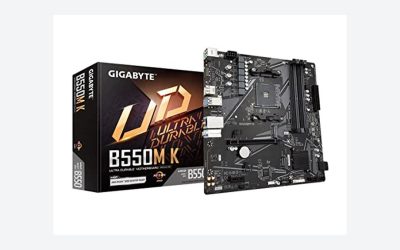
Our Short List of 3
All 3 Picks at a Glance
| Product | Specs | Action |
|---|---|---|
 GIGABYTE B650 EAGLE AX | Check price on Amazon | |
 MSI PRO B760M-A WiFi DDR4 | Check price on Amazon | |
 ASUS Prime B550M-A WiFi II | Check price on Amazon |
Our Top Picks
An affordable motherboard is the smartest place to save money in a gaming build, because the board itself rarely changes frame rates when the processor, graphics card, and memory stay the same. What a good value board does change is everything around that core performance: how many fast storage drives the system can hold, whether wireless networking is built in or needs a separate adapter, how cleanly the power delivery feeds a mid-range processor during long sessions, and how much room remains to upgrade later. Choosing well at this step means the money saved can go toward a stronger graphics card or a larger solid-state drive, where it has a direct effect on the games themselves.
The current value market splits neatly into three platforms. AMD AM5 boards pair with Ryzen 7000, 8000, and 9000 series processors and DDR5 memory, and they offer the longest upgrade runway because the socket is still receiving new processors. AMD AM4 boards remain the low-cost route into gaming, matching Ryzen 5000 series processors with inexpensive DDR4 memory that many builders already own. Intel LGA 1700 boards sit in between, supporting 12th, 13th, and 14th generation Core processors with a choice of DDR4 or DDR5 depending on the model. The four boards below cover all three platforms, and each one keeps the features gamers actually use while trimming the extras that add cost without adding performance.
As an Amazon Associate, we earn from qualifying purchases.
How to Choose an Affordable Gaming Motherboard
Start with the socket, because it decides everything else. The motherboard, processor, and memory form a matched set: an AM5 board only accepts AM5 processors and DDR5 memory, an AM4 board only accepts AM4 processors and DDR4, and an LGA 1700 board only accepts LGA 1700 processors with the memory type printed in its name. Buying the board before settling the processor is the most common value-build mistake, so lock in the processor first and let it dictate the shortlist. Builders reusing a DDR4 kit from an older system should look hard at the AM4 and DDR4-based LGA 1700 options, since keeping existing memory is one of the largest savings available in a new build.
Next, check power delivery in plain terms. The voltage regulator module, or VRM, feeds the processor, and affordable boards vary widely in how generously that circuit is built. A board with a multi-phase digital design and heatsinks over the VRM area will hold a mid-range gaming processor at its full boost behavior through a long session without throttling back. Flagship processors with very high core counts deserve a step up in board class, but for the six and eight core processors that dominate value gaming builds, the boards in this guide are sized appropriately. Heatsink coverage is an easy visual check: bare, uncovered VRM components on a board intended for a powerful processor are a warning sign worth heeding.
Storage and expansion deserve a close look as well. Two M.2 slots should be considered the practical minimum for a gaming system, since one slot holds the operating system and launchers while the second absorbs a growing game library without resorting to slower drives. A PCIe x16 slot running at Gen 4 or Gen 5 speed is standard on every board here and is more than sufficient for current graphics cards. Also confirm the form factor matches the case: ATX boards need an ATX-capable case, while micro-ATX boards fit both micro-ATX and larger ATX cases and often anchor smaller, tidier builds.
Connectivity is where affordable boards quietly differ the most. Built-in WiFi saves the cost and the slot space of a separate wireless card, and it usually brings Bluetooth along for controllers and headsets. A 2.5 gigabit Ethernet port is a welcome step up for wired players with fast home networking, though standard gigabit Ethernet remains perfectly serviceable for online play. Count the rear USB ports against the desk setup as well, because headsets, webcams, capture devices, and external drives add up quickly. Finally, look for builder-friendly touches such as a BIOS flashback feature that updates firmware without a processor installed, debug LEDs that identify a failed component during a first boot, and reinforced graphics card slots on boards that will carry a heavy card.
GIGABYTE B650 EAGLE AX
The GIGABYTE B650 EAGLE AX is the natural starting point for a new AMD gaming build that needs to stay affordable without feeling temporary. It uses the B650 chipset on the AM5 socket, so it supports Ryzen 7000, 8000, and 9000 series processors and leaves the door open to future processor upgrades on the same board. Its 12 plus 2 plus 2 phase digital VRM design is generous for this class and gives mid-range and upper mid-range Ryzen processors solid headroom, while the full ATX layout provides room to work during assembly and space between components for airflow.
Storage is a particular strength. Three M.2 connectors are fitted, one running at PCIe 5.0 speed and two at PCIe 4.0, which is more fast storage capacity than most boards at this level offer and enough for an operating system drive plus a deep game library. Four DDR5 slots support up to 128 GB of memory with AMD EXPO and Intel XMP profiles, and networking covers both WiFi 6E wireless and gigabit Ethernet. A USB 3.2 Gen 2×2 Type-C port anchors the rear panel, and GIGABYTE includes Q-Flash Plus for updating the BIOS without a processor, memory, or graphics card installed, which simplifies pairing the board with a newer processor release.
Who It Suits
This board suits builders starting a fresh AMD system who want the longest possible upgrade path from an affordable foundation. It fits a Ryzen 5 or Ryzen 7 gaming build especially well, and the triple M.2 layout makes it a strong match for players with large installed libraries. Builders who need a smaller micro-ATX case, or who already own DDR4 memory they intend to reuse, should look at the later picks instead.
MSI PRO B760M-A WiFi DDR4
For Intel builders, the MSI PRO B760M-A WiFi DDR4 makes a persuasive value argument by pairing the LGA 1700 socket with DDR4 memory. It supports 12th, 13th, and 14th generation Intel Core processors, so it can anchor anything from a modest Core i3 or Core i5 gaming system to a stronger Core i7 build, and choosing the DDR4 version keeps memory costs down or lets an existing kit carry over. Despite the plain PRO branding, the feature set reads like a gaming board: a PCIe 5.0 x16 slot for the graphics card, WiFi 6E with Bluetooth 5.3, and 2.5 gigabit Ethernet for wired play.
The micro-ATX layout includes four DDR4 slots supporting up to 128 GB, with Intel XMP profiles and memory speeds listed up to 5333 MHz with overclocking. Two M.2 slots with Gen 4 speeds handle fast NVMe storage, and MSI adds its M.2 Shield Frozr heatsink coverage to help drives sustain transfers during large game installs. An extended heatsink design over the power delivery area, EZ Debug LEDs for troubleshooting a first boot, and a USB 3.2 Gen 2 port round out a specification that covers the needs of a mainstream gaming system without decorative extras inflating the cost.
Who It Suits
This board suits Intel builders who want modern connectivity and a PCIe 5.0 graphics slot while keeping memory spending under control with DDR4. It is a natural partner for a Core i5 gaming processor and a mid-range graphics card in a compact case. Builders set on DDR5 for an Intel system, or anyone planning a full ATX build with several expansion cards, will be better served by a different model.
ASUS Prime B550M-A WiFi II
The ASUS Prime B550M-A WiFi II represents the mature end of the AM4 platform, and that maturity is exactly its appeal. AM4 processors and DDR4 memory are widely available at the value end of the market, so a build around this board can reach smooth 1080p and 1440p gaming for notably less total outlay than a current-generation platform. The board supports AMD Ryzen 5000, 3000, and earlier AM4 series processors depending on BIOS version, uses the B550 chipset, and provides a PCIe 4.0 x16 slot so modern graphics cards run at full bandwidth.
Four DDR4 slots support up to 128 GB of memory, and two M.2 slots give a gaming system a fast boot drive plus room for a second game drive. WiFi 6 and Bluetooth are built in, which keeps a compact micro-ATX build free of add-in cards, and the rear panel includes HDMI 2.1 and DVI-D outputs for processors with integrated graphics. ASUS adds its familiar touches for first-time builders, including a clear BIOS interface, Fan Xpert cooling controls, and Aura Sync RGB headers for builds that want lighting without a separate controller. For a system assembled from value-priced AM4 components, this is a balanced and well-understood foundation.
Who It Suits
This board suits builders assembling an AM4 gaming system around a Ryzen 5 5600 class processor, especially anyone reusing DDR4 memory or upgrading an older AMD system in stages. It also fits compact builds that need wireless networking included. Builders who want a platform that accepts future processor generations should choose the AM5 option above instead, since AM4 is a completed platform with no new processor families expected.
GIGABYTE B550M DS3H AC R2
The GIGABYTE B550M DS3H AC R2 is the leanest pick in this guide, aimed at AM4 gaming builds where every part of the budget is spoken for. It is a micro-ATX B550 board for Ryzen 5000, 4000, and 3000 series processors, with a 5 plus 3 phase digital power design that is appropriately sized for the mid-range processors these builds use. Nothing about the layout is exotic, and that is the point: the essentials for a dependable gaming system are present, correctly implemented, and easy to assemble.
A PCIe 4.0 x16 slot gives a modern graphics card its full connection, and dual M.2 slots cover fast storage for the operating system and a game library, backed by SATA ports for inexpensive bulk drives. Built-in wireless networking based on the 802.11ac standard, marketed as WiFi 5, handles online play and downloads without a separate adapter, alongside Realtek gigabit Ethernet for a wired connection. GIGABYTE includes Q-Flash Plus on this board as well, allowing a BIOS update from a USB drive without a processor installed, which is genuinely useful when matching an older board revision to a newer AM4 processor. Smart Fan controls and RGB Fusion lighting support finish a specification that stays focused on function.
Specs
| Specification | Detail |
|---|---|
| Socket | AMD AM4 |
| Chipset | AMD B550 |
| Form factor | Micro-ATX |
| Memory | 4 DDR4 slots |
| Power design | 5 plus 3 phase digital VRM |
| Storage | Dual M.2 slots, SATA 6Gb/s ports |
| Expansion | PCIe 4.0 x16 graphics slot |
| Networking | WiFi 5 (802.11ac), Realtek gigabit Ethernet |
| ASIN | B0FDLCT35H |
Who It Suits
This board suits budget-first AM4 builders who want wireless networking and dual M.2 storage included without paying for features they will not use. It pairs well with a Ryzen 5 processor and a mainstream graphics card for 1080p gaming. Players planning a high core count processor, heavy memory overclocking, or the fastest available wireless standard should step up to one of the stronger boards in this guide.
Frequently Asked Questions
Does a more expensive motherboard improve gaming performance?
Not in any direct way when the processor, graphics card, and memory are held constant, because the board does not render frames. What a stronger board adds is support around that performance: better power delivery for demanding processors, more and faster storage slots, improved networking, and more USB connectivity. For a mid-range gaming processor, an affordable board with a sound power design delivers the same in-game results as a premium board using the same components, which is why the motherboard is one of the safest places to save in a build budget.
Should a value gaming build choose AM5, AM4, or LGA 1700?
Choose AM5 for a new AMD build when the budget allows DDR5 memory, because the socket continues to receive new processors and the board can survive several upgrades. Choose AM4 when total build cost matters most or DDR4 memory is already on hand, accepting that the platform is complete and a future processor change will also mean a new board. Choose LGA 1700 for an Intel build, and note that DDR4 versions such as the MSI board in this guide lower the memory bill while DDR5 versions position the system closer to current memory standards.
How much memory should an affordable gaming motherboard support?
Four memory slots are preferable to two, because starting with a two-stick kit and adding a matching kit later is the cheapest memory upgrade path. Every board in this guide provides four slots. Capacity ceilings of 128 GB on the DDR4 and B650 boards far exceed gaming needs, where 16 GB remains workable and 32 GB is the comfortable target for a new system. What matters more than the ceiling is using two matched sticks in dual channel mode, which has a real effect on performance in many games.
Is built-in WiFi worth choosing on a gaming motherboard?
For most builders, yes. A board with WiFi included avoids buying and installing a separate wireless card, frees a small expansion slot, and almost always includes Bluetooth for wireless controllers and headsets. Wired Ethernet still provides the most consistent connection for competitive online play, and every board here includes it, so a WiFi model simply keeps both options open. The main reason to skip built-in WiFi is a permanently wired desk setup where the feature would never be used and a non-wireless variant costs less.
Final Verdict
The right affordable gaming motherboard depends on the platform decision more than on any single feature. For a new AMD build with years of upgrades ahead, the GIGABYTE B650 EAGLE AX is the strongest foundation here, combining a capable power design, three M.2 slots, and WiFi 6E on the current AM5 socket. Intel builders get the best balance from the MSI PRO B760M-A WiFi DDR4, which pairs a PCIe 5.0 graphics slot and 2.5 gigabit networking with the savings of DDR4 memory. On AM4, the ASUS Prime B550M-A WiFi II is the polished, full-featured choice, while the GIGABYTE B550M DS3H AC R2 trims the specification to the essentials for the tightest budgets. Any of the four will support a capable gaming system; match the socket to the processor, keep four memory slots and two M.2 slots as the baseline, and let the savings fund the graphics card.
Product and ASIN Reference
| Product | ASIN |
|---|---|
| GIGABYTE B650 EAGLE AX | B083TZ68H1 |
| MSI PRO B760M-A WiFi DDR4 | B0BPB484K5 |
| ASUS Prime B550M-A WiFi II | B0B5M97W1T |
| GIGABYTE B550M DS3H AC R2 | B0FDLCT35H |
FAQ
Does a more expensive motherboard improve gaming performance?
Should a value gaming build choose AM5, AM4, or LGA 1700?
How much memory should an affordable gaming motherboard support?
Is built-in WiFi worth choosing on a gaming motherboard?
More from Amazon
Programs that pair well with the guide above. Offers and eligibility are set by Amazon and may change.
Free shipping on eligible items, Prime Video and more. Eligible new members can start with a free trial.
Start a Prime free trialAd-free music streaming. Eligible new subscribers can start with a free trial.
Try Music Unlimited freeA Prime membership for ages 18-24 with a trial period. Eligibility is set by Amazon.
See Prime for Young AdultsAudiobooks and podcasts to listen to on the go. Eligible new members can start with a free trial.
Try Audible freeAs an Amazon Associate we earn from qualifying purchases.