Key takeaways
- The best budget gaming laptops under 700: Acer Nitro V 15 and Lenovo LOQ Essential with RTX 4050 graphics for smooth 1080p esports and AAA play at home.
The middle budget tier is where gaming laptops get genuinely interesting, and also where they are easiest to misread. Go one tier lower and you are usually negotiating around older graphics hardware, smaller memory, or screens that give back some of the performance the graphics chip worked hard to produce. Go one tier higher and you start paying for stronger graphics, more memory as standard, and nicer chassis materials. In between sits this tier: real, current, dedicated graphics, a fast screen, and enough processor headroom for modern games, paired with compromises that are specific, predictable, and — if you understand them before you buy — manageable.

Both laptops in this guide use an NVIDIA GeForce RTX 4050 Laptop GPU. That single fact defines the tier more honestly than any marketing label. An RTX 4050 is an entry-level dedicated graphics card in the current generation, and entry-level dedicated is a very different thing from integrated graphics. It has its own graphics memory, it supports hardware ray tracing and DLSS, and at 1080p it is in its comfort zone. Esports and competitive titles are its strongest ground, where high frame rates are realistic at sensible settings. Larger AAA games are playable too, usually at medium settings, and often more comfortably when DLSS is available in the game. What this tier does not promise is native high-resolution gaming, maximum settings everywhere, or a machine that stays effortless in the most demanding releases several years from now.
This guide covers two laptops, not ten, because only two configurations met the standard for this tier from verified listing records, with no model repeated from the neighbouring budget guides on this site. Specifications are taken from listing and manufacturer-linked records, not from practical use.
Disclosure: As an Amazon Associate, we may earn a commission from qualifying purchases made through links in this article, at no additional cost to you. Product specifications are taken from manufacturer and retailer listings.
What This Tier Buys, and What It Does Not
Start with the graphics card, because it decides almost everything else. The RTX 4050 in both picks is a dedicated GPU, described as dedicated in its listing, rather than graphics integrated into the processor. That distinction matters for games, for GPU-accelerated creative software, and for longevity. Integrated graphics share system memory and are designed first for efficiency and everyday display work. A dedicated card brings its own memory and far more graphics throughput, which is why the same processor family can feel like a completely different machine for gaming depending on which side of that line it falls.
At 1080p, that throughput is well matched to the screens fitted here. Both laptops centre on a 15.6-inch Full HD panel with a 144Hz refresh rate. Full HD is the right resolution for this graphics class: the card can produce high frame rates in competitive games without being asked to push a number of pixels it was never built for, and the high-refresh panel can actually show a good share of those frames. In a slower-paced AAA game, the benefit is different but still real — smoother motion and more responsive input than a standard 60Hz screen, even when frame rates sit well below the panel maximum.
The compromises of the tier are just as consistent. Both configurations listed here ship with 8GB of memory, which is the single most important limitation to plan around, and both ship with 512GB of storage, which fills faster than most first-time buyers expect once several large games are installed at once. Neither machine is an ultraportable, and neither should be bought expecting long unplugged gaming sessions; high-performance processors and dedicated graphics are built for plugged-in performance first. None of that makes this tier a bad buy. It makes it a buy whose total cost and daily experience depend on whether you accept those limits as they are, or price in a memory upgrade from the start.
Quick Comparison
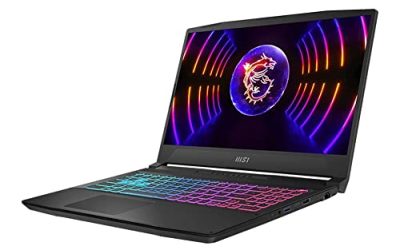
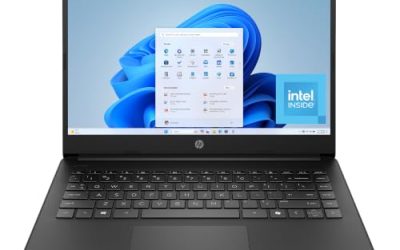
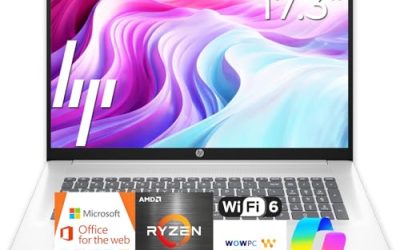
The Acer Nitro V 15 pairs a 13th-generation Intel Core i5-13420H with the RTX 4050, 8GB of DDR5 memory, and a 512GB Gen 4 solid-state drive, behind a 15.6-inch Full HD IPS screen at 144Hz. Its listing also names Wi-Fi 6 and a backlit keyboard, and Acer material for the Nitro V describes a dual-fan cooling arrangement. It is the more direct, conventional route into this tier: the newer processor of the two, a familiar gaming-laptop formula, and memory treated openly as its main weakness.
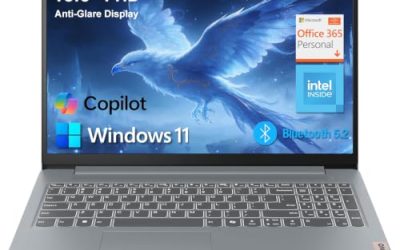
The Lenovo LOQ Essential pairs an older but high-power Intel Core i5-12450HX — an HX-series chip with eight cores — with an RTX 4050 carrying 6GB of GDDR6 memory at a 65W power level in datasheet-based specification summaries. It also lists 8GB of DDR5 memory and 512GB of storage, but its display specification is the stronger story: the same 15.6-inch Full HD IPS 144Hz format, with full sRGB coverage and 300 nits of brightness in those summaries. Its main compromise is memory layout rather than memory amount alone, because the listed 8GB sits in a single SO-DIMM slot with no free slot beside it.
So the short version is this. Choose the Acer for the newer processor and the straightforward entry point. Choose the Lenovo for the HX-series processor, the better-specified display on paper, and Lenovo’s take on the formula, while accepting a lower stated GPU power level and a replacement-style memory upgrade. The longer sections below explain why those differences matter in daily use.
1. Acer Nitro V 15 ANV15-51-51H9
The Acer Nitro V 15 is the model that defines this category for many first-time gaming laptop buyers, and the configuration covered here shows why. Its listing names an Intel Core i5-13420H processor and an NVIDIA GeForce RTX 4050 Laptop GPU, with the graphics described as dedicated. That pairing is well matched for 1080p play. The processor has the performance to feed modern games, keep launchers, browsers, and voice chat responsive in the background, and handle everyday Windows work without feeling like a machine that only wakes up inside a game. The RTX 4050, meanwhile, brings the features integrated graphics simply cannot offer, including hardware ray tracing support and DLSS, which in supported games can lift frame rates by rendering at a lower internal resolution and reconstructing the image.
Check the Acer Nitro V 15 on Amazon: https://www.amazon.com/dp/B0CP8D4SM2
The listed configuration includes a 15.6-inch Full HD IPS display with a 144Hz refresh rate, 8GB of DDR5 memory, and a 512GB Gen 4 solid-state drive. The screen deserves emphasis, because it is where this tier quietly beats cheaper machines. A high-refresh panel makes supported competitive games look and feel smoother, and it makes even ordinary desktop scrolling and window movement feel more fluid. That benefit only exists if the graphics card can produce the frames, and at Full HD the RTX 4050 generally can in esports titles, which is exactly the workload this pairing is built around. For larger games, expect to tune settings rather than maximise them, and treat DLSS as a genuinely useful tool rather than a bonus feature.
Memory is the honest weakness to plan around. Eight gigabytes is workable for lighter use, but modern games running alongside a browser, chat applications, and background services can push it hard, and when memory runs short the whole system — not just the game — becomes less responsive. If you buy this configuration, decide in advance whether you are buying it as a finished machine for lighter play or as a starting point whose memory you may upgrade later. Confirm the exact slot arrangement on this model and the cost of an upgrade before you decide that the headline value is the whole story, because the honest total includes anything you already know you will add.
Cooling matters too. Acer material for the Nitro V describes a dual-fan arrangement, and sustained performance depends on heat removal as much as on chip names. The listing includes Wi-Fi 6 and a backlit keyboard. Fan noise under load should be expected in this class.
Choose the Nitro V 15 if you want the most direct route into current-generation dedicated graphics at this tier, with the newer processor of the two picks here, and you are willing to treat memory as a possible early upgrade. It is the safer default recommendation in this guide — not because the Lenovo is weak, but because the Acer’s compromises are the more familiar ones and its processor generation is the more recent.
2. Lenovo LOQ Essential
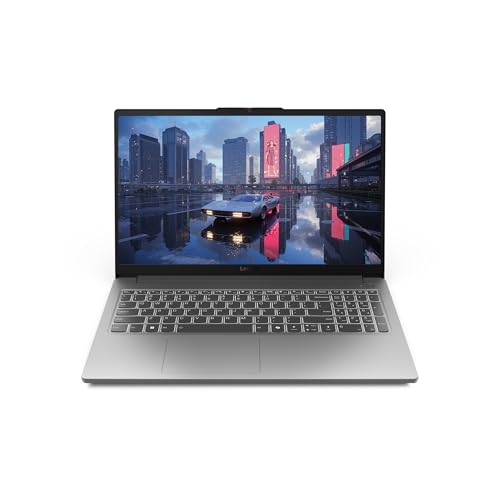
The Lenovo LOQ Essential approaches the same tier from a slightly different angle, and its specification rewards a closer read than its older processor generation might suggest. Its listing names an Intel Core i5-12450HX processor and an NVIDIA GeForce RTX 4050, with graphics described as dedicated, 8GB of DDR5 memory, and 512GB of storage. The processor is from an older generation than the chip in the Acer above, but the HX suffix matters. HX is a high-power mobile processor line designed for performance laptops, and this chip has eight cores. In a real buying decision, the complete package — processor power class, graphics power, cooling, and display — matters more than a generation label read in isolation.
Check the Lenovo LOQ Essential on Amazon: https://www.amazon.com/dp/B0FMLCQZM8
Datasheet-based specification summaries for this LOQ Essential configuration list a 15.6-inch Full HD IPS display at 144Hz with full sRGB coverage and 300 nits of brightness, and an RTX 4050 with 6GB of GDDR6 memory at a 65W power level. The display specification is the attractive part for buyers who do more than game. Full sRGB coverage makes the screen a more credible tool for coursework, media, photo work, and creative hobbies where colour that covers the standard web and content range matters, while the refresh rate keeps it firmly in gaming territory. A panel can be fast or colour-capable at this tier; a specification that credibly claims both is worth noticing.
The graphics power level is the trade-off to understand in return. Headline GPU equality does not guarantee identical frame rates across different laptops, because the same RTX 4050 name can sit behind different power limits, and power influences how hard the card can work over a sustained session. The 65W level recorded for this configuration is at the more restrained end. It can still deliver a strong 1080p experience, particularly in the esports and competitive titles where this tier excels, but buyers chasing every available frame in heavier games should weigh that number honestly against the Acer, for which no directly comparable figure is stated in the records used here. Restraint also has an upside worth naming: a lower power level generally asks less of the cooling system than a maximal one, even though fan noise under load remains part of gaming laptop life.
Memory layout, rather than memory amount, is this machine’s main compromise. Specification summaries note a single SO-DIMM slot holding the listed 8GB, with no free slot, so upgrading means replacing the installed module rather than simply adding a second one beside it. That is manageable, and replacement is a normal upgrade path, but it changes the maths: the module you remove has to be accounted for, and the upgrade should be priced as a replacement from the start. As with the Acer, 8GB itself is the deeper point. For lighter play and everyday work it is workable; for modern games with the usual background applications open, it is the first specification most owners will feel.
Choose the LOQ Essential if you value its display specification, prefer Lenovo’s keyboard and styling approach in this class, and are comfortable with the single-slot memory plan and the stated graphics power level. Do not dismiss it for its older generation label alone, because the HX power class is a real counterweight. Equally, do not assume every LOQ is this LOQ: the family ships with several processors and graphics options, including configurations outside this guide, so the i5-12450HX and RTX 4050 lines are the ones to verify on the listing.
Head to Head: Where the Two Actually Differ
With the same graphics card name, the same memory capacity, the same storage capacity, and the same screen size, resolution, and refresh rate, these two laptops can look interchangeable in a comparison table. They are not, and the differences are instructive about how to read any gaming laptop listing.
The processor difference is generation against power class. The Acer’s i5-13420H is the newer chip, from the 13th generation. The Lenovo’s i5-12450HX is older, from the 12th generation, but belongs to the higher-power HX line and carries eight cores. Neither fact wins on its own. Newer generations usually bring efficiency and platform refinements, while a higher power class gives a processor more room to sustain performance under load. For gaming at 1080p, where the graphics card is usually the deciding component, both processors are credible partners for an RTX 4050, and neither should be the sole reason you choose or reject a machine.
The display difference is the clearest paper advantage in this comparison. Both panels are 15.6-inch Full HD IPS at 144Hz, but the Lenovo’s summaries add full sRGB coverage and 300 nits of brightness. If the laptop is only for games in a controlled room, that may matter little. If it is also your main machine for study, work, and creative hobbies, it may matter more than any other line in either specification.
The memory difference is layout. Both ship with 8GB of DDR5, so both carry the same capacity warning. The Lenovo adds a structural one: a single occupied slot, meaning replacement rather than addition, which decides what an upgrade really costs.
How to Choose at This Tier
Start with the games, honestly named. If your library is mostly competitive and esports titles, this tier is well aimed at you: an RTX 4050 at 1080p with a 144Hz screen is a coherent, satisfying combination, and either pick serves it. If your library is mostly current AAA releases and you expect high settings as a default, this tier will ask you to compromise on settings, use DLSS where it is offered, or step up a tier. Neither laptop changes that arithmetic, and a guide that pretended otherwise would be setting you up for disappointment.
Next, decide the memory question before you decide the laptop. Read the 8GB figure in both listings as a plan, not a footnote. If you are comfortable upgrading, check the slot arrangement, price the module you would need — remembering that the Lenovo needs a replacement module, not an additional one — and add that to the real cost of the machine. If you are not comfortable upgrading, be honest about your workload: games plus browsers, chat, and streaming tools add up quickly, and a machine that feels tight in its first year rarely feels better in its third.
Finally, verify the exact listing at the moment you buy. Confirm the processor model number, confirm the graphics line says RTX 4050 rather than integrated graphics or an older card, and confirm memory and storage match the configurations described here. Sellers, bundles, and configurations change, and gaming laptop families reuse names aggressively. Two minutes of checking is the cheapest insurance in the entire purchase.
Who This Tier Is For, and Who Should Skip It
This tier suits competitive and esports players who game at 1080p and value a high-refresh screen, students who need one machine for coursework and games, home users replacing an older laptop who want dedicated graphics headroom for the first time, and entry-level creators whose tools can use GPU acceleration. It also suits buyers who understand they are purchasing balance: a modern dedicated GPU and a capable processor, in exchange for modest memory, starter storage, and a chassis built to a budget rather than to impress. Buyers wanting higher resolutions, maximum settings, or long unplugged life should skip it.
Conclusion
The best budget gaming laptops under 700 are defined by a clear bargain: current dedicated RTX 4050 graphics and a fast 144Hz Full HD screen, in exchange for 8GB of memory and 512GB of storage that you should treat as starting points. The Acer Nitro V 15 is the direct, newer-processor entry point, with dual-fan cooling, Wi-Fi 6, and a backlit keyboard in its listing, and memory as its stated weakness. The Lenovo LOQ Essential counters with an eight-core HX-series processor, a display specification that adds full sRGB coverage and 300 nits, and a lower stated graphics power level plus a single-slot memory layout as its costs.
Neither pick hides its compromises, and that is why both earn their place here. Choose the one whose trade-offs match how you play and work, price any memory upgrade honestly, verify the exact configuration on the listing, and this tier delivers what it promises: smooth 1080p esports, credible AAA play at tuned settings, and a real dedicated-graphics machine without paying for the tier above.
More from Amazon
Programs that pair well with the guide above. Offers and eligibility are set by Amazon and may change.
Free shipping on eligible items, Prime Video and more. Eligible new members can start with a free trial.
Start a Prime free trialAd-free music streaming. Eligible new subscribers can start with a free trial.
Try Music Unlimited freeA Prime membership for ages 18-24 with a trial period. Eligibility is set by Amazon.
See Prime for Young AdultsAudiobooks and podcasts to listen to on the go. Eligible new members can start with a free trial.
Try Audible freeAs an Amazon Associate we earn from qualifying purchases.