Our Short List of 3
All 4 Picks at a Glance
| Product | Specs | Action |
|---|---|---|
 1. ASUS RT-AX86U Pro — the gaming-first dual-stack pick | Check price on Amazon | |
 2. TP-Link Archer AX73 — the high-throughput value pick | Check price on Amazon | |
 3. NETGEAR Nighthawk RAX54S — the deepest IPv6 menu | Check price on Amazon | |
 4. TP-Link Archer AX21 — the budget dual-stack pick | Check price on Amazon |
Our Top Picks
As an Amazon Associate we earn from qualifying purchases.
Most home networks already live in two worlds at once. Your older printer, your smart TV and half the websites you visit still speak IPv4, while your phone, your game console and a growing share of game servers, streaming platforms and cloud services can also speak IPv6. A dual stack router is the hardware that keeps both conversations going at the same time: it holds an IPv4 address and an IPv6 prefix from your internet provider, hands out both kinds of addresses on your local network, and lets every device pick whichever protocol a service supports. If your provider has switched on IPv6 — and most large cable, fiber and DSL providers now have — a router that cannot run both stacks properly quietly leaves that half of your connection unused, or worse, breaks it in ways that look like random lag and failed connections.
This guide covers four home and gaming Wi-Fi routers whose dual-stack support is documented, not assumed. Every pick below is the same kind of product — a standalone dual-band Wi-Fi router with an Ethernet WAN port — and every pick has manufacturer documentation showing IPv4 and IPv6 support, quoted from the product listing or the maker’s specification pages. Routers that could not show clear IPv6 evidence were left out, however strong their Wi-Fi hardware is. All specifications here come from product listings and manufacturer documentation, not from detailed research.
Affiliate disclosure: This article contains affiliate links. If you buy through a link on this page, the site may earn a commission at no extra cost to you. Product selections are based on published specifications and listing information, not on commissions.
What dual stack actually means
Dual stack is the simplest and most robust way to run IPv6: the router, and every device behind it, operates the IPv4 stack and the IPv6 stack in parallel, natively, at the same time. Your provider gives the router a public IPv4 address (or a carrier-grade NAT address) and also delegates an IPv6 prefix, usually through DHCPv6 prefix delegation. The router then advertises IPv6 addresses to your devices — typically via SLAAC, sometimes with DHCPv6 for DNS — while continuing to hand out private IPv4 addresses through ordinary DHCP and NAT. A device connecting to a service checks DNS, gets both an A record (IPv4) and a AAAA record (IPv6) where they exist, and modern operating systems generally prefer the IPv6 path when it works, falling back to IPv4 when it does not. Nothing is translated and nothing is tunneled; both protocols are first-class citizens.
That native quality is exactly what separates dual stack from the transition mechanisms you will see in router menus. NAT64 translates between IPv6-only clients and IPv4 servers, which is mainly a tool for providers building IPv6-only access networks, not something a home router purchase should depend on. Tunnel mechanisms carry IPv6 inside IPv4: 6in4 uses a configured tunnel to a broker, 6to4 derives an IPv6 prefix from your public IPv4 address, and 6rd is a provider-run variant of the same idea used by some ISPs to roll IPv6 out quickly over an IPv4 network. Tunnels can work, but they add a middleman, often cost latency and reliability, and several well-known tunnel services have been shut down over the years. A router that lists tunnel modes alongside native IPv6 is fine — several picks below do — but the feature that earns a router a place on this page is native dual-stack operation: IPv4 and IPv6 both routed, both firewalled, at the same time.
Why gamers and households should care
The practical case starts with your provider. If your ISP already assigns IPv6 — and services from large cable and fiber providers commonly do — then a router with IPv6 disabled or broken means your devices silently stay on IPv4, often behind an extra layer of carrier-grade NAT. That extra NAT is where gaming pain begins: strict NAT types, failed party chat, and matchmaking quirks on consoles are classic symptoms of stacked translation. A native IPv6 path gives a console or PC a globally routable address of its own, with the router’s IPv6 firewall controlling inbound traffic instead of address translation doing it by accident. Xbox consoles in particular are documented by their maker to make use of IPv6 where the network provides it, and PC game launchers and voice services increasingly publish AAAA records.
There are quieter benefits too. IPv6 removes the port-forwarding puzzle for services that support it, because there is no NAT table to punch through — you open a firewall pinhole for a specific device instead. Address space stops being a constraint, so every gadget in a smart home gets its own stable address. And because providers are steadily moving more of their networks to IPv6, a dual-stack router is the option that does not need replacing when your ISP changes how it delivers service. The honest caveat: dual stack does not make an IPv4-only game server faster, and it will not fix Wi-Fi congestion. What it does is make sure the modern half of your connection actually works.
The picks
1. ASUS RT-AX86U Pro — the gaming-first dual-stack pick
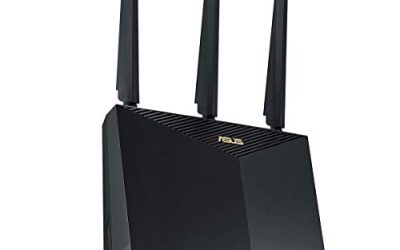
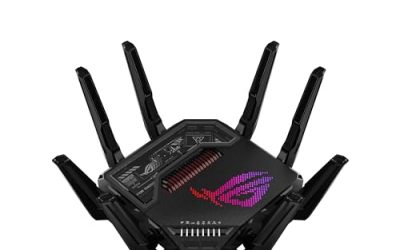
The RT-AX86U Pro is the strongest all-round gaming router in this group, and its protocol support is unambiguous. ASUS’s official specification page for the model lists its network standards as “IPv6, IPv4, WiFi 6 (802.11ax)” and the older Wi-Fi standards, from the product listing — meaning both stacks are part of the documented network standard, not an afterthought buried in a menu. ASUS routers expose a dedicated IPv6 settings page with native, passthrough and static connection types, so the router can take a delegated prefix from the provider and advertise it on the LAN while IPv4 NAT keeps running for legacy devices — textbook dual stack.
Around that networking core, the listing describes an AX5700 dual-band Wi-Fi 6 router with up to 4804 Mbps on the 5 GHz band and 861 Mbps on the 2.4 GHz band, a 2.0 GHz quad-core processor, 1 GB of RAM and 256 MB of flash, from the product listing. Wired hardware includes four Gigabit LAN ports, a Gigabit WAN port and a configurable 2.5G multi-gig port, which is the one to feed a gaming PC or a fast fiber connection. Gaming features in the listing include a dedicated gaming port, mobile game mode and adaptive quality of service, and the router is AiMesh compatible if you later want to grow it into a mesh. For a household that games on console and PC and wants dual stack handled by a mature firmware, this is the default recommendation.
2. TP-Link Archer AX73 — the high-throughput value pick
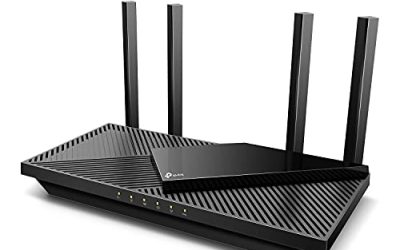
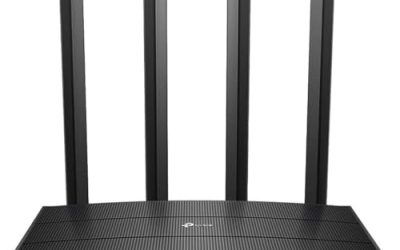
The Archer AX73 makes its dual-stack case in TP-Link’s own specification table: under Software, the Protocols line reads “IPv4, IPv6,” from the product listing. That single line, published by the manufacturer, confirms the router routes both protocols simultaneously, and TP-Link’s firmware provides a dedicated IPv6 section where you select the connection type your provider uses — dynamic IP (SLAAC/DHCPv6), PPPoE, 6to4 tunnel or static — and enable prefix delegation so LAN devices receive addresses from the delegated block.
The hardware around it is built for busy homes. The listing rates it as an AX5400 dual-band Wi-Fi 6 router with 4804 Mbps on 5 GHz using HE160 channels and 574 Mbps on 2.4 GHz, driven by a 1.5 GHz triple-core CPU, from the product listing. Six external antennas, four Gigabit LAN ports and a Gigabit WAN port cover the physical side, and static link aggregation is available on two LAN ports. TP-Link’s HomeShield security and parental controls are built in, and OneMesh support lets it join a mesh with compatible extenders. If your priority is maximum Wi-Fi throughput per purchase with documented IPv4 and IPv6 routing, the AX73 is the pick that balances both.
3. NETGEAR Nighthawk RAX54S — the deepest IPv6 menu
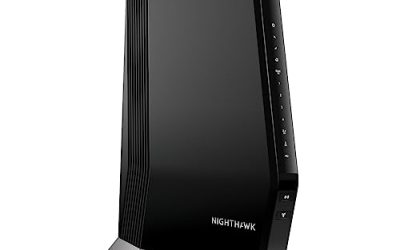
If your provider’s IPv6 rollout is unusual — and some are — the RAX54S has the most thoroughly documented IPv6 toolkit of any router here. NETGEAR’s user manual for the model devotes a full section to specifying IPv6 internet connections, listing these connection types: Auto Detect, 6to4 tunnel, Pass Through, Fixed, DHCP, PPPoE, Auto Config and 6rd, from the manufacturer’s manual. Read that list carefully: the DHCP, PPPoE, Fixed and Auto Config modes are the native dual-stack paths, where the router holds IPv6 alongside IPv4. The 6rd and 6to4 modes exist for providers still delivering IPv6 through a tunnel, and Pass Through suits setups where an upstream gateway handles addressing. Whatever stage your ISP’s rollout is at, this router has a documented mode for it — and because IPv4 routing continues underneath in every case, it remains a dual-stack device throughout.
Day to day, the listing describes a 6-stream AX5400 Wi-Fi 6 router with speeds up to 5.4 Gbps, coverage for mid-to-large homes, four Gigabit LAN ports and a Gigabit WAN port, powered by a 1.5 GHz triple-core processor, from the product listing. NETGEAR Armor security is bundled for an initial subscription period per the listing. Setup and IPv6 configuration run through the Nighthawk app or the web interface, where the IPv6 page lives under the advanced setup section. Choose this one when your provider is mid-transition, or when you simply want every IPv6 option documented in the manual before you buy.
4. TP-Link Archer AX21 — the budget dual-stack pick
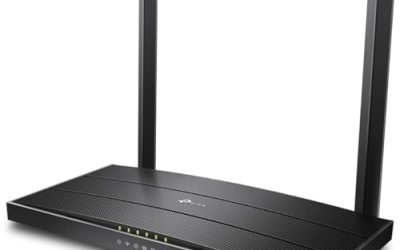
Dual stack is not a premium-only feature, and the Archer AX21 is the proof. TP-Link’s datasheet for the model lists “Protocols: IPv4, IPv6” in its software specifications, from the product listing — the same dual-stack confirmation as its bigger sibling, in a router aimed at smaller homes and tighter budgets. Its IPv6 settings mirror the rest of the TP-Link range, so you can select the provider’s connection type and turn on prefix delegation in the same menus you would use on the AX73.
The listing describes an AX1800 dual-band Wi-Fi 6 router with up to 1201 Mbps on 5 GHz and 574 Mbps on 2.4 GHz, four high-gain antennas with beamforming, one Gigabit WAN port and four Gigabit LAN ports, plus a USB 2.0 port on current hardware versions, from the product listing. OFDMA and MU-MIMO keep multiple devices sharing the airtime efficiently, WPA3 is supported, and OneMesh compatibility means it can later serve as a node in a larger TP-Link mesh. For an apartment, a first gaming setup, or a household whose provider just enabled IPv6 and whose old router cannot speak it, the AX21 covers the dual-stack requirement without paying for throughput you will never use.
How to set up dual stack correctly
Whatever pick you choose, the setup pattern is the same. First, confirm your provider actually offers IPv6: check your account information or connect a computer directly to the modem or ONT and see whether it receives an IPv6 address. Second, in the router’s IPv6 page, choose the native connection type your provider uses — on most cable and fiber services this is the automatic, DHCPv6 or “native” option — and enable prefix delegation (sometimes labeled DHCPv6-PD) so the router requests a prefix for your LAN, not just an address for itself. Third, leave IPv4 exactly as it was; dual stack means adding IPv6, never switching IPv4 off. Fourth, verify from a client device: your phone or PC should show both a private IPv4 address and a global IPv6 address, and an IPv6 test site should confirm both paths work.
Two warnings from experience with these menus. Avoid selecting a tunnel mode such as 6to4 unless your provider specifically instructs it — on a network with native IPv6 available, a tunnel adds latency and a failure point for no benefit. And remember that IPv6 has no NAT safety blanket: your devices are globally addressable, so keep the router’s IPv6 firewall enabled, which it is by default on all four picks, and think of firewall rules the way you used to think of port forwarding.
How these picks were chosen
Every router here had to pass three checks. First, type consistency: standalone home or gaming Wi-Fi routers with an Ethernet WAN port — no modem combos, no mesh-only systems, no travel routers. Second, documented dual stack: the manufacturer’s specification or manual had to show IPv4 and IPv6 support explicitly, which is why the evidence for each pick is quoted in its section. Plenty of powerful routers were excluded because that evidence could not be found clearly, and they are named in the notes that accompany this article rather than guessed about. Third, a real, current Amazon US listing with a verifiable ASIN for each model. Specifications are quoted from those listings and manufacturer documents; nothing here is based on detailed research, and no prices are shown because they change constantly.
Frequently asked questions
Does dual stack slow down gaming? No mechanism in dual stack adds translation overhead to IPv4 traffic, and IPv6 traffic avoids NAT entirely. Latency differences come from your provider’s routing on each protocol, which varies, but the router itself is not a bottleneck on either stack for the models listed here.
My provider does not offer IPv6 yet. Should I still buy one of these? Yes, if you need a router anyway. All four picks run perfectly well as IPv4-only routers today and will pick up IPv6 automatically when your provider enables it and you turn the setting on.
Is dual stack the same as dual band? No. Dual band describes Wi-Fi radios on 2.4 GHz and 5 GHz. Dual stack describes running the IPv4 and IPv6 network protocols at the same time. All four picks happen to be both.
What prefix size should I ask my provider for? For home use, a /56 delegation is ideal because it lets the router subnet guest networks and VLANs, while a /64 works for a single flat LAN. Most providers decide this for you; the setting that matters on your side is simply having prefix delegation enabled.
The bottom line
Dual stack is the unglamorous feature that decides whether the modern half of your internet connection works at all. The ASUS RT-AX86U Pro is the best fit for gaming households that want mature firmware and a multi-gig port. The TP-Link Archer AX73 delivers the most Wi-Fi throughput with equally clear IPv4 and IPv6 documentation. The NETGEAR Nighthawk RAX54S is the safest choice on a provider still mid-transition, thanks to the deepest documented IPv6 menu in the group. And the TP-Link Archer AX21 proves the requirement costs little when budget matters most. Pick by your provider’s IPv6 style and your home’s size — every router on this page runs both stacks, which is the whole point.
More from Amazon
Programs that pair well with the guide above. Offers and eligibility are set by Amazon and may change.
Free shipping on eligible items, Prime Video and more. Eligible new members can start with a free trial.
Start a Prime free trialAd-free music streaming. Eligible new subscribers can start with a free trial.
Try Music Unlimited freeA Prime membership for ages 18-24 with a trial period. Eligibility is set by Amazon.
See Prime for Young AdultsAudiobooks and podcasts to listen to on the go. Eligible new members can start with a free trial.
Try Audible freeAs an Amazon Associate we earn from qualifying purchases.