Our Short List of 3

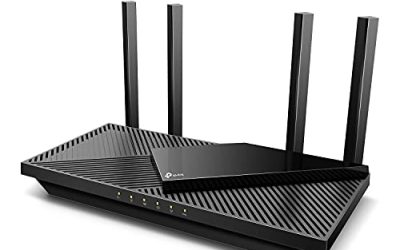
- Best for: Homes replacing a mainstream router with one wired-first box that still has multi-gig headroom.
- Wi-Fi 6 with speeds up to 1148 Mbps on 2.4 GHz and 4804 Mbps on 5 GHz
- 2 x 2.5G Ethernet ports plus 4 x Gigabit Ethernet ports
- Pre-installed OpenWrt with OpenVPN and WireGuard support
- WireGuard speeds up to 900 Mbps and OpenVPN up to 880 Mbps per the listing

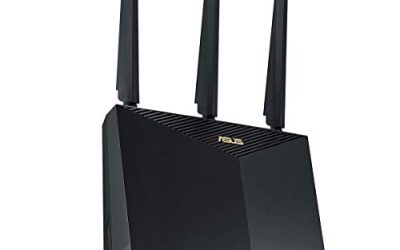
- Best for: Wired networks where several multi-gig devices compete for router ports at the same time.
- Tri-band Wi-Fi 7 with a 6 GHz band and up to 9 Gbps combined wireless speed
- 5 x 2.5G Ethernet ports covering WAN, WAN/LAN and LAN roles
- OpenVPN and WireGuard VPN support
- 1 GB memory

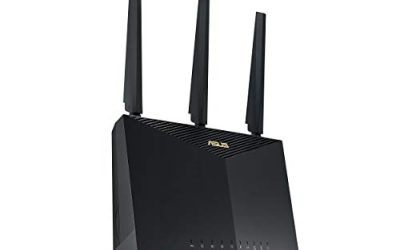
- Best for: A compact wired sub-network for one desk or room, fed from an existing Ethernet run.
- Wi-Fi 6 AX3000 with 574 Mbps on 2.4 GHz and 2402 Mbps on 5 GHz
- 1 x 2.5G WAN port and 1 x Gigabit LAN port
- OpenWrt 21.02 firmware
- OpenVPN and WireGuard VPN client and server support
All 4 Picks at a Glance
| Product | Specs | Action |
|---|---|---|
| GL.iNet GL-MT6000 (Flint 2) |
| Check price on Amazon |
| GL.iNet GL-BE9300 (Flint 3) |
| Check price on Amazon |
| GL.iNet GL-MT3000 (Beryl AX) |
| Check price on Amazon |
 GL.iNet GL-AXT1800 (Slate AX) |
| Check price on Amazon |
Our Top Picks
A flash router only earns its place in a wired setup when two things line up: the firmware has to give you real control, and the Ethernet hardware has to carry the load once the radios stop mattering. Shoppers comparing these routers are usually deciding between a box that arrives with open firmware already installed and a mainstream model they would have to flash themselves, knowing that a wrong hardware revision can end that plan before it starts.
This guide is for readers building an Ethernet-first network: a wired desk setup, a home office fed by cable, or a rack where separate access points handle wireless duty. Every pick below ships with OpenWrt-based firmware installed, and each one is judged on its wired ports, processor and VPN throughput rather than its wireless headline speed.
Quick Picks
As an Amazon Associate we earn from qualifying purchases
| Product | Best for | Key spec from title |
|---|---|---|
| GL.iNet GL-MT6000 (Flint 2) | Main router for a wired-first home | 2 x 2.5G Ethernet ports, pre-installed OpenWrt |
| GL.iNet GL-BE9300 (Flint 3) | Full bank of multi-gig wired ports | 5 x 2.5G VPN router ports, tri-band WiFi 7 |
| GL.iNet GL-MT2500A (Brume 2) | Pure Ethernet-only gateway with no radios | Wired VPN security gateway, 2.5G WAN |
| GL.iNet GL-MT3000 (Beryl AX) | Compact wired node on a wall jack | 2.5G WAN port, OpenWrt 21.02 firmware |
| GL.iNet GL-AXT1800 (Slate AX) | Small box with fast wired VPN throughput | OpenWrt router, WireGuard up to 550 Mbps |
How to Choose
Start With Firmware That Is Already Flashed
The safest flash router is the one you never have to flash. Routers with OpenWrt-based firmware installed at the factory keep their warranty intact and arrive with a working recovery path, while a self-flash project depends on matching the exact hardware revision to a supported build. For an Ethernet-only setup, pre-installed open firmware also means the wired firewall, VLAN and VPN settings are available from the first boot, with no risky first flash standing between you and a working network.
Count Ethernet Ports Before Anything Else
In a wired-first build, the port bank is the product. Check how many ports the router offers, how many of them run at 2.5 Gbps instead of gigabit, and whether a port can be reassigned between WAN and LAN duty. A desktop switch can add ports later, but every device plugged straight into the router avoids a hop. Also confirm the port layout suits a desk or rack shelf, because a router with ports on two faces can be awkward in a tight wired cabinet.
Match the Processor to Your VPN Plans
Once traffic moves to Ethernet, the wireless rating stops predicting performance and the processor takes over. A router that encrypts a VPN tunnel in software needs CPU headroom, and the listings for these models quote very different OpenVPN and WireGuard ceilings. If the wired router will carry a site-to-site tunnel or route every desk device through a VPN client, pick the model whose stated VPN throughput clears your internet speed with room to spare, and treat slower chips as gateway-only hardware.
Leave Storage and Memory Headroom for Packages
Open firmware earns its keep through add-on packages: ad blocking, dynamic DNS, network storage sharing and policy routing all live in the package manager. That software needs flash storage and RAM to run comfortably, and small travel-class routers fill up quickly once logs and plugins accumulate. For an Ethernet-only router that will stay in service for years, generous onboard storage is worth more than a slightly faster radio you may switch off anyway, and it leaves room for future packages you have not planned for yet.
The 5 Best Options
GL.iNet GL-MT6000 (Flint 2)
- Best for: Homes replacing a mainstream router with one wired-first box that still has multi-gig headroom.
- Wi-Fi 6 with speeds up to 1148 Mbps on 2.4 GHz and 4804 Mbps on 5 GHz
- 2 x 2.5G Ethernet ports plus 4 x Gigabit Ethernet ports
- Pre-installed OpenWrt with OpenVPN and WireGuard support
- WireGuard speeds up to 900 Mbps and OpenVPN up to 880 Mbps per the listing
Homes replacing a mainstream router with one wired-first box that still has multi-gig headroom.
There is no 6 GHz band, so the wireless side tops out at Wi-Fi 6 even though the wired side is current.
The Flint 2 is the natural anchor for a wired-first home network because its port bank and processor were specced for throughput, not just coverage. Two of its Ethernet ports run at 2.5 Gbps, so a fiber modem and a fast NAS or desktop can both stay on multi-gig links, while the remaining gigabit ports feed the rest of the desk. Its OpenWrt-based firmware arrives installed, and the roomy storage leaves space for the packages a wired gateway tends to collect.
Watch out for: There is no 6 GHz band, so the wireless side tops out at Wi-Fi 6 even though the wired side is current.
GL.iNet GL-BE9300 (Flint 3)
- Best for: Wired networks where several multi-gig devices compete for router ports at the same time.
- Tri-band Wi-Fi 7 with a 6 GHz band and up to 9 Gbps combined wireless speed
- 5 x 2.5G Ethernet ports covering WAN, WAN/LAN and LAN roles
- OpenVPN and WireGuard VPN support
- 1 GB memory
Wired networks where several multi-gig devices compete for router ports at the same time.
The feature set is the richest here, and the admin panel exposes more settings than a simple gateway buyer may ever open.
The Flint 3 suits readers whose wired gear has outgrown gigabit entirely. Every one of its five Ethernet ports runs at 2.5 Gbps, so a modem, a switch uplink, a gaming PC and a storage box can all sit on multi-gig links without a port-speed compromise anywhere in the chain. It runs the same OpenWrt-based firmware family as the rest of this guide, with VPN client and server support built in, and its tri-band Wi-Fi 7 radios can be left on for guests or trimmed back to a single band.
Watch out for: The feature set is the richest here, and the admin panel exposes more settings than a simple gateway buyer may ever open.
GL.iNet GL-MT2500A (Brume 2)
The Brume 2 is the only pick with no wireless hardware at all, which makes it the purest answer to an Ethernet-only brief. It is a small wired security gateway that sits between a modem or main router and the rest of a wired network, running a VPN server and a VPN client at the same time for site-to-site and remote-work layouts. Its aluminium case and fanless design suit a rack shelf or a desk corner, and the single gigabit LAN port keeps its role focused: gateway first, switch never.
Specs
- Wired-only design with no Wi-Fi radio
- 1 x 2.5G WAN port and 1 x Gigabit LAN port
- MediaTek MT7981B dual-core processor at 1.3 GHz
- DDR4 1GB RAM and eMMC 8GB storage
- Runs a VPN server and a VPN client on the same device at the same time
- USB 3.0 port and USB Type-C power input
- Aluminium alloy case
Best for: Readers who want a dedicated wired VPN gateway and already handle Wi-Fi with separate access points.
Watch out for: With only one LAN port, every additional wired device needs a switch behind it.
GL.iNet GL-MT3000 (Beryl AX)
- Best for: A compact wired sub-network for one desk or room, fed from an existing Ethernet run.
- Wi-Fi 6 AX3000 with 574 Mbps on 2.4 GHz and 2402 Mbps on 5 GHz
- 1 x 2.5G WAN port and 1 x Gigabit LAN port
- OpenWrt 21.02 firmware
- OpenVPN and WireGuard VPN client and server support
A compact wired sub-network for one desk or room, fed from an existing Ethernet run.
Storage is the smallest in this guide, so heavy package installs and logging will fill it faster than the larger models.
The Beryl AX is built like a travel router, but its wired side makes it a tidy second node for Ethernet-only corners of a home: plug its 2.5G WAN port into a wall jack or a long cable run and it becomes a private wired segment for a desk, a test bench or a media cabinet. The firmware is OpenWrt 21.02 with VPN client and server modes, and the USB-C power draw is modest enough to run from many powered hubs. It is the easiest pick to relocate when the wired layout changes.
Watch out for: Storage is the smallest in this guide, so heavy package installs and logging will fill it faster than the larger models.
GL.iNet GL-AXT1800 (Slate AX)
- Best for: A small wired setup that leans on VPN throughput more than on port count.
- Wi-Fi 6 AX1800 with 600 Mbps on 2.4 GHz and 1200 Mbps on 5 GHz
- Runs on OpenWrt 21.02 operating system
- OpenVPN speeds up to 500 Mbps and WireGuard up to 550 Mbps per the listing
- 3 x Gigabit Ethernet ports
A small wired setup that leans on VPN throughput more than on port count.
All three Ethernet ports are gigabit class, so multi-gig wired gear steps down to gigabit speeds here.
The Slate AX packs the strongest quoted VPN numbers of the compact models into a pocket-sized case, which suits a wired workstation corner that routes through a tunnel all day. Its three gigabit Ethernet ports cover a WAN feed plus two wired devices without a switch, and the OpenWrt 21.02 firmware supports the same package ecosystem as its bigger siblings. The TF card slot and USB 3.0 port give it light network-storage options that most routers this size skip, making it a flexible spare or secondary wired router.
Watch out for: All three Ethernet ports are gigabit class, so multi-gig wired gear steps down to gigabit speeds here.
Which One Fits Your Situation
Your Whole Wired Network Hangs Off One Router
Choose the Flint 2. It combines the strongest mix of multi-gig ports, storage headroom and quoted VPN throughput in a single box, so a modem, a desktop, a console and a storage drive can all stay wired without an immediate switch purchase. Its factory-installed open firmware means the firewall and routing rules you need are available on day one.
Wi-Fi Already Lives on Separate Access Points
Choose the Brume 2. When access points already cover the house, a router with radios is wasted hardware, and this wired-only gateway spends everything on its 2.5G WAN port and VPN roles instead. It anchors remote access and site-to-site links quietly, and its small fanless case disappears onto a rack shelf or behind a modem.
You Need a Private Wired Segment in One Room
Choose the Beryl AX. A single Ethernet feed from the main network becomes your own routed segment for a work desk, a bench PC or a streaming corner, with the router-wide VPN settings kept separate from the household network. Its small size and USB-C power make it easy to move when the room layout changes.
Every Wired Device You Own Is Multi-Gig
Choose the Flint 3. Five 2.5G ports mean the modem, the gaming PC, the storage box and the switch uplink all negotiate multi-gig links at once, and the Wi-Fi 7 side stays available for the devices that never get a cable. It is the pick that postpones a port upgrade the longest.
Common Mistakes
- Buying a router for self-flashing without checking that its exact hardware revision has a supported OpenWrt or DD-WRT build
- Leaving every Wi-Fi radio enabled on a router bought for wired duty, then wondering why the network map looks crowded
- Judging VPN performance by the wireless speed class instead of the processor and the quoted tunnel throughput
- Starting a firmware flash over a wireless connection instead of a stable Ethernet cable
- Skipping the recovery and backup step before changing firmware, leaving no way back if the first boot fails
Frequently Asked Questions
What makes a router a flash router?
A flash router runs third-party open firmware such as OpenWrt or DD-WRT instead of a locked stock interface. Some models are flashed by a specialist seller before shipping, while the routers in this guide leave the factory with OpenWrt-based firmware already installed. Either way, the point is the same: deeper control over routing, firewall rules and VPN behavior than mainstream firmware usually allows.
Can these routers run with Ethernet only and the Wi-Fi turned off?
Yes. OpenWrt-based firmware lets you disable each wireless radio independently, and the router keeps routing, switching and encrypting traffic over its Ethernet ports with the radios off. One pick in this guide, the Brume 2, goes further and has no Wi-Fi hardware at all, so a wired-only layout is its only mode of operation.
Is flashing DD-WRT or OpenWrt onto a mainstream router risky?
It carries real risk when the hardware revision does not match the build, because a bad flash can leave a router unbootable and outside its warranty. That is why this guide favors models with open firmware installed by the manufacturer: the flashing step is already done, recovery tools are documented, and firmware updates arrive through the normal update channel instead of a manual file upload.
Will a wired-only setup still benefit from a faster router processor?
Yes, because the processor handles the work that remains after the radios go quiet: NAT for every wired flow, firewall rules, quality-of-service queues and any VPN encryption. A faster chip keeps gigabit and multi-gig wired traffic moving while a tunnel is active, while a slower gateway processor can become the bottleneck even when every cable and port in the chain is rated higher.
FAQ
What makes a router a flash router?
Can these routers run with Ethernet only and the Wi-Fi turned off?
Is flashing DD-WRT or OpenWrt onto a mainstream router risky?
Will a wired-only setup still benefit from a faster router processor?
More from Amazon
Programs that pair well with the guide above. Offers and eligibility are set by Amazon and may change.
Free shipping on eligible items, Prime Video and more. Eligible new members can start with a free trial.
Start a Prime free trialAd-free music streaming. Eligible new subscribers can start with a free trial.
Try Music Unlimited freeA Prime membership for ages 18-24 with a trial period. Eligibility is set by Amazon.
See Prime for Young AdultsAudiobooks and podcasts to listen to on the go. Eligible new members can start with a free trial.
Try Audible freeAs an Amazon Associate we earn from qualifying purchases.