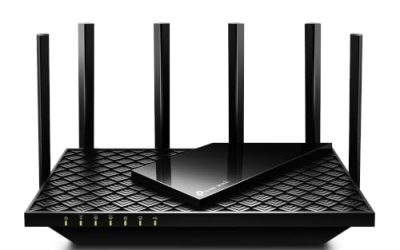
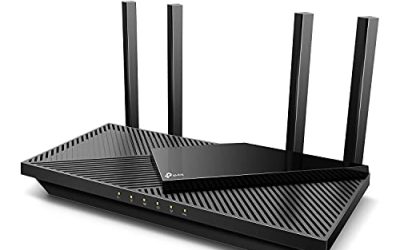
Our Short List of 3

- Best for: Homes wanting a straightforward wired gateway with multi-WAN and VPN headroom.
- Brand: TP-Link; model name ER605, model number ER605
- Router network type: wired, per the listing
- Ports in the listing title: up to 3 WAN Ethernet ports plus 1 USB WAN
- VPN in the listing: up to 20 LAN-to-LAN IPsec, 16 OpenVPN, 16 L2TP and 16 PPTP connections

- Best for: Bigger wired homes and shared houses running more than one internet line.
- Brand: TP-Link; model name ER7206, model number TL-ER7206
- Router network type: wired, per listing details
- Ports in listing features: 1 Gigabit SFP WAN port, 1 Gigabit WAN port, 2 Gigabit WAN/LAN ports, 1 Gigabit LAN port
- Data transfer rate: 1 Gigabits Per Second; LAN port bandwidth 1000 Mbps

- Best for: Tinkerers who want OpenWRT, WireGuard and multi-WAN in one small wired box.
- Brand: Cudy; model R700
- Title features: Gigabit Multi-WAN Router, OpenWRT, 5x GbE
- Port layout in listing features: 1 Gigabit WAN port, 3 Gigabit WAN/LAN ports, 1 Gigabit LAN port, up to 4 WAN ports
- VPN in listing features: PPTP server and client, L2TP server and client, OpenVPN server and client, WireGuard server or client, IPsec site to site, Zerotier master and slave
All 4 Picks at a Glance
| Product | Specs | Action |
|---|---|---|
| TP-Link ER605 V2 |
| Check price on Amazon |
| TP-Link ER7206 |
| Check price on Amazon |
| Cudy R700 |
| Check price on Amazon |
 MikroTik hEX S |
| Check price on Amazon |
Key takeaways
- Compare wired-only routers for home use, from simple Gigabit VPN boxes to a 2.5G Omada gateway, and pick the right ports, WAN count and VPN fit.
The real decision with a wired router is not wireless speed, because there is no wireless at all. It is whether you want a quiet box that simply routes, firewalls and hands out addresses for a wired home, while separate access points handle Wi-Fi where you actually need it. Port speed, WAN count and VPN support matter far more than antennas here.
This guide is for homeowners splitting routing from Wi-Fi, people with a second internet line they want as backup, and home lab users who like control. Every pick below is a wired-only model chosen from its Amazon listing title and specifications, with no Wi-Fi radio doing the selling. The five models divide cleanly by speed, line count and how much configuration you welcome.
Quick Picks
As an Amazon Associate we earn from qualifying purchases
| Product | Best for | Key spec from title |
|---|---|---|
| TP-Link ER605 V2 | Most homes moving to wired routing | Up to 3 WAN Ethernet Ports + 1 USB WAN |
| TP-Link ER707-M2 | Internet plans faster than Gigabit | Multi-Gigabit VPN Router |
| TP-Link ER7206 | Several wired internet lines | Multi-WAN Professional Wired Gigabit VPN Router |
| Cudy R700 | OpenWRT fans on a wired setup | Gigabit Multi-WAN Router, OpenWRT, 5x GbE |
| MikroTik hEX S | RouterOS users who want full control | 5X Gigabit Ethernet, SFP, Dual Core 880MHz CPU |
How to Choose
Start by accepting there is no Wi-Fi
A wired-only router will not cover a single room with wireless signal, and that absence is deliberate. You still need at least one access point, or an old wireless router switched into access point mode, before phones and laptops can connect. Budget your shelf space and cables for two devices rather than one. Homes that grasp this split usually end up happier, because each box does one job well instead of a combined unit doing two jobs adequately. It also means a wireless upgrade later never forces you to rebuild the wired core of the network.
Match port speed to your internet plan
Gigabit ports are plenty when your plan sits at or below gigabit speed, which covers most houses today. If you have ordered a faster tier, or you move large files between a wired desktop and a home server, look for 2.5G ports on at least the WAN and main LAN positions. An SFP cage adds a fiber or copper module option, useful for a long run to another building. Count usable LAN ports honestly, because a switch often joins the setup sooner than expected.
Decide how many internet lines you really run
Multi-WAN sounds appealing, yet most homes use exactly one connection for years. A second line only earns its keep when outages cost you work calls, classes or income, and load balancing can spread traffic when both lines stay live. Check how many ports each model can assign as WAN, and whether a USB port accepts a mobile modem as a third backup path. Buying five WAN ports for a single cable line simply leaves sockets idle behind the television stand.
Check VPN and management style before features
VPN labels hide real differences. Some households only need the router to pass traffic through, while others want the box itself to hold IPsec, OpenVPN or WireGuard tunnels for remote access to files at home. Management matters just as much. Controller-based systems suit people planning matching access points and switches later, while a plain web interface or RouterOS suits tinkerers who enjoy setting rules themselves. Pick the style you will actually maintain after the first weekend, because an unmaintained router with forgotten passwords and stale rules helps nobody in the house.
The 5 Best Options
TP-Link ER605 V2
- Best for: Homes wanting a straightforward wired gateway with multi-WAN and VPN headroom.
- Brand: TP-Link; model name ER605, model number ER605
- Router network type: wired, per the listing
- Ports in the listing title: up to 3 WAN Ethernet ports plus 1 USB WAN
- VPN in the listing: up to 20 LAN-to-LAN IPsec, 16 OpenVPN, 16 L2TP and 16 PPTP connections
Homes wanting a straightforward wired gateway with multi-WAN and VPN headroom.
Every port is Gigabit, so a faster internet tier cannot pass its full speed through this box.
For most houses making the split, the ER605 V2 is the calm starting point. Its listing calls it a wired Gigabit VPN router with up to three WAN Ethernet ports plus a USB WAN option, SPI firewall protection and Omada SDN integration. That mix suits a family that wants one wired connection handled properly today, with room for a backup line later, without learning a command-driven system first or replacing the box when a second service arrives next year.
TP-Link ER707-M2
Choose the ER707-M2 when your internet plan has outgrown plain Gigabit hardware. Its listing presents it as a multi-gigabit VPN router, and the port layout backs that positioning with 2.5G sockets alongside Gigabit and SFP connections. It fits a wired home office where a fast desktop, a network drive and a work machine all push traffic at once, and where a second line may join later for load balancing across several WAN ports.
Specs
- Brand: TP-Link; model ER707-M2, described in the listing as a Multi-Gigabit VPN Router
- Ports: 1 x 2.5G RJ45 WAN port, 1 x 2.5G RJ45 WAN/LAN port, 1 x Gigabit SFP WAN/LAN port, 4 x Gigabit RJ45 WAN/LAN ports
- USB: 1 x USB 2.0 port, listed for USB storage and LTE backup with an LTE dongle
- Load balancing on up to 6 WAN ports
- VPN listed for the model: SSL, IPsec, GRE, WireGuard, PPTP, L2TP and OpenVPN
- Management: Omada SDN integrated, with centralized cloud management through a controller
Best for: Households on multi-gigabit plans that still want wired-only routing and several WAN choices.
Watch out for: The extra speed only helps if your modem, switch and access points also offer faster ports.
ASIN: B0C238XMVV
TP-Link ER7206
- Best for: Bigger wired homes and shared houses running more than one internet line.
- Brand: TP-Link; model name ER7206, model number TL-ER7206
- Router network type: wired, per listing details
- Ports in listing features: 1 Gigabit SFP WAN port, 1 Gigabit WAN port, 2 Gigabit WAN/LAN ports, 1 Gigabit LAN port
- Data transfer rate: 1 Gigabits Per Second; LAN port bandwidth 1000 Mbps
Bigger wired homes and shared houses running more than one internet line.
Its capacity goes partly unused in a small flat with a handful of wired devices.
The ER7206 steps toward busier networks without leaving the wired-only idea behind. Its listing title calls it a multi-WAN professional wired Gigabit VPN router with increased network capacity, an SPI firewall, Omada SDN integration, load balance and lightning protection. At home, that profile suits a large household sharing wired connections across floors, a small rental property, or anyone who genuinely keeps two internet services active and wants an SFP uplink in reserve.
Cudy R700
- Best for: Tinkerers who want OpenWRT, WireGuard and multi-WAN in one small wired box.
- Brand: Cudy; model R700
- Title features: Gigabit Multi-WAN Router, OpenWRT, 5x GbE
- Port layout in listing features: 1 Gigabit WAN port, 3 Gigabit WAN/LAN ports, 1 Gigabit LAN port, up to 4 WAN ports
- VPN in listing features: PPTP server and client, L2TP server and client, OpenVPN server and client, WireGuard server or client, IPsec site to site, Zerotier master and slave
Tinkerers who want OpenWRT, WireGuard and multi-WAN in one small wired box.
Open firmware rewards patience; expect to read documentation rather than follow a phone-guided setup.
The R700 appeals to buyers who prefer open firmware and a compact metal box over a controller ecosystem. Its Amazon title describes a Gigabit multi-WAN router with OpenWRT and five Gigabit Ethernet ports, and the listing features spell out one dedicated WAN port, three WAN/LAN ports and one LAN port, configurable for up to four WAN connections. WireGuard support in both server and client roles gives modern remote access without relying on older protocols alone.
MikroTik hEX S
- Best for: Confident users who want RouterOS control, an SFP cage and no wireless hardware at all.
- Brand: MikroTik; product code RB760iGS, model name hEX S
- Amazon title: Mikrotik hEX S RB760iGS Router 5X Gigabit Ethernet, SFP, Dual Core 880MHz CPU
- Ethernet ports: 5 x Gigabit Ethernet
- SFP: 1 SFP cage, listed at 1.25 Gbit/s for this model
Confident users who want RouterOS control, an SFP cage and no wireless hardware at all.
RouterOS exposes far more settings than most home users need, and the first configuration takes study.
MikroTik describes the hEX S as a five port Gigabit Ethernet router for locations where wireless connectivity is not required, and that plain statement captures its audience. The Amazon title highlights five Gigabit Ethernet ports, an SFP cage and a dual core 880MHz CPU, running RouterOS rather than a simplified consumer interface. It suits a technically confident homeowner who wants detailed firewall rules, queues and monitoring, and who may power one small wired device from the final port.
Which One Fits Your Situation
You are separating routing from Wi-Fi for the first time
Start with the ER605 V2. Its three possible WAN ports, USB backup option and controller-friendly management give a new wired setup room to grow, while the hardware stays small and quiet. Add one access point in the hallway, wire the television and desktop directly, and you have covered the pattern most families actually use every evening.
Your internet plan runs faster than Gigabit
The ER707-M2 is the natural pick here, because its 2.5G WAN and WAN/LAN ports stop the router becoming the bottleneck. Pair it with a faster switch and access points that also carry quicker ports, otherwise the gain stops at the router shelf. Houses still on Gigabit tiers can safely stay with the cheaper-feeling Gigabit models in this list.
Two internet lines keep your household working
Look at the ER7206 for its SFP plus wired WAN mix, or the R700 when four WAN assignments and OpenWRT matter more. Either way, decide in advance whether the second line should take over automatically during an outage or share everyday traffic. Write that policy down before setup day, because changing it later usually means reworking port assignments.
You enjoy configuring the network yourself
The hEX S rewards that temperament with RouterOS depth, an SFP cage and PoE output on its last port. The R700 offers a different flavour of control through OpenWRT and WireGuard in server or client roles. Choose RouterOS if you like one vendor system with granular menus, and OpenWRT if community firmware and packages sound more inviting.
Common Mistakes
- Expecting a wired router to provide Wi-Fi on its own, then discovering phones have nothing to join.
- Counting every Ethernet socket as a LAN port, when several may be assigned to WAN duties.
- Buying multi-gigabit ports while the modem, switch and access points all remain Gigabit models.
- Setting up a second internet line without deciding between automatic takeover and shared traffic.
- Ignoring VPN type, then finding the router supports different protocols than the service or office you must reach.
Frequently Asked Questions
Does a wired router replace my modem?
Usually not. A wired router handles addresses, firewall rules and traffic between your home network and the internet connection, while the modem or fiber terminal still converts the incoming line. Some internet services hand you an Ethernet socket that plugs straight into the WAN port. Check what your provider installed before removing any existing box from the chain.
How do phones and tablets connect if the router has no Wi-Fi?
They connect through a separate wireless access point wired back to the router or to a switch on its LAN side. Many people reuse an older wireless router set to access point mode as a starting step. Place that access point centrally, give it the network name you want, and let the wired router keep control of addressing and security.
Is one Gigabit router enough for a busy family?
For most families, yes. Streaming, calls, schoolwork and downloads across several wired devices fit comfortably within Gigabit ports, especially when Wi-Fi clients share an access point sensibly. The limit appears when your internet plan itself exceeds Gigabit speed, or when large local transfers between wired machines happen constantly. In those cases, a model with 2.5G ports makes the difference.
Can a wired router improve online gaming?
It can help the wired part of the path. Connecting a console or PC by cable removes local wireless interference and jitter, and a capable router keeps its rules consistent under load. It cannot shorten the route to a distant game server or fix a provider outage. Think of it as making your side of the connection steadier, not rewriting the wider internet.
FAQ
Does a wired router replace my modem?
How do phones and tablets connect if the router has no Wi-Fi?
Is one Gigabit router enough for a busy family?
Can a wired router improve online gaming?
More from Amazon
Programs that pair well with the guide above. Offers and eligibility are set by Amazon and may change.
Free shipping on eligible items, Prime Video and more. Eligible new members can start with a free trial.
Start a Prime free trialAd-free music streaming. Eligible new subscribers can start with a free trial.
Try Music Unlimited freeA Prime membership for ages 18-24 with a trial period. Eligibility is set by Amazon.
See Prime for Young AdultsAudiobooks and podcasts to listen to on the go. Eligible new members can start with a free trial.
Try Audible freeAs an Amazon Associate we earn from qualifying purchases.