Our Top Picks
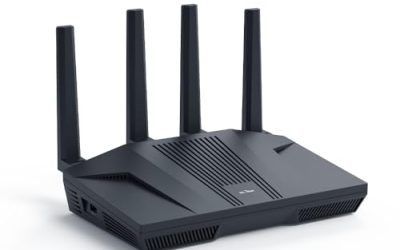
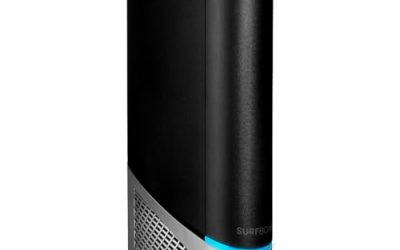
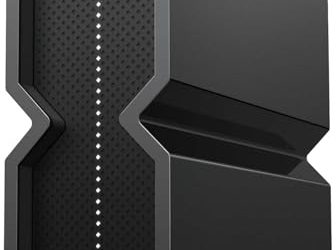
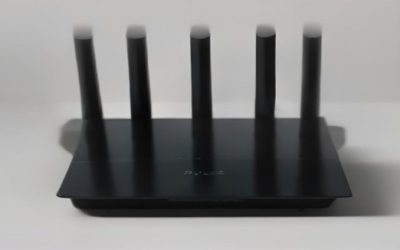
 TP-Link AXE5400 Tri-Band WiFi 6E RouterWiFi 6E, Tri-Band AXE540012.91 x 10.43 x 4.72 inches1.5 poundsCheck on Amazon


A single 4K stream is easy for almost any modern router; the picture only breaks down when a second television starts a film, a console downloads a patch and someone upstairs joins a video call on the same connection. What separates a router that holds every stream steady from one that buffers at the worst moment is sustained throughput across several devices at once, not the headline speed printed on the box. That is the decision this shortlist is built around.
The four routers below suit different households: a tri-band Wi-Fi 6E model with a clear 6 GHz lane for streaming boxes, a Wi-Fi 7 flagship for large device-heavy homes, a dual-band Wi-Fi 6 router whose traffic management is its real strength, and a value Wi-Fi 6 pick aimed squarely at streaming. Each was chosen from the bands, radios and ports named on its Amazon product page.
Quick Picks
As an Amazon Associate we earn from qualifying purchases.
| Product | Best for | Key spec |
|---|---|---|
| TP-Link Archer AXE75 | A clear 6 GHz lane for streaming devices | AXE5400 tri-band Wi-Fi 6E |
| NETGEAR Nighthawk RS300 | Large homes with many connected devices | BE9300 tri-band Wi-Fi 7, up to 9.3 Gbps |
| ASUS RT-AX86U Pro | Mixed streaming and gaming traffic | AX5700 Wi-Fi 6 with Adaptive QoS |
| TP-Link Archer AX73 | A streaming-first upgrade on a budget | AX5400 Wi-Fi 6 with OFDMA and MU-MIMO |
How to Choose
Bands and Wi-Fi Generation Decide Your Headroom
Every simultaneous 4K stream needs its own slice of clean airtime, and the band it travels on matters more than raw speed ratings. A dual-band router forces televisions, phones and laptops to share the 5 GHz band, while a tri-band design adds either a second 5 GHz radio or the 6 GHz band, which streaming sticks and boxes can use without competing against older gadgets. Wi-Fi 6E opens that 6 GHz lane, and Wi-Fi 7 widens channels further. Match the generation to how many screens run at once: two televisions are fine on good Wi-Fi 6, while four or more streams argue for 6E or 7.
Throughput Ratings Need Translating
The number in a router’s class name, such as AX5400 or BE9300, is the sum of every band’s theoretical maximum added together, and no single device ever receives that total. A television streaming 4K typically pulls a small fraction of one band’s capacity, so the practical question is how the router divides its airtime when several devices demand data simultaneously. Features named OFDMA and MU-MIMO let the router serve multiple devices in the same transmission window instead of queueing them one by one. Those two features, listed on the product page, predict smooth concurrent streams far better than the biggest number on the packaging.
QoS Keeps Streams Ahead of Background Traffic
Buffering during a film often has nothing to do with the stream itself: a game update, a cloud backup or a large download saturates the connection for a few seconds and the video player starves. Quality of Service settings let the router prioritise streaming and calls over bulk traffic, either by device or by activity type. Some routers automate this with adaptive modes that recognise entertainment traffic, while others rely on companion security suites with built-in prioritisation. If your household mixes film nights with big downloads, treat a named QoS feature on the specification list as a requirement rather than a bonus.
Ports and Coverage Finish the Setup
Wireless capacity only helps if the router also fits your wiring and your floor plan. A 2.5 Gbps port matters when your internet plan exceeds gigabit speed or when a wired streaming box, NAS or gaming PC should never touch Wi-Fi at all; standard gigabit ports are enough for everyone else. Stated coverage figures and device counts give a rough guide for larger homes, though thick walls still defeat any single unit. Check the port list and coverage figure on the product page against your rooms, and consider whether the router can join a mesh system later if one corner of the house stays weak.
The 4 Best Options
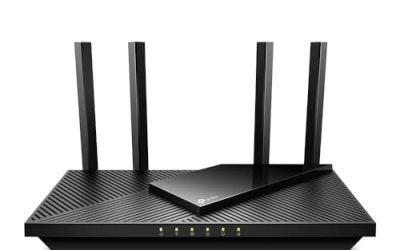
TP-Link Archer AXE75
The Archer AXE75 is the natural starting point for a household whose streaming devices support Wi-Fi 6E, because its third band sits in the uncongested 6 GHz range and gives a television or streaming stick a lane almost nothing else in the home is using. The AXE5400 tri-band design pairs that lane with 160 MHz channels on the faster bands, a quad-core processor to keep several streams and background devices moving, and TP-Link’s HomeShield suite with QoS for prioritising entertainment traffic. OneMesh support also leaves a door open to extend coverage later with a compatible extender rather than replacing the router.
Specs
- AXE5400 tri-band Wi-Fi 6E across 2.4 GHz, 5 GHz and 6 GHz bands
- 160 MHz channels
- Quad-core CPU
- OneMesh supported
- VPN server and client support
- WPA3 security
- USB 3.0 port
- Gigabit ports
- HomeShield with QoS
Best for: Homes with Wi-Fi 6E streaming devices that want a dedicated 6 GHz lane for 4K video.
Watch out for: Availability signals for this listing conflict, so confirm a live featured offer for the exact ASIN before ordering.
ASIN: B0B3SQK74L
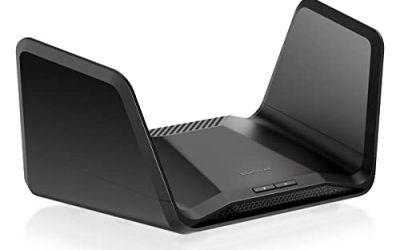
NETGEAR Nighthawk RS300

The Nighthawk RS300 is the pick for a large, device-heavy home where 4K streaming competes with dozens of other gadgets. As a tri-band Wi-Fi 7 router in the BE9300 class, it offers up to 9.3 Gbps of combined throughput, coverage rated up to 2,500 square feet and support for up to 100 connected devices, so several televisions can stream while smart-home hardware chatters away in the background. Its wired side is equally generous, with two 2.5G ports alongside two gigabit ports for a wired streaming box or a fast internet plan, and NETGEAR Armor adds network security on top.
Specs
- BE9300 tri-band Wi-Fi 7 (802.11be), up to 9.3 Gbps
- Coverage up to 2,500 sq ft
- Supports up to 100 devices
- 2 x 2.5G ports and 2 x gigabit ports
- USB 3.0 port
- Model RS300-100NAS
- NETGEAR Armor security
Best for: Bigger households running several 4K streams alongside many other connected devices.
Watch out for: Wi-Fi 7 benefits arrive band by band, so older 5 GHz-only televisions gain stability from the extra capacity rather than any speed jump.
ASIN: B0D4JBGPH4
ASUS RT-AX86U Pro
The RT-AX86U Pro takes a different route to the same goal: instead of a third band, it leans on traffic management. This dual-band Wi-Fi 6 router in the AX5700 class combines 574 Mbps on 2.4 GHz with 4,804 Mbps on 5 GHz, backed by a 2.0 GHz quad-core processor, 1 GB of RAM and 4×4 MU-MIMO, feeding multiple streams in parallel. Adaptive QoS lets you prioritise streaming or gaming, AiProtection Pro is included without a subscription, and a 2.5G port plus a dedicated gaming port cover wired devices. AiMesh support lets it join an ASUS mesh setup later.
Specs
- AX5700 dual-band Wi-Fi 6 (574 + 4,804 Mbps)
- 2.0 GHz quad-core CPU and 1 GB RAM
- 4×4 MU-MIMO
- 2.5G port and dedicated gaming port
- Adaptive QoS and Mobile Game Mode
- AiProtection Pro, subscription-free
- AiMesh compatible
- VPN support
Best for: Households mixing film nights with gaming, where prioritising the right traffic matters most.
Watch out for: There is no 6 GHz band, so Wi-Fi 6E or Wi-Fi 7 devices fall back to 5 GHz; choose it for its management features, not for future band support.
ASIN: B0BQ417K47
TP-Link Archer AX73
The Archer AX73 is the straightforward streaming upgrade: a dual-band Wi-Fi 6 router in the AX5400 class that TP-Link itself markets for streaming in the listing title. Its 5,400 Mbps combined rating splits into 574 Mbps on 2.4 GHz and 4,804 Mbps on 5 GHz, and the combination of OFDMA and MU-MIMO lets it talk to several televisions, sticks and phones at once instead of in turn. Six high-performance antennas help hold signal at the far end of an apartment, a 1.5 GHz triple-core processor keeps the network responsive under load, and HomeShield adds parental controls and basic security.
Specs
- AX5400 dual-band Wi-Fi 6, up to 5,400 Mbps (574 + 4,804)
- 6 high-performance antennas
- OFDMA and MU-MIMO
- 1.5 GHz triple-core CPU
- Gigabit ports
- WPA3 security
- HomeShield
Best for: Apartments and smaller homes wanting a dependable Wi-Fi 6 router tuned for streaming.
Watch out for: It is dual-band only, so in a crowded building the 5 GHz band carries everything; placement near the main television matters.
ASIN: B08TH4D3QV
Which One Fits Your Situation
Two Televisions, One Busy Evening
If the typical night is a film in the living room and a series in the bedroom, the Archer AX73 covers it comfortably. Its OFDMA and MU-MIMO handling keeps two 4K streams plus phones and tablets moving without a third band, and the six antennas suit an apartment layout. Spend more only if your device count keeps climbing.
A House Full of Screens and Smart Gadgets
When four televisions, consoles, cameras and a shelf of smart devices all share one network, the Nighthawk RS300 is the safer anchor. Its Wi-Fi 7 capacity, 100-device support and 2,500 square foot coverage rating are built for exactly that load, and the 2.5G ports keep wired streaming boxes off the wireless bands entirely.
Streaming Boxes That Support Wi-Fi 6E
Owners of newer streaming sticks and players with 6 GHz radios should look at the Archer AXE75. Giving those devices their own 6 GHz lane removes them from the crowded 5 GHz band your older hardware still uses, which is the single most effective change for eliminating evening buffering in a mixed-generation home.
Film Nights Sharing With a Gamer
If one person’s 4K film competes with another person’s online match and patch downloads, the RT-AX86U Pro earns its place. Adaptive QoS lets you favour streaming or gaming traffic on demand, AiProtection Pro runs without a subscription, and the dedicated gaming port plus 2.5G port keep the wired machine fast without starving the television.
Common Mistakes
- Buying by the biggest class number: AX5400 and BE9300 are sums across all bands, so compare band layout and features such as OFDMA instead of chasing the largest figure.
- Ignoring the devices you own: a Wi-Fi 6E or Wi-Fi 7 router cannot give a 6 GHz lane to a streaming stick that only has a 5 GHz radio.
- Hiding the router in a cabinet or behind the television: enclosed, low placement strangles the signal before any specification on the box gets a chance to help.
- Forgetting the wired side: a gigabit-only router caps a faster-than-gigabit internet plan, so check for a 2.5G port if your connection exceeds gigabit speed.
- Skipping QoS setup: prioritisation features do nothing until you enable them, and the default settings rarely match a streaming-heavy household.
Frequently Asked Questions
How much router speed does one 4K stream actually need?
Far less than any router here provides on a single band. The real constraint is concurrency: several streams, calls and downloads arriving together. That is why this shortlist favours band layout, OFDMA, MU-MIMO and QoS over headline numbers, since those features decide whether simultaneous streams stay smooth when the household is busy.
Is Wi-Fi 7 worth it for streaming today?
For most homes, not yet on its own. Wi-Fi 7 routers such as the RS300 still help through greater overall capacity, better handling of many devices and faster wired ports, but a television with a Wi-Fi 6 radio uses only the older standard. Buy Wi-Fi 7 for a large, growing household rather than for one television.
Should my streaming box use the 6 GHz band?
If both the router and the streaming device support Wi-Fi 6E, yes. The 6 GHz band is far less crowded than 5 GHz, so a 4K stream there faces almost no competition from neighbours or older gadgets. Keep the device in the same room where possible, because 6 GHz signals fade faster through walls.
Can one of these routers replace a mesh system?
In an apartment or a modest house, usually yes, especially a model with a strong coverage rating or mesh compatibility such as the OneMesh-ready AXE75 or the AiMesh-ready RT-AX86U Pro. Across several floors or thick masonry walls, a dedicated mesh kit still wins, because placement of multiple nodes beats any single router’s power.
FAQ
How much router speed does one 4K stream actually need?
Is Wi-Fi 7 worth it for streaming today?
Should my streaming box use the 6 GHz band?
Can one of these routers replace a mesh system?
More from Amazon
Programs that pair well with the guide above. Offers and eligibility are set by Amazon and may change.
Free shipping on eligible items, Prime Video and more. Eligible new members can start with a free trial.
Start a Prime free trialAd-free music streaming. Eligible new subscribers can start with a free trial.
Try Music Unlimited freeA Prime membership for ages 18-24 with a trial period. Eligibility is set by Amazon.
See Prime for Young AdultsAudiobooks and podcasts to listen to on the go. Eligible new members can start with a free trial.
Try Audible freeAs an Amazon Associate we earn from qualifying purchases.