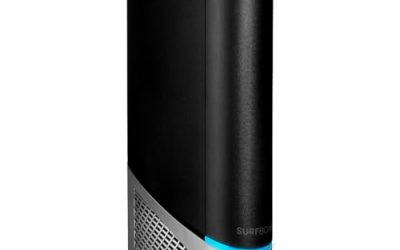
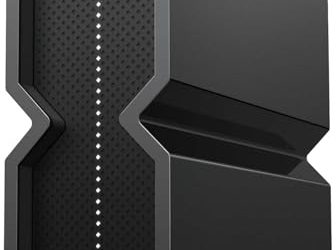
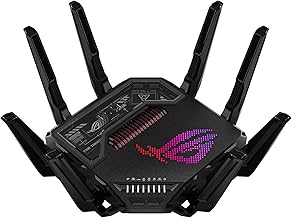
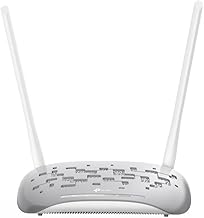
Our Top Picks


Google Fiber delivers internet to your home through a small network terminal with an Ethernet jack, so the router you plug into it decides how much of your plan actually reaches your devices. The real decision is not the brand on the box. It is whether the router has a multi-gigabit WAN port that can accept a 2 Gig or 8 Gig connection, whether its wireless radios can spread that speed across rooms, and whether its wired ports can feed consoles, desktops, and streaming boxes without choking. Buy a gigabit-only router for a multi-gig plan and you pay for speed you never see.
This guide is for Google Fiber subscribers on 1 Gig, 2 Gig, and 8 Gig plans who want a router that matches the service instead of bottlenecking it. It covers single routers for apartments and mid-size homes, mesh systems for large or multi-story houses, and wired-heavy models for desks full of gear. Every pick below was chosen from the names and specifications on its Amazon product page.
Quick Picks
As an Amazon Associate we earn from qualifying purchases
| Product | Best for | Key spec from title |
|---|---|---|
| NETGEAR Nighthawk RAXE300 | 1 Gig Fiber in a mid-size home | AXE7800 Tri-Band WiFi 6E, 2.5G port |
| ASUS RT-AXE7800 | Security-minded homes on 1 or 2 Gig | AXE7800 Tri-Band WiFi 6E, 2.5G port |
| NETGEAR Nighthawk RS300 | 2 Gig Fiber with Wi-Fi 7 devices | BE9300 Tri-Band WiFi 7, 2.5G port |
| ASUS RT-BE92U | 2 Gig Fiber with a wired desk setup | BE9700 Tri-Band WiFi 7, 10G port |
| TP-Link Deco 7 Pro BE63 2-Pack | Large homes on 2 Gig or faster | BE10000 Tri-Band WiFi 7 mesh, 2.5G ports |
How to Choose
Match the WAN port to your Fiber plan
Google Fiber sells 1 Gig, 2 Gig, and 8 Gig plans, and the WAN port on your router is the ceiling for all of them. A router with only gigabit Ethernet ports caps a 2 Gig plan at 1 Gig before a single device connects, which wastes the faster tier entirely. Look for a 2.5 gigabit WAN port for 2 Gig service, and a 10 gigabit WAN port if you are on the 8 Gig plan or expect to move up. The WAN port is the one that connects to the Fiber terminal, so check its speed in the specifications rather than the combined wireless number on the box.
Pick the Wi-Fi generation for your devices
Wi-Fi 6E adds a 6 GHz band that gives compatible phones, laptops, and consoles a clean lane away from crowded 5 GHz traffic, while Wi-Fi 7 adds wider channels and multi-link operation that keeps connections steadier when several devices stream at once. Either one works well on Google Fiber, but the generation only helps devices that support it. Older phones and laptops fall back to 5 GHz and 2.4 GHz, so a tri-band router matters more than the newest label when most of your household still runs older hardware.
Single router or mesh for your floor plan
A single router suits apartments and one-story homes where the Fiber terminal sits near the center, because one strong radio can reach every room. Large homes, multi-story houses, and homes with thick walls need a mesh system, where two or more units share one network name and hand devices between them as you move around. Mesh kits cost more and add a second box to place, but they fix dead zones that no single router can reach through concrete or steel. Measure your home before choosing.
Check the wired ports and software before you buy
Wireless speed gets the headlines, but the wired side decides how well consoles, desktops, and streaming boxes actually perform. Count the LAN ports and their speeds, since a router with one fast port and three gigabit ports still limits a wired NAS or second access point. Also check the management app, parental controls, VPN support, and whether security features need a subscription after the first year. A router that is hard to manage becomes a chore every time the network needs a change.
The 5 Best Options
NETGEAR Nighthawk RAXE300
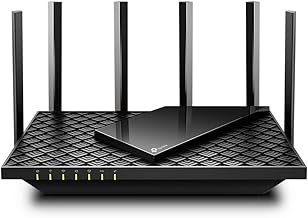
The RAXE300 is the straightforward pick for a 1 Gig Fiber household that wants Wi-Fi 6E without paying for Wi-Fi 7 hardware it cannot use yet. Its tri-band radios spread traffic across 2.4 GHz, 5 GHz, and a 6 GHz band, and the 2.5 gigabit multi-gig port gives the wired side headroom above a gigabit connection. Setup runs through the Nighthawk app, and the folding wing design keeps six internal antennas out of sight on a shelf. This is a budget-tier router for homes that want fast, simple wireless coverage.
Specs
- Tri-band WiFi 6E with speeds up to 7.8 Gbps
- 6 GHz band for WiFi 6E devices
- 1.7 GHz quad-core processor
- 2.5G multi-gig Ethernet port plus five gigabit Ethernet ports
- USB 3.0 Type-C port for shared storage
- Coverage up to 2,500 sq. ft. and 40 devices
- NETGEAR Armor with a one-year subscription included
- WPA3 security and Nighthawk app management
Best for: 1 Gig Fiber subscribers in a mid-size home who want Wi-Fi 6E at a budget tier.
Watch out for: NETGEAR Armor and Smart Parental Controls need a paid subscription after the included trial ends.
ASIN: B0B1LZMH78
ASUS RT-AXE7800

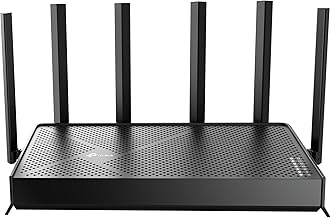
The RT-AXE7800 suits a household that wants strong security tools and a router that can grow into a mesh network later. It carries the same AXE7800 tri-band Wi-Fi 6E class as the RAXE300, with a 2.5 gigabit port for the Fiber terminal and WAN and LAN aggregation for flexible wired setups. AiProtection Pro, Safe Browsing, and the Instant Guard VPN come with no subscription, which keeps the long-term cost down. AiMesh support means a second ASUS router can extend coverage later instead of replacing this one. This is a budget-tier router for security-conscious homes.
Specs
- Tri-band WiFi 6E with speeds up to 7,800 Mbps
- 6 GHz band with 160 MHz channels
- 2.5 Gbps WAN/LAN port with WAN and LAN aggregation
- 1.7 GHz quad-core processor
- 512 MB DDR4 RAM and 256 MB flash
- Six external antennas
- AiMesh support for whole-home expansion
- AiProtection Pro, Safe Browsing, and Instant Guard VPN
- Free parental controls
Best for: Security-minded homes on 1 or 2 Gig Fiber that want subscription-free protection at a budget tier.
Watch out for: The 6 GHz band only helps devices with Wi-Fi 6E radios, so older gear sees no benefit from it.
ASIN: B0BLGGN4Z9
NETGEAR Nighthawk RS300

The RS300 is the mid-range Wi-Fi 7 step up for a 2 Gig Fiber household with newer phones, laptops, and consoles. Its tri-band radios reach a BE9300 class with a dedicated 6 GHz band, and the 2.5 gigabit internet port accepts a 2 Gig connection without bottlenecking it at the front door. Two more 2.5 gigabit LAN ports feed wired consoles and desktops at full speed, and coverage reaches a mid-size home with room for up to 100 devices. VPN support and the Nighthawk app round out a router built for busy households. This is a mid-range router for Wi-Fi 7 homes.
Specs
- Tri-band WiFi 7 with wireless speed up to 9.3 Gbps
- 2.5 Gigabit internet port
- Two 2.5 Gigabit LAN ports and two gigabit LAN ports
- USB 3.0 port
- Coverage up to 2,500 sq. ft. and 100 devices
- VPN support
- 2 GB memory
- Model BE9300-1AZPAS
Best for: 2 Gig Fiber households with Wi-Fi 7 devices that want fast wireless and wired speed at a mid-range tier.
Watch out for: The 2.5 gigabit WAN port caps out below the 8 Gig plan, so it is not the pick for the fastest Fiber tier.
ASIN: B0DK7Q5SCN
ASUS RT-BE92U

The RT-BE92U is the pick for a 2 Gig Fiber subscriber whose desk is full of wired gear. Its headline is a 10 gigabit WAN/LAN port, which takes a multi-gig connection and leaves room for a wired NAS or a 10 gigabit switch, backed by four 2.5 gigabit LAN ports for everything else on the desk. Tri-band Wi-Fi 7 reaches a BE9700 class with 320 MHz channels on the 6 GHz band, and AI WAN detection sorts out the Fiber terminal connection during setup. A wall mount kit comes in the box. This is a mid-range router for wired-first homes.
Specs
- Tri-band WiFi 7 with speeds up to 9,700 Mbps
- 320 MHz bandwidth and 4096-QAM
- Multi-Link Operation
- One 10G WAN/LAN port and four 2.5G Ethernet LAN ports
- USB 3.2 Gen 1 port
- AI WAN detection
- AiMesh support
- Subscription-free network security with AiProtection
- Coverage up to 2,750 sq. ft.
- Wall mount kit included
Best for: 2 Gig Fiber subscribers with a wired desk, NAS, or switch who want a 10 gigabit port at a mid-range tier.
Watch out for: The single 10 gigabit port has to serve both the Fiber terminal and any 10 gigabit wired device, so plan the port layout first.
ASIN: B0DHWCQ3FP
TP-Link Deco 7 Pro BE63 2-Pack
The Deco BE63 two-pack is the premium pick for a large home on 2 Gig Fiber or faster, where one router cannot cover every room. Two Wi-Fi 7 mesh units share one network name across up to 5,800 square feet, and each unit carries four 2.5 gigabit WAN/LAN ports, so wired backhaul between the units runs at full multi-gig speed. The BE10000 tri-band radios keep 6 GHz traffic clear of the crowded 5 GHz band, and the system supports more than 200 devices with VPN and HomeShield controls. This is a premium-tier mesh system for big homes.
Specs
- Tri-band WiFi 7 BE10000 whole-home mesh system, 2-pack
- Speeds of 5,188 Mbps on 6 GHz, 4,324 Mbps on 5 GHz, and 574 Mbps on 2.4 GHz
- Four 2.5G WAN/LAN ports per unit
- USB 3.0 port
- Coverage up to 5,800 sq. ft. and over 200 devices
- Six-stream design with four smart internal antennas
- VPN support and HomeShield security
- Matter protocol support for smart home devices
- Works with Amazon Alexa and Google Assistant
Best for: Large or multi-story homes on 2 Gig Fiber or faster that need whole-home mesh at a premium tier.
Watch out for: Both units need a wired or strong wireless backhaul link to keep mesh speeds high, so place the second unit within good range of the first.
ASIN: B0CN8WBXY2
Which One Fits Your Situation
You are on the 1 Gig plan in a mid-size home
Pick the NETGEAR Nighthawk RAXE300 or the ASUS RT-AXE7800. Both are tri-band Wi-Fi 6E routers with a 2.5 gigabit port, so either one handles a 1 Gig Fiber connection with room to spare. Choose the RAXE300 for the simplest setup and Nighthawk app management, or the RT-AXE7800 if subscription-free security and a future AiMesh expansion matter more to you.
You are on the 2 Gig plan and game or stream in 4K
Pick the NETGEAR Nighthawk RS300. Its Wi-Fi 7 tri-band radios and 2.5 gigabit internet port take the full 2 Gig connection, and the extra 2.5 gigabit LAN ports keep wired consoles and streaming boxes at full speed. The ASUS RT-BE92U is the alternative when a wired desk with a NAS matters more than squeezing the last bit of wireless speed.
You have a large or multi-story home with dead zones
Pick the TP-Link Deco 7 Pro BE63 two-pack. Two mesh units cover far more floor space than any single router in this guide, and the 2.5 gigabit ports on each unit keep the link between them fast. Place the main unit by the Fiber terminal and the second unit halfway toward the dead zone for the best handoff.
You run a wired home office with a NAS and many devices
Pick the ASUS RT-BE92U. The 10 gigabit WAN/LAN port and four 2.5 gigabit LAN ports give a NAS, a desktop, and a switch the wired speed they need, while tri-band Wi-Fi 7 handles phones and laptops around the house. The NETGEAR RS300 is the fallback if you want Wi-Fi 7 coverage with fewer wired ports.
Common Mistakes
- Buying a router with only gigabit WAN ports for a 2 Gig or 8 Gig Fiber plan, which caps the connection before it starts.
- Choosing a router with a built-in modem, which Google Fiber does not need, since the service arrives through its own network terminal.
- Judging a router by its combined wireless speed number instead of the WAN port speed, which is the real bottleneck.
- Placing a single router in a corner of a large home and expecting it to cover rooms two floors away.
- Forgetting that security and parental control features can turn into paid subscriptions after the first year.
Frequently Asked Questions
Does Google Fiber need a modem?
No, Google Fiber does not need a separate modem. The service arrives through a Fiber network terminal with an Ethernet jack, and you connect a router directly to that jack. Any router in this guide works that way, since none of them has a built-in modem. Just plug an Ethernet cable from the terminal into the router WAN port and run the setup.
What speed router do I need for Google Fiber 2 Gig?
You need a router with a 2.5 gigabit WAN port or faster. A gigabit-only router caps a 2 Gig plan at 1 Gig, so the extra speed never reaches your devices. Every router in this guide has at least a 2.5 gigabit port, and the ASUS RT-BE92U adds a 10 gigabit port for homes that may move to the 8 Gig plan later.
Can I use my own router with Google Fiber?
Yes, you can use your own router with Google Fiber. Connect it to the Fiber network terminal with an Ethernet cable and set it to obtain its address automatically, which is the default on most routers. Some subscribers keep the Fiber terminal in place and disable its built-in Wi-Fi so the two networks do not interfere with each other.
Is Wi-Fi 7 worth it for Google Fiber?
Wi-Fi 7 is worth it when your phones, laptops, and consoles support it and you are on a 2 Gig plan or faster, since its wider channels and multi-link operation keep fast connections steadier under load. On a 1 Gig plan with older devices, a Wi-Fi 6E router delivers the same real-world experience for less, so match the router to your devices and plan first.
FAQ
Does Google Fiber need a modem?
What speed router do I need for Google Fiber 2 Gig?
Can I use my own router with Google Fiber?
Is Wi-Fi 7 worth it for Google Fiber?
More from Amazon
Programs that pair well with the guide above. Offers and eligibility are set by Amazon and may change.
Free shipping on eligible items, Prime Video and more. Eligible new members can start with a free trial.
Start a Prime free trialAd-free music streaming. Eligible new subscribers can start with a free trial.
Try Music Unlimited freeA Prime membership for ages 18-24 with a trial period. Eligibility is set by Amazon.
See Prime for Young AdultsAudiobooks and podcasts to listen to on the go. Eligible new members can start with a free trial.
Try Audible freeAs an Amazon Associate we earn from qualifying purchases.