Our Top Picks
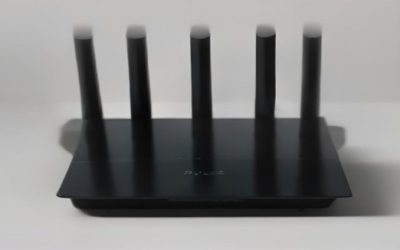
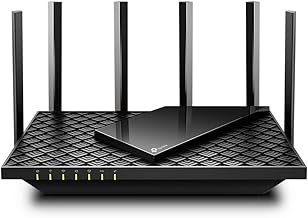
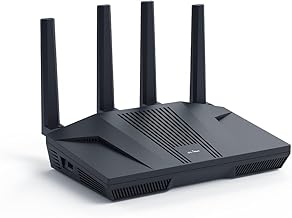
 TP-Link AXE5400 Tri-Band WiFi 6E RouterWiFi 6E, Tri-Band AXE540012.91 x 10.43 x 4.72 inches1.5 poundsCheck on Amazon



Paying for a gigabit plan and watching downloads crawl usually points to one quiet bottleneck: the router itself. A single 100 Mbps port anywhere between the fiber terminal and your PC caps the whole chain, and a headline wireless number summed across every band says nothing about what one laptop actually receives. The real decision is whether the WAN and LAN ports pass a full gigabit, and whether the Wi-Fi generation gives your devices enough clean airtime to use it.
This guide suits households upgrading from an aging ISP box, gamers wiring a PC or console directly, and remote workers whose calls share the line with evening streaming. Every pick below is a standalone Wi-Fi router, chosen from the model names and specifications printed on its Amazon product page.
Quick Picks
As an Amazon Associate we earn from qualifying purchases
| Product | Best for | Key spec from title |
|---|---|---|
| TP-Link Archer BE550 | Wi-Fi 7 with multi-gig wired headroom | BE9300 tri-band, full 2.5G ports |
| NETGEAR Nighthawk RS300 | Large homes wanting Wi-Fi 7 coverage | BE9300, up to 2,500 sq. ft., 2.5 Gig internet port |
| TP-Link Archer AXE75 | A clean 6 GHz band without Wi-Fi 7 | AXE5400 tri-band Wi-Fi 6E, gigabit internet |
| ASUS RT-AX86U Pro | Gamers who want a 2.5G port and a gaming port | AX5700 Wi-Fi 6, 2.5G port, gaming port |
| TP-Link Archer AX73 | Straightforward dual-band gigabit for streaming | AX5400 Wi-Fi 6, dual-band gigabit |
How to Choose
Check every port, not just the headline
A gigabit plan needs a gigabit path end to end. Start at the WAN port where the fiber terminal or modem connects: if that socket tops out at 100 Mbps, nothing downstream can recover the missing speed, no matter how large the wireless number on the box looks. Then check the LAN ports your PC, console, or TV box will actually use. Routers in this guide list gigabit or faster ports in their specifications, and the stronger models add 2.5G sockets that leave room for a plan upgrade or a fast local transfer to storage.
Match the Wi-Fi generation to your devices
Wi-Fi 6 handles crowded homes well because it shares airtime more efficiently among many phones, laptops, and smart devices. Wi-Fi 6E adds a 6 GHz band that stays clear of older neighborhood traffic, which helps only if your laptop or phone supports that band. Wi-Fi 7 builds on the same 6 GHz space with wider channels and multi-link features, again dependent on client support. An older household gains little from the newest standard, while a home full of recent flagships can put the extra band to immediate work.
Read band speeds as separate lanes
The big number in a router name adds every band together, yet a single device connects to one band at a time. Look at the per-band figures instead: a 5 GHz rate near 4,804 Mbps on the Archer AX73 serves a nearby laptop very differently from a 574 Mbps 2.4 GHz lane meant for range and smart plugs. Tri-band models add a third lane, so a streaming box on 6 GHz stops competing with a work laptop on 5 GHz. Judge the lane your main device will use, not the combined total.
Count wired devices and processing load
List everything that will plug in before choosing. A desk with a PC, console, and TV box already fills three LAN ports, and a network drive takes the fourth, so port count and per-port speed both matter. Busy homes also lean on the processor: dozens of connected devices, VPN traffic, parental controls, and security filtering all compete for the same chip. Listings that name a quad-core or triple-core CPU and high device counts signal headroom, though placement and wall material still decide how far the signal reaches.
The 5 Best Options
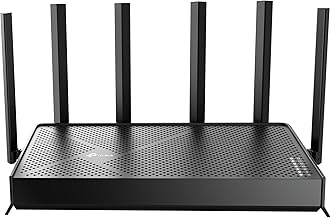
TP-Link Archer BE550
If your gigabit plan might grow, the BE550 removes the port ceiling first. Its listing describes full 2.5G WAN and LAN ports, so a faster future plan and a wired PC both get headroom beyond a single gigabit. The tri-band Wi-Fi 7 design adds a 6 GHz lane with wide channels for nearby devices that support it, while six internal antennas keep the unit tidy on a shelf. It fits buyers who want one router to serve several upgrade cycles rather than the cheapest route onto gigabit today.
Specs
- Wi-Fi standard: Wi-Fi 7, tri-band BE9300
- Band speeds: 5,760 Mbps on 6 GHz, 2,880 Mbps on 5 GHz, 574 Mbps on 2.4 GHz
- Wired ports: 1x 2.5G WAN port, 4x 2.5G LAN ports
- Antennas: 6 internal antennas
- Coverage listed: up to 2,000 sq. ft.
- Extra features listed: Multi-Link Operation, 320 MHz channels, VPN support
Best for: Homes that want Wi-Fi 7 plus multi-gig wired ports in one standalone router.
Watch out for: Wi-Fi 7 features need Wi-Fi 7 clients to matter; older devices fall back to the shared bands.
ASIN: B0CJSNSVMR
NETGEAR Nighthawk RS300

The RS300 suits a larger home that wants Wi-Fi 7 coverage without stepping into a multi-unit system. NETGEAR lists coverage up to 2,500 square feet and support for 100 devices, which matches a house where phones, TVs, and smart gear all stay connected at once. Its 2.5 Gig internet port clears a gigabit plan with room to spare, and the LAN side mixes faster and gigabit sockets, so give the two quicker ports to your PC and console and leave the rest for lighter gear.
Specs
- Wi-Fi standard: Wi-Fi 7, tri-band BE9300
- Wireless speed listed: up to 9.3 Gbps across the bands
- Internet port: 1x 2.5 Gig port
- LAN ports: 2x 2.5G ports, 2x gigabit ports
- Coverage listed: up to 2,500 sq. ft.
- Device count listed: 100 devices
Best for: Bigger households that want Wi-Fi 7 reach and a multi-gig internet port.
Watch out for: Only two LAN ports run faster than gigabit, so plan which wired devices get them.
ASIN: B0D4JBGPH4
TP-Link Archer AXE75
Plenty of homes sit between generations: a couple of Wi-Fi 6E laptops, older phones, and a gigabit plan that will not change soon. The AXE75 fits that middle ground. Its 6 GHz band gives supported laptops a quiet lane away from crowded 5 GHz traffic, while the gigabit WAN and LAN ports match the plan exactly. Six antennas and a quad-core processor handle a mixed household, and WPA3 plus VPN support appear in the listing for buyers who route traffic through the router itself.
Specs
- Wi-Fi standard: Wi-Fi 6E, tri-band AXE5400
- Band speeds: 2,402 Mbps on 6 GHz, 2,402 Mbps on 5 GHz, 574 Mbps on 2.4 GHz
- Wired ports: 1x gigabit WAN port, 4x gigabit LAN ports
- Ports listed: 1x USB 3.0 port
- Processor listed: quad-core CPU
- Security listed: WPA3, VPN support
Best for: Households with Wi-Fi 6E devices that want a dedicated 6 GHz lane on a gigabit plan.
Watch out for: Every wired port stops at gigabit, so a future multi-gig plan would need a different router.
ASIN: B0B3SQK74L
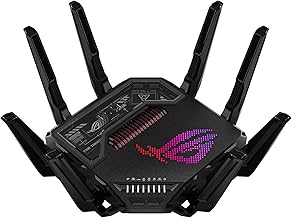
ASUS RT-AX86U Pro
Gamers on gigabit fiber get two useful wired touches here: a 2.5G port that can serve the internet connection or a fast local device, and a dedicated gaming port named in the listing. The dual-band Wi-Fi 6 radio tops out at an AX5700 rating, plenty for a gigabit line, and ASUS bundles subscription-free network security and VPN features that suit a home where the router also guards kids’ devices. Pick it when wired gaming priority matters more than having a 6 GHz band.
Specs
- Wi-Fi standard: Wi-Fi 6, dual-band AX5700
- Wireless speed listed: up to 5,700 Mbps across the bands
- Wired ports: 1x 2.5G port, 1x gigabit WAN port, 4x gigabit LAN ports, including a gaming port
- LAN port bandwidth listed: 2.5 gigabit
- Features listed: Mobile Game Mode, port forwarding, VPN
- Security listed: subscription-free network security
Best for: Gaming households that want a 2.5G port and a prioritized wired connection.
Watch out for: There is no 6 GHz band, and the single 2.5G port cannot serve WAN and LAN duty at the same time.
ASIN: B0BQ417K47
TP-Link Archer AX73
Not every gigabit home needs three bands. The AX73 keeps the formula simple: dual-band Wi-Fi 6 with a fast 5 GHz lane, gigabit ports throughout, and six antennas aimed at longer range. Its listing highlights streaming and coverage rather than exotic features, which suits an apartment or smaller house where the router sits centrally and most demand comes from TVs, laptops, and phones. A triple-core processor and a USB 3.0 port for sharing storage round out a practical, single-box answer to a gigabit plan.
Specs
- Wi-Fi standard: Wi-Fi 6, dual-band AX5400
- Band speeds: 4,804 Mbps on 5 GHz, 574 Mbps on 2.4 GHz
- Wired ports: 1x gigabit WAN port, 4x gigabit LAN ports
- Antennas: 6 antennas
- Ports listed: 1x USB 3.0 port
- Focus listed: streaming and long-range coverage
Best for: Smaller homes that want strong dual-band Wi-Fi 6 on gigabit ports.
Watch out for: No 6 GHz band and no port faster than gigabit, so upgrade headroom is limited.
ASIN: B08TH4D3QV
Which One Fits Your Situation
Your plan may pass a gigabit soon
Choose between the Archer BE550 and the Nighthawk RS300. Both carry a 2.5G internet port, so a faster plan later does not force another router purchase. The BE550 extends 2.5G speed to all four LAN ports, while the RS300 answers with wider listed coverage. Decide by whether your wired desk or your floor plan matters more.
You game on a wired PC or console
The RT-AX86U Pro was built for this desk. Its gaming port gives the console or PC a prioritized wired path, and the 2.5G port adds flexibility for the internet side or a fast local machine. If two wired gaming devices both need faster-than-gigabit links, the BE550 and its four 2.5G LAN ports become the better fit instead.
Your home mixes new and old devices
The Archer AXE75 spreads traffic across three bands, letting Wi-Fi 6E laptops take the 6 GHz lane while older gear keeps 2.4 and 5 GHz. That separation helps when a work call, a stream, and downloads collide in the evening. Homes without any 6 GHz devices can skip it and take the simpler AX73 without losing gigabit wired speed.
You want one box in a modest space
In an apartment, placement beats raw radio count. The Archer AX73 covers the brief with dual-band Wi-Fi 6, gigabit ports, and six antennas, and it asks little shelf space or setup effort. Put it centrally, wire the TV box and console, and let phones roam. A larger or multi-floor home should look at the RS300 instead.
Common Mistakes
- Judging a router by its combined band number, then discovering a single device only ever uses one band at a time.
- Missing a slow port in the chain: one 100 Mbps WAN or LAN socket caps a gigabit plan for everything behind it.
- Buying Wi-Fi 7 or 6E for the 6 GHz band when no laptop or phone in the house can connect to that band.
- Filling every LAN port on day one, leaving nowhere to wire the next console, PC, or network drive.
- Hiding the router in a cabinet or behind the TV, then blaming the plan when walls and metal weaken the signal.
Frequently Asked Questions
Does a gigabit plan need a 2.5G port?
No. A gigabit WAN port carries a gigabit plan, allowing for the small overhead Ethernet always takes. A 2.5G port becomes useful when your provider offers faster tiers, or when you move large files locally to a wired device that also supports multi-gig speeds. Buy it for headroom, not as a requirement today.
Will Wi-Fi 7 make my current devices faster?
Only devices that support Wi-Fi 7 or the 6 GHz band gain the new lanes. Older phones and laptops connect exactly as before, though a newer router can still help them indirectly: extra bands move supported gear elsewhere, leaving the crowded 2.4 and 5 GHz airtime freer for the devices that remain there.
Why do wired speeds fall short of the full gigabit?
Ethernet overhead, the provider’s own provisioning, and the cable run all trim the headline figure slightly, so a result somewhat under the nominal rate is normal. A much larger gap points elsewhere: an old cable, a slow port in the chain, or a device negotiating at 100 Mbps instead of gigabit.
Can one standalone router cover a large house?
It depends on layout more than floor area alone. A centrally placed router often covers a single-story home well, while thick walls, multiple floors, and metal appliances carve out dead zones. Check the coverage figure on the listing as a rough guide, place the unit openly, and judge by your own rooms.
FAQ
Does a gigabit plan need a 2.5G port?
Will Wi-Fi 7 make my current devices faster?
Why do wired speeds fall short of the full gigabit?
Can one standalone router cover a large house?
More from Amazon
Programs that pair well with the guide above. Offers and eligibility are set by Amazon and may change.
Free shipping on eligible items, Prime Video and more. Eligible new members can start with a free trial.
Start a Prime free trialAd-free music streaming. Eligible new subscribers can start with a free trial.
Try Music Unlimited freeA Prime membership for ages 18-24 with a trial period. Eligibility is set by Amazon.
See Prime for Young AdultsAudiobooks and podcasts to listen to on the go. Eligible new members can start with a free trial.
Try Audible freeAs an Amazon Associate we earn from qualifying purchases.