If you have ever lost a ranked match because your connection dropped or your ping spiked at the worst possible moment, you already know why your choice of modem matters for gaming. The problem is that most ISPs hand out combo gateways that are fine for streaming Netflix but terrible for competitive online play. They have weak processors, limited port options, and they blur the line between your modem and your router, making it harder to optimize your network for low-latency gaming.
Our top picks
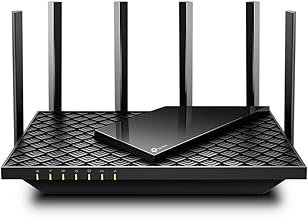
 GL.iNet GL-MT6000 Flint 2 Wi-Fi 6 Gaming
- ***Please update the firmware upon initial setup of…
- 【High Speed Gaming Router】Dominate with uninterrupted performance with…
- 【Rapid OpenVPN & Wireguard speed】Wireguard VPN and OpenVPN…
 GL.iNet GL-BE3600 Slate 7 Wi-Fi 7 Travel
- 【DUAL BAND WIFI 7 TRAVEL ROUTER】Products with US,…
- 【NETWORK CONTROL WITH TOUCHSCREEN SIMPLICITY】Slate 7’s touchscreen interface…
- 【OpenWrt 23.05 FIRMWARE】The Slate 7 (GL-BE3600) is a…
 NETGEAR Nighthawk DOCSIS 3.1 Mid/High-Split Modem
- A dedicated DOCSIS 3.1 cable modem lets you…
- Works with Xfinity, Spectrum, Cox, and most US…
- DOCSIS 3.1 supports plans up to 2.5 Gbps…
| Product | Key specs | |
|---|---|---|
| GL.iNet GL-MT6000 Flint 2 Wi-Fi 6 Gaming | ***Please update the firmware upon initial setup of… 【High Speed Gaming Router】Dominate with uninterrupted performance with… 【Rapid OpenVPN & Wireguard speed】Wireguard VPN and OpenVPN… | Check price |
| GL.iNet GL-BE3600 Slate 7 Wi-Fi 7 Travel | 【DUAL BAND WIFI 7 TRAVEL ROUTER】Products with US,… 【NETWORK CONTROL WITH TOUCHSCREEN SIMPLICITY】Slate 7’s touchscreen interface… 【OpenWrt 23.05 FIRMWARE】The Slate 7 (GL-BE3600) is a… | Check price |
| NETGEAR Nighthawk DOCSIS 3.1 Mid/High-Split Modem | A dedicated DOCSIS 3.1 cable modem lets you… Works with Xfinity, Spectrum, Cox, and most US… DOCSIS 3.1 supports plans up to 2.5 Gbps… | Check price |
 NETGEAR Nighthawk Modem Router Combo NETGEAR Nighthawk Modem Router Combo | This two-in-one cable modem and WiFi router puts… Works with Xfinity internet plans up to 800Mbps,… DOCSIS 3.1 supports Gigabit+ cable internet plans, so… | Check price |
 Hitron CODA56 Cable Internet Modem ONLY Hitron CODA56 Cable Internet Modem ONLY | Fiber (Verizon FiOS, AT&T), DSL, Satellite, or Fixed… NO WiFi INCLUDED - ROUTER REQUIRED: This is… Works EXCLUSIVELY with cable internet service (DOCSIS) from… | Check price |
 NETGEAR Nighthawk DOCSIS 3.1 Mid/high-Split Cable Modem NETGEAR Nighthawk DOCSIS 3.1 Mid/high-Split Cable Modem | A dedicated DOCSIS 3.1 cable modem lets you… Works with Xfinity, Spectrum, Cox, and most US… DOCSIS 3.1 supports plans up to 2 Gbps… | Check price |
 Motorola B12 Motorola B12 | Ultra-fast DOCSIS 3.1 performance paired with a 2.5… Approved for Comcast Xfinity, Cox, Spectrum, RCN and… Superior next generation technology but pays for itself | Check price |
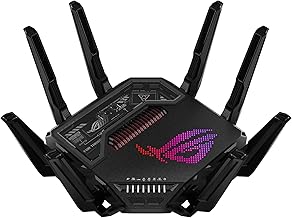
 ASUS ROG Rapture GT-BE98 Pro WiFi 7 ASUS ROG Rapture GT-BE98 Pro WiFi 7 | Beyond-fast WiFi 7 (802.11be) with new 320MHz channels… Multi-link Operation links to multiple bands at the… Cutting-edge external dual-feeding antennas boost coverage by providing… | Check price |
As an Amazon Associate we earn from qualifying purchases at no extra cost to you.
In this guide, we cover the best modems and networking devices for PC gaming heading into 2026. Whether you need a pure DOCSIS 3.1 cable modem to pair with a high-end gaming router, a compact travel router for gaming on the road, or a combo unit that saves space while delivering gigabit speeds, we have compared and selected the top options available right now.
🛒 Best Price Today on Amazon
Prime members get fast, free shipping on everything above, plus member-only deals. New members get a 30-day free trial — cancel anytime.
Watch: Best Modem For Gaming — Video Review
How to Choose a Modem For Gaming (2026)
- DOCSIS Version: Look for DOCSIS 3.1 support. It is the current standard for cable internet and provides better channel bonding, lower latency, and compatibility with the fastest plans from Xfinity, Spectrum, and Cox.
- Speed Tier Headroom: Pick a modem rated higher than your current plan. If you are on a 1Gbps plan, a 2.5Gbps modem gives you overhead that helps prevent bufferbloat and keeps ping stable under load.
- Multi-Gig Ports: A 2.5G Ethernet port is essential if you want to future-proof your setup or take advantage of high-split cable infrastructure and next-generation plans pushing beyond gigabit speeds.
- Modem-Only vs Combo: A standalone modem paired with a dedicated gaming router gives you the best control over QoS, traffic prioritization, and latency. Combos are more convenient but often compromise on router performance.
- ISP Compatibility: Always verify that your chosen modem is approved by your specific internet service provider. Even DOCSIS 3.1 modems are not universally certified across every regional provider.
The Best Modem For Gaming (2026)s Reviewed
NETGEAR Nighthawk CM3000
The CM3000 is a standout DOCSIS 3.1 modem built for mid/high-split architectures, supporting plans up to 2.5Gbps. With a 2.5G Ethernet port and broad approval across Xfinity, Spectrum, and Cox, it is the top pick for serious gamers who want a pure modem paired with their own high-end router.
Hitron CODA56
The CODA56 delivers 2.5Gbps DOCSIS 3.1 performance in a modem-only design that pairs perfectly with dedicated gaming routers. It is compatible with major cable providers and is an excellent value pick for gamers who already own a router and want clean, no-nonsense throughput.
NETGEAR Nighthawk CM2500
The CM2500 is a solid DOCSIS 3.1 mid/high-split modem supporting plans up to 2Gbps. It covers all major cable providers and offers reliable low-latency performance for competitive gaming without the premium price tag of the CM3000.
NETGEAR Nighthawk CAX30
The CAX30 combines a DOCSIS 3.1 modem with a Wi-Fi 6 router in a single unit, delivering AX2700 speeds up to 2.7Gbps. It is the best combo option for gamers who want a space-saving setup without sacrificing too much performance on gigabit plans.
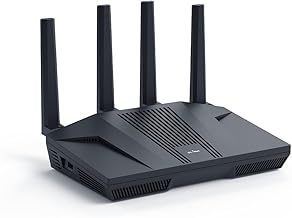
GL.iNet Flint 2 (GL-MT6000)
While technically a router rather than a modem, the Flint 2 deserves a spot here for gamers building an optimized network. It features Wi-Fi 6 at 6Gbps, dual 2.5G ports, and pre-installed OpenWrt with OpenVPN and WireGuard support, making it the ideal companion to any standalone modem on this list.
Frequently Asked Questions
Does a better modem actually reduce ping?
A quality modem will not magically lower your base ping to a server, but it does reduce jitter and latency spikes caused by bufferbloat. A modem with a 2.5G port and DOCSIS 3.1 handles traffic congestion far better than an aging ISP gateway.
Should I buy a modem-router combo or separate units?
Separate units are strongly recommended for competitive gaming. A dedicated modem paired with a performance gaming router gives you better QoS controls, more configuration options, and typically superior sustained throughput under heavy network load.
What is mid/high-split and why does it matter for gaming?
Mid and high-split cable technologies allocate more upstream bandwidth, which directly benefits upload-heavy gaming traffic. Modems like the CM3000 that support these architectures will perform better as providers roll out upgraded infrastructure in 2026.
Can I use a cable modem with fiber or DSL internet?
No. Cable modems use DOCSIS technology designed specifically for coaxial cable internet. If you have fiber or DSL service, you need an ONT or DSL gateway provided or specified by your ISP instead.
Final Thoughts
For most competitive PC gamers, the NETGEAR Nighthawk CM3000 paired with a dedicated router like the GL.iNet Flint 2 is the strongest combination heading into 2026. If you want a budget-friendly modem-only option, the Hitron CODA56 delivers excellent 2.5Gbps performance, while the NETGEAR Nighthawk CAX30 remains the best all-in-one combo for gamers who prioritize convenience.