Our Short List of 3
All 4 Picks at a Glance
| Product | Specs | Action |
|---|---|---|
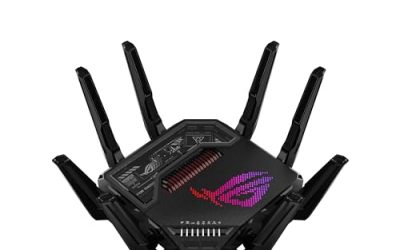
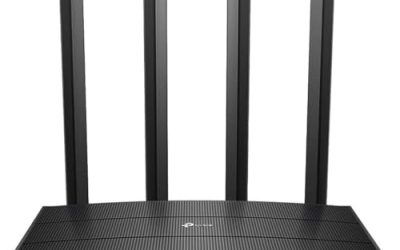
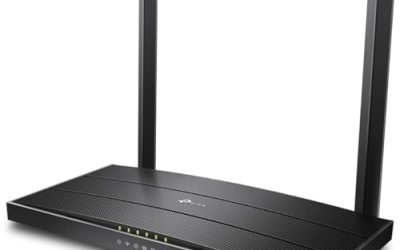
 1. ASUS RT-AX86U — the balanced multi-user workhorse | Check price on Amazon | |
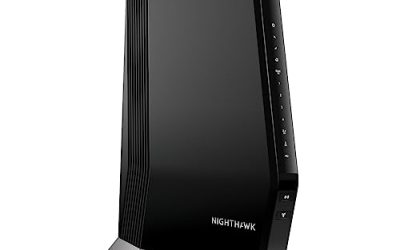
 2. NETGEAR Nighthawk RAXE500 — headroom for the largest households | Check price on Amazon | |
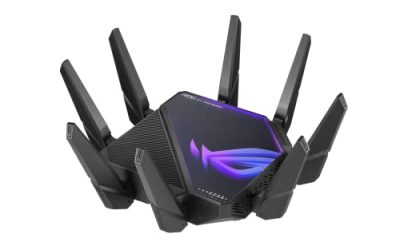
 3. ASUS RT-AX86U Pro — the same formula, newer silicon | Check price on Amazon | |
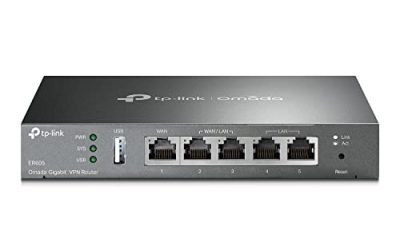
 4. TP-Link ER605 V2 — the wired-only core router | Check price on Amazon |
Our Top Picks
As an Amazon Associate we earn from qualifying purchases.
When several people share one connection, the bottleneck is rarely the headline Wi-Fi speed printed on the box. It is the wired side of the router: how many devices can plug in directly, how fast the uplink is, whether the processor can keep up with dozens of simultaneous sessions, and whether quality of service can stop one large download from ruining a video call or a ranked match for everyone else. That is the lens for this guide to the best ethernet routers for multiple users.
Every pick in this list meets the same core criteria, taken from the product listing and manufacturer documentation for each model. First, wired capacity: at least four Gigabit LAN ports, and in three cases a 2.5 Gbps port that can serve as a fast LAN link or a multi-gig WAN uplink. Second, processing headroom: a quad-core processor or, for the wired-only model, a platform designed for many concurrent NAT sessions and load balancing across multiple WAN links. Third, traffic control: QoS, bandwidth limiting, or equivalent tools that let you prioritise or cap devices so no single user monopolises the connection. Wi-Fi is treated as a secondary feature here. It matters, but it does not decide the ranking.
Affiliate disclosure: This article contains affiliate links. If you buy through a link on this page, the site may earn a commission at no extra cost to you. Product selections are based on published specifications and listing information, not on commissions.
One important distinction runs through the list. Three picks are full routers with built-in Wi-Fi, chosen because their Ethernet hardware and QoS are strong enough for a wired-first home. The fourth pick is a wired-only router with no Wi-Fi radio at all. That is not a flaw for this use case, but it does mean you must add a separate wireless access point if anyone needs Wi-Fi, and that requirement is stated clearly in its section.
Quick comparison
| Router | LAN ports from the listing | Fast port | Traffic control | Best for |
|---|---|---|---|---|
| ASUS RT-AX86U | 4 x Gigabit LAN | 1 x 2.5 Gbps WAN/LAN, configurable | Adaptive QoS, bandwidth limiter, dedicated gaming port | Mixed gaming and work households |
| NETGEAR Nighthawk RAXE500 | 4 x Gigabit LAN | 1 x 2.5 Gbps multi-gig, configurable | QoS in the Nighthawk system, link aggregation | Large households with many active devices |
| ASUS RT-AX86U Pro | 4 x Gigabit LAN | 1 x 2.5 Gbps WAN/LAN, configurable | Adaptive QoS, bandwidth limiter, dedicated gaming port | Heavier multi-user load on newer hardware |
| TP-Link ER605 V2 | Gigabit LAN and WAN/LAN ports, 5 Gigabit ports in total | No multi-gig port, multi-WAN instead | Load balancing, Omada SDN management, bandwidth control | Wired-only core for a home lab or small office |
1. ASUS RT-AX86U — the balanced multi-user workhorse
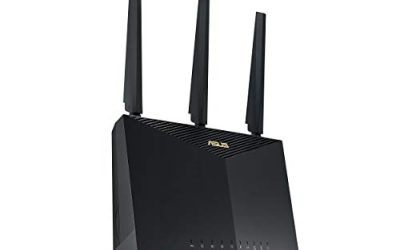
The ASUS RT-AX86U is the easiest recommendation for most multi-user homes because it covers every base in the criteria without specialising so narrowly that it fails at something else. From the product listing, it is a dual-band Wi-Fi 6 router in the AX5700 class, with a 2.5 Gbps port, a dedicated gaming port, Adaptive QoS, port forwarding, AiMesh compatibility and subscription-free network security. Those listing points map directly onto a busy household: the gaming port automatically prioritises a wired device plugged into it, and Adaptive QoS lets you prioritise traffic types so calls and games are not queued behind bulk downloads.
On the wired side, ASUS documentation lists four Gigabit LAN ports plus the configurable 2.5 Gbps port, which can act as WAN or LAN depending on your setup. In practice, that gives you two sensible configurations. If your internet plan is Gigabit or slower, set the 2.5 Gbps port as LAN and use it for the device that moves the most local data, such as a network drive or a main PC that also hosts files for the house. If your internet plan is faster than Gigabit, set it as WAN so the uplink is not capped, and run the wired devices on the four Gigabit LAN ports, adding a switch if you run out of sockets.
The multi-user argument is the traffic control depth. ASUS lists Adaptive QoS alongside a bandwidth monitor, a bandwidth limiter with up to 32 rules, traditional QoS, and wired and wireless traffic monitoring. For a shared house, the bandwidth limiter is quietly the most useful tool in that list. You can cap a backup job or a guest device so it can use spare capacity but never take the whole pipe, while Adaptive QoS handles the moment-to-moment prioritisation of latency-sensitive traffic. The listing also notes support for many simultaneous NAT and port forwarding rules, which matters when several people game online at once and each console or PC needs its own forwarded ports without conflicts.
Wi-Fi, as a secondary feature, is dual-band Wi-Fi 6 with AiMesh support, so you can later add a compatible ASUS router as a mesh node instead of replacing the whole system. That upgrade path suits multi-user homes that start wired in one room and expand coverage later.
Choose the RT-AX86U if your household mixes gaming, remote work and streaming, you want per-device control without a separate management platform, and four LAN ports plus one fast flexible port matches the number of devices you truly need wired at the router itself.
2. NETGEAR Nighthawk RAXE500 — headroom for the largest households
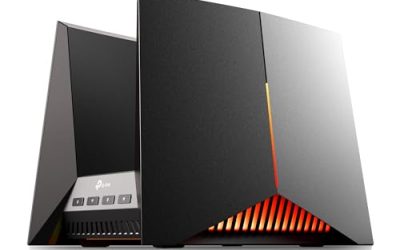
The NETGEAR Nighthawk RAXE500 is the pick for the household that counts its active devices in dozens rather than handfuls. From the product listing, it is a tri-band Wi-Fi 6E router in the AXE11000 class, rated in listing information for coverage of a large home and for up to 60 devices, with a 1.8 GHz quad-core processor and 1 GB of RAM. That processor and memory combination is the multi-user story: more concurrent sessions, more NAT entries and more simultaneous streams place sustained load on the CPU, and this hardware tier is built to absorb it.
Its Ethernet layout is strong and flexible. Listing and manufacturer information describe four Gigabit LAN ports, one Gigabit WAN port, and one configurable 2.5 Gbps multi-gig port that can serve as WAN or LAN. Two LAN ports also support link aggregation, so a compatible network drive or switch can combine two Gigabit links into a faster aggregated connection. For a multi-user home, aggregation is most useful for shared storage: several people can pull files from the same NAS at once without that single Gigabit cable becoming the shared ceiling for everyone.
There are honest limits to state. The RAXE500 still has only four standard LAN ports, so a home with six wired devices needs a switch, just as with the ASUS models. Its size and winged antenna design also need shelf space, and its feature set is aimed at larger homes, so it is more router than a two-person flat requires. Neither point undermines the multi-user case; they simply define where it fits.
Choose the RAXE500 if you have the biggest device count in this guide, a multi-gig internet plan you want to use through the configurable port, or shared storage that would benefit from link aggregation, and you are comfortable adding a switch for extra wired sockets.
3. ASUS RT-AX86U Pro — the same formula, newer silicon
The ASUS RT-AX86U Pro takes the RT-AX86U formula and updates the processing hardware, which is exactly the part a multi-user household stresses most. Listing information for the Pro describes a 2.0 GHz quad-core processor with 1 GB of RAM, a configurable 2.5 Gbps WAN/LAN port alongside Gigabit ports, a dedicated gaming port, and Adaptive QoS. If the standard model is the balanced choice, the Pro is the choice when you expect the heavier end of multi-user traffic: more people working from home, more simultaneous game downloads, and more background sync jobs competing all day.
The wired layout mirrors its sibling, and the same configuration advice applies. Use the 2.5 Gbps port as the WAN uplink on a multi-gig plan, or as the fastest LAN link to a PC, NAS or switch on a Gigabit plan. The four Gigabit LAN ports handle consoles and secondary PCs, and LAN aggregation is available in the ASUS feature set for supported storage devices. Because the port count is identical, the Pro does not solve a socket shortage; it solves a throughput and responsiveness question instead, by giving the router more processing margin before QoS and NAT work start to queue.
AiMesh support is again present, so the Pro can anchor a mesh system later, and the subscription-free AiProtection Pro security listed for this family avoids an ongoing fee just to keep basic network protection active, a practical point for a shared household budget.
Choose the RT-AX86U Pro if several people depend on the connection for work as well as play, you want the longest useful life from the processing hardware, and you value detailed per-device traffic visibility to settle the eternal household argument about who used all the bandwidth.
4. TP-Link ER605 V2 — the wired-only core router
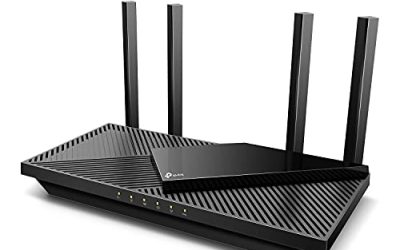
The TP-Link ER605 V2 is a different kind of answer to the same question, and it is included deliberately. From the product listing, it is a wired Gigabit VPN router with up to three WAN Ethernet ports plus a USB WAN option, an SPI firewall, load balancing, and integration with the TP-Link Omada SDN platform. It has five Gigabit Ethernet ports in total, which can be assigned across WAN and LAN roles. There is no Wi-Fi radio in this device at all, so you must add a separate wireless access point, such as an Omada EAP model or any other access point, if anyone in the house needs wireless. For a purely wired desk setup, a rental with Wi-Fi already provided, or a home lab, that may be no hardship at all.
What the ER605 offers in return is multi-WAN, the one capability none of the other picks match. With two internet connections, for example a main fibre line and a cheaper backup line, it can balance load across them or fail over automatically if the primary line drops. In a multi-user house where two incomes depend on staying online, or in a small office or shared student house, that resilience can matter more than any single fast port. Load balancing also spreads sessions across connections, which suits many users making many separate requests better than it suits one user chasing a single maximum download speed, and the guide is explicit about that because it is the correct expectation to set.
Management is the other difference. Through Omada SDN, the ER605 can be managed centrally alongside compatible switches and access points from one controller interface, with per-port and per-client controls that go beyond a typical home router app. That makes it the natural core if you plan to grow: start with the ER605 and one access point, then add a managed switch and a second access point later, all under the same management view. NAT, firewall rules and VPN support, including the VPN protocols named in the listing, are aimed at this small-office and home-lab audience rather than at plug-and-play consumers.
The limits are equally clear. There is no 2.5 Gbps port, so a multi-gig internet plan cannot be used at full speed through this router, and there is no built-in QoS brand feature comparable to the ASUS Adaptive QoS presentation, though bandwidth control and load balancing tools are part of the platform. Setup also assumes more networking confidence than the app-guided consumer models.
Choose the ER605 V2 if wired reliability and a possible second internet line matter more than built-in Wi-Fi, you are building a small managed network step by step, or you need a compact, inexpensive core router for a wired-only room, office or lab, and you accept the access point requirement stated above.
How to choose among these four
Start by counting wired devices honestly, including the ones people forget: the television box, the printer, the network drive and the work docking station all compete for sockets. If the count is four or fewer, any pick here works directly. If it is five to eight, budget for a Gigabit switch with whichever router you choose and connect the switch to the fastest LAN port available. If it is higher still, the ER605 plus a larger managed switch, or any pick here feeding a switch, becomes a design question rather than a product question.
Next, check your internet speed. On a plan at or below Gigabit speed, a 2.5 Gbps port is a LAN luxury, best spent on storage or a main PC. On a plan above Gigabit speed, that port becomes a WAN necessity, because a Gigabit WAN port caps the whole house below the speed you pay for, no matter how many users share it. Only the ER605 lacks that port, which is why it is not the pick for multi-gig single-line homes despite its multi-WAN strengths.
Then think about contention, not speed. If complaints in your house are about calls stuttering and games lagging while someone else downloads, QoS and bandwidth limiting will change your life more than any throughput number, and the ASUS models present those tools most accessibly. If complaints are about the connection dropping entirely, the ER605 with a backup line addresses the real problem. If complaints are simply that everything feels slow at peak hour with dozens of devices active, the RAXE500 and the RT-AX86U Pro offer the most processing headroom.
Setup tips that help every multi-user home
Wire the fixed devices first. Anything that does not move, including desktops, consoles, televisions and docks, belongs on Ethernet, because every device you cable removes contention from Wi-Fi and gains the stable latency wired connections provide. Reserve Wi-Fi for phones, tablets and laptops that actually roam.
Turn on QoS before you need it, and keep the rules simple. Prioritise work calls and gaming, cap the devices that run unattended bulk jobs, and avoid creating dozens of overlapping rules that no one can debug later. Revisit the settings after a week of real use, using the traffic monitor your router provides to see which devices genuinely dominate at peak times, rather than guessing.
Label your cables and note which device uses which port. That five-minute record turns a future outage into a quick check.
Frequently asked questions
How many LAN ports do I really need for multiple users?
Count the devices that stay in one place and add one spare socket for a future purchase or a visiting machine. Most homes land between four and seven. Four ports on the router plus a small switch is the normal, sensible answer, and it performs just as well for ordinary traffic as a router with more built-in ports.
Does a 2.5 Gbps port help if my internet is slower than that?
Yes, on the LAN side. Used as a LAN port, it speeds transfers between the router and a compatible PC, NAS or switch, which helps when several users share storage. It does not make a slower internet plan faster, so set your expectations on local transfers and future-proofing rather than on download speeds.
Is a wired-only router like the ER605 practical for a home?
It is practical when you treat it as the core of a small system rather than a single-box solution. Add at least one wireless access point for phones and laptops, and you gain multi-WAN resilience and central management that consumer routers do not offer. If you want one box, one app and no extra hardware, choose one of the other three picks instead.
Will QoS slow down the person being limited?
That is its purpose, applied fairly. A bandwidth cap stops one device from taking the entire connection, which slightly limits that device at moments when it would otherwise have used everything, while keeping calls, games and browsing responsive for everyone else. Set caps generously at first and tighten them only if contention problems persist.
Conclusion
For most multi-user homes, the ASUS RT-AX86U is the balanced starting point, with the RT-AX86U Pro as its stronger sibling for heavier daily loads. The NETGEAR Nighthawk RAXE500 suits the largest households, especially with multi-gig internet or shared storage using link aggregation. The TP-Link ER605 V2 stands apart as the wired-only core for resilience, multi-WAN and managed growth, provided you add an access point for Wi-Fi. Judge each by its Ethernet ports, processor and traffic controls, as this guide has, and the router you choose will still feel calm at the busiest hour of your household day.
FAQ
How many LAN ports do I really need for multiple users?
Does a 2.5 Gbps port help if my internet is slower than that?
Is a wired-only router like the ER605 practical for a home?
Will QoS slow down the person being limited?
More from Amazon
Programs that pair well with the guide above. Offers and eligibility are set by Amazon and may change.
Free shipping on eligible items, Prime Video and more. Eligible new members can start with a free trial.
Start a Prime free trialAd-free music streaming. Eligible new subscribers can start with a free trial.
Try Music Unlimited freeA Prime membership for ages 18-24 with a trial period. Eligibility is set by Amazon.
See Prime for Young AdultsAudiobooks and podcasts to listen to on the go. Eligible new members can start with a free trial.
Try Audible freeAs an Amazon Associate we earn from qualifying purchases.