Our Top Picks
 ASUS RT-AX1800S Dual Band WiFi 6 Extendable RouterRouter9.06 x 5.28 x 2.2 inches0.82 poundsCheck on Amazon


A fast wireless connection loses much of its point when the wired ports behind it top out at 100 Mbps. A gigabit port moves data at up to 1,000 Mbps on a cable, which is ten times the ceiling of an older Fast Ethernet port, and that gap shows up the moment a desktop, a console, or a streaming box is plugged in. This guide covers five standalone routers whose listings state gigabit Ethernet ports, so every pick can carry a gigabit internet plan to wired devices without the port becoming the bottleneck.
All five are standalone routers, not modem combos. Each one needs a separate modem or an existing gateway from an internet provider, connected through its WAN port, so the router can be replaced or moved without touching the modem. The five picks span Wi-Fi 6 and one Wi-Fi 5 model, dual-band designs throughout, and coverage figures from 1,500 to 3,000 square feet as stated in the listings. Each one carries four gigabit LAN ports plus a gigabit WAN port. Mesh expansion is available on four of the five through the maker’s own mesh system, so one router can grow into a multi-node network later.
The order below runs from the strongest current evidence to the weakest, and the weakest pick is flagged inside its section.
What to look for
Begin with the ports. A router in this guide should list a gigabit WAN port and gigabit LAN ports, with the LAN port bandwidth stated as 10/100/1000 Mbps or named as gigabit in the listing. Count the LAN ports against the wired devices in the home: a desktop, a console, a streaming box, and a network drive fill four ports fast, and a router with only two LAN ports forces a switch purchase later. A USB port is a useful extra for shared storage or a printer, but two of the picks here have none, so treat USB as a bonus rather than a baseline.
Next, check the Wi-Fi generation. Wi-Fi 6 (802.11ax) brings OFDMA and MU-MIMO, which let the router serve several devices at once instead of one after another, and 1024-QAM, which packs more data into each transmission. Wi-Fi 5 (802.11ac) still works well on plans up to a gigabit, but it lacks those capacity features, so a home with many connected devices gets more headroom from Wi-Fi 6. None of the five picks here carries a 6 GHz band, so a household buying for that band needs a different class of router entirely.
Coverage and device capacity come from the listing, not from a guess. The listings in this guide state coverage from 1,500 to 3,000 square feet and device counts from around 20 to more than 50. Those figures assume open floor plans and a central placement, so a router placed inside a closed cabinet or behind thick walls covers less than the listing states. Four external antennas with beamforming help focus the signal toward connected devices, while fixed antennas cannot be re-aimed, which matters in a home where the router sits low or off to one side.
Security is the fourth check. WPA3 is the current wireless security standard and appears on four of the five picks. Built-in network security suites differ by maker: ASUS includes AiProtection, TP-Link includes HomeShield, and NETGEAR includes Armor on a trial basis. Parental controls and guest networks appear across the guide, and a built-in VPN server lets a household reach its home network from outside. Firmware updates arrive through the maker’s app.
Finally, check the hardware revision before ordering. Routers in this class ship in several revisions under one model name, and the revision can change the processor, the antenna layout, or the firmware branch. Each section below names the exact model and ASIN to confirm on the listing, and where listings disagree on a specification, the article says so rather than picking one figure silently.
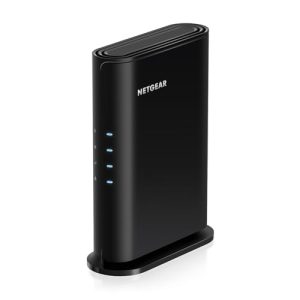
NETGEAR 4-Stream WiFi 6 Router (R6700AXv3)
NETGEAR 4-Stream WiFi 6 Router (R6700AXv3)
The NETGEAR R6700AXv3 is a 4-stream Wi-Fi 6 router rated AX1800, with combined wireless speeds up to 1.8 Gbps: up to 600 Mbps on the 2.4 GHz band and up to 1,200 Mbps on the 5 GHz band. It carries one gigabit WAN port and four gigabit LAN ports, so a desktop, a console, a streaming box, and one more wired device can all connect at full gigabit speed at once. NETGEAR states coverage up to 1,500 square feet and capacity for up to 20 connected devices, which fits apartments and small homes rather than large multi-storey houses.
The router runs Wi-Fi 6 with OFDMA and MU-MIMO, and it supports WPA3, the current wireless security standard. NETGEAR Armor is included on a trial basis for threat protection across connected devices, and NETGEAR Smart Parental Controls manage screen time across devices from the Nighthawk app. Setup runs through that app, which also handles monitoring and firmware updates. The unit is a router only, with no built-in modem, so a separate cable modem is required.
One point needs care before ordering. Hardware revisions of this model differ: older listings and data sheets name a quad-core 1.5 GHz processor, while the current v3 specification sheet names a dual-core 880 MHz processor. The ASIN in this section is the v3 listing, model R6700AX-3AZPAS, first available March 10, 2025, so confirm that model number on the listing rather than relying on the processor figure in an older roundup. The router carries a 1-year limited hardware warranty, the shortest warranty in this guide, and it has no USB port, so shared storage or a printer needs a different connection. For a small home on a plan up to 1 Gbps that wants simple Wi-Fi 6 with four gigabit wired ports, the R6700AXv3 covers the basics well.
TP-Link Archer AX21
TP-Link Archer AX21
The TP-Link Archer AX21 is a dual-band Wi-Fi 6 router rated AX1800, with combined speeds up to 1.8 Gbps: up to 1,200 Mbps on 5 GHz and up to 574 Mbps on 2.4 GHz. It carries four gigabit LAN ports with LAN port bandwidth stated as 10/100/1000 Mbps, plus a gigabit WAN port, and four high-gain antennas with beamforming focus the signal toward connected devices. OFDMA and MU-MIMO let it serve several devices at once, with more than 10,000 units bought in the past month as stated in the listing.
EasyMesh compatibility lets the AX21 join a mesh network with TP-Link OneMesh range extenders, so coverage can grow without replacing the router. The listing also names VPN server support for both OpenVPN and PPTP, parental controls, and Alexa compatibility for voice control. A 2-year manufacturer warranty backs the unit, and the box includes a power adapter and an RJ45 Ethernet cable.
Confirm the live listing and the hardware version before ordering: older listing copies showed no buying option, while recent trackers within the last day show the listing in stock on Amazon, and the current hardware version is V5. The AX21 has no 6 GHz band and no USB port in the listing excerpts checked, so households wanting either feature should look at a different class of router. For a household that wants Wi-Fi 6, four gigabit ports, and mesh expansion at the entry tier, the AX21 is the most widely sold router in this guide.
ASUS RT-AX3000

ASUS RT-AX3000
The ASUS RT-AX3000 is a dual-band Wi-Fi 6 router rated AX3000, with combined speeds up to 3 Gbps: up to 2,402 Mbps on 5 GHz and up to 575 Mbps on 2.4 GHz, using 160 MHz channels and 1024-QAM. It carries one WAN port and four 1G LAN ports, plus a USB 3.0 port for shared storage or a printer, which the other picks in this guide mostly lack. ASUS states coverage up to 3,000 square feet, the widest coverage figure in this guide, and the router supports AiMesh, so a second ASUS router can extend the network later.
AiProtection Pro by Trend Micro is included for the lifetime of the product, with no subscription named in the listing, and Adaptive QoS prioritizes streaming and gaming traffic when the network is busy. The router has 512 MB of RAM, four fixed antennas, and a 3-year warranty, the longest warranty in this guide alongside the RT-AX1800S below. Setup runs through the ASUS Router app.
The antennas are fixed and cannot be adjusted, so the router needs open air rather than a closed cabinet. And the RT-AX3000 ships in several hardware revisions under one model name, so confirm the exact model RT-AX3000 on the listing before ordering. The router is dual-band only, with no 6 GHz band and no 2.5 Gbps port, so a plan faster than 1 Gbps needs a router with a multi-gigabit internet port. For a family in a full house that wants Wi-Fi 6 speed, lifetime security, and room to grow through AiMesh, the RT-AX3000 is the strongest all-round pick in this guide.
ASUS RT-AX1800S
ASUS RT-AX1800S
The ASUS RT-AX1800S is a dual-band Wi-Fi 6 router rated AX1800, with combined speeds up to 1.8 Gbps: up to 1,201 Mbps on 5 GHz and up to 574 Mbps on 2.4 GHz, using 80 MHz channels, 1024-QAM, OFDMA, and MU-MIMO. It carries five gigabit ports in total: one gigabit WAN port and four gigabit LAN ports, each stated as 10 times faster than 100-Base T Ethernet. Four external antennas handle the radios, and the router weighs 0.82 lb with dimensions of 9.1 by 5.3 by 2.2 inches as stated in the listing excerpts.
The RT-AX1800S runs the full ASUSWRT software stack: AiMesh for extendable coverage, WPA3 encryption, AiProtection Classic with no subscription, a built-in two-way VPN, guest and parental networks, and QoS. A 3-year warranty backs the unit, and the listing names a dual-core processor with four virtual processing engines.
The trade-offs are clear and stated in the listing. The router has no USB port, so there is no shared storage or printer connection. It is dual-band only, with no 6 GHz band, and every port is gigabit, with no 2.5 Gbps LAN port or link aggregation, so it is not built for a multi-gigabit fibre plan or a fast wired backbone. For a home on a sub-gigabit plan that wants a stable dual-band Wi-Fi 6 network and the full ASUS software toolkit at the entry tier, the RT-AX1800S gives five gigabit ports, AiMesh, and subscription-free security in one compact unit.
TP-Link Archer A7

TP-Link Archer A7
The TP-Link Archer A7 is a dual-band Wi-Fi 5 router rated AC1750, with combined speeds up to 1,750 Mbps: up to 1,300 Mbps on 5 GHz and up to 450 Mbps on 2.4 GHz. It carries four 10/100/1000 Mbps LAN ports and one 10/100/1000 Mbps WAN port, plus a USB 2.0 port for shared storage or a print server. Three fixed high-gain antennas and strong amplifiers cover up to 2,500 square feet as stated in the listing, and the router handles more than 50 connected devices according to the maker. A Qualcomm CPU powers the unit, and a 2-year warranty backs it.
The A7 supports OneMesh, so it can form a mesh network with TP-Link OneMesh range extenders for seamless coverage across the home. Parental controls and QoS bandwidth prioritization are included, along with VPN server support and Alexa compatibility. The USB 2.0 port shares external drives, photos, video, and music across the network, which the Wi-Fi 6 picks in this guide mostly cannot do without a separate device.
This is the only Wi-Fi 5 pick in the guide. Wi-Fi 5 lacks OFDMA and the capacity features of Wi-Fi 6, so a home with many devices active at once gets less headroom here than from the four Wi-Fi 6 picks above. The A7 is also the weakest evidence pick in this guide: the most recent direct listing crawl is older, and the freshest confirmation comes from mirrors showing stock imported from the United States store, so readers should confirm the live listing first. For a household on a modest plan that wants four gigabit ports, a USB port, and wide coverage without paying for Wi-Fi 6, the A7 still earns its place.
Comparison table
| Router | Wi-Fi | Combined speed | Wired ports | Coverage | Mesh | USB |
|---|---|---|---|---|---|---|
| NETGEAR R6700AXv3 | Wi-Fi 6, AX1800 | Up to 1.8 Gbps | 1 gigabit WAN, 4 gigabit LAN | Up to 1,500 sq ft | Not stated | None |
| TP-Link Archer AX21 | Wi-Fi 6, AX1800 | Up to 1.8 Gbps | 1 gigabit WAN, 4 gigabit LAN | Not stated in listing excerpts | EasyMesh | None stated |
| ASUS RT-AX3000 | Wi-Fi 6, AX3000 | Up to 3 Gbps | 1 WAN, 4 x 1G LAN | Up to 3,000 sq ft | AiMesh | USB 3.0 |
| ASUS RT-AX1800S | Wi-Fi 6, AX1800 | Up to 1.8 Gbps | 1 gigabit WAN, 4 gigabit LAN | Not stated in listing excerpts | AiMesh | None |
| TP-Link Archer A7 | Wi-Fi 5, AC1750 | Up to 1,750 Mbps | 1 gigabit WAN, 4 gigabit LAN | Up to 2,500 sq ft | OneMesh | USB 2.0 |
Frequently asked questions
Do these routers include a modem?
No. All five picks in this guide are standalone routers with no built-in modem. Each one connects to a separate modem through its WAN port, using the Ethernet cable in the box. A household with a gateway from its internet provider can put that gateway in bridge mode, or replace it with a separate modem and one of these routers. None of the five picks here is a combo, so the modem stays a separate purchase.
What does a gigabit port change compared with a Fast Ethernet port?
A gigabit Ethernet port moves data at up to 1,000 Mbps on a cable, while a Fast Ethernet port tops out at 100 Mbps. On a plan faster than 100 Mbps, a Fast Ethernet WAN port caps the whole home at that lower figure, no matter how fast the wireless radio is. A gigabit LAN port matters just as much for wired devices: a desktop, a console, or a streaming box plugged into a gigabit port can use the full plan speed, while the same device on a Fast Ethernet port cannot. Every pick in this guide states gigabit ports, so the wired side never caps below the wireless side.
Should I pick Wi-Fi 6 or Wi-Fi 5 for a gigabit plan?
Wi-Fi 6 is the better fit for most homes on a gigabit plan. Its OFDMA and MU-MIMO features serve several devices at once, and 1024-QAM packs more data into each transmission, so a busy household with phones, laptops, streaming boxes, and smart home devices gets steadier speeds. Wi-Fi 5 still works well on a gigabit plan for a smaller household with fewer devices at once, and the Archer A7 in this guide shows that a Wi-Fi 5 router with gigabit ports can carry a gigabit plan to wired devices. Neither generation in this guide includes a 6 GHz band, so a household buying specifically for 6 GHz needs a Wi-Fi 6E or Wi-Fi 7 router instead.
How to choose
Begin with the internet plan. A plan up to 1 Gbps pairs well with any of the five picks, since every one of them states gigabit WAN and LAN ports. A plan faster than 1 Gbps needs a router with a multi-gigabit internet port, and none of the five here has one, so that household should look one tier higher. Count the wired devices next: four gigabit LAN ports cover a desktop, a console, a streaming box, and one spare, while a home with more wired devices needs a switch or a router with more ports.
Match the wireless generation to the household. A busy home with many devices active at once gets the most from Wi-Fi 6, and the RT-AX3000 adds the widest coverage and a USB 3.0 port for shared storage. A small home that wants simple setup and app control gets the same gigabit ports from the R6700AXv3 or the Archer AX21, with EasyMesh or the Nighthawk app handling expansion later. A household that values the ASUS software stack and subscription-free security can pick the RT-AX1800S, which carries five gigabit ports and AiMesh in a compact unit.
Confirm the exact model and ASIN on the listing before ordering, and confirm the hardware revision where the article flags one. The R6700AXv3 listing is model R6700AX-3AZPAS, the AX21 listing is the V5 hardware version, and the ASUS listings carry the exact model names RT-AX3000 and RT-AX1800S. Check that the listing shows a live buying option for the exact model, and that the port count on the listing matches the gigabit layout in this guide. A router that fits the plan, the port count, and the coverage of the home will serve for years, and the mesh support on four of the five picks means the network can grow without a fresh setup from scratch.
Disclosure: As an Amazon Associate, we may earn a commission from qualifying purchases made through links in this article, at no additional cost to you.
FAQ
Do these routers include a modem?
What does a gigabit port change compared with a Fast Ethernet port?
Should I pick Wi-Fi 6 or Wi-Fi 5 for a gigabit plan?
More from Amazon
Programs that pair well with the guide above. Offers and eligibility are set by Amazon and may change.
Free shipping on eligible items, Prime Video and more. Eligible new members can start with a free trial.
Start a Prime free trialAd-free music streaming. Eligible new subscribers can start with a free trial.
Try Music Unlimited freeA Prime membership for ages 18-24 with a trial period. Eligibility is set by Amazon.
See Prime for Young AdultsAudiobooks and podcasts to listen to on the go. Eligible new members can start with a free trial.
Try Audible freeAs an Amazon Associate we earn from qualifying purchases.