Key takeaways
- Operating system. The listing mentions Windows 7, but the Steam client itself supports only Windows 10 and newer since January 2024, so a current Windows install is the realistic baseline.
- Storage. The game is small, but a long branching story saves often. An SSD keeps load and save times short.
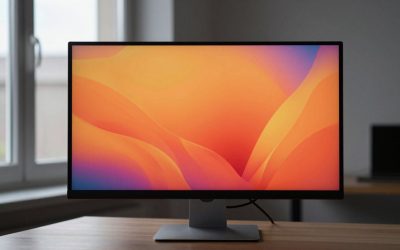
- Display. A good panel with comfortable text scaling is worth more than any graphics upgrade for a game with a million words.
- Cloud or backup saves. A long branching story is worth protecting. Use Steam’s save sync if the game supports it and keep a copy of your save folder before major updates.
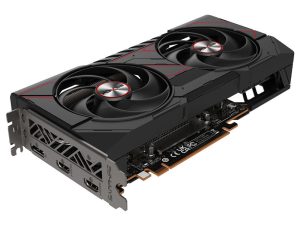
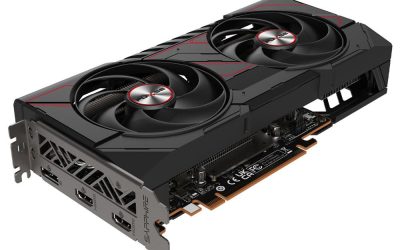
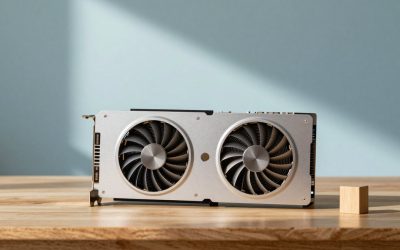
For Scarlet Hollow, you do not need to shop for a gaming GPU at all: the developer’s Steam listing asks for integrated graphics, so the best choice is whichever card you already own, or a budget card such as a GeForce RTX 5050, RTX 5060 or Radeon RX 9060 XT if you are building anyway and want headroom for other games. Spend more only if your library includes heavy modern titles, since this illustrated horror adventure will not be the thing that uses it.
What kind of game this is, and why it matters for GPU choice
Scarlet Hollow is a heavily branching narrative adventure from Black Tabby Games, with hand-drawn backgrounds and character sprites by graphic novelist Abby Howard. Steam describes it as an Early Access title in the adventure, casual, indie and RPG categories, playable through the end of Episode 5 with roughly one million words of content, and with one final content update remaining. It leans on writing, relationship systems and dread rather than real-time 3D rendering or jump scares.
That design is why graphics cards barely matter. A 2D illustrated game draws a few layered images per frame, so the workload is tiny compared with a 3D shooter. Memory, storage and a stable operating system matter more than shader count.
Published requirements
| Platform | Processor | Memory | Graphics | Storage |
|---|---|---|---|---|
| Windows (Steam) | 1.8 GHz dual core | 2 GB | Integrated graphics | 2 GB |
| macOS (Steam) | 1.8 GHz dual core | 2 GB | Integrated graphics | 2 GB |
| Linux (Steam) | 1.8 GHz dual core | 2 GB | Not specified | 2 GB |
The Steam page lists only a minimum tier. No recommended specification is published by the developer. Some third-party sites print a “recommended” line such as a Core i5 with a GTX 1060 and 16 GB of RAM, but those are the sites’ own estimates, not developer figures, so do not treat them as requirements. PCGamingWiki lists a slightly larger install footprint than Steam’s figure, so leave a little extra disk space.
Quick GPU guide by screen size
The table maps screen targets to graphics hardware. Because the publisher gives no benchmark data, the right-hand column describes the reasoning rather than promising a frame rate.
| Target | What is enough | Reasoning |
|---|---|---|
| 1080p | Modern integrated graphics from AMD or Intel | The listing asks only for integrated graphics |
| 1440p | Same, or any entry discrete card | Art is 2D; resolution scaling is cheap |
| 4K | Same, or a budget discrete card for comfort | A larger canvas is still a flat image; no ray tracing or heavy effects are advertised |
Whether the game’s art assets are authored at native 4K is not stated. If sprites and backgrounds were drawn at lower resolutions, they will be scaled up and look softer on a large display regardless of the GPU. That is an art-pipeline question, not a hardware one.
VRAM and upscaling
The publisher lists no VRAM figure. Integrated graphics share system memory, and the listing’s 2 GB RAM floor suggests the memory use is modest. Treat any claim of a specific gigabyte number as unconfirmed.
Scarlet Hollow does not advertise DLSS, FSR or XeSS support, and a 2D game would gain nothing from it. If you want a sharper image on a 4K television, adjust the game’s scaling or display settings instead of shopping for a new card.
Current GPUs worth knowing, if you are buying anyway
If you want a card for other games and happen to play Scarlet Hollow too, the field in 2026 looks like this, using maker specs and reviewer comments:
| Card | Memory as listed | Suits | Watch out for |
|---|---|---|---|
| GeForce RTX 5050 | 8 GB GDDR6, per Nvidia | Lowest-cost discrete option for 1080p | Limited headroom in new releases |
| GeForce RTX 5060 | 8 GB GDDR7, 128-bit bus | Budget 1080p and 1440p with DLSS support in other games | 8 GB can limit the newest titles |
| Radeon RX 9060 XT | 8 GB or 16 GB GDDR6, 128-bit bus | Value 1440p; the 16 GB model is favoured by Tom’s Hardware | Pick the 16 GB variant for longevity |
| Intel Arc B580 | 12 GB, per Intel | Budget 1440p with more memory than rivals | Driver behavior on older or niche engines varies |
| GeForce RTX 5070 or Radeon RX 9070 | 12 GB or 16 GB | 1440p and 4K gaming across a big library | Overkill for this game alone |
Pick this if
| Your situation | Best move |
|---|---|
| You have a laptop with integrated graphics | Run the game as is; the listing targets that class of hardware |
| You play mostly visual novels, indies and older games | A budget card or no card; save money for RAM and an SSD |
| You want one PC for this game and big 3D releases | RX 9060 XT 16 GB or RTX 5060 Ti 16 GB |
| You play on a TV from the couch | Any modern GPU with an HDMI 2.1 output, and check the TV’s game mode |
| You use an older machine on Windows 7 | Update the system; Steam no longer supports Windows 7 or 8 clients |
What to prioritise instead of a GPU
- Operating system. The listing mentions Windows 7, but the Steam client itself supports only Windows 10 and newer since January 2024, so a current Windows install is the realistic baseline.
- Storage. The game is small, but a long branching story saves often. An SSD keeps load and save times short.
- Display. A good panel with comfortable text scaling is worth more than any graphics upgrade for a game with a million words.
- Cloud or backup saves. A long branching story is worth protecting. Use Steam’s save sync if the game supports it and keep a copy of your save folder before major updates.
Common mistakes
- Buying a GPU because a site printed a recommended spec. The developer publishes none.
- Assuming Early Access means high demands. Early Access describes development status, not hardware needs.
- Chasing frame rate. There is no combat or twitch gameplay; a stable 60 Hz picture is enough.
- Skipping updates. Because the game is still receiving content, keep it updated through the Steam client and read the patch notes before starting a new playthrough, since content changes can affect saves.
- Ignoring platform differences. Mac and Linux builds are listed, so you do not need a Windows machine to play.
Alternatives and what to skip
Alternative: a handheld or ultraportable. The low requirements make the game a natural fit for compact hardware. Steam Deck compatibility is not stated in the sources found here, so look at the Steam page’s Deck badge, if any, before buying around that idea.
Alternative: a used budget card. A GeForce GTX 1650 or Radeon RX 570 class card is more than the listing asks, though older drivers and warranty gaps are the trade-off.
What to skip. Skip high-end cards, premium cooling and oversized power supplies for this game. They help other titles, not this one.
Frequently Asked Questions
Can integrated graphics run Scarlet Hollow?
Yes, according to the developer’s Steam listing, which names integrated graphics as the graphics requirement on Windows and macOS. A 1.8 GHz dual-core processor and 2 GB of RAM are listed as well.
Is there an official recommended spec?
No. Steam publishes only a minimum. Third-party recommended lines are estimates from those sites and not from Black Tabby Games.
Does the game support DLSS or FSR?
It does not advertise either feature, and as a 2D illustrated game it has little use for them. Resolution scaling is handled by the game and your display settings.
How much storage does it need?
Steam lists 2 GB, while PCGamingWiki reports a slightly higher 3.7 GB. Leave some extra room for updates and saves.
Will it run on Linux or Mac?
Both are listed on the Steam page. The Mac listing asks for OS X 10.9 or later, and the Linux listing names the same processor, memory and storage figures.
Is a gaming GPU worth buying for it?
Not for this game alone. Buy a GPU for the heaviest game you play, and treat Scarlet Hollow as something nearly any PC from the last decade can handle.
FAQ
Can integrated graphics run Scarlet Hollow?
Is there an official recommended spec?
Does the game support DLSS or FSR?
How much storage does it need?
Will it run on Linux or Mac?
Is a gaming GPU worth buying for it?
More from Amazon
Programs that pair well with the guide above. Offers and eligibility are set by Amazon and may change.
Free shipping on eligible items, Prime Video and more. Eligible new members can start with a free trial.
Start a Prime free trialAd-free music streaming. Eligible new subscribers can start with a free trial.
Try Music Unlimited freeA Prime membership for ages 18-24 with a trial period. Eligibility is set by Amazon.
See Prime for Young AdultsAudiobooks and podcasts to listen to on the go. Eligible new members can start with a free trial.
Try Audible freeAs an Amazon Associate we earn from qualifying purchases.