Our Short List of 3

- Best for: A fixed home theater or PC setup holding a large, growing movie library
- Capacity: 8TB
- Model: WDBBGB0080HBK-NESN
- Interface: USB 3.0, SuperSpeed USB
- Form factor: Desktop external HDD

- Best for: A simple, high-capacity desktop library you manage by copying files manually
- Capacity: 8TB
- Model: STKP8000400
- Interface: USB 3.0
- Form factor: Desktop external HDD

- Best for: A portable movie library shared between home, work, and travel screens
- Capacity: 5TB
- Model: WDBU6Y0050BBK-WESN
- Interface: USB 3.2 Gen 1 and USB 3.0, with USB 2.0 compatibility
- Form factor: Portable external hard drive, 2.5 inch class
All 4 Picks at a Glance
| Product | Specs | Action |
|---|---|---|
| WD My Book 8TB |
| Check price on Amazon |
| Seagate Expansion 8TB |
| Check price on Amazon |
| WD Elements 5TB Portable |
| Check price on Amazon |
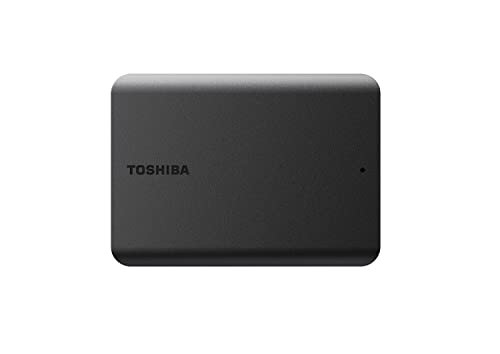 Toshiba Canvio Basics 4TB |
| Check price on Amazon |
Our Top Picks
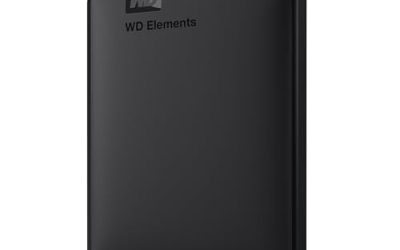
- Western Digital WD 5TB Elements Portable External Hard5TB4.35 x 3.23 x 0.82 inches0.52 poundsCheck on Amazon
A movie library outgrows a laptop drive faster than almost any other collection, because a single high-quality video file can be larger than an entire folder of documents or photos. The real decision is not just how many terabytes you buy, but whether the drive will sit permanently beside your PC or TV, how it draws power, and whether it can keep feeding large files to a player without becoming the bottleneck in your setup.
This guide serves home theater owners building a permanent collection, laptop users who need a portable drive for travel playback, and anyone archiving ripped discs or downloaded films. Every pick below is an external hard drive chosen from its Amazon listing name, capacity, interface, and stated features, with the framing kept firmly on video files rather than general backup.
Quick Picks
As an Amazon Associate we earn from qualifying purchases
| Product | Best for | Key spec from title |
|---|---|---|
| WD My Book 8TB | A permanent home library with protection | 8TB desktop HDD with password protection |
| Seagate Expansion 8TB | Simple drag-and-drop desktop storage | 8TB external HDD with Rescue Data Recovery Services |
| WD Elements 5TB Portable | Carrying a large collection between rooms or trips | 5TB portable drive with USB 3.2 Gen 1 |
| Toshiba Canvio Basics 4TB | A straightforward portable drive for everyday playback | 4TB portable drive with USB 3.0 |
How to Choose
Size the Capacity Around Your Video Files
Start by estimating your library in hours and file sizes rather than guessing a number of movies. A drive that feels generous for documents fills quickly once you store long films, series seasons, and high-bitrate files side by side. The two 8TB desktop drives in this guide suit a library you expect to keep growing for years, while the 5TB and 4TB portable models fit a curated collection you rotate. Leave headroom beyond your current total, because reorganizing a nearly full drive later means buying a second one anyway.
Decide Between Desktop and Portable Power
Desktop drives such as the WD My Book and Seagate Expansion use their own power supply and are built to stay plugged in beside a PC, console, or TV stand. That suits a fixed media setup where the drive rarely moves. Portable drives such as the WD Elements and Toshiba Canvio Basics draw power from the USB connection itself, so they travel in a laptop bag and plug into whatever screen is nearby. Choose based on where playback actually happens, not on capacity alone, because a desktop drive is awkward on the road and a portable drive is easy to knock off a shelf.
Check the Interface for Large File Transfers
Moving a video library means copying many very large files, so the interface matters more than it does for small documents. All four drives here use USB 3.0 or faster connections, including USB 3.2 Gen 1 on the WD Elements, which keeps initial library transfers and later additions practical. Older USB 2.0 connections would turn a full library copy into an overnight job. Also confirm the port type on your computer or TV before buying, and remember that a drive formatted for one system may need reformatting before a different device will read it.
Look at Backup and Recovery Features
A movie library often represents years of collecting, so protection features deserve attention. The WD My Book listing includes password protection, hardware encryption, and backup software, which helps if the drive holds the only copy of your files. The Seagate Expansion includes Rescue Data Recovery Services, a safety net if the drive fails. Portable models in this guide focus on simple plug-and-play storage instead. Whatever you choose, keep a second copy of irreplaceable files elsewhere, because no single drive, however large, counts as a backup plan by itself.
The 4 Best Options
WD My Book 8TB
- Best for: A fixed home theater or PC setup holding a large, growing movie library
- Capacity: 8TB
- Model: WDBBGB0080HBK-NESN
- Interface: USB 3.0, SuperSpeed USB
- Form factor: Desktop external HDD
A fixed home theater or PC setup holding a large, growing movie library
It needs its own power outlet, so confirm shelf space near the TV or desk before choosing it over a portable drive
The WD My Book 8TB is the natural anchor for a permanent movie library. Its desktop design, included power supply, and large single capacity let it hold a whole collection in one place beside a PC or TV instead of splitting films across smaller drives. Password protection and hardware encryption from the listing add a layer of control that the simpler drives here do not offer, and the included backup software helps you protect the library itself. It suits collectors who rarely move the drive and want the collection treated like a long-term archive rather than a travel accessory.
Seagate Expansion 8TB
- Best for: A simple, high-capacity desktop library you manage by copying files manually
- Capacity: 8TB
- Model: STKP8000400
- Interface: USB 3.0
- Form factor: Desktop external HDD
A simple, high-capacity desktop library you manage by copying files manually
It is a powered desktop unit, so it is not the drive to carry between a laptop, office, and TV
The Seagate Expansion 8TB keeps desktop movie storage deliberately simple. The listing emphasizes drag-and-drop use and automatic recognition on Windows and Mac, so the drive works as a straightforward place to drop video files without extra setup steps. Its 8TB capacity matches the My Book for library size, and the included Rescue Data Recovery Services give it a recovery angle the basic portable drives lack. This is the pick for someone who wants maximum room for films at a desk or entertainment center and prefers a plug-in-and-copy workflow over bundled management software and encryption features.
WD Elements 5TB Portable
- Best for: A portable movie library shared between home, work, and travel screens
- Capacity: 5TB
- Model: WDBU6Y0050BBK-WESN
- Interface: USB 3.2 Gen 1 and USB 3.0, with USB 2.0 compatibility
- Form factor: Portable external hard drive, 2.5 inch class
A portable movie library shared between home, work, and travel screens
Portable drives are easier to drop or lose, so keep a second copy of the library at home
The WD Elements 5TB Portable puts a substantial movie collection in a drive that runs entirely from its USB connection. That makes it easy to move a library between a laptop, a desktop, and a TV without hunting for a spare power outlet at each stop. The listing describes plug-and-play readiness for PC and Mac and a SuperSpeed USB 3.2 Gen 1 interface, which helps when you are loading large video files before a trip. It fits viewers whose collection is big enough to outgrow internal storage but who still expect the drive to travel regularly.
Toshiba Canvio Basics 4TB
- Best for: Everyday portable playback of a moderate movie collection on laptops and TVs
- Capacity: 4TB
- Model: HDTB540XK3CA
- Interface: USB 3.0
- Form factor: Portable external hard drive
Everyday portable playback of a moderate movie collection on laptops and TVs
At 4TB it is the smallest drive here, so heavy collectors may outgrow it sooner than the 8TB desktop models
The Toshiba Canvio Basics 4TB is the no-fuss portable option in this group. Its listing keeps the proposition simple: a compact USB 3.0 drive with enough room for a solid personal film collection, ready to plug into a laptop or compatible TV for playback. It gives up the encryption, backup software, and recovery services of the desktop models, but that simplicity is exactly what some buyers want for a drive that mostly stores and plays video. Choose it when your library is moderate in size and the drive will move often between rooms, bags, and computers.
Which One Fits Your Situation
Your Library Lives Beside One TV or PC
Pick one of the 8TB desktop drives. The WD My Book suits you if password protection, encryption, and backup software matter for a collection you cannot easily replace. The Seagate Expansion suits you if you would rather copy files by drag-and-drop and value the included Rescue Data Recovery Services. Either way, the powered desktop format matches a drive that stays connected and available every time you sit down to watch.
You Watch on Several Screens in Different Places
Choose the WD Elements 5TB Portable. Bus-powered portability means the same library plugs into a laptop at a desk, a TV in another room, or a computer while traveling, with no power brick to pack. Its 5TB capacity holds a large working collection, and the USB 3.2 Gen 1 interface keeps loading new films onto it from becoming a chore before each trip away from home.
You Want a Simple Second Drive for Overflow Films
The Toshiba Canvio Basics 4TB fits this role well. It is a plain portable drive for the movies that no longer fit on your computer, easy to label, shelve, and plug in when you want something from the archive. Because it skips extra software and services, setup is minimal. Just remember it is overflow storage, not protection, unless another copy of those files exists somewhere else.
Your Collection Keeps Growing Every Month
Start with an 8TB desktop drive rather than a smaller portable one, even if your current library looks modest. Video files accumulate quickly once you keep whole series and higher-quality versions, and migrating a library later costs more time than buying headroom now. The My Book adds backup software for protecting that growth, while the Expansion keeps the workflow simple. A portable drive can still join later as the travel copy of your favorites.
Common Mistakes
- Buying capacity for the library you have today instead of the one you will have after another year of collecting video files.
- Choosing a powered desktop drive for travel, then discovering it needs an outlet and a flat surface at every stop.
- Storing the only copy of a hard-to-replace collection on one drive and calling that a backup.
- Ignoring formatting, then finding a TV or second computer cannot read the drive until it is reformatted and emptied.
- Filling a drive completely, which leaves no room to reorganize folders, rename files, or copy a large film temporarily.
Frequently Asked Questions
How much movie storage do most home libraries need?
It depends on file size more than movie count. A modest collection of compressed files can fit comfortably on the 4TB Toshiba Canvio Basics, while collectors keeping long series and high-bitrate versions will fill that quickly. The 8TB desktop drives in this guide suit libraries expected to grow for years without splitting films across multiple drives.
Can these drives play movies directly on a TV?
Generally yes, if the TV supports USB storage and the video file formats you use, and the drive is formatted in a file system the TV can read. Portable bus-powered models such as the WD Elements and Canvio Basics are the easiest to connect. Always check your TV manual for supported formats and maximum drive capacity before relying on direct playback.
Is a desktop drive better than a portable drive for movies?
Neither is better in absolute terms; they serve different setups. Desktop drives like the 8TB My Book and Expansion offer the largest capacities and stay permanently connected, which suits a fixed home theater. Portable drives trade some capacity for bus-powered convenience, making them better when the library moves between rooms, computers, or trips.
Should a movie library drive also be my backup drive?
It can hold a copy, but it should not be the only copy. If the drive containing your sole library fails, is lost, or is damaged, the collection goes with it. Features such as the My Book backup software or Seagate Rescue Data Recovery Services help, yet keeping a second copy on separate storage remains the safer approach.
FAQ
How much movie storage do most home libraries need?
Can these drives play movies directly on a TV?
Is a desktop drive better than a portable drive for movies?
Should a movie library drive also be my backup drive?
More from Amazon
Programs that pair well with the guide above. Offers and eligibility are set by Amazon and may change.
Free shipping on eligible items, Prime Video and more. Eligible new members can start with a free trial.
Start a Prime free trialAd-free music streaming. Eligible new subscribers can start with a free trial.
Try Music Unlimited freeA Prime membership for ages 18-24 with a trial period. Eligibility is set by Amazon.
See Prime for Young AdultsAudiobooks and podcasts to listen to on the go. Eligible new members can start with a free trial.
Try Audible freeAs an Amazon Associate we earn from qualifying purchases.