Key takeaways
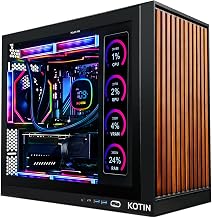
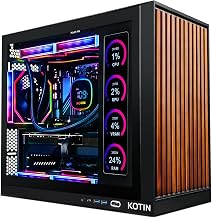
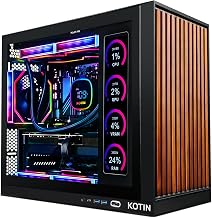
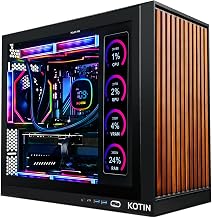
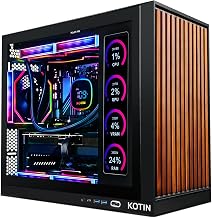
- Best overall: KOTIN Gaming PC, Ryzen 7 8700F, RTX 5060 Ti 8GB, 16GB DDR5
- Best for 1440p longevity: ZOTAC MEK Gaming PC, Ryzen 7 9700X, RTX 5060 Ti 16GB, 32GB DDR5
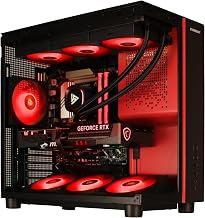
- Best value DDR5: Skytech Storm, Ryzen 5 8400F, RTX 5060 Ti 8GB, 16GB DDR5
- Best for streaming and creative work: Alienware or Lenovo Legion Tower 5i with Core Ultra 7 265F
Finding a prebuilt gaming PC with NVIDIA’s RTX 5060 Ti in 2026 means navigating a crowded market of desktops ranging from budget-friendly 1080p performers to overkill mini workstations. The RTX 5060 Ti brings 8GB of GDDR7 VRAM, DLSS 4 multi-frame generation, and impressive power efficiency, making it a strong GPU for high-refresh-rate 1080p and, with tuned settings, 1440p gaming. Note that the card also exists in a 16GB version, and most of the listings below use the 8GB model. But prebuilt builders cut corners in ways that aren’t always obvious — underpowered PSUs, single-channel RAM, and poor airflow can undermine the GPU’s potential and limit future upgrades.
Our top picks
 KOTIN Gaming PC Desktop
- High-FPS Gaming PC Performance: AMD Ryzen 7 8700F…
- 16GB DDR5 + 1TB Gen4 NVMe SSD: 16GB…
- Cool, Clean Gaming Tower Build: A CPU air…
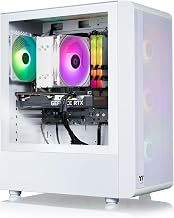
 Skytech Gaming Shadow 5 Gaming PC
- Intel Core i5 14400F 2.5GHz (4.7GHz Turbo Boost)…
- NVIDIA GeForce RTX 5060 Ti 8GB GDDR7 Graphics…
- Wi-Fi 5 802.11ac & Bluetooth Support | No…
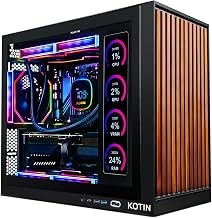
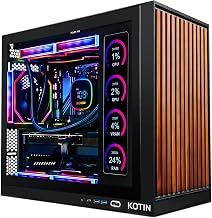
 KOTIN Prebuilt Gaming PC Ryzen 7 9700X
- 1440P Powerhouse: AMD Ryzen 7 9700X (up to…
- 11.3-Inch Smart Display: Built-in secondary screen shows real-time…
- 360mm ARGB Liquid Cooling: Advanced 360mm cooler with…
| Product | Key specs | |
|---|---|---|
| KOTIN Gaming PC Desktop | High-FPS Gaming PC Performance: AMD Ryzen 7 8700F… 16GB DDR5 + 1TB Gen4 NVMe SSD: 16GB… Cool, Clean Gaming Tower Build: A CPU air… | Check price |
| Skytech Gaming Shadow 5 Gaming PC | Intel Core i5 14400F 2.5GHz (4.7GHz Turbo Boost)… NVIDIA GeForce RTX 5060 Ti 8GB GDDR7 Graphics… Wi-Fi 5 802.11ac & Bluetooth Support | No… | Check price |
| KOTIN Prebuilt Gaming PC Ryzen 7 9700X | 1440P Powerhouse: AMD Ryzen 7 9700X (up to… 11.3-Inch Smart Display: Built-in secondary screen shows real-time… 360mm ARGB Liquid Cooling: Advanced 360mm cooler with… | Check price |
 Gaming Desktop PC Gaming Desktop PC | Next-Level RTX 5060 Ti Graphics: Experience immersive gameplay… Powerful Ryzen 7 Performance: Powered by the Ryzen… Ultra-Fast Boot & File Transfers: 1TB NVMe M.2… | Check price |
 Skytech Gaming Storm Gaming PC Skytech Gaming Storm Gaming PC | AMD Ryzen 5 8400F 4.2GHz (4.7GHz Turbo Boost)… NVIDIA GeForce RTX 5060 Ti 8GB GDDR7 Graphics… WI-FI 5 802.11ac | No Bloatware | Graphic… | Check price |
 suevery Prebuilt Gaming PC suevery Prebuilt Gaming PC | High-Performance 14th Gen Intel Core i9 Processor: Experience… Multitasking Speed and Large Storage Capacity: With up… This tower-style pre-built gaming PC features an NVIDIA… | Check price |
As an Amazon Associate we earn from qualifying purchases at no extra cost to you.
This guide rounds up the best prebuilt gaming PCs with the RTX 5060 Ti available right now. We compared each system’s published specifications, component balance, cooling, connectivity, and recurring buyer feedback to judge overall value. We did not run hands-on benchmarks. Whether you want a compact streaming rig, a liquid-cooled showpiece, or the most cost-effective tower for AAA gaming, these are the desktops worth your money.
Updated October 2026 – spec lines and picks rechecked against the manufacturers’ listings.
Quick Answer: Best Prebuilt Gaming PC with RTX 5060 Ti
The best prebuilt gaming PC with RTX 5060 Ti for most buyers is the KOTIN Ryzen 7 8700F build: modern DDR5 platform, WiFi 7 and a 650W Gold power supply at a mid-range price. Pick the ZOTAC MEK Gaming PC (Ryzen 7 9700X, RTX 5060 Ti 16GB, 32GB DDR5) if you want more video memory for 1440p, and the Skytech Storm Ryzen 5 8400F if you want the lowest-cost DDR5 option.
- Best overall: KOTIN Gaming PC, Ryzen 7 8700F, RTX 5060 Ti 8GB, 16GB DDR5
- Best for 1440p longevity: ZOTAC MEK Gaming PC, Ryzen 7 9700X, RTX 5060 Ti 16GB, 32GB DDR5
- Best value DDR5: Skytech Storm, Ryzen 5 8400F, RTX 5060 Ti 8GB, 16GB DDR5
- Best for streaming and creative work: Alienware or Lenovo Legion Tower 5i with Core Ultra 7 265F
🛒 Best Price Today on Amazon
Prime members get fast, free shipping on everything above, plus member-only deals. New members get a 30-day free trial — cancel anytime.
Watch: Best Prebuilt Gaming PC with RTX 5060 Ti — Video Review
What the RTX 5060 Ti Means for a Prebuilt PC
Knowing what the GPU does helps you judge the rest of the system. The GeForce RTX 5060 Ti is a Blackwell-generation card with 4,608 CUDA cores, GDDR7 memory on a 128-bit bus and a PCIe 5.0 x8 connection. NVIDIA rates its board power at roughly 180W, which is why 650W power supplies are common in these systems.
- DLSS 4 and multi-frame generation: supported games can render fewer native pixels and generate extra frames, which raises frame rates at 1440p. It helps most in demanding single-player titles and matters less in esports games that already run at very high frame rates.
- PCIe 5.0 x8 link: the card uses eight lanes rather than sixteen. On a PCIe 4.0 board it still works, but the link runs at PCIe 4.0 x8, so very memory-starved scenes on the 8GB card can lose a little more performance than on a PCIe 5.0 board.
- Video encoding: the dedicated encoder makes recording and streaming gameplay practical without a heavy hit to frame rates.
In short, the best prebuilt gaming PC with RTX 5060 Ti is the one that gives the GPU a balanced partner: a current 6-to-8-core CPU, dual-channel DDR5 where possible, a Gold-rated power supply and enough airflow to keep boost clocks steady.
How to Choose a/an Prebuilt Gaming PC with RTX 5060 Ti (2026)
- Power Supply Quality: Look for an 80+ Gold rated PSU of 650W or higher from a reputable OEM. Cheap bronze units near their rated capacity risk system instability under sustained gaming loads and leave no headroom for component upgrades.
- RAM Configuration: Prioritize 16GB of DDR5 in a dual-channel kit (2x8GB) over single-stick or DDR4 alternatives. Dual-channel memory noticeably improves 1% low frame rates and application responsiveness, which matters most during CPU-bound scenes and streaming.
- CPU Pairing: Match the RTX 5060 Ti with at least a 6-core modern processor — a Ryzen 5 8400F or Intel Core i5-14400F is a sensible baseline. Avoid older or heavily bottlenecked CPUs that can’t feed the GPU consistently at 1080p.
- Cooling and Airflow: Verify the case has mesh front intakes and multiple exhaust fans. Liquid cooling is a bonus for higher-TDP chips like the Ryzen 7 9700X, but a well-designed air setup with ARGB fans is perfectly adequate for stock-clocked parts.
- Connectivity and Storage: WiFi 6 or 7, multiple USB-A/C ports, and a 1TB NVMe SSD are the practical minimums in 2026. Also confirm at least one open M.2 slot and standard ATX motherboard format for easier upgrades down the line.
RTX 5060 Ti 8GB vs 16GB: Check the Memory Before You Buy
The GeForce RTX 5060 Ti is sold in two memory configurations, 8GB and 16GB, and listings often show only “RTX 5060 Ti” in the headline. The GPU core is the same; the difference is how much video memory is available when a game loads large textures.
- 8GB version: a good fit for 1080p at high refresh rates and for 1440p with medium-to-high textures. This is the version in most of the KOTIN, Skytech and suevery listings in this guide.
- 16GB version: the safer choice for 1440p at high texture settings, newer ray-traced games and any buyer who keeps a PC for five years or more. The ZOTAC MEK in this guide is a 16GB model.
- How to check: look for “8GB”, “8G” or “16GB” next to the GPU name in the product title and in the specification table. If the listing only says “RTX 5060 Ti”, ask the seller or skip it.
If the price gap between an 8GB and a 16GB prebuilt is small, the 16GB card is usually the better long-term purchase. If you mainly play esports titles at 1080p, the 8GB card is enough and the saved money is better spent on a faster SSD or a better power supply.
Best Prebuilt Gaming PC with RTX 5060 Ti by Budget Tier
Use these tiers to narrow the list quickly. Each pick is shown with one spec line so you can compare the parts that matter.
Best Value Tier
- Skytech Storm (Ryzen 5 8400F) · RTX 5060 Ti 8GB · 16GB DDR5 · 1TB NVMe
- Skytech Gaming PC (Ryzen 7 5700) · RTX 5060 Ti 8GB · 16GB DDR4-3200 · 1TB SSD · 650W Gold
- KOTIN Gaming PC (Core i5-14400F) · RTX 5060 Ti 8GB · 16GB DDR4 · 1TB NVMe
Best Mid Tier
- KOTIN Gaming PC (Ryzen 7 8700F) · RTX 5060 Ti 8GB · 16GB DDR5 · 1TB SSD · 650W Gold · WiFi 7
- CyberPowerPC Gamer Master (Ryzen 7 8700F) · RTX 5060 Ti 8GB · 16GB DDR5 · 1TB PCIe 4.0 SSD
- Skytech Shadow 5 (Core i5-14400F) · RTX 5060 Ti 8GB · 16GB DDR4-3200 · 1TB NVMe · 750W Gold
Best Premium Tier
- ZOTAC MEK (Ryzen 7 9700X) · RTX 5060 Ti 16GB · 32GB DDR5 · 1TB NVMe · 850W Gold
- KOTIN Ryzen 7 9700X liquid-cooled · RTX 5060 Ti 8GB · 16GB DDR5 · 360mm AIO · 650W Gold
- Alienware Gaming Desktop (Core Ultra 7 265F) · RTX 5060 Ti · 16GB DDR5 · 1TB SSD
Prebuilt Gaming PC with RTX 5060 Ti: Comparison Table
| Model | CPU | GPU | RAM | Storage | PSU |
|---|---|---|---|---|---|
| KOTIN Ryzen 7 8700F | Ryzen 7 8700F | RTX 5060 Ti 8GB | 16GB DDR5 | 1TB SSD | 650W Gold |
| KOTIN Ryzen 7 9700X | Ryzen 7 9700X | RTX 5060 Ti 8GB | 16GB DDR5 | 1TB SSD | 650W Gold |
| Skytech Shadow 5 | Core i5-14400F | RTX 5060 Ti 8GB | 16GB DDR4-3200 | 1TB NVMe | 750W Gold |
| ZOTAC MEK | Ryzen 7 9700X | RTX 5060 Ti 16GB | 32GB DDR5 | 1TB NVMe | 850W Gold |
| CyberPowerPC Gamer Master | Ryzen 7 8700F | RTX 5060 Ti 8GB | 16GB DDR5 | 1TB PCIe 4.0 | See listing |
| Skytech Ryzen 7 5700 | Ryzen 7 5700 | RTX 5060 Ti 8GB | 16GB DDR4-3200 | 1TB SSD | 650W Gold |
Specifications are taken from the manufacturers’ listings and can change between production runs, so confirm the memory type, GPU memory and power supply wattage on the page before you order.
The Best Prebuilt Gaming PC with RTX 5060 Ti (2026)s Reviewed
KOTIN Ryzen 7 8700F
This KOTIN build pairs the RTX 5060 Ti with AMD’s Ryzen 7 8700F and 16GB of DDR5 on a sensible 650W Gold platform, making it one of the most balanced towers for 1080p and 1440p gaming plus streaming. WiFi 7, DLSS 4 support, and ARGB cooling round out a well-equipped value pick that covers all the essentials without overcharging for them.
KOTIN Ryzen 7 9700X Liquid-Cooled
The standout feature here is the 360mm AIO liquid cooler and built-in 11.3-inch smart display — a combination that elevates this build for enthusiasts who want strong thermal headroom on the 9700X and a unique visual centerpiece. With DDR5 memory and a 650W Gold PSU, it’s the premium option for users who care about aesthetics and CPU performance alongside their GPU.
Skytech Storm Ryzen 5 8400F
Built around the efficient Ryzen 5 8400F, this Skytech Storm prebuilt focuses on clean value: 16GB of DDR5-6000 memory, a 1TB NVMe SSD, and the RTX 5060 Ti 8GB at a lower price tier than the Ryzen 7 builds. It’s the best pick for budget-conscious buyers who still want a DDR5 platform with a sensible upgrade path.
Skytech Shadow 5 (i5-14400F)
Skytech’s Shadow 5 is a dependable, widely available option that mates the RTX 5060 Ti with Intel’s i5-14400F and a 750W Gold PSU for solid upgrade headroom. The DDR4 RAM is a cost-cutting compromise, but the overall platform is stable and well-suited to 1080p/1440p gaming for buyers who prioritize brand reliability.
suevery Core i9-14900HX Bundle
This suevery tower pairs the RTX 5060 Ti 8GB with a 24-core mobile i9-14900HX — an unusual CPU choice that delivers serious multi-threaded throughput for editing and productivity workloads alongside 1080p and 1440p gaming. With DDR5, a 1TB NVMe SSD, and a compact form factor, it’s the pick for users who want a do-everything home system rather than a pure value gaming build.
More RTX 5060 Ti Prebuilt Gaming PCs Worth Considering
These additional systems use the same GPU but a different CPU, brand or platform, which helps if the main picks are out of stock or you prefer a larger brand with a wider support network.
ZOTAC MEK Gaming PC – Best for 1440p With 16GB of Video Memory

The ZOTAC MEK pairs a Ryzen 7 9700X with the 16GB version of the RTX 5060 Ti, which is the main reason to choose it over the 8GB builds. The extra video memory matters most in 1440p games with large texture packs. It suits buyers who want one prebuilt that will stay comfortable for several years.
- CPU: AMD Ryzen 7 9700X
- GPU: NVIDIA GeForce RTX 5060 Ti 16GB
- Memory: 32GB DDR5
- Storage: 1TB NVMe SSD
- Power supply: 850W 80+ Gold
Pros: 16GB of video memory; 32GB of DDR5; large power supply with upgrade headroom; modern 8-core CPU.
Cons: sits in the premium price tier; 1TB of storage fills quickly with modern games.
Skip it if you only play esports titles at 1080p; an 8GB build saves money without a visible loss.
CyberPowerPC Gamer Master – Best Known Brand With a Ryzen 7 8700F

CyberPowerPC is one of the long-running US system builders, and this Gamer Master configuration uses the same Ryzen 7 8700F and RTX 5060 Ti 8GB combination as the top KOTIN pick. It is a good choice if you want an established brand name and a PCIe 4.0 SSD.
- CPU: AMD Ryzen 7 8700F
- GPU: NVIDIA GeForce RTX 5060 Ti 8GB
- Memory: 16GB DDR5
- Storage: 1TB PCIe 4.0 SSD
- Connectivity: WiFi included
Pros: well-known builder; DDR5 platform; fast PCIe 4.0 storage.
Cons: only 16GB of memory; check the power supply rating on the listing.
Skip it if a cheaper KOTIN or Skytech system with the same parts is available.
Lenovo Legion Tower 5i – Best for a Branded Intel Ultra Build

The Legion Tower 5i uses an Intel Core Ultra 7 265F with an RTX 5060 Ti and comes from a large manufacturer with its own support and warranty network. It suits buyers who value a tidy case and a standard retail warranty over the lowest price.
- CPU: Intel Core Ultra 7 265F
- GPU: NVIDIA GeForce RTX 5060 Ti
- Design: branded Legion tower chassis
- Platform: Intel Core Ultra (Arrow Lake)
Pros: strong 20-core CPU for multitasking; large-brand support; clean case design.
Cons: costs more than comparable white-label builds; proprietary parts can limit some upgrades.
Skip it if you plan to swap the power supply or motherboard later.
Alienware Gaming Desktop – Best for Premium Styling and Support

The Alienware desktop combines an RTX 5060 Ti with an Intel Core Ultra 7 265F, 16GB of DDR5 and a 1TB SSD. It is aimed at buyers who want a compact, recognizable chassis and the brand’s support rather than the lowest cost per frame.
- CPU: Intel Core Ultra 7 265F
- GPU: NVIDIA GeForce RTX 5060 Ti
- Memory: 16GB DDR5
- Storage: 1TB SSD
- Networking: Killer 2.5Gb Ethernet
Pros: DDR5 memory; 2.5Gb Ethernet; strong brand support.
Cons: premium price for the same GPU; compact case limits cooling and upgrades.
Skip it if you want maximum value or easy part swaps.
msi Codex Z2 – Best for VR-Ready Ryzen 7 Builds

The msi Codex Z2 uses a Ryzen 7 8700F, RTX 5060 Ti, 16GB of DDR5 and a 1TB SSD, and the listing advertises USB Type-C and VR-ready support. It is a sensible option for buyers who prefer a motherboard-maker brand.
- CPU: AMD Ryzen 7 8700F
- GPU: NVIDIA GeForce RTX 5060 Ti
- Memory: 16GB DDR5
- Storage: 1TB SSD
- Ports: USB Type-C, VR-ready
Pros: DDR5 platform; Type-C port; VR-ready positioning.
Cons: priced above the KOTIN version with similar parts.
Skip it if the KOTIN or CyberPowerPC build with the same CPU costs noticeably less.
Also Consider: Lower-Cost RTX 5060 Ti Prebuilts
Skytech Gaming PC (Ryzen 7 5700) – Best for an Older AM4-Era CPU on a Budget

This Skytech system pairs the RTX 5060 Ti 8GB with a Ryzen 7 5700, 16GB of DDR4-3200, a 1TB NVMe SSD and a 650W Gold power supply. It is a value route into the GPU, with the trade-off of an older platform.
- CPU: AMD Ryzen 7 5700
- GPU: NVIDIA GeForce RTX 5060 Ti 8GB
- Memory: 16GB DDR4-3200
- Storage: 1TB NVMe SSD
- Power supply: 650W Gold
Pros: lowest-cost route to the GPU; Gold power supply; 8 cores.
Cons: DDR4 and an older socket limit future CPU upgrades.
Skip it if you want to reuse the platform for a future GPU and CPU generation.
KOTIN Gaming PC (Core i5-14400F) – Best Budget Intel Option

KOTIN also sells an Intel version with the Core i5-14400F, 16GB of DDR4 and a 1TB NVMe SSD alongside the RTX 5060 Ti 8GB. It suits buyers who prefer Intel and want ARGB styling at a lower price than the Ryzen 7 DDR5 builds.
- CPU: Intel Core i5-14400F
- GPU: NVIDIA GeForce RTX 5060 Ti 8GB
- Memory: 16GB DDR4
- Storage: 1TB NVMe SSD
- Styling: ARGB cooling and WiFi
Pros: 6-core CPU is enough for 1080p and 1440p gaming; lower price than the DDR5 builds.
Cons: DDR4 platform; white-label support.
Skip it if you want DDR5 or the strongest warranty.
How to Judge a Prebuilt RTX 5060 Ti Listing Before You Order
Many prebuilt listings read similarly, so use this short checklist to separate a balanced build from one that cuts corners.
- Power supply: the RTX 5060 Ti has a modest power draw, so a quality 650W Gold unit is adequate, but a listing that does not name the wattage or efficiency rating is a warning sign.
- Memory kit: look for two matched sticks (for example 2x8GB or 2x16GB) for dual-channel performance. A single stick can reduce frame rates in CPU-heavy games.
- Storage: 1TB is the practical minimum; a few modern games exceed 100GB each.
- CPU generation: an F-series chip has no integrated graphics, which is fine with a dedicated GPU but means you cannot use video output from the motherboard if the card fails.
- Warranty: check who services the system and how long coverage lasts; a recognized builder usually offers clearer terms than an unbranded seller.
- Operating system: confirm Windows 11 is included and activated.
Prebuilt or Build Your Own With an RTX 5060 Ti?
A self-built PC usually costs less for the same parts and gives you a choice of power supply, case and motherboard. A prebuilt saves several hours of work, includes a single warranty path and lets you start gaming on delivery day.
- Choose a prebuilt if you are new to PC building, want one support contact and find a system that matches the specifications above.
- Build your own if you want a specific case, a Gold or Platinum power supply from a named brand, or an AM5 platform you can upgrade for years.
- Whichever route you take, compare the total cost with the parts list so you know what you are paying for assembly and support.
Common Mistakes When Buying an RTX 5060 Ti Prebuilt
- Assuming every “RTX 5060 Ti” listing has 16GB of video memory.
- Paying a premium for RGB, a smart display or an oversized AIO cooler instead of a better power supply or more storage.
- Choosing DDR4 on a new purchase when a DDR5 system costs only slightly more.
- Ignoring case airflow; a sealed glass front with few fans can raise temperatures and noise.
- Skipping the warranty details, especially for lesser-known white-label brands.
Frequently Asked Questions
Is 8GB of VRAM enough on the RTX 5060 Ti in 2026?
Yes, for the vast majority of 1080p and 1440p gaming scenarios. DLSS 4 and modern texture compression help the 8GB buffer hold up well against current AAA titles, though ultra-quality texture packs at 4K may require settings adjustments on demanding games.
Can these prebuilts handle 1440p gaming at high settings?
Yes, with sensible settings. The RTX 5060 Ti is a capable 1440p card, especially with DLSS 4 engaged, and the CPUs in these systems are modern enough to avoid bottlenecking at that resolution in most titles. The 8GB versions can run out of video memory in the newest texture-heavy games, so lower texture quality if you see stutter.
Are prebuilt PSUs upgradeable later?
In most standard ATX tower builds like the KOTIN and Skytech models above, yes — the PSU is a replaceable component and the 650W–750W Gold units included here leave reasonable headroom for a future GPU swap. Always verify physical clearance and cable compatibility before upgrading.
Is DDR5 worth prioritizing over DDR4 with this GPU?
DDR5 provides a measurable uplift in average and 1% low frame rates, particularly in CPU-bound 1080p scenarios, and it future-proofs the platform. If the price difference is modest, DDR5 is the better choice; DDR4 remains acceptable for purely budget-focused builds.
Is the RTX 5060 Ti 16GB worth it over the 8GB version in a prebuilt?
Usually yes for 1440p. The 16GB card avoids texture-memory limits in newer games and ages better, but the 8GB card is still enough for 1080p and many 1440p titles with tuned settings.
What power supply does a prebuilt RTX 5060 Ti PC need?
A good 650W 80+ Gold unit is enough for the 8GB and 16GB cards paired with a mid-range CPU. Larger units, such as the 750W and 850W models in this guide, add headroom for a future GPU upgrade.
Which CPU is best with an RTX 5060 Ti?
A Ryzen 7 8700F, Ryzen 5 8400F or Core i5-14400F is a balanced pairing at 1080p and 1440p. Faster chips such as the Ryzen 7 9700X help in CPU-heavy games and streaming but add little in GPU-bound scenes.
Is an RTX 5060 Ti prebuilt good for streaming?
Yes. The GPU includes NVIDIA’s hardware encoder, and an 8-core CPU with 16GB of memory handles gaming plus a stream. For heavy multitasking, 32GB of RAM is a worthwhile step up.
Should I buy DDR4 or DDR5 in an RTX 5060 Ti prebuilt?
DDR5 is the better long-term choice because new platforms use it, and it often gives higher minimum frame rates. DDR4 builds are acceptable when the savings are large.
Final Thoughts
For most buyers, the KOTIN Ryzen 7 8700F build hits the best balance of price, modern features, and component quality. Enthusiasts who want premium cooling and a visual showpiece should look to the KOTIN Ryzen 7 9700X liquid-cooled model, while budget-focused gamers are well served by the Skytech Storm Ryzen 5 8400F.