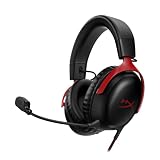
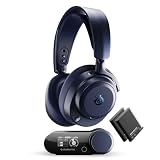
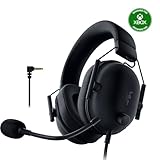
Our Top Picks


If you want the single best soundbar under $300 for a normal living room, buy the JBL Bar 300: a compact 5.0-channel all-in-one bar with Dolby Atmos decoding and JBL’s MultiBeam virtual surround, and no subwoofer to find floor space for. If bass output per dollar matters more to you than virtual height effects, the Philips B7305 2.1 system — 300 W, wireless subwoofer, HDMI ARC — is the smarter allocation of the same money. If you want built-in voice control and a bar you can expand later with a wireless bass module and rear surrounds, the Bose Smart Soundbar 300 is the premium pick. And because a sub-$300 soundbar budget is usually a total install budget rather than a single-box budget, this guide also covers the brackets and cables that finish the job — the tiebutie and Impresa wall mounts, the Sound Bass under-TV bracket, and replacement AC cords — so more of your money lands in the driver array instead of in a branded accessory.
The deciding factor between these bars is not wattage on a box. It is whether you can place a subwoofer, how far you sit from the bar, and whether your TV can pass an Atmos signal at all. The sections below work through each product, then hand you a room-size decision matrix and a power-budget calculation you can apply to any bar in this price band.
Top 3 Picks
Best overall: JBL Bar 300. A 5.0-channel all-in-one with Dolby Atmos decoding and MultiBeam virtual surround, it suits anyone who wants one box, one power cable and no subwoofer placement decisions. It is the most complete single-bar package here for small and medium rooms, and its wall-mount-friendly shape pairs directly with the brackets further down this list.
Best value: Philips B7305. The 2.1 configuration with a wireless subwoofer and a 300 W rating gives you the one thing no all-in-one bar can fake — real low-frequency output. For a 15–25 m² room where you can tuck a sub beside the sofa, it delivers more physical impact per pound than anything else in this roundup.
Best premium / best for voice control: Bose Smart Soundbar 300. A single-bar design with a built-in microphone and Alexa voice control, plus Bose’s app-based setup and an upgrade path to wireless bass and surround modules. Choose it if you want the bar to be the beginning of a system rather than the end of one.
Quick Comparison
Every product in this guide, mapped to the job it does best. Price tiers are relative bands within this roundup, not fixed prices — listings move week to week.
| Product | Best for | Key specs | Price tier |
|---|---|---|---|
| JBL Bar 300 | All-in-one Atmos in small/medium rooms | 5.0-channel, no external sub; Dolby Atmos decoding; MultiBeam virtual surround; HDMI (ARC/eARC-class), optical, Bluetooth | Premium |
| Philips B7305 | Maximum bass per dollar | 2.1-channel; 300 W rated; wireless subwoofer; Dolby Audio; HDMI ARC | Mid-range |
| Bose Smart Soundbar 300 | Voice control and expandability | Single bar, no sub in box; Bluetooth + Wi-Fi streaming; built-in mic with Alexa; expandable with Bose bass/surround modules | Premium |
| tiebutie Soundbar Wall Mount for Bose WB-300 | Fixed wall install for Bose bars | Steel wall bracket for Bose WB-300 / SoundTouch 300 / Soundbar 300–950 family; screw kit included | Mid-range |
| Impresa Sound Bar Mounts Kit | Cheapest bracket route | Sound bar brackets plus speaker wall mounts; compatible with Bose SoundTouch 300 | Budget |
| Sound Bass Under TV Mount for Bose Soundbars | Bar that moves with the TV | Under-TV bracket using the TV’s VESA holes; black; concealed once fitted | Mid-range |
| DIGITMON Right-Angle AC Power Cord | Tight wall-mounted power runs | 6 ft (≈1.83 m) replacement cord; right-angle US 2-prong plug; for Bose Smart Soundbar 300 | Budget |
| tiebutie Wall Mount with 2 Speaker Mounts | Full surround install | Soundbar bracket plus two satellite speaker mounts; Bose WB-300 / SoundTouch 300 / Soundbar 300–950 family | Mid-range |
| Qnanw Power Cord Charger Cable | JBL PartyBox and Bar 2-series owners | Replacement power/charger cable compatible with JBL PartyBox 100/110/200/300/310/710/1000, On-The-Go and JBL Bar 2-series | Budget |
Two things stand out from the table. First, three of the nine entries are actual soundbars and six are installation hardware — which is normal for this price bracket, because the difference between a $180 install and a $280 install is often the bracket and the cable, not the speaker. Second, only one entry here ships with a subwoofer. If your room is larger than about 25 m², that fact should drive your entire decision.
How We Chose
These picks are research-based, not test-based. We did not unbox, measure or listen to any of these products; nothing in this guide comes from a bench or a listening room. Selection was driven by four criteria.
Published specification and category fit. Each product was assessed on what its listing and the manufacturer’s documentation state: channel configuration, rated power class, decoding formats supported, and connection types. Where an exact figure was not stated, we describe the product by spec class rather than guessing a number.
Room-size suitability. A bar that works brilliantly in a 12 m² bedroom is a compromise in a 30 m² open-plan space, so every entry is tied to the room volume and seating distance it realistically serves.
Total cost of the install. Because this is a sub-$300 roundup, we weighted the accessories that keep a complete install inside the budget: brackets that avoid a furniture purchase, and cables that solve a specific physical problem.
Upgrade path. Products that can grow — a bar that accepts a wireless bass module later, a bracket that supports added satellite speakers — scored higher than closed systems with no next step.
1. JBL Bar 300 – Best for Atmos Without a Subwoofer
As an Amazon Associate we earn from qualifying purchases at no extra cost to you.

The JBL Bar 300 is the pick for anyone who has decided, for whatever reason, that a separate subwoofer is not happening. Maybe the room is a rental, maybe the only free floor space is a walkway, maybe there is a downstairs neighbour. This is a compact 5.0-channel all-in-one bar: five channels of processing and drivers in a single enclosure, with no wireless sub in the box and no sub to place.
Where it earns its place is in how it handles the two problems that normally sink a sub-less bar — dialogue intelligibility and perceived width. Dolby Atmos decoding means the bar will accept and process an Atmos bitstream from a compatible TV, and MultiBeam is JBL’s virtual surround processing that uses the bar’s driver array and the walls of your room to push the soundstage out past the physical edges of the cabinet. PureVoice is the dialogue-focused processing layer that lifts centre-channel content when a soundtrack is busy.
For a bar of this width, the practical result in a small or medium room is a soundstage that reads noticeably wider than the box. That is not the same as rear channels — see the virtual surround section in How to Choose for why — but for films, sport and games where you sit roughly 2–3 m back, it is a genuinely useful effect rather than a marketing line.
Key specs
- Configuration: 5.0-channel, all-in-one, no external subwoofer
- Decoding: Dolby Atmos (bitstream passthrough from a compatible TV required)
- Virtual surround: JBL MultiBeam
- Dialogue processing: PureVoice
- Connections: HDMI (ARC/eARC-class), optical, Bluetooth, plus app-based EQ via the JBL companion app
- Mounting: wall-mountable; pairs with the brackets listed later in this guide
Strengths
The single-box format is the whole point. There is no sub to tune, no wireless pairing to re-establish after a power cut, and no cable run to hide. Setup is a bar on a shelf or a wall and one HDMI cable to the TV’s ARC port. The Atmos and MultiBeam combination also gives you something the Philips 2.1 cannot: an Atmos badge on your receiver readout and a virtual height/width effect from a cabinet that will sit comfortably under a 43–55 inch TV.
It also integrates cleanly with the accessories in this roundup. A wall-mount install with a right-angle power cord means the bar can sit flush under a wall-mounted TV with no visible cabling, which is the configuration most people actually want in a living room.
Pros
- True one-box install — no subwoofer placement, no sub cable, no sub pairing
- Dolby Atmos decoding and MultiBeam virtual surround from a compact cabinet
- PureVoice dialogue processing is genuinely useful at low listening volumes
- Wall-mountable, so it fits the flush-under-TV setups described later in this guide
- App-based EQ lets you correct a boomy shelf or a thin wall-mounted position
Cons
- No subwoofer means output below roughly 50–60 Hz is physically absent; action films lose their floor
- Virtual surround depends heavily on room geometry — in a large open-plan room the effect largely collapses
- Premium tier for this roundup, so it eats most of a $300 budget on its own
- Atmos requires a compatible TV and the right cable; optical-only TVs get no Atmos at all
How it compares
Against the Bose Smart Soundbar 300, the two are both premium single-bar designs with no sub in the box, so the split is about priorities rather than quality. The JBL brings Atmos decoding and a wide-array virtual surround approach; the Bose brings a built-in microphone, Alexa voice control and a documented upgrade path to wireless bass and surround modules. If you will never add a sub, take the JBL. If you might add one in a year, take the Bose. Against the Philips B7305, the trade is stark and simple: the Philips gives you a real subwoofer and roughly twice the rated amplifier power, and gives up Atmos decoding and virtual surround processing to do it.
2. Philips B7305 – Best for Bass Per Dollar

The Philips B7305 is a 2.1-channel system rated at 300 W with a wireless subwoofer and HDMI ARC, and it exists to solve the one problem that all-in-one bars cannot: moving air. If your room is between roughly 15 and 25 m², if you can put a subwoofer within a metre or two of the bar, and if you care more about the low end of a film soundtrack than about an Atmos logo, this is where the money goes furthest.
The architecture is traditional and it works. Two channels handle the left and right programme material, the wireless sub handles everything the main drivers cannot reproduce, and the crossover between them happens inside the bar’s DSP. Because the sub is wireless, placement is a matter of a power socket rather than a cable run — which in practice means you can put it beside the sofa, behind a plant, or under a side table, and the only visible change to the room is one more plug.
The 300 W rating matters less as an absolute number than as an indication of headroom class. A system rated in this band has enough amplifier on tap to hit comfortable cinema listening levels in a medium room without the DSP aggressively limiting peaks. The worked power calculation in How to Choose shows how to sanity-check that claim for your own seating distance.
Key specs
- Configuration: 2.1-channel with wireless subwoofer
- Rated power: 300 W (as stated in the product listing)
- Decoding: Dolby Audio
- Connections: HDMI ARC (plus the optical, USB and Bluetooth inputs typical of this class — confirm against your specific listing)
- Subwoofer: wireless, mains-powered, separate placement
- Format ceiling: 5.1-channel compressed audio over ARC/optical; no Atmos or virtual height processing
Strengths
The sub is the strength. A dedicated subwoofer of even modest size moves dramatically more air than the small mid-bass drivers in an all-in-one bar, because cabinet volume and driver diameter are the two variables that determine low-frequency output and neither can be compressed into a slim bar. The practical result is that explosions, engine notes and bass lines arrive with weight instead of a click.
Second strength is cost efficiency. Two-channel amplification plus a powered sub is a cheaper architecture to build than a five-channel array with Atmos licensing and virtual surround DSP. That efficiency is what puts a 300 W 2.1 system in reach on a sub-$300 budget where a comparable 5.0 Atmos bar sits at the premium end of the same range.
Third is simplicity of tuning. A 2.1 system has fewer variables: sub level, and bar position. There is no virtual surround to fight with, no height effect to calibrate, no dependency on whether your ceiling reflects sound.
Pros
- Real subwoofer output — the only product in this roundup that delivers genuine low-frequency extension
- 300 W rated power class gives headroom for medium rooms
- Wireless sub placement means no cable run across the room
- HDMI ARC keeps it to one cable to the TV
- Simplest system here to set up and tune
Cons
- No Dolby Atmos decoding and no virtual surround processing — the soundstage stays roughly as wide as the bar
- Needs a mains socket near the sub and a bit of free floor or shelf space
- Dolby Audio rather than a full object-audio format set
- ARC-class connection, so no lossless object audio even if you later upgrade the TV
How it compares
Against the JBL Bar 300, this is the classic format-versus-output trade. The JBL gives you Atmos decoding, MultiBeam virtual surround and a one-box install; the Philips gives you a subwoofer and more amplifier headroom. In a room under about 12 m², the JBL’s virtual surround is the more impressive effect and the missing sub matters less. Above about 18 m², the Philips wins on impact, and it is not close. Against the Bose Smart Soundbar 300, the Philips is the cheaper route to bass — but it is a dead end, while the Bose can be expanded later with a wireless bass module and surround speakers. If you want the option to grow, the Bose is the more rational first purchase.
3. Bose Smart Soundbar 300 – Best for Voice Control and Upgrading

The Bose Smart Soundbar 300 is a single-bar system with a built-in microphone and Alexa voice control, Bluetooth and Wi-Fi streaming, and Bose’s app-driven setup. It suits a specific buyer: someone who wants the bar to be the first component of a system rather than the whole system, and who values hands-free control enough to pay premium-tier money for a bar with no subwoofer in the box.
In day-to-day use it is a straightforward television bar. It sits under or in front of the TV, takes the audio feed from the TV, and plays it. What separates it from the cheaper bars in this roundup is the software layer: voice assistant support through the built-in microphone, network streaming so you can push audio to it without opening a Bluetooth menu, and an app that handles EQ and input switching. That network layer is also what makes the ecosystem expansion possible.
The expansion story is the real argument. Bose’s smart soundbar family is designed to accept a wireless bass module and rear surround speakers, so the bar you buy now can become the front channel of a genuine 5.1-style system later without replacing anything. In a market where a sub-$300 purchase is usually terminal, that is a meaningful difference.
Key specs
- Configuration: single bar, no subwoofer included
- Streaming: Bluetooth and Wi-Fi
- Voice: built-in microphone array with Alexa voice control
- App: Bose companion app for setup, EQ and input management
- Upgrade path: compatible with Bose wireless bass and surround modules (sold separately)
- Mounting: designed to sit on a shelf or be wall-mounted with a bracket of the class listed below
Strengths
The voice control is not a gimmick in a living room context. Being able to pause, change volume or switch inputs without finding the remote is the kind of feature that changes how often the bar actually gets used. The built-in microphone means the function is native to the bar rather than dependent on a separate smart speaker sitting nearby.
The Wi-Fi streaming layer is the second strength. Bluetooth is fine for a phone, but a network connection holds a more stable link and avoids the codec compression and pairing dance that Bluetooth involves. For music listening in the evening, that is the difference between a bar that is convenient and one that is annoying.
Third, and most important for a long-term purchase, the upgrade path. A bar that accepts a bass module later means your first purchase does not have to be your last, and the sub-$300 constraint applies only to this first step.
Pros
- Built-in microphone with Alexa voice control — native, not bolted on
- Bluetooth plus Wi-Fi streaming for more stable music playback
- Clear expansion route to wireless bass and surround modules
- App-based EQ and input management
- Premium build and finish typical of the brand
Cons
- No subwoofer in the box, and the matching bass module is an extra purchase that breaks the sub-$300 rule
- No Dolby Atmos decoding, so no height or object-audio effects
- Premium tier for a single bar with no sub
- Older-generation platform; the ecosystem value depends on Bose continuing to support it
How it compares
Against the JBL Bar 300, the difference is Atmos and MultiBeam versus voice control and expandability. Both are premium single bars with no sub. If your TV and your viewing habits centre on Atmos content — modern streaming films and games — the JBL is the more future-facing choice. If you want the bar to double as a voice-controlled speaker and you plan to add bass later, the Bose is the better first step. Against the Philips B7305, the Bose is the more expensive route to less low-frequency output today but a much better platform tomorrow.
4. tiebutie Soundbar Wall Mount for Bose WB-300 – Best for a Fixed Wall Install

Once you have picked a bar, the next decision is where it lives. This tiebutie bracket is a wall mount sized for the Bose WB-300, SoundTouch 300 and the Soundbar 300/500/550/600/700/900/950 family, and it exists to solve the most common living-room problem: the TV is on the wall, the bar is on the cabinet below, and the sound arrives from a different place than the picture.
Mounting the bar to the wall directly under the TV puts the acoustic centre within a few centimetres of the screen centre. That matters more than people expect. When a bar sits on a low cabinet and you sit 3 m back, the vertical angle between your ears and the bar is significant enough that dialogue appears to come from below the actors’ mouths. Raising the bar to just under the TV’s bottom edge, at roughly 1.0–1.2 m from the floor for a seated listener, closes that gap to the point where it stops registering.
A bracket of this class is a straightforward steel assembly: a wall plate, arms that hold the bar, and a screw and wall-plug kit. Installation is a drill, a level, and about twenty minutes. The reason to choose a dedicated bracket over a generic shelf is that the arms clamp the bar’s own mounting points, so there is no shelf depth to accommodate and nothing projecting into the room.
Key specs
- Type: wall-mount bracket for soundbars
- Compatibility: Bose WB-300, SoundTouch 300, Soundbar 300/500/550/600/700/900/950
- Material class: metal construction with mounting hardware included
- Position: mounts the bar directly beneath a wall-mounted TV
- Tools needed: drill, level, screwdriver
Strengths
The compatibility list is unusually broad for a bracket, covering both the older WB-300 and SoundTouch 300 and the more recent Soundbar 300 through 950 family. If you are buying a Bose bar today and might replace it with a different Bose bar in three years, the bracket is likely to survive the upgrade — which is not true of most accessories in this price band.
The second strength is what it removes. A wall-mounted bar means no cabinet-top clutter, no risk of the bar being knocked, and no need for furniture that is the right height. In a small room, that recovered surface area is a real benefit.
The third is thermal. Bars sitting in a closed cabinet or on a shelf against a wall can run warm during long sessions. Mounted on an open wall bracket with air on all sides, a bar runs cooler and its amplifier is happier.
Pros
- Puts the bar’s acoustic centre directly under the TV picture
- Broad Bose compatibility across two generations of bars
- Removes cabinet clutter and frees surface space
- Better ventilation than a shelf or cabinet position
- Hardware kit included, so no separate parts run
Cons
- Requires drilling into the wall — a problem for renters and for tile or stone finishes
- Once installed, the bar’s position is fixed; no easy toe-in or angle adjustment
- Mid-range tier pricing for what is fundamentally a piece of folded steel
- Wall fixings supplied are generic; heavy plasterboard or masonry needs the right anchors
How it compares
Against the Impresa Sound Bar Mounts Kit, this bracket is the more expensive, more specialised option: it is aimed squarely at Bose bars, whereas the Impresa kit is a broader bracket-and-speaker-mount package at budget-tier pricing. If you only need the bar on the wall, either works and the Impresa kit costs less. Against the Sound Bass Under TV Mount, the split is fixed versus floating: this bracket fixes the bar to the wall, while the Sound Bass attaches the bar to the TV so it moves with the screen when you adjust the mount. If you never move your TV, the wall bracket is the simpler install.
5. Impresa Sound Bar Mounts Kit – Best Budget Bracket Route

The Impresa Sound Bar Mounts Kit is the budget answer to the same problem: sound bar brackets plus speaker wall mounts, compatible with the Bose SoundTouch 300. It is the entry point for anyone who has spent nearly all of a $300 budget on the bar itself and now needs to get it off the cabinet without paying mid-range accessory money.
The kit bundles two things that are usually bought separately. The sound bar brackets handle the bar; the speaker wall mounts handle a pair of satellite speakers if you have them or plan to add them. Buying the two functions in one package is the entire value proposition, and it is a real one — buying a bar bracket and a pair of speaker mounts individually in this class routinely costs more than the kit.
Compatibility is stated for the Bose SoundTouch 300, which is a specific and slightly older bar. That specificity is worth understanding before you buy. A bracket that fits one Bose bar well may not fit a different model in the range, because the mounting points and cabinet depth differ between generations. Check the mounting pattern on your own bar against the listing before committing.
Key specs
- Type: combined sound bar bracket and speaker wall mount kit
- Compatibility: Bose SoundTouch 300 soundbar
- Includes: sound bar brackets, two speaker wall mounts, mounting hardware
- Material class: metal brackets with a black finish
- Install: wall-fixed, hardware kit supplied
Strengths
Cost per function is the headline. If you need both a bar bracket and a pair of speaker mounts, this kit is the cheapest way to get both in one order, and it removes the risk of buying two brackets that turn out to use incompatible hardware.
The speaker mounts are the more interesting half for anyone building toward a surround setup. Getting rear speakers up on the wall at roughly ear height, about 1.0–1.2 m when seated, is what turns a virtual surround effect into actual rear channels. That single change does more for immersion than any processing mode, and a budget kit that includes the mounts makes it achievable without a second shopping trip.
The hardware inclusion matters too. Loose screws, wall plugs and spacers are the reason most DIY bracket installs stall halfway, and a kit that ships them avoids the extra order.
Pros
- Budget-tier pricing for two bracket functions in one box
- Includes both sound bar brackets and a pair of speaker wall mounts
- Mounting hardware included, so the install does not stall
- Speaker mounts enable a real rear-channel upgrade rather than a virtual one
- Simple metal construction with nothing to configure
Cons
- Compatibility is stated for the Bose SoundTouch 300 specifically — verify your own model
- Budget-tier finish and hardware; expect basic fasteners rather than premium ones
- No angle or depth adjustment once mounted
- If you only need a bar bracket, you are paying for speaker mounts you may never use
How it compares
Against the tiebutie Soundbar Wall Mount for Bose WB-300, the Impresa kit is cheaper and broader in what it includes, but narrower in the bar models it is stated to fit. Choose the Impresa if you want the cheapest complete kit and you own or are buying a SoundTouch 300; choose the tiebutie bracket if you have a newer Bose bar in the 300–950 range. Against the Sound Bass Under TV Mount, the Impresa kit is the wall-fixed approach and the Sound Bass is the TV-attached approach — the same fixed-versus-floating split that runs through every bracket decision in this guide.
6. Sound Bass Under TV Mount for Bose Soundbars – Best for a Bar That Moves With the TV
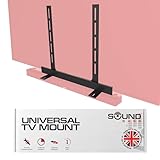
The Sound Bass Under TV Mount is an under-TV bracket for Bose soundbars that attaches to the TV rather than the wall, and the listing’s selling point is exactly the right one: it is invisible once fitted. Black, slim, and mounted in the gap between the TV’s bottom edge and the bar, it disappears from the room entirely.
Attaching the bar to the TV instead of the wall solves a problem that only shows up after installation. If your TV is on an articulating mount — a swing-out arm for a corner position or a room divider — a wall-mounted bar stays pointing one way while the screen turns, and the sound and picture visibly disagree. An under-TV bracket keeps the bar aligned with the screen through the whole range of motion, which is the correct behaviour for any TV that moves.
The second advantage is that it uses the TV’s own VESA mounting holes, so no new holes go into the wall. For renters, and for anyone who has already patched and painted a wall once, that is a substantial practical benefit. The trade is that the bar now depends on the TV’s mount for its position, so it inherits any wobble in that mount.
Key specs
- Type: under-TV soundbar bracket for Bose soundbars
- Attachment: uses the TV’s VESA mounting holes
- Finish: black, concealed between TV and bar once fitted
- Compatibility: Bose soundbars (confirm your model’s mounting points against the listing)
- Install: no additional wall drilling required
Strengths
The VESA attachment is the strongest feature. Every modern flat panel has VESA holes on the back, and using them means the bracket install piggybacks on a mount you have already installed and already trust with the TV’s weight. No new anchor points, no new holes, no new level check.
Alignment through motion is the second strength. For a swing-arm or tilt mount, keeping the bar glued to the screen means dialogue stays anchored to the picture no matter how the TV is angled — a small thing that becomes very noticeable once you have it.
Third is the aesthetic result. An under-TV bracket in black, sitting in the shadow under the panel, reads as part of the TV rather than as an accessory. In a room where the bar is the only visible audio equipment, that matters.
Pros
- Bar tracks the TV through its full range of motion on articulating mounts
- Uses existing VESA holes — no new wall drilling
- Visually concealed in black once fitted
- Keeps the bar’s acoustic centre tight under the screen
- Good option for renters and for finished walls
Cons
- Bar inherits any wobble or sag in the TV mount
- Requires access to the back of the TV, which can mean unmounting a large panel
- Mid-range tier pricing for a simple bracket
- Bose-specific; check your bar’s mounting points before buying
How it compares
Against the tiebutie Soundbar Wall Mount for Bose WB-300, the deciding question is whether your TV moves. If it is fixed flat to the wall, the wall bracket is simpler and cheaper to install and leaves the TV mount untouched. If it swings, tilts or pulls out, the Sound Bass bracket is the only one of the two that keeps the bar pointing at the viewer. Against the Impresa Sound Bar Mounts Kit, the Sound Bass is more expensive and includes no speaker mounts, but it solves the moving-TV problem that no wall bracket can.
7. DIGITMON Right-Angle AC Power Cord – Best for Tight Wall-Mounted Power Runs

The DIGITMON cord is a 6-foot replacement right-angle US 2-prong AC power cable for the Bose Smart Soundbar 300, and it is the least glamorous product in this guide and one of the most practically useful. If you have ever wall-mounted a bar and then discovered that the supplied power lead sticks straight out of the back and holds the bar 4 cm off the wall, you already know why this exists.
The geometry is the whole product. A right-angle plug turns the cable 90 degrees at the connector, so the lead runs parallel to the back of the bar instead of perpendicular to it. On a flush wall install, that is the difference between a bar that sits flat and one that is visibly pushed out by its own power cable. In practice it recovers roughly 3–4 cm of depth, which is often exactly the gap you were trying to close.
The 6-foot length — about 1.83 m — is the other practical detail. It is long enough to reach a socket from a bar mounted under a wall TV in most rooms, and short enough that you are not coiling three feet of surplus cable behind the cabinet. It is a US 2-prong connector, so check both your socket type and your bar’s inlet before ordering.
Key specs
- Type: replacement AC power cord
- Length: 6 ft (approximately 1.83 m)
- Connector: right-angle US 2-prong
- Compatibility: Bose Smart Soundbar 300 (verify your bar’s power inlet)
- Use case: flush wall-mounted installations where a straight plug adds depth
Strengths
Depth recovery is the headline benefit and it is measurable. In a flush mount, the difference between a straight plug and a right-angle plug is the difference between a bar that looks built in and one that looks attached. Since the whole point of the brackets above is a clean install, the cable is the detail that completes it.
Length discipline is the second benefit. Replacement cords are often sold in 10 or 12-foot lengths, which is more cable than a wall-mounted bar needs and more cable to hide. Six feet is the right size for the job, and less surplus cable means less to bundle.
Third is cost. This is a budget-tier item that solves a specific physical problem. If you are mounting a bar and the supplied cable fights the wall, this is a cheap fix compared to changing the mount or the furniture.
Pros
- Right-angle connector recovers roughly 3–4 cm of depth on a flush wall install
- 6 ft length suits wall-mounted bars without excessive surplus cable
- Budget-tier pricing for a problem that otherwise has no cheap fix
- Simple, single-purpose product with nothing to configure
- Makes the bracket installs in this guide actually look like built-in installs
Cons
- Compatibility is stated for the Bose Smart Soundbar 300 — check your own bar’s inlet
- US 2-prong only; not suitable for other socket types or earthed three-prong inlets
- Replacement cords carry no certification detail beyond the listing; buy from a reputable source
- Only useful if you actually have a tight mounting gap
How it compares
Against the Qnanw Power Cord Charger Cable, the two are not interchangeable. This DIGITMON cord is a right-angle mains lead aimed at a specific Bose bar and at solving the depth problem of a wall install. The Qnanw cable targets the JBL PartyBox family and the JBL Bar 2-series, which use a different connection and a different physical situation. Buying the wrong one of these is the most common way to waste a few dollars on this list, so match the connector to the device, not to the brand logo. Against the brackets above, this cord is the finishing detail — the product you buy after the mount, not instead of it.
8. tiebutie Wall Mount with 2 Speaker Mounts – Best for a Full Surround Install

This tiebutie kit is the soundbar wall mount for the Bose WB-300, SoundTouch 300 and Soundbar 300/500/550/600/700/900/950 family, bundled with two satellite speaker mounts. It is the version of the bracket to buy if you are planning a full surround layout rather than a bar-only install, because it solves both mounting jobs in one order.
The logic behind the speaker mounts is worth spelling out, because it is the single highest-value upgrade available at this price level. Virtual surround processing — MultiBeam, or any equivalent — works by using the bar’s drivers and the room’s walls to create the impression of sound behind and beside you. It is a psychoacoustic effect, and it is convincing in the right room. Two actual speakers mounted behind and slightly above the listening position do not simulate anything; they produce rear channels. For the same money as a mid-range bracket, you get the difference between an effect and a channel.
Placement follows the same rules as the bar. Rears go at roughly ear height when seated, about 1.0–1.2 m, angled slightly inward toward the listener, and ideally a little behind the seating position rather than level with it. The mounts in this kit handle that placement without drilling into furniture.
Key specs
- Type: soundbar wall mount plus two satellite speaker mounts
- Compatibility: Bose WB-300, SoundTouch 300, Soundbar 300/500/550/600/700/900/950
- Includes: bar bracket, two speaker mounts, mounting hardware
- Material class: metal brackets, black finish
- Target layout: front bar plus a pair of rear speakers
Strengths
The bundled speaker mounts make a real rear-channel upgrade achievable in a single purchase. That upgrade does more for film and game immersion than any processing mode on any bar in this roundup, and it is the step most people skip because it means a second order, a second set of fixings and a second install session.
Compatibility is the broadest in this guide, covering both the older WB-300 and SoundTouch 300 and the modern Soundbar 300 through 950 range. That breadth makes the kit a durable purchase: if you swap the bar within the Bose family in a few years, the brackets very likely still fit.
Third, the kit keeps the layout coherent. Bar and rears from one product means one mounting height convention, one hardware set, and one consistent finish across all three mounts in the room.
Pros
- Includes two speaker mounts, enabling a real rear-channel setup rather than a virtual one
- Widest Bose compatibility of any bracket in this guide